
SMTP Zen Email Forwarding
SMTP Zen Email Forwarding routes messages sent to custom-domain addresses into inboxes you already use, without requiring a separate mailbox for every address.
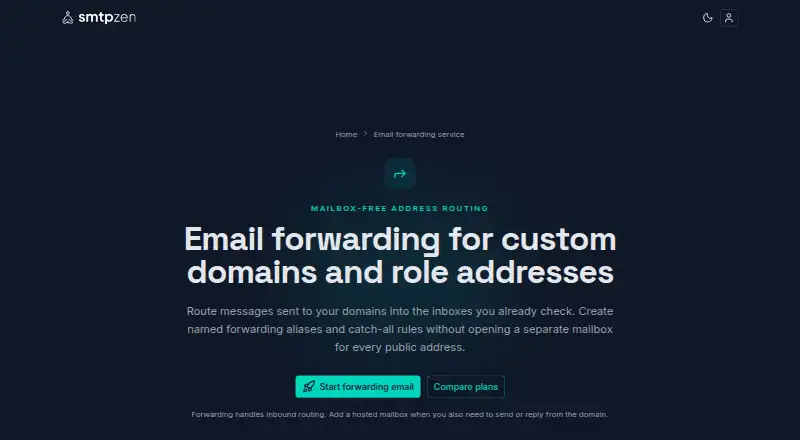
What SMTP Zen Email Forwarding is
SMTP Zen Email Forwarding routes messages sent to custom-domain addresses into inboxes you already use, without requiring a separate mailbox for every address. You can create named forwarding addresses and catch-all rules, then manage routing across multiple domains. Forwarding handles inbound mail only; sending as the custom domain requires a hosted mailbox because forwarding does not provide an inbox or authenticated outbound SMTP. Setup involves adding a domain, following the displayed DNS instructions, creating rules, and testing receipt. SMTP Zen documents SMTP, IMAP, and POP settings, plus setup for iOS and Android mail apps. Developer examples cover Node.js, Python, PHP, Ruby, and Go, using port 465 with implicit TLS or port 587 with STARTTLS. Hosted mailbox plans include Crossbox webmail with unified inboxes, search, keyboard shortcuts, calendar, and contacts. The hosting service states that SPF, DKIM, and DMARC are enforced and describes TLS-encrypted connections. SMTP Zen says it is not for cold outreach or mass marketing blasts.
Good
- Supports named aliases and catch-all rules
- Routes multiple domains
- Documents SMTP, IMAP, and POP settings
- Developer examples cover five languages
- Most plans include a 2-day free trial
Watch out
- Forwarding alone does not provide outbound SMTP
- Hosted mailbox is needed to send as the domain
- No free plan
- Cold outreach and mass blasts are prohibited
Who it suits
It suits developers sending application mail, small teams, freelancers managing client domains, and domain investors. It is useful when inbound custom-domain mail should reach existing inboxes, with hosted mail available when sending is needed.
Verdict
SMTP Zen provides flexible inbound forwarding for custom domains, with documented mail-client and developer connections. Its hosted mailbox option adds sending and webmail, but forwarding by itself is not a complete outbound email service.
Plans and prices
From SMTP Zen Email Forwarding's own pricing page, checked 7 Oct 2026.
| Plan | Price | What it gives you |
|---|---|---|
| Roll your own | $1.20 a month | 1 mailbox · 1 email forwarder/alias · 2GB base disk quota · unlimited domains and bandwidth · fully customizable |
| Starter SMTP | $2.99 a month | 5 mailboxes · 10 email forwarders/aliases · 5GB base disk quota · unlimited domains and bandwidth |
| Freelancer SMTP | $5.99 a month | 10 mailboxes · 10 email forwarders/aliases · 10GB base disk quota · unlimited domains and bandwidth |
| Pro SMTP | $11.99 a month | 20 mailboxes · 10 email forwarders/aliases · 20GB base disk quota · unlimited domains and bandwidth |
The facts
Each one read from SMTP Zen Email Forwarding's own pages, with the date it was checked.
What it does
- Developer connections
- The maker provides SMTP examples for Node.js, Python, PHP, Ruby, and Go, using port 465 with implicit TLS or port 587 with STARTTLS.checked 7 Oct 2026
- Email authentication
- The email hosting plans state that SPF, DKIM, and DMARC are enforced, and the service describes TLS-encrypted connections.checked 7 Oct 2026
- Email clients
- SMTP Zen documents setup for iOS and Android mail apps and lists SMTP, IMAP, and POP connection settings.checked 7 Oct 2026
- Included webmail
- SMTP Zen says its hosted mailbox service includes Crossbox webmail with unified inboxes, search, keyboard shortcuts, calendar, and contacts.checked 7 Oct 2026
- Intended users
- The maker identifies developers sending app emails, small teams, freelancers managing client domains, and domain investors as intended users.checked 7 Oct 2026
- Mailbox distinction
- Forwarding handles inbound routing and does not provide an inbox or authenticated outbound SMTP; a hosted mailbox is needed to send as the custom domain.checked 7 Oct 2026
- Routing
- It supports named forwarding addresses and catch-all rules, with forwarding rules managed across multiple domains.checked 7 Oct 2026
- Sending limit
- The site says most accounts can send about 400 outbound emails per mailbox per hour, including aliases.checked 7 Oct 2026
- Service
- The forwarding service routes messages for custom domain addresses to inboxes you already use, without a separate mailbox for each address.checked 7 Oct 2026
- Setup
- Setup consists of adding a domain, following the displayed DNS instructions, creating forwarding rules, and testing receipt.checked 7 Oct 2026
- Use restrictions
- SMTP Zen says it is not for cold outreach or mass marketing blasts and disallows sending to scraped, rented, or purchased lists.checked 7 Oct 2026
Money
- Trial
- Most plans include a 2-day free trial, while custom plans may be excluded.checked 7 Oct 2026
Alternatives to SMTP Zen Email Forwarding
- 1
DNSExit Email Forwarding
Free planWebAPI7.3From $6.99 a year - 2

Forward Email
Free planAndroidiOSWebAPI7.3From $3 a month - 3

Cloudflare Stream
AndroidiOSWebAPI6.9 - 4

ImprovMX
Free planWebAPI6.8From $50 a year - 5
Gomailify
AndroidiOSWeb6.7From $12 a year - 6
KaiMail
Free planWebAPI6.7From ¥550 a month