
ImageRights Discovery
ImageRights Discovery helps photographers and photo agencies locate possible unauthorized uses of their images.
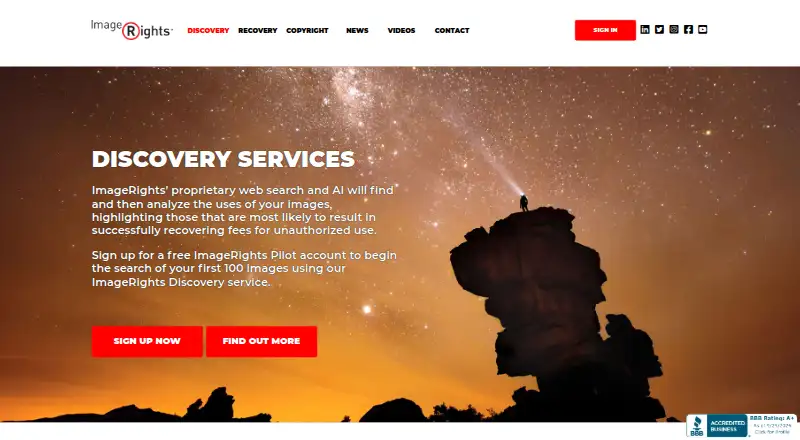
What ImageRights Discovery is
ImageRights Discovery helps photographers and photo agencies locate possible unauthorized uses of their images. Each uploaded image receives a unique fingerprint, which the service uses to search the internet for matching fingerprints. Proprietary web search and AI analyze the sightings, then sort and rank them. Claims considered pursuable are sent to an Inbox for review and organization. Discovery describes image uploading and management as secure. Large collections can use FTP or API access. An Adobe Lightroom plugin uploads images to an ImageRights account and can synchronize image sets and registration status. A Capture One plugin uploads images for Discovery and is offered for Windows and Mac. The free ImageRights Pilot account begins searching the first 100 images. Discovery is available through the web, macOS, Windows, and API access. ImageRights describes its services as serving professional photographers and photo agencies worldwide. ImageRights International, Inc. is headquartered in Boston, Massachusetts, and the company information lists 2008 as its founding year, while another entry lists 2009. Support is available through a phone number and contact form. The listed ImageRights Pilot plan costs nothing.
Good
- Searches the web using image fingerprints
- AI sorts and ranks image sightings
- Places pursuable claims in an Inbox
- Provides FTP and API access for large collections
- Offers Lightroom synchronization features
- Includes a Capture One plugin for Windows and Mac
Watch out
- The free Pilot account starts with the first 100 images
- Capture One integration is offered for Windows and Mac
- No other Discovery plan pricing is listed
Who it suits
ImageRights Discovery suits professional photographers and photo agencies that need to find and review possible unauthorized image use. It is also relevant to users managing large image collections through FTP, API, Lightroom, or Capture One integrations.
Verdict
Choose ImageRights Discovery if you need automated web searching, ranked sightings, and organized review of potential image-use claims. Look elsewhere if your collection exceeds the free Pilot account's first 100 images and you do not want to use its larger-collection access options.
Plans and prices
From ImageRights Discovery's own pricing page, checked 15 Oct 2026.
| Plan | Price | What it gives you |
|---|---|---|
| ImageRights Pilot | Free | first 100 images |
The facts
Each one read from ImageRights Discovery's own pages, with the date it was checked.
What it does
- AI analysis
- The service uses proprietary web search and AI to analyze image uses and highlight sightings considered more likely to produce recoverable fees.checked 15 Oct 2026
- Availability limitation
- The terms promise reasonable efforts toward continuous availability but disclaim liability for interruptions, maintenance and service unavailability.checked 15 Oct 2026
- BBB business dates
- BBB lists the business as started September 1, 2008 and incorporated December 4, 2009.checked 15 Oct 2026
- BBB employee count
- The BBB profile lists 22 employees.checked 15 Oct 2026
- Bulk access
- The service offers FTP and API access for large image collections.checked 4 Oct 2026
- Bulk ingestion
- Large collections can be submitted through FTP or API access.checked 15 Oct 2026
- Capture One integration
- A Capture One plugin for Windows exports images to Discovery and supports preparation of U.S. Copyright Office registrations.checked 15 Oct 2026
- Documentation depth
- Plugin pages provide installation and workflow instructions, while the Discovery page describes API access without linking to a public API reference or SDK documentation.checked 15 Oct 2026
- Founders
- Crunchbase identifies Joe Naylor and Ted VanCleave as co-founders.checked 15 Oct 2026
- Funding record
- Crunchbase shows an angel funding round with Boston Harbor Angels as investor, but the amount and date are obscured.checked 15 Oct 2026
- Image fingerprinting
- ImageRights calculates a distinct mathematical fingerprint for each uploaded image.checked 15 Oct 2026
- Image matching
- The service calculates a unique fingerprint for each uploaded image and searches the internet for matching fingerprints.checked 4 Oct 2026
- Intended users
- ImageRights describes its services as serving photo agencies and professional photographers worldwide.checked 4 Oct 2026
- Internet matching
- The system searches online material and collects fingerprints for images it encounters.checked 15 Oct 2026
- Lightroom automation
- Lightroom smart image sets can automatically upload newly matching catalog images for ongoing Discovery monitoring.checked 15 Oct 2026
- Lightroom copyright workflow
- The Lightroom plugin prepares U.S. Copyright Office registrations, retrieves registration status and writes registration metadata into catalogs.checked 15 Oct 2026
The company
- Company
- ImageRights International, Inc. says it was founded in 2008 and is headquartered in Boston, Massachusetts.checked 4 Oct 2026
- Company customer scale
- Publishers Weekly reported that ImageRights had agreements with about 40 photo agencies and roughly 4,000 to 5,000 individual photographers at the time of its 2019 article.checked 15 Oct 2026
- Company headquarters
- LinkedIn lists Boston, Massachusetts as headquarters and gives a Boston address at 51 Melcher Street, First Floor.checked 15 Oct 2026
- Company offices
- LinkedIn lists offices or locations in Boston, Seattle, Berlin and London.checked 15 Oct 2026
- Company services
- Publishers Weekly described ImageRights as offering discovery, recovery and automated U.S. copyright registration services.checked 15 Oct 2026
- Company size
- LinkedIn lists ImageRights as privately held with 11–50 employees.checked 15 Oct 2026
- Founded
- LinkedIn states that ImageRights was founded in 2009.checked 15 Oct 2026
- Headquarters
- Boston, Massachusetts, United Stateschecked 28 Sep 2026
The full review of ImageRights Discovery
ImageRights Discovery is a rights-monitoring service for finding online uses of photographs and organizing potential unauthorized-use claims. It suits professional photographers and photo agencies more than casual users who need a single reverse-image lookup. Its fingerprint matching, ranked sightings, and review inbox make it a focused choice for claim discovery, while the free Pilot account is limited to the first 100 images.
Overview
Discovery creates a distinct fingerprint for every uploaded image and searches the web for matching fingerprints. It analyzes the resulting sightings, ranks them, and places claims it considers potentially pursuable in an Inbox. That workflow turns a broad set of matches into a queue for human review and organization, with emphasis on uses that might lead to recovered fees.
This is a rights-management process rather than an automatic enforcement service. The ranking can help direct attention to the most promising sightings, but the rights holder still reviews each case and decides what action is appropriate. Secure upload and image-management descriptions are useful for professional collections, while FTP and API access provide bulk routes for larger libraries.
ImageRights International operates the service and says it serves photo agencies and professional photographers worldwide. The company was founded in 2008 and is headquartered in Boston, Massachusetts.
Key features
Fingerprint matching and ranked sightings
A unique fingerprint for each image gives Discovery a repeatable basis for finding matching uses across the web. Sorting and ranking sightings is more useful to a working rights holder than an undifferentiated result list because it supports a review order. The Inbox keeps potentially pursuable claims together, helping users organize follow-up without treating every match as equally valuable.
Bulk access and integrations
FTP and API access are important for agencies or photographers with substantial image collections, allowing Discovery to fit into larger ingestion workflows instead of relying solely on individual uploads. The Adobe Lightroom plugin uploads images to an ImageRights account and can synchronize image sets and registration status. A Capture One plugin uploads images for Discovery and is offered on Windows and Mac, which makes the service more practical for users already managing catalogs in either application.
Support
ImageRights provides a support phone number, +1.617.505.1572, and a contact form. That gives professional users direct channels when collection or account questions arise.
Pricing
The ImageRights Pilot plan costs nothing and searches the first 100 images. It is a sensible way to assess the matching and review workflow with a small portfolio, but the 100-image starting allowance is a material constraint for agencies and photographers with larger catalogs.
Because the Pilot allowance is image-based rather than a short trial period, users can evaluate the service without a stated time limit while staying within that first-100-image scope. Readers should choose it when that collection size is sufficient, and confirm the appropriate larger-collection arrangement before committing a substantial archive.
Platforms
Discovery is offered through web, macOS, Windows, and API access. Lightroom support extends catalog workflows, while the Capture One plugin supports Windows and Mac. The combination suits desktop-based professional photo management as well as automated or bulk pipelines.
Who it's for
Professional photographers and photo agencies are the clearest fit, especially those needing recurring web discovery and a structured queue for possible claims. Users with a modest portfolio can start with Pilot's first 100 images. Large libraries are better candidates for FTP or API access and should confirm the applicable collection terms before migrating a full archive.
Pros and cons
Pros
- Purpose-built claim workflow: ranked sightings and an Inbox focus attention on uses that may justify recovery work.
- Bulk collection support: FTP and API access give agencies a path beyond manual, one-image-at-a-time uploads.
- Catalog integrations: Lightroom synchronization and Capture One uploads connect Discovery with established photo-management workflows.
- Free starting point: Pilot costs nothing and searches the first 100 images.
Cons
- Small free allowance: a 100-image starting scope is unlikely to cover a substantial professional archive.
- Review remains necessary: ranking and claim delivery prioritize work but do not replace the user's assessment of each sighting.
Alternatives
AI Reverse Image Search Tools is a broader list for readers comparing AI-oriented image matching services. Reverse Image Search Software is the wider category overview.
Google Lens is a free option across Android, iOS, macOS, web, and Windows when you want general visual search without a stated usage limit, rather than Discovery's claim-focused workflow. Lenso.ai suits readers seeking freemium searches with Starter features such as 50 unlocks and 10 alerts, or a Developer plan with 5,000 API calls.
Imagga Visual Search is a freemium API choice; its Indie plan costs $79 a month billed monthly and includes 70,000 API requests alongside visual search and other recognition APIs. RIMG offers free reverse-image searches on Android, iOS, and web with no stated usage limit.
Ximilar Visual Search fits teams wanting hosted or self-hosted visual-search APIs, with a free tier of 1,000 monthly credits and one collection. Cloudinary is a broader media-management platform with a free tier for three users, one account, and 25 monthly credits.
PixGuard is a paid-oriented alternative with a free 30-day allowance of 30 scans and a 29.00 USD-per-month Pro plan. Pixsy is another freemium rights-monitoring option, with a free tier monitoring 500 images and offering unlimited case submission but no takedown notices.
Verdict
Choose ImageRights Discovery if you need automated web searching, ranked sightings, and organized review of potential image-use claims. It is strongest for professional photographers and agencies that value a rights-focused queue and catalog or bulk integrations. Look elsewhere if your collection exceeds the free Pilot account's first 100 images and you do not want to use its larger-collection access options.
Getting started
- Open the ImageRights Discovery website
- Create the free ImageRights Pilot account
- Upload images for fingerprinting and web searching
- Use the Lightroom or Capture One plugin if applicable
- Use FTP or API access for large image collections
- Review potential claims in the Inbox
Limits worth knowing
The free ImageRights Pilot account begins searching the first 100 images. The listed plan does not state additional Discovery quotas or limits.
Questions
How much does ImageRights Pilot cost?
The ImageRights Pilot plan is free and listed as free.
How many images does the free account search?
The free Pilot account begins searching the first 100 images.
Which platforms support Discovery?
Discovery is available through the web, macOS, Windows, and API access.
Does it provide API access?
Yes. Discovery offers API access, along with FTP access for large image collections.
Can Lightroom or Capture One connect to Discovery?
The Lightroom plugin uploads images and can synchronize image sets and registration status. The Capture One plugin uploads images for Discovery and is available for Windows and Mac.
Who does ImageRights serve?
ImageRights describes its services as serving professional photographers and photo agencies worldwide.
Alternatives to ImageRights Discovery
- 1
Berify
Free planAndroidiOSWebAPI8.0From $5.95 a month - 2
Ximilar Visual Search
Free planAndroidiOSWebAPI7.9From $69 a month - 3

Pixsy
Free planWebAPI7.4From $209 a year - 4

ViSenze
AndroidiOSWebAPI7.3 - 5
Cloudinary
Free planWebAPIExtension7.2Free plan - 6
Imagga Visual Search
Free planWebAPILinuxSelf-hosted6.9From $79 a month