
Google Lens
Google Lens is a visual search tool that works from a camera, image, or screenshot.
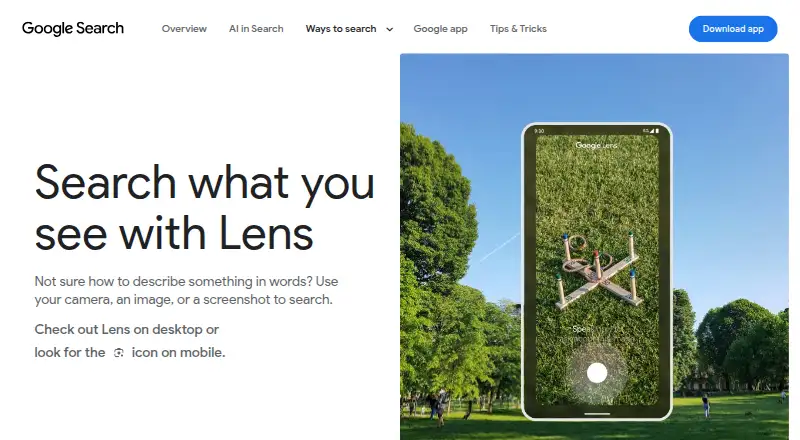
What Google Lens is
Google Lens is a visual search tool that works from a camera, image, or screenshot. It can identify plants and animals and provide information about artwork, murals, and landmarks. For shopping, Lens can identify who makes a pictured item, show its price and where to buy it, and refine results by pattern, color, or size. It can translate text in over 100 languages and copy text to a phone or computer. In the Google app, users can ask about what they see and find homework explainers, videos, and web results across subjects such as math, history, chemistry, biology, and physics. Lens in desktop Chrome can search selected web content and answer questions without leaving the tab. Lens is available through the Google app, Chrome, Google Photos, and the Camera app on select Android devices. The free service is listed for Android, iOS, macOS, web, and Windows. Chrome page searches require Google as the default search engine; Google says they send a screenshot and page data to Google.
Good
- Searches with a camera, image, or screenshot
- Translates text in over 100 languages
- Shopping results can be refined by pattern, color, or size
- Free plan is listed
Watch out
- Chrome page search requires Google as the default search engine
- Chrome page searches send a screenshot and page data to Google
- Shopping results are available only in specified countries
Who it suits
Lens suits people who want to search or identify things from images, translate or copy text, or explore pictured products. Students can also use its question and homework search features in the Google app.
Verdict
Google Lens brings visual search, text translation, shopping discovery, and question answering together. Consider the Chrome search requirement and the page data Google says it receives when deciding whether to use that feature.
Plans and prices
From Google Lens's own pricing page, checked 30 Sep 2026.
| Plan | Price | What it gives you |
|---|---|---|
| Google Lens | Free | No price or usage limits stated on the Lens page |
The facts
Each one read from Google Lens's own pages, with the date it was checked.
Where it runs
- App integrations
- Google lists Lens availability in the Google app, Chrome, Google Photos, and the Camera app on select Android devices.checked 30 Sep 2026
What it does
- Chrome data handling
- Google says a screenshot of the page and page data are sent to Google when Lens searches web page content in Chrome.checked 30 Sep 2026
- Chrome integration
- Lens in Chrome desktop lets users select, search, and ask questions about web content without leaving the current tab.checked 30 Sep 2026
- Chrome requirement
- Using Lens to search page content in Chrome requires Google to be set as the default search engine.checked 30 Sep 2026
- Image creation
- Lens create mode can change a photo’s style using a prompt.checked 30 Sep 2026
- Object identification
- Lens can identify plants and animals and provide information about artwork, murals, and landmarks.checked 30 Sep 2026
- Privacy controls
- Google says users can manage, export, and delete information and adjust privacy settings across its services.checked 30 Sep 2026
- Questions and homework
- In the Google app, Lens can answer questions about what you see and find homework explainers, videos, and web results across subjects including math, history, chemistry, biology, and physics.checked 30 Sep 2026
- Saved media
- Google says saved media from Search services can include images used in Google Lens and can be reviewed in Search Services History.checked 30 Sep 2026
- Shopping
- Lens can find who makes a pictured item, its price, and where to buy it, with text refinement for patterns, colors, or sizes.checked 30 Sep 2026
- Shopping availability
- Lens shopping results are listed as available in specified countries across Europe, Asia-Pacific, Africa, and the Americas.checked 30 Sep 2026
- Translation and text copying
- Lens can translate text in over 100 languages and copy text to a phone or computer.checked 30 Sep 2026
- Visual search
- Lens searches using a camera, image, or screenshot.checked 30 Sep 2026
The full review of Google Lens
Overview
Google Lens is a free visual-search tool for people who want to look things up from what they can see rather than describe them in a search box. It is particularly useful for quick identification, translation, copying text, and product discovery across Google’s apps.
Its breadth is the draw: one service spans camera and image search, shopping, text handling, and visual questions. The trade-off is that Chrome page search requires Google as the default search engine, and sends a screenshot and page data to Google.
Key features
Search and identify from an image
Lens can search from a camera, image, or screenshot, making it a practical choice when you can point to something but lack the words to find it. It identifies plants and animals and provides information about artwork, murals, and landmarks. That range makes it useful for everyday lookups, though its role is visual discovery rather than a dedicated specialist reference tool.
Shopping discovery
For a pictured item, Lens can surface its maker, price, and purchase locations. Refining results by pattern, color, or size makes it more useful for finding a close match than a basic image lookup. Shopping results are available in specified countries across Europe, Asia-Pacific, Africa, and the Americas, so this feature is not equally useful everywhere.
Translate, copy, and ask
Lens translates text in more than 100 languages and can copy text to a phone or computer. In the Google app, it can answer questions about what you see and find homework explainers, videos, and web results across subjects including math, history, chemistry, biology, and physics. That combination suits travelers, students, and anyone moving text from the physical world to a device; it is not a substitute for evaluating the answers or study material it finds.
Create and search in Chrome
Lens create mode can change a photo’s style using a prompt, adding a creative option alongside its search tools. On desktop Chrome, users can select web content to search or ask about without leaving the current tab. That is convenient for browsing, but requires Google to be the default search engine. Google says Chrome page searches send a screenshot of the page and page data to Google, a meaningful consideration for users who do not want page content transmitted for this feature.
Pricing
Google Lens is free: the Google Lens plan costs nothing. No Lens-page price or usage limits are stated, so there is no paid tier to weigh against a capped free option. It is a straightforward fit for individual use when the included Google features meet the need; users seeking a dedicated visual-search API should compare services built around product catalogs and explicit search quotas.
Platforms
Lens is available on Android, iOS, macOS, web, and Windows. Google lists it in the Google app, Chrome, Google Photos, and the Camera app on select Android devices. The Chrome desktop feature is especially relevant to web browsing; mobile camera access is among Lens’s core use cases. Google says users can manage, export, and delete information and adjust privacy settings across its services. Saved media from Search services can include images used in Lens and can be reviewed in Search Services History.
Who it's for
Lens is a strong choice for people who regularly encounter unfamiliar objects, need to translate or copy visible text, or want to find comparable products from a picture. Students may also value its visual questions and homework explainers. It is less suitable for someone who wants Chrome page search without setting Google as the default search engine, or who does not want screenshots and page data sent to Google for that feature.
Pros and cons
- Pro: Several useful jobs start from the same image or camera view, from object identification to translation and shopping discovery.
- Pro: Product results can include maker, price, and purchase locations, with refinements for pattern, color, and size.
- Pro: Translation covers more than 100 languages, and copied text can move to a phone or computer.
- Con: Chrome page search depends on Google being the default search engine, which rules out that workflow for some browser setups.
- Con: Chrome page searches transmit a screenshot and page data to Google, a privacy cost users should weigh before using the feature.
- Con: Shopping results are geographically limited to specified countries, so product discovery may be less useful outside those markets.
Alternatives
For other visual-search options, browse AI Visual Search Tools or AI Reverse Image Search Tools.
- Ecomvis is worth considering for a website or API use case: its free plan allows 50 AI searches per month across one website and includes text, voice, and image search, API access, and community support.
- Pinterest Lens is a free alternative on Android, iOS, and web; it requires a Pinterest account, and mobile camera search requires camera access.
- ASOS Style Match is a free Android and iOS alternative for readers considering another visual-search app.
- FindLume offers a free API and web plan, plus a Build plan at €79 a year, billed Billed €948 / year; its free plan has quotas and limits and no support commitment.
- Trooply Visual Search API suits a catalog API use case: its free plan includes 50 products, 1,000 API calls/month, 10 requests/minute, and image and text search.
- Pictr.ai offers an API and web free plan with up to 50 products, 100 searches per month, one API key, and an embeddable widget; it displays a “Powered by Pictr.ai” badge.
- Bing Visual Search is another free option on Android, iOS, web, and Windows.
- PixelHUT Discovery Engine is a paid alternative with a free trial and Android, iOS, web, and API platforms.
Verdict
Choose Google Lens if you want a free, flexible way to search from images and handle visible text, with shopping discovery and visual questions in the same toolkit. Its breadth is the main reason to use it; look elsewhere if Chrome page search’s default-engine requirement or its screenshot and page-data transmission is a deal-breaker.
Getting started
- Visit the Google Lens website.
- Use Lens in the Google app, Chrome, Google Photos, or the Camera app on select Android devices.
- For Chrome page-content searches, set Google as the default search engine.
Questions
Does Google Lens cost anything?
Google Lens is listed as free. The Lens page states no price or usage limits.
Which platforms are listed for Lens?
Android, iOS, macOS, web, and Windows are listed.
Where can I use Google Lens?
Google lists Lens in the Google app, Chrome, Google Photos, and the Camera app on select Android devices.
Does Chrome require a particular search engine for Lens?
Yes. Searching page content with Lens in Chrome requires Google to be the default search engine.
What data does Chrome send when Lens searches page content?
Google says a screenshot of the page and page data are sent to Google.
Can I manage information saved through Google services?
Google says users can manage, export, and delete information and adjust privacy settings across its services. Saved media from Search services can include Lens images and can be reviewed in Search Services History.
Alternatives to Google Lens
- 1

Alexa for Shopping
Free planAndroidiOSWeb7.0Free plan - 2

Pinterest Lens
Free planAndroidiOSWeb6.8Free plan - 3
Lookbook AI
Free planWebAPISelf-hosted6.7From $199 a month - 4
i spy
Free planAndroidiOS6.4Free plan - 5
Jam Pad
Android6.2 - 6
Lykdat
WebAPI6.0From $3.99 a month