
ImageCollage.net
ImageCollage.net is a free browser-based canvas for creating photo collages, stitching images, and adding annotations.
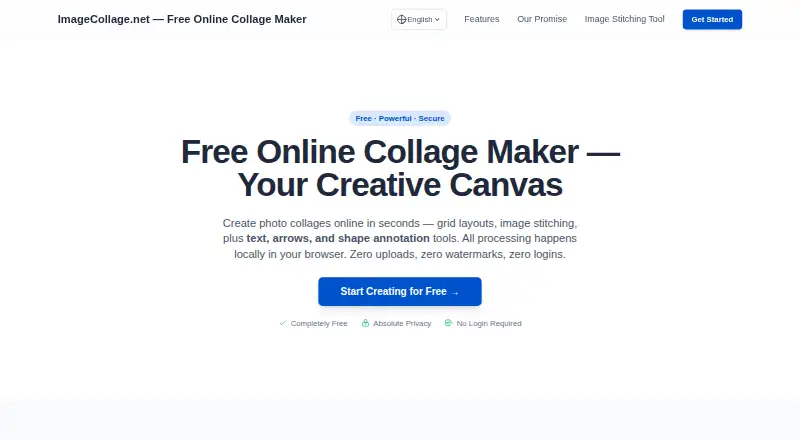
What ImageCollage.net is
ImageCollage.net is a free browser-based canvas for creating photo collages, stitching images, and adding annotations. Its grid layouts support 2 to 16 images; users can also stitch images horizontally or vertically and drag them to change their order. Layout controls let users move dividers, swap positions, zoom and pan within images, and adjust placement with keyboard arrows. Text, customizable vector arrows, rectangles, and circles are available in both collage and stitching modes. Presets cover uses such as YouTube thumbnails, Instagram Reel covers, TikTok covers, Pinterest Pins, blog covers, before-and-after images, product comparisons, and tutorials. The maker says image processing happens locally in the browser and user images are not uploaded or stored. Downloads are described as high-resolution and watermark-free, with High JPG, Standard JPG, and Lossless PNG options. Users can start without registration, login, or app installation. The maker describes core features as permanently free, with no VIP tiers, hidden fees, or limits.
Good
- Grid layouts support 2 to 16 images.
- Stitches images horizontally or vertically.
- Includes text and shape annotations.
- Exports JPG and PNG without watermarks.
Watch out
- Runs in a browser only.
- No third-party integrations are stated.
Who it suits
ImageCollage.net suits people who want to arrange or annotate images in a browser without registering or installing an app. Its presets may help users creating social, blog, tutorial, or comparison visuals.
Verdict
ImageCollage.net provides collage, stitching, and annotation tools with several export options and no account requirement. It is a straightforward fit for browser-based image layouts, while no third-party integrations are listed.
Plans and prices
From ImageCollage.net's own pricing page, checked 5 Oct 2026.
| Plan | Price | What it gives you |
|---|---|---|
| Free | Free | Core features permanently free · no VIP tiers or hidden fees · no account or login required · no watermark |
The facts
Each one read from ImageCollage.net's own pages, with the date it was checked.
What it does
- Access
- The site says users can start creating without registration or login and without installing an app.checked 5 Oct 2026
- Annotations
- The canvas supports text, customizable vector arrows, rectangles, and circles in both layout and stitching modes.checked 5 Oct 2026
- Exports
- The maker offers high-resolution, watermark-free downloads; the editor lists High JPG, Standard JPG, and Lossless PNG export options.checked 5 Oct 2026
- Grid layouts
- Its grid layouts support collages with 2 to 16 images.checked 5 Oct 2026
- Image stitching
- It can stitch multiple images horizontally or vertically, and lets users drag images to change their order.checked 5 Oct 2026
- Integrations
- No third-party integrations are stated on the maker pages reviewed.checked 5 Oct 2026
- Layout controls
- Users can drag dividers, swap image positions, zoom and pan images, and adjust positions with keyboard arrows.checked 5 Oct 2026
- Limits
- The maker describes core features as permanently free with no VIP tiers or hidden fees, and advertises no limits.checked 5 Oct 2026
- Local processing
- The maker says image processing happens locally in the browser and user images are not uploaded or stored.checked 5 Oct 2026
- Purpose
- ImageCollage.net creates photo collages, stitches images, and adds text, arrows, rectangles, and circles in a browser-based canvas.checked 5 Oct 2026
- Use cases
- The site provides presets for YouTube thumbnails, Instagram Reel covers, TikTok covers, Pinterest Pins, blog covers, before-and-after images, product comparisons, and tutorials.checked 5 Oct 2026
Alternatives to ImageCollage.net
- 1
FotoJet
Free planWebExtensionLinuxmacOS8.0From $39.99 a year - 2

Collage Pro
Free planAndroidiOSWeb7.9From $29.90 a year - 3

PicCollage
Free planAndroidiOSWeb7.3From $35.99 a year - 4
Shape Collage
Free planiOSWebLinuxmacOS7.3$40 one-time - 5

Scatter
Free planAndroidiOSWeb7.1$19 one-time - 6

CollageIt
Free planiOSmacOSWindows7.0$29.90 one-time