Icecream Video Editor
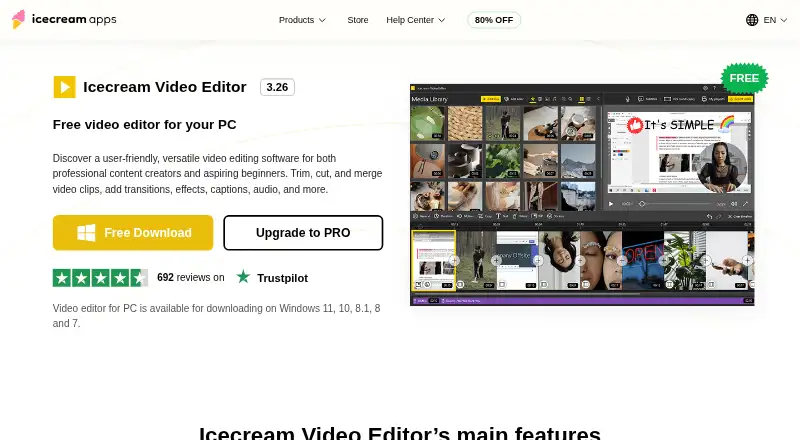
The facts below are what the maker publishes about Icecream Video Editor, checked and dated. Our editors have not written about it yet.
Plans and prices
From Icecream Video Editor's own pricing page, checked 11 Oct 2026.
| Plan | Price | What it gives you |
|---|---|---|
| Free | Free | Most main features · free exports are limited to 10 scenes and 5 minutes without watermark |
| PRO | $24, paid once | More than 10 timeline scenes · Export videos longer than 5 minutes without watermark · Lifetime license never expires · Lifetime license; page also says a one-year auto-renewing subscription is available, but does not show its price |
The facts
Each one read from Icecream Video Editor's own pages, with the date it was checked.
What it does
- 4K export
- Yeschecked 21 Sep 2026
- 4K support
- The FAQ says 4K video editing is supported on Windows 10 and Windows 11.checked 11 Oct 2026
- Ease of use
- The editor combines videos, photos, and background audio on an intuitive timeline and is described as suitable for users with minimal technical expertise.checked 11 Oct 2026
- Editing tools
- Users can trim and split clips, add and adjust background music, and create text overlays with configurable color, position, size, and motion speed.checked 11 Oct 2026
- Formats
- The editor lists support for MP4, AVI, WEBM, MOV, JPG, PNG, GIF, MP3, and WAV formats.checked 11 Oct 2026
- Payment and refund
- The PRO page says payments are processed through 2Checkout and a full refund may be requested within 30 days for unresolved technical or other problems.checked 11 Oct 2026
- Privacy and security
- The maker's privacy policy says it applies administrative and technical safeguards, and states that credit card information is not stored on servers it controls.checked 11 Oct 2026
- Purpose
- Icecream Video Editor trims, cuts, and merges video clips and adds transitions, effects, captions, and audio.checked 11 Oct 2026
- Sharing
- The product page says users can upload edited videos to the cloud, share project links, and track views.checked 11 Oct 2026
- Speed and framing
- Playback speed ranges from x0,25 to x10, and the editor can crop and resize footage, including with blurred backgrounds for blank areas.checked 11 Oct 2026
- Subtitles and export
- Users can create subtitles or import SRT files, convert media to MP4 or WebM, and export audio as MP3.checked 11 Oct 2026
- Support
- The Help Center accepts direct messages and says support is provided in English only.checked 11 Oct 2026
- System requirements
- The listed minimums include Windows 7 or later, a compatible 2.66 GHz processor, 4 GB RAM, 1280×720 display resolution, and 100 MB–5 GB disk space.checked 11 Oct 2026
- Transitions
- It offers more than 20 video transitions and 10 motion effects for photos.checked 11 Oct 2026
Where it runs
- Desktop app
- Yeschecked 21 Sep 2026
The company
- Founded
- 2014checked 28 Sep 2026
- Headquarters
- Limassol, Cypruschecked 28 Sep 2026
- Team collaboration
- Yeschecked 21 Sep 2026
Money
- Free plan
- Yeschecked 21 Sep 2026
- Free version limit
- The free version includes most main features, while PRO permits more than 10 timeline scenes and exports longer than 5 minutes without watermark.checked 11 Oct 2026
Alternatives to Icecream Video Editor
- 1

CyberLink PowerDirector
Free planAndroidiOSmacOSWindows9.0From $59.99 a year - 2

Captions
Free planAndroidiOSWebAPI9.0From $4.99 a month - 3
Vizard
Free planAndroidiOSWebAPI8.9From $29 a month - 4

InVideo AI
Free planAndroidiOSWebAPI8.9From $4 a month - 5
FlexClip
Free planAndroidiOSWebWindows8.8From $143.88 a year - 6

Simplified
Free planAndroidiOSWebAPI8.8From $19 a month