hw-probe
hw-probe is a free hardware diagnostic and inventory tool for Linux and BSD systems.
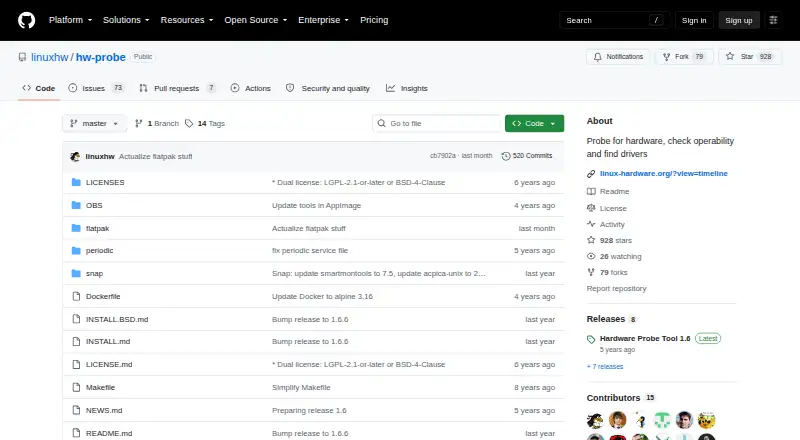
What hw-probe is
hw-probe is a free hardware diagnostic and inventory tool for Linux and BSD systems. It captures a snapshot of a computer’s hardware state and logs, then provides a permanent URL for viewing the probe. If a device lacks a driver, it can suggest a Linux kernel version or a third-party driver using LKDDb data. Optional checks cover graphics, drive read speed, CPU performance, and RAM. Users can create an inventory ID and mark probes to locate their computers on Linux-Hardware.org. Its monitoring command schedules a daily probe through cron and sends email notifications about operating-system failures, configuration changes, or hardware degradation. Installation options include AppImage, Docker, Snap, Flatpak, Live CD/USB, and native packages. Uploads use HTTPS, and users can disable collection of selected logs. The tool masks private details before upload, though edge-case failures are acknowledged; MAC addresses and serial numbers are represented by prefixes of salted hashes. The software is dual-licensed under LGPL-2.1-or-later and BSD-4-Clause.
Good
- Provides a permanent URL for each probe.
- Can suggest drivers using LKDDb data.
- Optional checks cover graphics, drives, CPU, and RAM.
- Selected logs can be disabled.
Watch out
- The Snap package has limited functionality.
- Drive SMART checks require disk block device access.
- Private-information masking may fail in edge cases.
Who it suits
hw-probe is intended for Linux and BSD developers debugging computer problems and organizations simplifying hardware inventory.
Verdict
hw-probe combines hardware snapshots, driver guidance, optional tests, and scheduled monitoring. Its deployment formats include containers, portable packages, and native packages.
Plans and prices
From hw-probe's own pricing page, checked 2 Oct 2026.
| Plan | Price | What it gives you |
|---|---|---|
| hw-probe | Free | Open-source hardware probing tool · dual-licensed under LGPL 2.1-or-later or BSD-4-Clause |
The facts
Each one read from hw-probe's own pages, with the date it was checked.
What it does
- Audience
- The project is intended for Linux/BSD developers debugging computer problems and organizations simplifying hardware inventory.checked 30 Sep 2026
- BSD support
- The repository links to separate installation instructions for BSD users and directs them to bsd-hardware.info.checked 2 Oct 2026
- Data identification
- The tool uploads a 32-byte prefix of salted SHA512 hashes of MAC addresses and serial numbers to identify computers and drives.checked 2 Oct 2026
- Deployment formats
- The project provides AppImage, Docker, Snap, Flatpak, Live CD/USB and native distribution packages.checked 30 Sep 2026
- Driver guidance
- When a device lacks a driver, hw-probe suggests a Linux kernel version or third-party driver using LKDDb data.checked 30 Sep 2026
- Driver suggestions
- When a device does not work because a driver is missing, hw-probe suggests a Linux kernel version or third-party driver.checked 2 Oct 2026
- Hardware tests
- Optional sanity tests cover graphics, drive read speed, CPU performance, and RAM.checked 2 Oct 2026
- Integrations
- The project provides AppImage, Docker, Snap, Flatpak, Live CD/USB, and native Linux package installation options.checked 2 Oct 2026
- Inventory
- Users can associate probes with an inventory ID to find their computers and receive email notifications about detected hardware failures.checked 2 Oct 2026
- License
- The software is dual-licensed under LGPL 2.1 or later and BSD-4-Clause.checked 2 Oct 2026
- Licensing
- The software is dual-licensed under LGPL-2.1-or-later and BSD-4-Clause.checked 30 Sep 2026
- Log controls
- Users can disable collection of selected logs with the -disable option.checked 2 Oct 2026
- Monitoring
- Linux Hardware Monitoring can schedule daily probes of servers or personal stations and email alerts about hardware failures or important hardware-related changes.checked 2 Oct 2026
- Monitoring schedule
- The monitoring command adds a daily cron job that probes the server and sends email notifications for detected failures or important changes.checked 30 Sep 2026
- Operating systems
- The project supports Linux distributions and BSD systems including FreeBSD, OpenBSD, NetBSD, DragonFly, MidnightBSD, GhostBSD, NomadBSD, FreeNAS and pfSense.checked 30 Sep 2026
- Operational limits
- The project says the Snap package runs in a sandbox with limited functionality and requires disk block device access to check drive SMART attributes.checked 2 Oct 2026
- Privacy
- The project says it attempts to mask private information before upload, warns this can fail in edge cases, and uploads data over HTTPS.checked 2 Oct 2026
- Probe output
- A probe is a snapshot of hardware state and logs, and the tool returns a permanent URL for viewing it.checked 30 Sep 2026
- Purpose
- hw-probe snapshots computer hardware and logs, checks device operability, and returns a permanent URL for viewing the probe.checked 2 Oct 2026
- Runtime tests
- Additional tests cover graphics with glxgears, drive read speed with hdparm, CPU performance with dd and md5sum, and RAM with memtester.checked 30 Sep 2026
- Transport and identifiers
- Uploads use HTTPS, while MAC addresses and serial numbers are represented by 32-byte prefixes of salted SHA-512 hashes.checked 30 Sep 2026
Where it runs
- Linux support
- The README lists Linux distributions and supported versions for its AppImage, Snap, and Flatpak options.checked 2 Oct 2026
The company
- Maker
- Linux Hardware Project is a project that anonymously collects hardware details from Linux/BSD computers and helps people collaboratively debug hardware problems.checked 30 Sep 2026
The full review of hw-probe
hw-probe is a free hardware diagnostic and inventory tool for Linux and BSD systems. It is best suited to developers troubleshooting devices and organizations tracking machines. Its strongest case is combining driver suggestions with recurring monitoring, but uploaded probe data and limited Snap functionality are meaningful trade-offs.
Overview
Each probe captures hardware state and logs and returns a permanent URL for viewing the snapshot. If a device lacks a driver, hw-probe draws on Linux hardware database data to suggest a kernel version or third-party driver. That gives Linux troubleshooters a useful lead, though the tool does not provide report export.
Users can generate an inventory ID and mark probes to find computers on Linux-Hardware.org. LHWM can monitor operating-system failures, configuration changes and hardware degradation. Its monitoring command adds a daily cron job to probe a server and email notifications about failures or important changes, a practical option for administrators who want a recurring check without manually repeating probes.
Key features
- Snapshots and driver guidance: Permanent URLs make probe results easy to revisit, while driver suggestions can help narrow down why hardware is not working.
- Inventory and monitoring: Inventory IDs help locate marked computers, and daily scheduled probes with email alerts provide continuing visibility into server changes and failures.
- Optional runtime tests: Tests cover graphics with glxgears, drive read speed with hdparm, CPU performance with dd and md5sum, and RAM with memtester. These checks broaden a probe beyond inventory, but are targeted sanity tests rather than a general performance-reporting suite.
- Privacy controls: Uploads use HTTPS; usernames, hostnames, IP addresses, MAC addresses, UUIDs and serial numbers are decorated before upload. MAC addresses and serial numbers are represented by 32-byte prefixes of salted SHA-512 hashes, and selected logs can be disabled with the -disable option. The project acknowledges possible edge-case failures, so users handling sensitive systems should weigh the upload model rather than assume all identifying data is removed in every case.
Pricing
hw-probe is free: its plan is free and the software is dual-licensed under LGPL-2.1-or-later or BSD-4-Clause. There are no paid tiers to unlock; the cost is instead the need to accept uploaded probe data and work within the deployment format's limits.
Platforms
The project supports Linux distributions and BSD systems including FreeBSD, OpenBSD, NetBSD, DragonFly, MidnightBSD, GhostBSD, NomadBSD, FreeNAS and pfSense. Installation formats include AppImage, Docker, Snap, Flatpak, Live CD/USB and native distribution packages. The Snap package runs in a sandbox with limited functionality, and checking drive SMART attributes requires disk block device access.
It has a command-line interface, firmware details, installed-software information and a portable version. Linux support details vary by package; BSD users are directed to separate installation instructions and bsd-hardware.info.
Who it's for
Linux and BSD developers debugging computer problems get the clearest fit: a probe pairs a hardware snapshot with database-backed driver suggestions. Organizations simplifying hardware inventory can use IDs and marked probes, while administrators may value the daily cron-based checks and email alerts. It is a weaker fit for users who require reports as downloadable exports or want to avoid uploading probe data.
Pros and cons
- Pro: Permanent snapshot URLs combine hardware state and logs in a form that is easy to revisit.
- Pro: Driver suggestions and optional hardware tests give troubleshooters concrete ways to investigate devices.
- Pro: Daily probes and email notifications extend the tool from one-time inventory to basic ongoing oversight.
- Con: Probe data is uploaded, and the project acknowledges that privacy decoration can have edge-case failures.
- Con: There is no report export, which limits workflows that need portable reports.
- Con: Snap's sandbox restricts functionality; SMART checks also require disk block device access.
Alternatives
Browse System Information Software for the broader category. Choose Fastfetch instead for a free, MIT-licensed command-line system-information tool with 75+ modules across Android, Linux, macOS and Windows. Facter is another free option across Linux, macOS, self-hosted and Windows; its free Puppet Core Developer plan is for fewer than 25 nodes, while commercial pricing applies at 25 or more nodes.
For Windows-only system information, ASTRA32 has a free non-commercial plan. HWMonitor is a Windows and Android alternative focused on PC hardware sensors, with a free plan and a $19.95, paid once Pro Standard plan for unlimited use and one year of unlimited use. SIW offers a free viewer and a 14-day trial version for supported 64-bit Windows versions.
Mac users may prefer EtreCheckPro, whose free download includes unlimited use, basic reports and diagnostics, and command-line use. htop is a free Linux and macOS option distributed as source code and binaries. For Windows home use, Speccy has a free edition for advanced PC insights and a $19.95, paid once Professional plan with automatic updates and premium support.
Verdict
Choose hw-probe if you debug Linux or BSD hardware, need shareable snapshots or inventory, and value driver suggestions and scheduled email alerts. Its combination of probing and lightweight monitoring is the main reason to pick it; look elsewhere if you need downloadable reports, strictly local data handling or unrestricted Snap operation.
Alternatives to hw-probe
- 1

Fastfetch
Free planOpen sourceAndroidLinuxmacOSSelf-hosted7.5Free plan - 2
Facter
Free planOpen sourceAPILinuxmacOSSelf-hosted7.4Free plan - 3
AIDA64
AndroidiOSWindows7.0€59.95 one-time - 4
Btrfsmaintenance
Free planOpen sourceLinuxSelf-hosted6.9Free plan - 5
SIW
Free planWindows6.6From $39.99 a year - 6

Speccy
Free planWindows6.6$19.95 one-time