
htop
htop is a free, interactive process viewer for managing and inspecting processes in text-mode terminals.
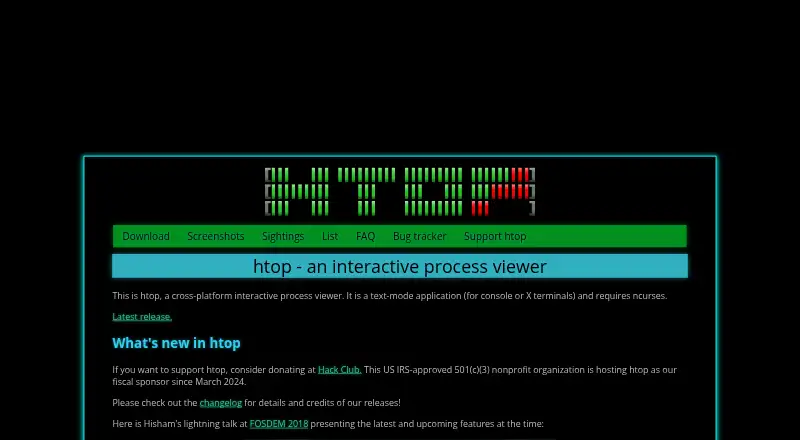
What htop is
htop is a free, interactive process viewer for managing and inspecting processes in text-mode terminals. It runs in console or X terminals and requires ncurses. Current releases support Linux, FreeBSD, NetBSD, OpenBSD, DragonFly BSD, macOS, and Solaris. The project distributes source code on GitHub and precompiled binaries through distributions; installation examples cover Debian, Fedora, Gentoo, and Arch Linux, and htop is included in Homebrew for macOS. Its display can show Unicode Braille-character graphs and a Unicode tree view, with visual support for large processor counts. Process controls include configuring I/O scheduling priority and CPU affinity. Users can choose color themes for dark or light terminals and customize header meters. The memory meter’s percentage represents memory used by processes; on Linux, the kernel also uses available memory for buffers and disk cache. htop does not provide a per-process SWAP column because it cannot reliably determine exact swap use, including for shared pages. The project dates to 2004, and users can subscribe to mailing-list release updates.
Good
- Free source code and distribution binaries.
- Supports Linux, BSD variants, macOS, and Solaris.
- Includes Unicode graphs and a tree view.
- Can configure I/O priority and CPU affinity.
- Header meters are customizable.
Watch out
- Requires ncurses and a text-mode terminal.
- Does not show per-process SWAP usage.
- Memory percentage reflects process use, not all kernel use.
Who it suits
htop suits people who want to inspect and manage processes from a text-based terminal on a supported system. Its customizable meters and process controls may be useful for users working with large processor counts.
Verdict
htop provides terminal-based process viewing and controls across several operating systems. Its missing per-process SWAP column is a notable limitation for users seeking that specific measurement.
Plans and prices
From htop's own pricing page, checked 8 Oct 2026.
| Plan | Price | What it gives you |
|---|---|---|
| Free | Free | Freely available; source code and distribution binaries |
The facts
Each one read from htop's own pages, with the date it was checked.
What it does
- Customization
- The screenshots page says color themes are available for dark and light terminals and header meters are fully customizable.checked 8 Oct 2026
- Distribution
- htop is available freely as source code on GitHub and as pre-compiled binaries provided by distributions.checked 8 Oct 2026
- Installation
- The download page gives package installation examples for Debian, Fedora, Gentoo, and Arch Linux, and says htop is included in Homebrew for macOS.checked 8 Oct 2026
- Large systems
- The screenshots page says htop has visual support for large processor counts and shows a 64-core machine.checked 8 Oct 2026
- Memory reporting
- The FAQ explains that the memory meter’s percentage represents memory used by processes, while additional available memory is used by the Linux kernel for buffers and disk cache.checked 8 Oct 2026
- Process controls
- The screenshots page identifies configuring I/O scheduling priority and CPU affinity as available features.checked 8 Oct 2026
- Purpose
- htop is a cross-platform interactive process viewer that runs in text mode in console or X terminals and requires ncurses.checked 8 Oct 2026
- Release updates
- Users can subscribe to the htop mailing list to receive new-release information.checked 8 Oct 2026
- Support and contributions
- The home page links to the project bug tracker and says Hack Club, a US IRS-approved 501(c)(3) nonprofit, has hosted htop as its fiscal sponsor since March 2024.checked 8 Oct 2026
- Supported systems
- The site lists Linux, FreeBSD, NetBSD, OpenBSD, DragonFly BSD, macOS, and Solaris as supported by current releases.checked 8 Oct 2026
- Swap limitation
- The FAQ says htop does not provide a per-process SWAP column because it does not know a reliable way to determine exact swap use, including for shared pages.checked 8 Oct 2026
- Terminal display
- The screenshots page describes Unicode Braille-character graphs and a Unicode tree view.checked 8 Oct 2026
The company
- Founded
- 2004checked 28 Sep 2026
Alternatives to htop
- 1

Fastfetch
Free planOpen sourceAndroidLinuxmacOSSelf-hosted7.5Free plan - 2
Facter
Free planOpen sourceAPILinuxmacOSSelf-hosted7.4Free plan - 3
AIDA64
AndroidiOSWindows7.0€59.95 one-time - 4
Btrfsmaintenance
Free planOpen sourceLinuxSelf-hosted6.9Free plan - 5
SIW
Free planWindows6.6From $39.99 a year - 6

Speccy
Free planWindows6.6$19.95 one-time