
HitPaw FotorPea
HitPaw FotorPea is a multi-platform photo editor with AI retouching, RAW photo support and batch editing.
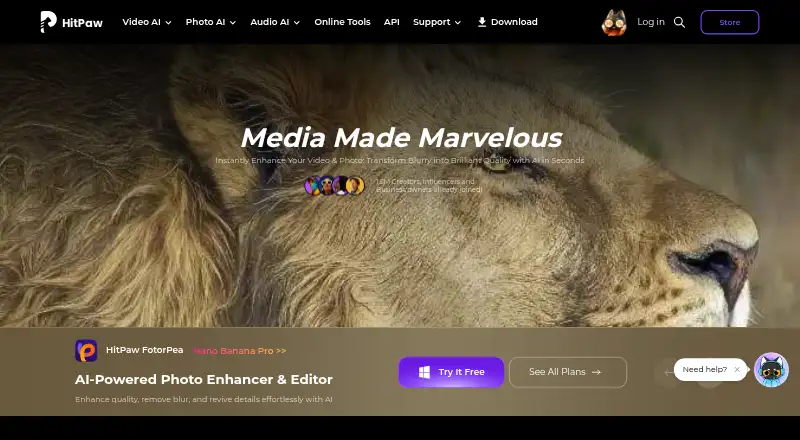
What HitPaw FotorPea is
HitPaw FotorPea is a multi-platform photo editor with AI retouching, RAW photo support and batch editing. Listed tools include scratch repair, photo colorization and face enhancement, alongside AI image enhancement models. It accepts PNG, JPG, JPEG, WEBP, TIF, TGA, BMP, JFIF, NEF and RAW files; listed output formats include PNG, JPG, JPEG, WEBP, TIF, TGA, BMP and JFIF. A free plan is listed, and the pricing information also notes a 7-day trial. The 1 Month License costs $27.99 a month and includes 100 credits. The 1 Year License costs $112.99 a year and includes 500 credits and one year of free updates. The Perpetual License is listed at $162.99 a month, includes 800 credits and provides free updates within the current big version. An Annual Team Plan costs $406.99 a year for five PCs. The maker is based in Tsuen Wan, New Territories, Hong Kong, and was founded in 2019.
Good
- Supports RAW photo files.
- Includes batch editing and AI retouching.
- Offers scratch repair, colorization and face enhancement.
- Accepts multiple common image formats.
- A free plan is listed.
Watch out
- The listed trial lasts 7 days.
- The 1 Month License costs $27.99 a month.
- The Perpetual License is listed at $162.99 a month.
Who it suits
HitPaw FotorPea suits people looking for photo editing with AI retouching, RAW support and batch processing. Its listed tools include scratch repair, colorization and face enhancement.
Verdict
HitPaw FotorPea combines photo enhancement and retouching tools with RAW support and batch editing. Compare the included credits and update terms across its listed licenses before choosing a plan.
Plans and prices
From HitPaw FotorPea's own pricing page, checked 22 Sep 2026.
| Plan | Price | What it gives you |
|---|---|---|
| 1 Month License | $27.99 a month | 100 credits · Automatically renew, cancel any time |
| Windows 1 Month | Priced on request | 100 credits · 9 AI image enhancement models · All features · Automatically renew; cancel any time |
| 1 Year License | $112.99 a year | 500 credits · 1-year free updates · Automatically renew, cancel any time |
| Windows 1 Year | Priced on request | 500 credits · 9 AI image enhancement models · 1-year free updates · All features · Automatically renew; cancel any time |
| Windows Perpetual | Priced on request | 800 credits · 9 AI image enhancement models · All features · One-time price |
| Annual Team Plan | $256.95 a year | Shown for 5 PCs · company use · multi-user control · free updates and tech support · Billed annually |
| Mac 1 Month | Priced on request | 100 credits · 9 AI image enhancement models · All features · Automatically renew; cancel any time |
| Mac 1 Year | Priced on request | 500 credits · 9 AI image enhancement models · 1-year free updates · All features · Automatically renew; cancel any time |
| Mac Perpetual | Priced on request | 800 credits · 9 AI image enhancement models · All features · One-time price |
| Annual Business | Priced on request | 5 PCs or Macs · 10 PCs or Macs · 100 PCs or Macs · Billed annually; device quantity selected separately |
| Monthly Plan | $22.39 a month | 100 credits · AI photo enhancement · AI generation and editing · Automatically renews; cancel any time |
| Yearly Plan | $90.39 a year | 500 credits · AI photo enhancement · AI generation and editing · Yearly |
| Perpetual License | $130.39, paid once | 800 credits · updates within the current major version; future versions not included · One-time price |
The facts
Each one read from HitPaw FotorPea's own pages, with the date it was checked.
What it does
- AI retouching
- Yeschecked 22 Sep 2026
- Batch editing
- Yeschecked 22 Sep 2026
- Batch processing
- FotorPea supports enhancing multiple images in bulk.checked 9 Oct 2026
- Credit limits
- Monthly subscription credits expire at month end and yearly credits expire at the end of the subscription year; unused subscription credits do not roll over.checked 9 Oct 2026
- Editing and generation
- Features include prompt-based editing, AI image generation, background removal, object editing, and AI chat-style canvas editing.checked 9 Oct 2026
- Enhancement
- Its AI tools can upscale images, reduce noise, correct color, and restore old photos.checked 9 Oct 2026
- Intended users
- The maker describes the editor as suitable for beginners and professionals.checked 9 Oct 2026
- Licensing limit
- Windows and Mac licenses are platform-specific and premium features cannot be shared across platforms.checked 9 Oct 2026
- Paid from
- 27.99checked 22 Sep 2026
- Photoshop integration
- The Photoshop plugin can enhance and restore images in Photoshop, and its subscription and credits are separate from the FotorPea software.checked 9 Oct 2026
- Privacy and security
- The maker’s FotorPea privacy policy says it takes reasonable measures to protect information and notes that it cannot guarantee 100% information security.checked 9 Oct 2026
- Product purpose
- FotorPea combines AI image enhancement, restoration, editing, and generation.checked 9 Oct 2026
- RAW photo support
- Yeschecked 22 Sep 2026
- Support and refund
- The purchase page advertises 24/7 technical support and a 30-day money-back guarantee, subject to contacting support first.checked 9 Oct 2026
The company
- Founded
- 2019checked 24 Sep 2026
- Headquarters
- Tsuen Wan, New Territories, Hong Kongchecked 24 Sep 2026
Money
- Free plan
- Yeschecked 22 Sep 2026
- Trial
- The product page offers a 7-day free trial for the desktop version.checked 9 Oct 2026
Where it runs
- Platform
- multi-platformchecked 22 Sep 2026
- Platforms
- The maker lists Windows, Mac, online, iPhone/iPad, Android, and a Photoshop plugin.checked 9 Oct 2026
The full review of HitPaw FotorPea
HitPaw FotorPea is an image editor for improving, restoring, editing, and generating pictures with AI. It suits people who want bulk photo repair alongside prompt-based creative tools. Its broad toolkit is a strong fit for mixed workflows, though expiring credits and platform-specific licenses make the plan choice consequential.
Overview
FotorPea handles routine image improvements such as upscaling, noise reduction, and color correction, as well as restoring old photos and making prompt-led edits or new images. RAW support and batch processing give it a useful role in larger photo workflows. The range is less compelling if restoration is your only need and you would rather pay for a focused tool.
It accepts PNG, JPG, JPEG, WEBP, TIF, TGA, BMP, JFIF, NEF, and RAW files; exports are supported in PNG, JPG, JPEG, WEBP, TIF, TGA, BMP, and JFIF. A Photoshop plugin can enhance and restore images inside Photoshop, but it has a separate subscription and credit balance.
Key features
Repair and enhancement
AI tools cover upscaling, noise reduction, color correction, scratch repair, photo colorization, and face enhancement. Batch processing is particularly useful when working through a group of photos, rather than repeating the same correction one file at a time. The mix serves both current image cleanup and older-photo restoration.
Editing and generation
Prompt-based editing, AI image generation, background removal, object editing, and a chat-style canvas expand FotorPea beyond restoration. This breadth is useful for people who want creative changes and repairs in one editor; it may be unnecessary overhead for someone who only needs to clean up scans.
Credits and licensing
Plans include 100, 500, or 800 credits, depending on term. Monthly subscription credits expire at month end, while yearly credits expire at the end of the subscription year; unused credits do not roll over. Windows and Mac licenses are separate, and premium features cannot be shared across platforms, so multi-device users should account for the platform they intend to use.
Pricing
FotorPea has no free plan, but the desktop version has a 7-day free trial. Paid plans include:
- 1 Month License: $27.99 a month, automatically renewing until canceled; includes 100 credits.
- 1 Year License: $112.99 a year, automatically renewing until canceled; includes 500 credits and one year of free updates.
- Perpetual License: $162.99 a month as a one-time price; includes 800 credits and free updates within the current major version.
- Annual Team Plan: $256.95 a year, billed annually for 5 PCs; includes company use, multi-user control, free updates, and technical support.
- Monthly Plan: $22.39 a month, automatically renewing until canceled; includes 100 credits plus AI photo enhancement, generation, and editing.
The monthly options suit shorter or lighter use, but their 100-credit allowance limits how much work can be done before credits run out. The annual individual license raises the allowance to 500 credits and includes a year of updates, while the perpetual option provides 800 credits and updates only within the current major version. The team plan is aimed at five-PC company use rather than an individual seat. Windows-specific monthly, annual, and perpetual licenses, Mac equivalents, and an Annual Business plan for 5, 10, or 100 PCs or Macs use custom pricing. The purchase page advertises 24/7 technical support and a 30-day money-back guarantee, subject to contacting support first.
Platforms
FotorPea supports Android, iOS, macOS, web, Windows, and an extension. Windows and Mac premium licenses remain platform-specific. The desktop trial lasts seven days.
Who it's for
FotorPea suits beginners and professionals who need more than a single repair function: batch enhancement, RAW input, restoration, and prompt-led editing all sit in the same product. It is a better fit for regular, varied image work than occasional restoration, particularly if credits will be used before they expire. Photoshop users can add the plugin for enhancement and restoration, but should budget for its separate subscription and credits.
Pros and cons
Pros
- Combines restoration, enhancement, editing, and generation, reducing the need to switch tools for those jobs.
- RAW support and batch processing suit photo collections and larger cleanup tasks.
- The 7-day desktop trial gives users a short window to assess the workflow before subscribing.
Cons
- There is no free plan, so continued use requires a paid license.
- Credits expire monthly or yearly and do not roll over, which can waste unused allowance for occasional users.
- Windows and Mac licenses are separate, and the Photoshop plugin has its own subscription and credits.
- The perpetual license limits free updates to the current major version.
Alternatives
Photo Restoration Software and AI Image Restoration Software are useful starting points for comparing restoration-focused tools. For a broader editing shortlist, see Photo Editing Software.
ImageColorizer is a freemium option with a free plan, support across mobile, desktop, and web, and a 50-credit monthly allowance with single processing.
AIPhotor offers a free account with five credits and a $3.99 a month plan for 100 credits, making it worth considering when a lower-cost credit plan is the priority.
The other HitPaw FotorPea listing includes a free plan and a $21.99 a month option with 100 free credits and nine AI enhancement models.
Memento AI offers free standard restoration saves and is limited to iOS and macOS.
Reviva has a free tier with three restorations and full-resolution downloads without watermarks.
Hotpot AI Photo Restorer has a free web plan for two images daily, as well as API and self-hosted options.
RenewShot is an iOS restoration app with a free download tier.
Restore.Photo is a web and API option with three free monthly restorations, standard quality, and a 1024-by-1024 resolution cap.
Verdict
Choose HitPaw FotorPea if you want one product for batch enhancement, old-photo repair, RAW images, and prompt-led editing. Its breadth is the central reason to choose it; the main reason to look elsewhere is that paid credits expire and licenses do not carry across Windows and Mac. Occasional restorers may be better served by a free alternative with a limited allowance.
Getting started
- Visit https://www.hitpaw.com/ to view FotorPea options.
- Choose a supported platform: Android, iOS, macOS, Windows, web or extension.
- Try the desktop version with its 7-day free trial.
- Select a listed license if you want ongoing use; Windows and Mac licenses are platform-specific.
- For Photoshop use, obtain the separate plugin subscription and credits.
Limits worth knowing
There is no free plan. The desktop free trial lasts seven days; subscription credits expire at month end for monthly plans or at the end of the subscription year for yearly plans, and unused subscription credits do not roll over.
Questions
Does HitPaw FotorPea have a free plan?
No free plan is listed. The desktop version offers a 7-day free trial.
What does the 1 Month License cost?
It costs $27.99 a month, renews automatically, can be cancelled any time and includes 100 credits.
Which platforms are supported?
The listed platforms are Android, extension, iOS, macOS, web and Windows.
Does FotorPea support RAW photos and batch editing?
Yes. RAW photo support and batch editing are listed, and RAW is among the supported input formats.
Can I use FotorPea tools in Photoshop?
A Photoshop plugin can enhance and restore images in Photoshop. Its subscription and credits are separate from the FotorPea software.
Who makes FotorPea?
The maker is HitPaw FotorPea, founded in 2019 and headquartered in Tsuen Wan, New Territories, Hong Kong.
Alternatives to HitPaw FotorPea
- 1

Picsart
Free planAndroidiOSWebAPI9.0From $10.50 a month - 2

Photoroom
Free planAndroidiOSWebAPI9.0From $7.50 a month - 3
PhotoPad
Free planAndroidiOSWebExtension8.8Free plan - 4

Adobe Photoshop
AndroidiOSWebmacOS8.7 - 5

Adobe Lightroom
AndroidiOSWebmacOS8.7 - 6

BeFunky
Free planAndroidiOSWeb8.7Free plan