Highlights
Highlights is a PDF reader for research that turns annotations into notes, available on iPhone, iPad, and Mac.
What Highlights is
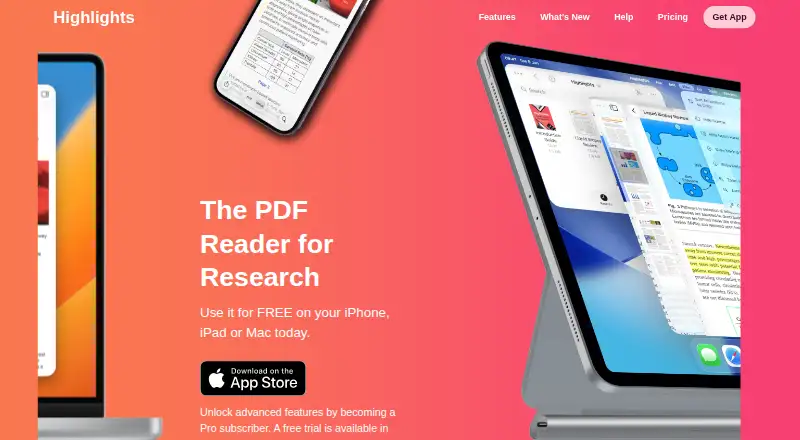
Highlights is a PDF reader for research that turns annotations into notes, available on iPhone, iPad, and Mac. Its free plan supports reading and annotating PDFs, merging annotations, editing metadata, and using Handoff. Notes can be exported as Markdown, TextBundle, HTML, WebArchive, or PDF, or sent to supported apps including Evernote, DEVONthink, Ulysses, Bear, and Keep It. For scientific articles, Highlights can find DOIs and retrieve metadata; it can link a PDF stored on the device if the citation has already been read. Multilingual OCR extracts text from PDFs without searchable text, with processing on the device. Smart Copy outputs copied images as PNG, tables as CSV, and citations as BibTeX. PDFs can be stored on the device, in iCloud Drive, Dropbox, or another sync service, while annotations remain standard PDF annotations. On macOS, it integrates with Bookends and Papers. Pro unlocks everything on iPhone, iPad, and Mac, for $4.99 a month or $29.99 a year. The FAQ says Highlights is not scriptable.
Good
- Free plan includes PDF reading and annotation.
- Multilingual OCR runs on device.
- Exports notes in five listed formats.
- Annotations remain standard PDF annotations.
Watch out
- The app is not scriptable.
- Pro features require a paid plan.
Who it suits
Highlights suits students and researchers who read scientific articles and want to organize PDF annotations as notes. It also fits users who work across iPhone, iPad, and Mac or export notes to supported apps.
Verdict
Highlights offers substantial PDF annotation and note-export tools in its free plan, with Pro unlocking everything across its supported Apple devices. Its lack of scripting may matter to users who want that capability.
Plans and prices
From Highlights's own pricing page, checked 7 Oct 2026.
| Plan | Price | What it gives you |
|---|---|---|
| Free | Free | Read and annotate PDFs · Edit PDF metadata · Handoff · Scan documents · Smart OCR · Dark mode |
| Pro Monthly | $4.99 a month | Unlocks everything on iPhone, iPad and Mac · Billed monthly; cancel anytime |
| Pro Annual | $29.99 | Unlocks everything on iPhone, iPad and Mac · Billed monthly; cancel anytime |
The facts
Each one read from Highlights's own pages, with the date it was checked.
What it does
- Annotation tools
- Yeschecked 24 Sep 2026
- Audience
- The maker says it built Highlights during its creator’s PhD to track information from scientific articles and describes it for students and researchers.checked 7 Oct 2026
- Citation lookup
- Highlights can find DOIs for scientific articles, retrieve metadata and link to a PDF on the device if the citation has already been read.checked 7 Oct 2026
- File storage
- PDFs can be stored on device, in iCloud Drive, Dropbox or another sync service, and annotations are stored as standard PDF annotations.checked 7 Oct 2026
- Limit
- Highlights is not scriptable, according to its FAQ.checked 7 Oct 2026
- Note export
- Notes can be exported as Markdown, TextBundle, HTML, WebArchive and PDF, and directly to supported apps including Evernote, DEVONthink, Ulysses, Bear and Keep It.checked 7 Oct 2026
- OCR
- Built-in multilingual OCR extracts text from PDFs without searchable text, with processing performed on device.checked 7 Oct 2026
- PDF annotation
- Users can read and annotate PDFs, merge annotations, edit PDF metadata and use Handoff on the free plan.checked 7 Oct 2026
- Privacy
- The maker says it does not require personal information to use the app, stores the optional annotation username locally and collects no payment or licensing information.checked 7 Oct 2026
- Purpose
- Highlights is a PDF reader for research that turns PDF annotations into notes.checked 7 Oct 2026
- Reference managers
- Highlights integrates with Bookends and Papers on macOS.checked 7 Oct 2026
- Smart Copy
- Smart Copy outputs copied images as PNG, tables as CSV and citations as BibTeX.checked 7 Oct 2026
- Support
- For crash issues, the FAQ asks users to email [email protected] with details and helpful crash reports, screenshots or screen recordings.checked 7 Oct 2026
Money
- Free use
- The PDF reader and editor can be used free on iPhone, iPad and Mac.checked 7 Oct 2026
Alternatives to Highlights
- 1
Kiosk
Free planOpen sourceAndroidiOSWebExtension8.0Free plan - 2
KDAN PDF
Free planAndroidiOSmacOSWindows7.8From $59.99 a year - 3

MuPDF
Free planAndroidiOSWebLinux7.7From $299 a month - 4

Foxit PDF Reader
Free planAndroidiOSWebmacOS7.3Free plan - 5

Launchpad
Free planWebAPILinuxSelf-hosted7.0Free plan - 6
StarForce Reader
Free planAndroidiOSLinuxmacOS7.0Free plan