Hg.SaveHistory
Hg.SaveHistory is a free Windows application for creating snapshots of game saves and other files.
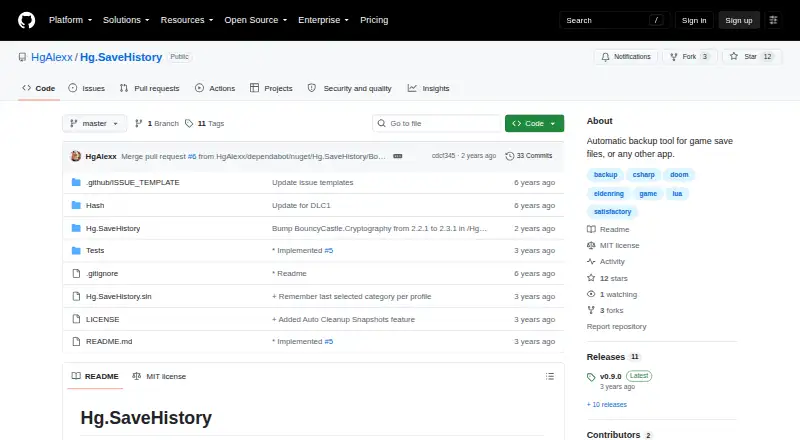
What Hg.SaveHistory is
Hg.SaveHistory is a free Windows application for creating snapshots of game saves and other files. It provides manual backup and restore, plus automatic backup when a supported engine allows it. Snapshots can be archived as ZIP files, deleted, annotated with notes, or removed through automatic cleanup. Global hotkeys and sound notifications support backup events, and automatic backups may include screenshots when engine support is available. The README lists DOOM 2016, DOOM Eternal with DLC1 and DLC2, Satisfactory, and Elden Ring as supported games. A Lua scripting system is intended to extend support to games and applications, although third-party engines are not yet available and API documentation is marked as a TODO. Installation involves unzipping and running the executable, or downloading and compiling the source. Windows options include starting with Windows and minimizing to the system tray. The repository uses an MIT license, and releases list v0.9.0 as latest.
Good
- Free Windows application
- Supports manual backup and restore
- Can archive snapshots as ZIP files
- Offers notes and automatic cleanup
- Includes hotkeys and sound notifications
Watch out
- Third-party engines are not yet available
- API documentation is still a TODO
- Screenshots may fail under Vulkan protections
- Automatic features depend on engine support
Who it suits
Hg.SaveHistory suits Windows players who want manual or supported automatic save snapshots. It also fits users interested in extending coverage through Lua scripts.
Verdict
Hg.SaveHistory provides straightforward save-file snapshots with both manual and supported automatic options. Its game coverage and screenshot limitations should be checked for your setup.
The facts
Each one read from Hg.SaveHistory's own pages, with the date it was checked.
What it does
- Backup controls
- Features include manual backup, restore, archive, and delete, plus automatic backups when supported by an engine.checked 9 Oct 2026
- Backups and restores
- Features include manual backup and restore, and automatic backup when supported by an engine.checked 8 Oct 2026
- Custom engines
- A Lua script system can add support for games and applications; the README says third-party engines are not yet supported and API documentation is a TODO.checked 9 Oct 2026
- Extensibility
- A Lua script system is intended to add support for games and applications, while third-party engines are listed as not yet available.checked 8 Oct 2026
- Installation
- The README says to unzip the app and run the executable, or download the source and compile it.checked 9 Oct 2026
- Known screenshot limitation
- The README says screenshots may fail for DOOM 2016 and DOOM Eternal when using Vulkan because of game protections.checked 8 Oct 2026
- License
- The repository lists an MIT license.checked 9 Oct 2026
- Notifications
- The app supports global hotkeys and sound notifications for events.checked 9 Oct 2026
- Purpose
- Hg.SaveHistory creates snapshots of game save files or other files.checked 9 Oct 2026
- Release
- The releases page lists v0.9.0 as the latest release.checked 8 Oct 2026
- Screenshot limitation
- The README says screenshots may fail for games that block programmatic capture, including DOOM 2016 and DOOM Eternal when using Vulkan.checked 9 Oct 2026
- Screenshots
- Automatic backups can take screenshots when supported by the engine.checked 9 Oct 2026
- Snapshot tools
- Users can attach notes to snapshots and configure automatic snapshot cleanup.checked 9 Oct 2026
- Support
- The README asks users to report issues and says a log file named Hg.SaveHistory.log is located in the application folder.checked 9 Oct 2026
- Supported games
- The listed official game engines support DOOM 2016, DOOM Eternal with DLC1 and DLC2, Satisfactory client and server, and Elden Ring.checked 9 Oct 2026
Where it runs
- Platform
- The setup instructions use Windows settings paths and offer options to start with Windows and minimize to the system tray.checked 9 Oct 2026
Alternatives to Hg.SaveHistory
- 1
SaveState
Free planOpen sourceAndroidLinuxmacOSWindows7.4Free plan - 2
Ludusavi
Free planOpen sourceAPIExtensionLinuxmacOS7.3Free plan - 3

Checkpoint64
Free planLinuxmacOSWindows6.6From €5 a month - 4

Hoard
Free planLinuxmacOSSelf-hostedWindows6.6From €1.99 a month - 5
SaveKnight
Free planWindows6.4From $5 a month - 6
Playnite Save Manager
Free planExtensionWindows6.3Free plan