
Checkpoint64
Checkpoint64 backs up PC game save folders to the cloud and lets users restore earlier versions.
What Checkpoint64 is
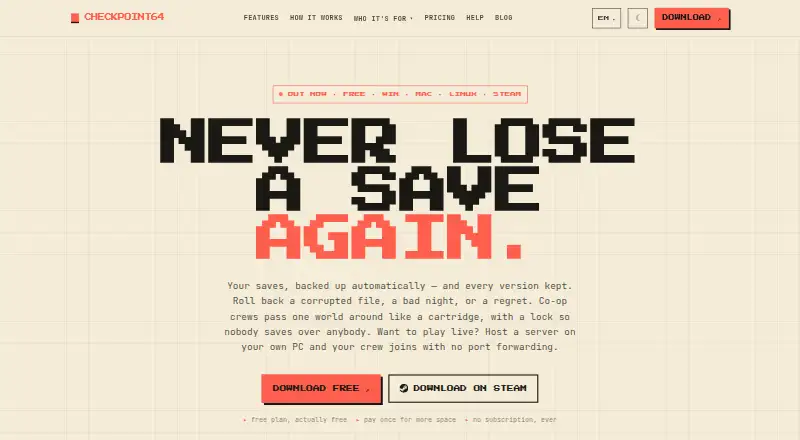
Checkpoint64 backs up PC game save folders to the cloud and lets users restore earlier versions. It checks folders every 60 seconds and uploads changed files after a game finishes writing; each upload becomes a version users can browse and restore. It supports games from Steam, GOG and Epic, plus emulators and modded setups. Its presets cover more than 140 games and seven emulators, including RetroArch, Dolphin, PCSX2, DuckStation, PPSSPP, RPCS3 and Cemu. For shared saves, only the person holding the lock can upload. Locks expire, and a teammate taking over receives a warning and a logbook entry. Linking Discord can notify teammates about manual commits or restores. The free plan provides 20 MiB of cloud storage per space and does not expire. Pro costs €5 a month; Lifetime costs €10, paid once. Save files use TLS in transit and AES-256 at rest, but the service is not end-to-end encrypted or zero-knowledge. It is available for Windows 10 and 11, macOS on Apple Silicon and Linux; Steam lists Steam Deck support.
Good
- Checks save folders every 60 seconds.
- Each upload creates a restorable version.
- Supports Steam, GOG, Epic and emulators.
- Free storage does not expire.
Watch out
- Free plan has 20 MiB per space.
- Not end-to-end encrypted or zero-knowledge.
- macOS support is listed for Apple Silicon.
Who it suits
Checkpoint64 may suit PC gamers who want cloud backups and version history for game saves, including people using emulators or shared saves. Its team locks and Discord notifications may help groups coordinating access to shared saves.
Verdict
Checkpoint64 offers save backups, version history and shared-save controls across supported PC platforms. Consider its free storage limit and encryption model when choosing a plan.
Plans and prices
From Checkpoint64's own pricing page, checked 3 Oct 2026.
| Plan | Price | What it gives you |
|---|---|---|
| Free | Free | 20 MiB per space · 1 team · join 3 friends’ teams · 3 read-only fans |
| Pro | €5 a month | 5 GiB per space · up to 5 teams · 25 seats per team · at least 100 versions / 90 days · unlimited read-only share codes · 2× API throughput · monthly, cancel anytime |
| Lifetime | €10, paid once | 1 GiB per space · up to 3 teams · join 5 friends’ teams · 15 read-only fans · one-time |
The facts
Each one read from Checkpoint64's own pages, with the date it was checked.
What it does
- Automatic backups
- The app checks save folders every 60 seconds and uploads changed files after the game finishes writing.checked 3 Oct 2026
- Co-op locks
- For shared saves, only the person holding the lock can upload; locks expire and teammates can take over with a warning and logbook entry.checked 3 Oct 2026
- Data control
- Users can export their data as a ZIP, and account deletion removes it after a seven-day cooling-off period.checked 3 Oct 2026
- Discord integration
- Linking Discord lets the bot DM teammates when someone manually commits or restores a shared save.checked 3 Oct 2026
- Game coverage
- The features page says it has presets for 140+ games and seven emulators, including RetroArch, Dolphin, PCSX2, DuckStation, PPSSPP, RPCS3 and Cemu.checked 3 Oct 2026
- Launcher support
- It watches save folders and supports games from Steam, GOG and Epic, as well as emulators and modded setups.checked 3 Oct 2026
- Notable limit
- The free plan includes 20 MiB of cloud storage per space and does not expire.checked 3 Oct 2026
- Patreon integration
- Creators can link a Patreon campaign and restrict shared-save access to active members, with membership checked hourly.checked 3 Oct 2026
- Product
- Checkpoint64 backs up PC game save folders to the cloud and lets users restore earlier versions.checked 3 Oct 2026
- Security
- Save files are encrypted in transit with TLS and at rest with AES-256, but the service states it is not end-to-end encrypted or zero-knowledge.checked 3 Oct 2026
- Support
- Support is available by email at [email protected] or through Discord.checked 3 Oct 2026
- Version history
- Each upload becomes a version that users can browse and restore.checked 3 Oct 2026
Where it runs
- Platform availability
- The download page lists Windows 10 and 11, macOS on Apple Silicon, and Linux; Steam lists Windows and Linux and says Steam Deck is supported.checked 3 Oct 2026
The full review of Checkpoint64
Checkpoint64 is a cloud backup and version-history service for PC game saves, best suited to players with mixed launcher or emulator libraries and teams sharing saves. Its automatic uploads and restore points are useful safeguards, but the free tier’s 20 MiB per-space cap makes it a limited long-term option for larger collections.
Overview
The app checks save folders every 60 seconds and uploads changed files after a game finishes writing. Each upload becomes a version that users can browse and restore manually, so it offers a route back from an unwanted change without promising automatic rollback.
It watches saves from Steam, GOG and Epic, as well as emulator and modded setups. Presets cover more than 140 games and seven emulators, including RetroArch, Dolphin, PCSX2, DuckStation, PPSSPP, RPCS3 and Cemu. That breadth suits varied PC libraries, though Checkpoint64 focuses on save folders rather than backing up entire games.
Key features
Shared-save co-op locks allow uploads only from the teammate currently holding the lock. Locks expire, and a teammate can take over with a warning and logbook entry. This reduces conflicting uploads, but shared play depends on teammates coordinating access.
Linking Discord lets the bot message teammates when someone manually commits or restores a shared save. Creators can link a Patreon campaign and restrict shared-save access to active members; membership is checked hourly. Those integrations suit organized groups, while solo players may have little reason to use them.
Files are encrypted in transit with TLS and at rest with AES-256. Checkpoint64 is not end-to-end encrypted or zero-knowledge, so it is not the right choice for users who require those privacy properties. Users can export their data as a ZIP, and account deletion removes it after a seven-day cooling-off period. Support is available by email at [email protected] or through Discord.
Pricing
The Free plan costs nothing and does not expire. It includes 20 MiB of cloud storage per space, one team, the ability to join three friends’ teams, and three read-only fans. It is a low-commitment way to try shared saves, but the small per-space quota is restrictive for players with many saves or frequent version uploads.
Pro costs €5 a month, billed monthly, and can be cancelled anytime. It provides 5 GiB per space, up to five teams with 25 seats per team, at least 100 versions / 90 days, unlimited read-only share codes and twice the API throughput. The larger storage and team capacity make it the practical paid choice for active groups; monthly billing avoids a long commitment.
Lifetime costs €10, paid once, billed one-time. It includes 1 GiB per space, up to three teams, the ability to join five friends’ teams and 15 read-only fans. The one-time payment is appealing for users who do not need Pro’s larger quota or team capacity, but it offers less storage and fewer team seats than Pro.
Platforms
Checkpoint64 is available for Windows 10 and 11, macOS on Apple Silicon, and Linux. Steam also lists Windows and Linux and says Steam Deck is supported.
Who it's for
Choose Checkpoint64 if you want save-file backups across launchers, emulators or modded setups, or need version history and access controls for a shared save. The free tier can suit a small trial or light use. Look elsewhere if your priority is a large free cloud quota or end-to-end encryption.
Pros and cons
- Broad save coverage: Launcher support, modded setups and presets for over 140 games and seven emulators accommodate mixed libraries.
- Useful version recovery: Each upload creates a browsable version, giving users manual restore options.
- Shared-save safeguards: Locks, takeover warnings and logbook entries help teams manage who can upload.
- Tight free quota: 20 MiB per space may be insufficient for sustained backups.
- No end-to-end encryption: Encryption at rest and in transit does not provide zero-knowledge privacy.
Alternatives
Browse Game Save Managers to compare more options. Choose Game Save Genie if you want a free service that uses your own cloud storage. Hoard is another freemium option, described as a solo-developed project. Pick Ludusavi for a free, MIT-licensed portable executable for Windows, Linux or Mac. EmuSync is free with no subscription or paywall. Game Backup Monitor is a free, open-source option for unlimited games with 7-Zip compression; cloud backup requires a provider and sync client. Game Save Manager offers a free Windows 64-bit installer under GPL-3.0. Gamekeeper offers a free Windows plan with Multi-Space limited to three per game and cloud storage options including local, FTP, SFTP, WebDAV, SMB/CIFS and S3. GSBS is another free option.
Verdict
Checkpoint64 is a strong fit for players who want automatic save backups and browsable restore points across a varied PC library, especially when sharing saves with a team. Its broad game coverage and co-op controls are compelling reasons to choose it; the 20 MiB free cap and lack of end-to-end encryption are clear reasons to look elsewhere if storage headroom or privacy is the priority.
Getting started
- Visit https://checkpoint64.com/.
- Download the app for Windows 10 or 11, macOS on Apple Silicon, or Linux.
- Select or watch game save folders, including supported launcher, emulator or modded-game saves.
- Use the free plan, or choose Pro at €5/mo or Lifetime at €10 one-time for the listed paid capacities.
- Link Discord for teammate messages, or link a Patreon campaign to control shared-save access.
Limits worth knowing
The free plan includes 20 MiB of cloud storage per space, one team, joining three friends’ teams and three read-only fans. Pro at €5/mo includes 5 GiB per space, up to five teams, 25 seats per team, at least 100 versions / 90 days, unlimited read-only share codes and 2× API throughput; Lifetime at €10 one-time includes 1 GiB per space, up to three teams, joining five friends’ teams and 15 read-only fans.
Questions
Is Checkpoint64 free?
Yes. Its free plan does not expire and includes 20 MiB of cloud storage per space.
What are the paid plans?
Pro costs €5/mo, billed monthly and cancellable anytime. Lifetime costs €10 one-time.
Which systems does it support?
The download page lists Windows 10 and 11, macOS on Apple Silicon, and Linux. Steam lists Windows and Linux and says Steam Deck is supported.
Which games and launchers does it cover?
It supports saves from Steam, GOG and Epic, as well as emulators and modded setups. Presets cover 140+ games and seven emulators.
How are save files protected?
Save files are encrypted in transit with TLS and at rest with AES-256. The service is not end-to-end encrypted or zero-knowledge.
Can users export or delete their data?
Users can export data as a ZIP. Account deletion removes data after a seven-day cooling-off period.
Alternatives to Checkpoint64
- 1
SaveState
Free planOpen sourceAndroidLinuxmacOSWindows7.4Free plan - 2
Ludusavi
Free planOpen sourceAPIExtensionLinuxmacOS7.3Free plan - 3

Hoard
Free planLinuxmacOSSelf-hostedWindows6.6From €1.99 a month - 4
SaveKnight
Free planWindows6.4From $5 a month - 5
Playnite Save Manager
Free planExtensionWindows6.3Free plan - 6

QSave
Free planmacOSWindows6.2Free plan