GSBS
GSBS is a free game-save synchronization and backup service for Windows, Linux and macOS.
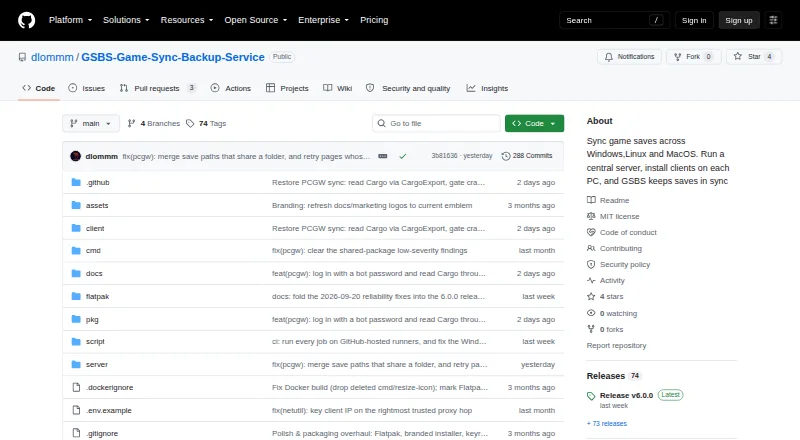
What GSBS is
GSBS is a free game-save synchronization and backup service for Windows, Linux and macOS. Clients connect through a central server, detect when a supported game is running, and wait to sync until it closes. The client checks game installations across Steam, Epic, GOG, Ubisoft, EA, Xbox, Heroic, Lutris, Bottles and Prism against a PCGamingWiki manifest. It translates save paths between Windows and Linux, including Proton paths. Save files are versioned and can be restored through the web dashboard. Optional end-to-end encryption uses client-side AES-256-GCM with Argon2id; without that option, saves are plaintext on the server and in backups. Scheduled tar.zst snapshots can include the database, keys and saves, with storage on local disk or S3. GSBS can send webhook, Discord and ntfy alerts, including for conflicts, quota and backups. The project recommends Docker Compose for the server and provides a Windows server setup executable. Clients are available for Windows, Linux and macOS. It is distributed under the MIT License.
Good
- Detects running games and waits before syncing.
- Translates save paths across Windows and Linux.
- Versioned saves can be restored from the web dashboard.
- Scheduled snapshots can be stored locally or on S3.
- Free and distributed under the MIT License.
Watch out
- Save contents are plaintext unless optional encryption is enabled.
- Installers and binaries are not code-signed or notarized.
- Server deployment is recommended through Docker Compose.
Who it suits
GSBS suits players who want saves synchronized across Windows, Linux or macOS devices, including desktop, laptop and Steam Deck setups. It is also relevant for people who want versioned restores and optional encrypted saves.
Verdict
GSBS combines cross-platform game-save sync with version history, restore and scheduled backups. Its main security caveat is that saves remain plaintext on the server and in backups unless end-to-end encryption is enabled.
The facts
Each one read from GSBS's own pages, with the date it was checked.
What it does
- API
- The web UI provides an OpenAPI specification at /api/openapi.json.checked 29 Sep 2026
- Audience
- It supports multi-user, multi-device setups, including desktop, laptop, and Steam Deck clients.checked 29 Sep 2026
- Backups
- Scheduled tar.zst snapshots can include the database, keys, and saves, and be stored locally or in S3; the server provides a restore command.checked 29 Sep 2026
- Deployment
- The maker recommends Docker Compose for the server and also documents pre-built Docker images and Linux or Windows server binaries.checked 29 Sep 2026
- Encryption
- Optional end-to-end encryption uses client-side AES-256-GCM with an Argon2id key derivation, so the server sees ciphertext when enabled.checked 29 Sep 2026
- Game-aware sync
- Clients detect running games and defer syncing until the game is closed.checked 28 Sep 2026
- Game discovery
- The client scans Steam, Epic, GOG, Ubisoft, EA, Xbox, Heroic, Lutris, Bottles, and Prism against a PCGamingWiki manifest.checked 29 Sep 2026
- History and restore
- Save files are versioned and can be restored from the web dashboard.checked 29 Sep 2026
- Integrations
- GSBS can send webhook, Discord, and ntfy notifications, and supports S3 for offsite backups.checked 28 Sep 2026
- License
- The repository identifies GSBS as MIT licensed.checked 29 Sep 2026
- Notifications
- Webhook, Discord, and ntfy alerts cover conflicts, quota, new devices, backups, and stale devices.checked 29 Sep 2026
- Purpose
- GSBS syncs game saves across Windows, Linux, and macOS using a central server and clients installed on each PC.checked 29 Sep 2026
- Restore
- Save files are versioned, and users can restore files from the web dashboard.checked 28 Sep 2026
- Security limitation
- Save contents are plaintext on the server and in its backups unless optional end-to-end encryption is enabled.checked 28 Sep 2026
- Security limits
- Installers and binaries are not code-signed or notarized, and save content is protected only when optional end-to-end encryption is enabled.checked 29 Sep 2026
- Security reporting
- The security policy asks users to report vulnerabilities privately to the maintainer and says reports are aimed to be acknowledged within 72 hours.checked 29 Sep 2026
- Sync behavior
- GSBS detects running games and defers syncing until they quit, to avoid touching a live save.checked 29 Sep 2026
Where it runs
- Client platforms
- Clients are available for Windows, Linux including Flatpak and arm64, and macOS.checked 28 Sep 2026
- Cross-platform paths
- GSBS translates save paths across Windows and Linux, including Proton paths.checked 28 Sep 2026
The full review of GSBS
Overview
GSBS is a self-hosted game-save sync and backup service for players who use Windows, Linux, or macOS across more than one device. It is a strong fit for mixed-platform setups, especially those involving a Steam Deck, provided you are willing to run a central server.
Its game-aware syncing and version history make it more than a folder-sync tool, but protecting save contents requires enabling optional end-to-end encryption.
Key features
Sync that accounts for running games
The client scans Steam, Epic, GOG, Ubisoft, EA, Xbox, Heroic, Lutris, Bottles, and Prism against a PCGamingWiki manifest. It waits for a detected game to close before syncing, reducing the risk of changing a save while the game is using it. Windows and Linux save paths are translated, including Proton paths, which makes GSBS particularly useful for a PC-and-Steam-Deck mix.
History and recovery
Save files are versioned and can be restored manually from the web dashboard. That gives players a route back from an unwanted change, while leaving the choice of version to them rather than implying automatic recovery.
Encryption and backups
Optional end-to-end encryption uses client-side AES-256-GCM with Argon2id, so the server receives ciphertext for encrypted saves. Without it, save contents remain plaintext on the server and in backups; users who keep a server or backup storage outside their control should enable encryption.
Scheduled tar.zst snapshots can include the database, keys, and saves, and can be stored on local disk or S3. Webhook, Discord, and ntfy notifications cover conflicts, quota, new devices, backups, and stale devices. The web interface also provides an OpenAPI specification at /api/openapi.json.
Deployment and security trade-offs
The project recommends Docker Compose for server deployment and provides a Windows server setup executable. Its security policy asks users to report vulnerabilities privately to the maintainer and says reports are acknowledged within 72 hours. Installers and binaries are not code-signed or notarized, so users who rely on signed software distribution may prefer another option.
Pricing
GSBS is free, with a free plan and no paid tiers or plan-specific quotas described. Its cost is operational rather than subscription-based: users need to provide and maintain the central server and any backup storage they choose. That suits technically comfortable players seeking multi-device sync without a software subscription; it is less compelling for anyone who wants a managed hosted service.
Platforms
Clients are available for Windows, Linux—including Flatpak and arm64—and macOS. The service also provides a web interface and API, and supports self-hosting. This combination covers desktop and laptop setups as well as Steam Deck use through Linux, while requiring a server deployment to coordinate devices.
Who it's for
GSBS is best for players with several computers or a Steam Deck who want game-aware syncing, cross-platform save paths, and recoverable history under their own server setup. It is a poor fit for people who want a fully managed service or do not want responsibility for server security and backups. Anyone using it should make a deliberate choice about encryption: plaintext saves in server storage and snapshots are a meaningful privacy risk.
Pros and cons
- Pro: It defers syncing until detected games close, avoiding intervention in a live save.
- Pro: Windows/Linux path translation, including Proton, suits mixed desktop and Steam Deck libraries.
- Pro: Versioned saves can be restored manually from the web dashboard.
- Pro: Scheduled snapshots can include the database, keys, and saves and target local disk or S3.
- Con: Save data is plaintext on the server and in backups unless end-to-end encryption is enabled.
- Con: Self-hosting puts server deployment and storage upkeep on the user.
- Con: Unsigned, unnotarized installers and binaries may deter users who expect signed software.
Alternatives
Browse Game Save Managers to compare options by category. Choose Checkpoint64 if its freemium setup and published Free and Pro tiers suit your team-based use; its Free tier is limited to 20 MiB per space, one team, three friend teams to join, and three read-only fans.
Game Save Genie is another free, self-hosted option for Linux, macOS, and Windows that uses your own cloud storage. Hoard is a freemium alternative for Linux, macOS, Windows, and self-hosting, credited as a solo-developed project.
Ludusavi is worth considering if a free, MIT-licensed portable executable for Windows, Linux, or Mac fits better. EmuSync is a free option for Linux and Windows with no subscription or paywall.
Game Backup Monitor is free and open source for Linux and Windows, with unlimited games and 7-Zip compression; cloud use requires a provider and sync client.
Gamekeeper is a Windows freemium alternative whose free Multi-Space use is limited to three spaces per game and whose cloud storage supports local, FTP, SFTP, WebDAV, SMB/CIFS, and S3.
Verdict
Choose GSBS if you want cross-platform, game-aware save sync with versioned recovery and are prepared to run the server yourself. Its standout advantage is the combination of live-game deferral and Windows/Linux path translation; its main reason to look elsewhere is the operational burden and the need to enable encryption to keep saves out of plaintext server storage and backups.
Alternatives to GSBS
- 1
SaveState
Free planOpen sourceAndroidLinuxmacOSWindows7.4Free plan - 2
Ludusavi
Free planOpen sourceAPIExtensionLinuxmacOS7.3Free plan - 3

Checkpoint64
Free planLinuxmacOSWindows6.6From €5 a month - 4

Hoard
Free planLinuxmacOSSelf-hostedWindows6.6From €1.99 a month - 5
SaveKnight
Free planWindows6.4From $5 a month - 6
Playnite Save Manager
Free planExtensionWindows6.3Free plan