Heroic Games Launcher
Heroic Games Launcher is a free, open-source launcher for installing and playing games from Epic Games Store, GOG, and Amazon Prime Gaming.
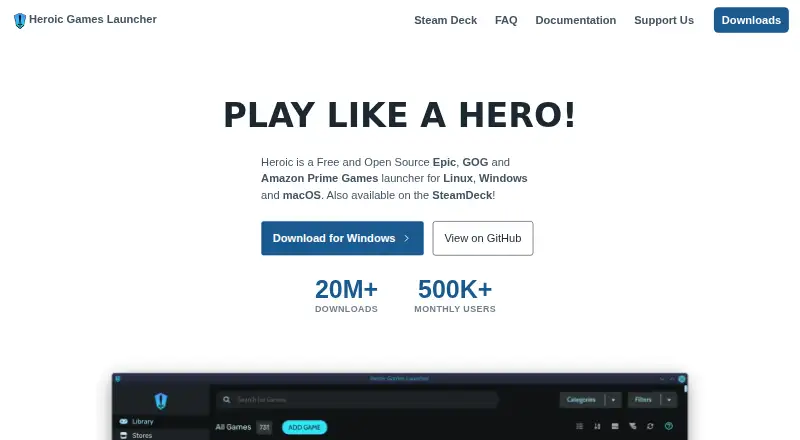
What Heroic Games Launcher is
Heroic Games Launcher is a free, open-source launcher for installing and playing games from Epic Games Store, GOG, and Amazon Prime Gaming. It supports Linux, Windows 10 and 11, and macOS 14 or newer, as well as SteamOS through downloads available in Discover. Users can install, uninstall, update, repair, move, and import games, with Epic and GOG store access inside the interface. Heroic supports Wine and Proton on Linux and CrossOver on macOS; Linux users can also download custom Wine and Proton versions. Cloud save syncing is available, and users can add games and applications from outside Epic and GOG, though automatic updates or save syncing may not work for those additions. Heroic says it does not collect personal data, usernames, or passwords; optional anonymous analytics are disabled by default. Linux packages are available as Flatpak, AppImage, RPM, DEB, and TAR.XZ. The project is licensed under GPLv3. Its FAQ warns that games run through Wine or Proton on unsupported operating systems may lead to bans, depending on the game.
Good
- Free and GPLv3 licensed.
- Supports Epic, GOG, and Amazon Prime Gaming.
- Offers game management tools including repair and import.
- Supports Wine and Proton on Linux.
- Cloud save syncing is supported.
Watch out
- macOS support requires version 14 or newer.
- Custom entries may lack automatic updates or save syncing.
- Wine or Proton use on unsupported systems may risk game bans.
Who it suits
Heroic may suit players who use Epic, GOG, or Amazon Prime Gaming across Linux, Windows, or macOS. It also supports custom game entries, but users should note the possible limits on updates and save syncing for those entries.
Verdict
Heroic brings several game stores and game-management functions into a free, multi-platform launcher. Check operating-system compatibility and the caveats for custom entries or games using Wine and Proton.
Plans and prices
From Heroic Games Launcher's own pricing page, checked 29 Sep 2026.
| Plan | Price | What it gives you |
|---|---|---|
| Heroic Games Launcher | Free | Free to use · GPLv3 licensed |
The facts
Each one read from Heroic Games Launcher's own pages, with the date it was checked.
What it does
- Cloud saves
- Heroic supports syncing game saves with the cloud.checked 29 Sep 2026
- Compatibility tools
- Heroic supports Wine and Proton on Linux and CrossOver on macOS, and can download custom Wine and Proton versions on Linux.checked 29 Sep 2026
- Custom games
- Users can add games and applications outside Epic and GOG, though automatic updates and save syncing may not be available for them.checked 29 Sep 2026
- Game management
- It supports installing, uninstalling, updating, repairing, moving, and importing games.checked 29 Sep 2026
- Limits
- The FAQ cautions that games using Wine or Proton on an unsupported operating system may result in bans, depending on the game.checked 29 Sep 2026
- Privacy
- The FAQ says Heroic does not collect personal data, usernames, or passwords; optional anonymous analytics are off by default.checked 29 Sep 2026
- Project
- The project says Heroic is released under the GNU General Public License version 3.0.checked 29 Sep 2026
- Purpose
- Heroic is an open-source launcher for installing and playing games from Epic Games Store, GOG, and Amazon Prime Gaming.checked 29 Sep 2026
- Store access
- The Epic and GOG stores can be accessed from within Heroic’s interface.checked 29 Sep 2026
- Store integrations
- Heroic says it integrates with Epic through Legendary, GOG through GOGDL, and Amazon Prime Gaming through Nile, all open-source command-line tools.checked 29 Sep 2026
- Support
- The FAQ directs users to the project documentation and Discord for help, and says persistent issues can be reported on GitHub.checked 29 Sep 2026
- Supported systems
- Heroic supports Linux, Windows 10 and 11, and macOS 14 or newer; SteamOS is supported with downloads available through Discover.checked 29 Sep 2026
Where it runs
- Linux formats
- Linux downloads include Flatpak, AppImage, RPM, DEB, and TAR.XZ packages.checked 29 Sep 2026
The full review of Heroic Games Launcher
Heroic Games Launcher is a free, open-source way to install and manage games from Epic Games Store, GOG, and Amazon Prime Gaming. It suits players who want those libraries in one launcher, particularly on Linux or macOS. Its broad store coverage and compatibility tools are appealing, but support varies by game and operating system.
Overview
Heroic brings three storefronts together through open-source tools: Legendary for Epic, GOGDL for GOG, and Nile for Amazon Prime Gaming. Epic and GOG stores are accessible in the app, alongside tools to install, update, repair, move, import, and uninstall games. This makes Heroic more than a shortcut collection: it can handle much of the ongoing work of maintaining a library across stores.
Cloud save syncing, offline mode, controller support, and metadata editing round out the launcher. Users can also add games and applications from outside Epic and GOG, but those custom entries may not receive automatic updates or save syncing. That distinction matters if a unified library is the goal: custom entries are convenient to collect, but not necessarily managed as fully as supported store games.
Key features
Compatibility and game management
On Linux, Heroic supports Wine and Proton and can download custom versions of both. On macOS it supports CrossOver. Those tools widen the range of games that may work, but they do not guarantee compatibility. The FAQ warns that using Wine or Proton on an unsupported operating system may result in a ban, depending on the game, so players should check a game's rules and compatibility before relying on that setup.
Privacy and support
The project says Heroic does not collect personal data, usernames, or passwords. Optional anonymous analytics are off by default. For help, it directs users to project documentation and Discord; persistent issues can be reported on GitHub.
Pricing
Heroic Games Launcher costs free. The free plan is the whole offering described: Heroic is released under the GNU General Public License version 3.0, and there is no free trial to consider. The price makes it an easy choice for players who want a multi-store library manager without another launcher subscription; game purchases and store terms remain separate.
Platforms
Heroic supports Linux, Windows 10 and 11, and macOS 14 or newer. SteamOS is supported, with downloads available through Discover. Linux users can choose Flatpak, AppImage, RPM, DEB, or TAR.XZ packages. Its multi-platform reach is a strength, but older macOS versions and Windows releases outside 10 and 11 are not supported.
Who it's for
Choose Heroic if you use Epic, GOG, or Amazon Prime Gaming and want one place to manage those games, especially if you also value cloud saves, offline mode, or Linux compatibility options. It is less suitable if your priority is guaranteed compatibility for every game, or if custom entries need the same update and save-sync support as storefront titles.
Pros and cons
- Pros: Combines Epic, GOG, and Amazon Prime Gaming libraries in a free launcher, reducing the need to manage each supported library separately.
- Pros: Offers extensive game-management tools, cloud saves, offline mode, controller support, and metadata editing without a paid tier.
- Pros: Linux Wine and Proton support, including custom-version downloads, and macOS CrossOver support give players additional compatibility options.
- Cons: Custom games and applications may lack automatic updates and save syncing, limiting how complete a unified library can be.
- Cons: Compatibility through Wine or Proton is not assured, and use on an unsupported operating system may risk a game-dependent ban.
- Cons: macOS support starts at version 14, and Windows support is limited to versions 10 and 11.
Alternatives
Steam is a free alternative for players who want a launcher available on Android and iOS as well as desktop platforms; games and content have varying prices, and some subscriptions may be free.
GOG Galaxy is another free choice on macOS and Windows, but requires a free GOG account and some platform-specific features need the relevant gaming client installed.
LaunchBox suits Windows or Android users seeking a freemium option: its free Windows Starter plan includes importing and playing all games, while its Regular Windows plan costs $30, paid once.
Prism Launcher is worth considering if you want a free, open-source launcher for Linux, macOS, or Windows.
Epic Games Launcher is a free option for players focused on Epic's store, which offers weekly free games and content; optional in-app purchases apply.
Lutris is a free, open-source gaming platform for Linux users who want a Linux-only alternative.
GameVault is a freemium alternative for a broader mix of platforms, including self-hosted and web; its Flex Plan costs €4.99 a month.
GDLauncher is a free alternative for Linux, macOS, and Windows, with no premium tier or overlay.
Browse Game Launcher Software or Game Library Managers for more options.
Verdict
Heroic is a strong fit for players who want Epic, GOG, and Amazon Prime Gaming libraries managed together without paying for the launcher. Its free, multi-platform feature set is the main reason to choose it; uncertain game compatibility and reduced support for custom entries are the reasons to look elsewhere if reliability across every title matters more.
Alternatives to Heroic Games Launcher
- 1

RomM
Free planOpen sourceAndroidiOSWebAPI9.2From $6.49 a month - 2
Albion Online Launcher
Free planAndroidiOSAPILinux9.0Free plan - 3

ES-DE Frontend
Free planOpen sourceAndroidLinuxmacOSWindows9.0$6.50 one-time - 4

Steam
Free planAndroidiOSWebAPI8.5Free plan - 5
RetroArch
Free planAndroidiOSWebLinux8.5Free plan - 6

GameEx
Free planAndroidLinuxmacOSWindows8.5$17 one-time