RetroArch review: A free multi-system frontend
A free, open-source frontend that unifies emulators, game engines and media players across Android, computers and browsers.
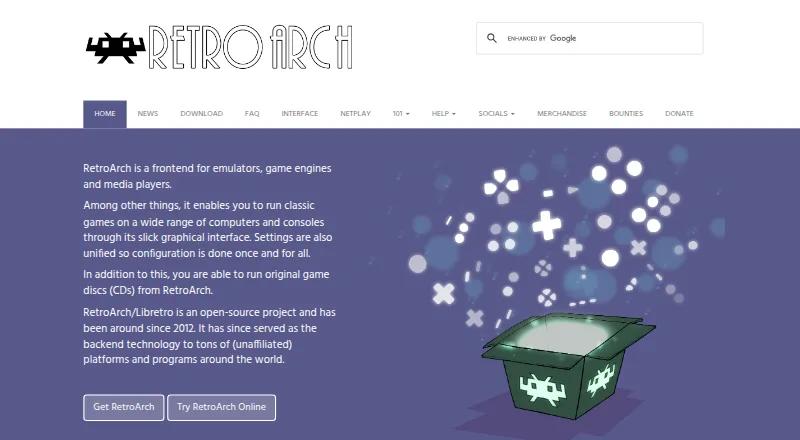
What RetroArch is
RetroArch brings emulators, game engines and media players into one interface with common settings. Alongside Android, it is available for iOS, Linux, macOS, Windows and web browsers. More than 200 cores are available, plus controller mapping, shaders, netplay, recording and streaming, with limitations on web and Steam releases.
Good
- Free, open-source releases cover Android, desktop systems and the web
- More than 200 cores span emulators, engines, games and media programs
- Controllers can configure automatically or through manual button assignments
- Netplay supports spectators, and the app also offers recording and streaming
- Layered shaders can reproduce CRT-style graphics
Watch out
- The web release has weaker performance and fewer capabilities
- Steam omits Core Updater and thumbnail scraping
- Steam provides only a selected collection of cores
- Some project websites use third-party cookies for advertising
- Capabilities differ between platforms and store releases
Who it suits
Android users seeking one frontend for many systems; Players who need netplay, shaders or recording; People comfortable choosing and managing cores
Skip it if
You need the browser version to match full desktop capability; You rely on Steam's Core Updater or thumbnail scraping; You want a narrowly focused emulator rather than a multi-core frontend
Verdict
RetroArch is a free Android frontend that brings many emulators, engines and media programs together. Its controller auto-setup, shader layers and netplay add useful options without separate tools. Desktop users have more capability than browser users, and Steam omits two library-management features. Choose another frontend if you want a simpler, narrower setup or need the browser edition to match desktop performance. Check the store version and core availability before settling on an installation.
Plans and prices
From RetroArch's own pricing page, checked 30 Sep 2026.
| Plan | Price | What it gives you |
|---|---|---|
| RetroArch | Free | Free and open source; features vary by platform and store version |
The facts
Each one read from RetroArch's own pages, with the date it was checked.
What it does
- Audience and licensing
- The project describes RetroArch as a feature-rich frontend intended to serve both power users and inexperienced beginners, and says RetroArch uses GPL version 3.checked 29 Sep 2026
- Controllers
- Common game controllers are automatically configured when plugged in, and users can also configure them manually.checked 30 Sep 2026
- Controller setup
- Common game controllers are automatically configured when plugged in, and users can also assign actions to button combinations manually.checked 29 Sep 2026
- Core library
- RetroArch/Libretro has over 200 cores, including game engines, games, multimedia programs and emulators.checked 30 Sep 2026
- Cores
- RetroArch/Libretro has over 200 cores, including game engines, games, multimedia programs and emulators.checked 29 Sep 2026
- Graphics
- RetroArch supports stackable shaders that can improve game rendering or replicate the look of CRT monitors.checked 30 Sep 2026
- Interface
- The interface sorts scanned games by system and supports thumbnails and animated backgrounds.checked 30 Sep 2026
- License
- RetroArch uses GPL version 3, while the libretro API uses an MIT license.checked 30 Sep 2026
- Multiplayer
- Its built-in netplay lobby lets users host or join network gaming sessions and watch through spectator mode.checked 30 Sep 2026
- Open source
- RetroArch/Libretro is an open-source project that has been around since 2012.checked 30 Sep 2026
- Privacy
- The privacy policy says third-party vendors including Google use advertising cookies on some of the project’s websites.checked 30 Sep 2026
- Project funding
- The project says it is wholly community-funded and accepts support through Patreon, YouTube memberships and Liberapay.checked 30 Sep 2026
- Purpose
- RetroArch is a frontend for emulators, game engines and media players that runs classic games through a graphical interface with unified settings.checked 30 Sep 2026
- Recording and streaming
- RetroArch can record gameplay to a video file and stream games to services such as Twitch or YouTube.checked 29 Sep 2026
- Shaders
- Shaders can filter graphics, recreate the look of CRT monitors and be stacked to create effects.checked 29 Sep 2026
- Store version limits
- The Steam version has no Core Updater or thumbnail scraping, and users download a selected set of cores from Steam.checked 29 Sep 2026
- Streaming
- RetroArch can record gameplay to a video file and stream games to platforms such as Twitch or YouTube.checked 30 Sep 2026
- Support
- The FAQ directs users to the forums, Discord and documentation for help.checked 30 Sep 2026
- Version differences
- The Steam version has no Core Updater or thumbnail scraping and offers a selected set of cores through Steam.checked 30 Sep 2026
- Web limitations
- The browser version is more limited in performance and capabilities than the full desktop version.checked 30 Sep 2026
- Web version limit
- The browser version is more limited in performance and capabilities than the full version.checked 29 Sep 2026
The company
- Founded
- 2012checked 23 Sep 2026
Where it runs
- Platform availability
- The official download page lists Windows, Linux, Android, iOS, macOS and web browser versions, among other platforms.checked 29 Sep 2026
- Platforms
- The official downloads page lists Windows, macOS, Linux, Android, iOS, web browsers and various game consoles.checked 30 Sep 2026
The full review of RetroArch
The gist
RetroArch provides one settings framework for emulators, game engines and media players. Its broad audience includes newcomers as well as experienced users who want to handle multiple systems in one place.
RetroArch is an open-source project dating from 2012 and released under GPL version 3.
On Android and other platforms
An official Android build is available. The download page also lists iOS, Linux, macOS, Windows and web browser versions.
The browser release trades some performance and functions for running online, while Steam includes only a chosen group of cores and leaves out Core Updater and thumbnail scraping.
What it does
Once games are scanned, the menu groups them by system and can display thumbnails together with animated backgrounds. The core catalogue tops 200 entries, covering emulators, game engines, games and multimedia programs.
Common controllers usually receive automatic configuration when connected, and actions can also be mapped manually to button combinations. Graphics filters include stackable shaders that can reproduce a CRT-style display.
Netplay supports hosting or joining network games, with a spectator option. RetroArch can save play sessions as video and send streams to services such as Twitch and YouTube.
Standouts
A single frontend and settings system can cover many types of cores. The large core library includes arcade-related options as well as emulators, engines and media programs.
Common pads can receive automatic setup, while manual mappings cover custom layouts. Stackable shaders give you control over how games are rendered.
Online play, gameplay capture and streaming are included in the same application.
Trade-offs
Browser builds have lower performance and fewer capabilities than desktop versions. Steam's release excludes Core Updater and thumbnail scraping, and its cores come from a selected Steam collection.
The privacy policy notes that third-party vendors, including Google, use cookies on some project websites to serve ads based on previous visits. For help, the project points users to its forum, Discord channel and documentation.
RetroArch says community funding supports the project, with contributions accepted through Patreon, YouTube memberships and Liberapay. The libretro API is MIT-licensed, whereas RetroArch itself uses GPL version 3.
Pricing
RetroArch is free software with no trial period or paid plan; the free release is the product.
Features can vary by platform and store version, so the web and Steam editions do not match the full desktop releases.
Verdict
Choose RetroArch if you want a no-cost frontend with a large core catalogue, shared settings, controller mapping and built-in online play. Android users get a dedicated app, while desktop users can choose Windows, Linux or macOS.
It may not suit you if browser performance must match desktop, or if Steam's lack of updater and thumbnail scraping is important. New users should also be ready to consult the forum, Discord or documentation when configuration questions arise.
Getting started
- Visit the RetroArch website.
- Choose a version for Android, iOS, Linux, macOS, web, or Windows.
- Install or open the version for your platform.
- Scan games to organize them by system in the menu.
- Choose cores and configure controls or graphics settings as needed.
Limits worth knowing
The free software has platform and store version differences. The browser version is more limited in performance and capabilities; the Steam version lacks Core Updater and thumbnail scraping and offers a selected set of cores.
Questions
Is there an Android release of RetroArch?
Yes. An official Android build is available, alongside releases for iOS, Windows, Linux, macOS and web browsers.
What is RetroArch?
RetroArch serves as a frontend for emulators, game engines and media players, bringing them together through one settings system and core library.
Can people play together online with RetroArch?
Yes. Netplay allows users to host or join network games, and spectators can watch sessions.
Can RetroArch improve game graphics?
Yes. Shaders can filter graphics, emulate CRT-monitor visuals and be layered for combined effects.
Does RetroArch support gameplay capture and streaming?
Yes. Gameplay may be recorded to a video file or streamed to services such as Twitch and YouTube.
Do RetroArch releases have identical features?
No. Browser builds have fewer capabilities than the full release, while Steam lacks Core Updater and thumbnail scraping and supplies a selected core set.
Where can I get RetroArch help?
Help is available through the project's forum, Discord channel and documentation.
Alternatives to RetroArch
- 1
BlastEm
Free planOpen sourceWebLinuxmacOSSelf-hosted7.6Free plan - 2
ares
Free planOpen sourceLinuxmacOSSelf-hostedWindows7.5Free plan - 3
ClownMDEmu
Free planOpen sourceWebAPILinuxmacOS7.5Free plan - 4

OpenEmu
Free planOpen sourcemacOS7.3Free plan - 5
MAME
Free planAndroidLinuxmacOSWindows7.1Free plan - 6
Nostalgist.js
Free planOpen sourceWeb7.1Free plan