GSM
GSM is a free, open-source backup utility for game saves on Linux and Windows.
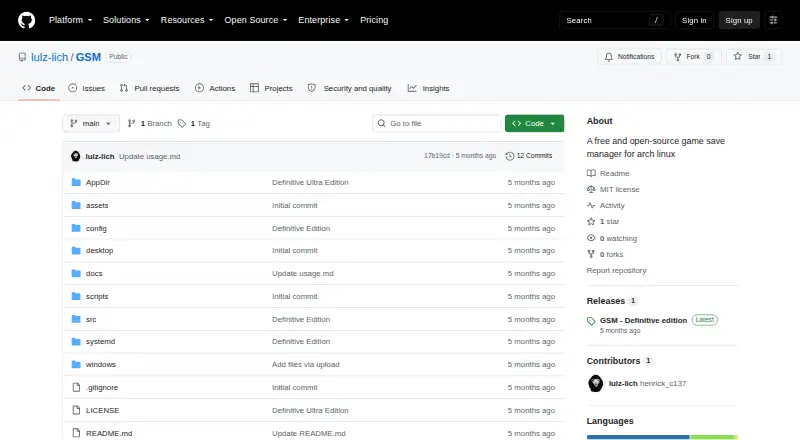
What GSM is
GSM is a free, open-source backup utility for game saves on Linux and Windows. It creates versioned backups, uploads them to cloud storage, synchronizes a backup library between machines, and restores saves when needed. Automatic game detection uses Ludusavi, while manual backups cover titles it does not detect. Rclone handles cloud uploads, and GSM creates SHA256 integrity files for backups. Retention can be configured separately for each game. Restore choices include the latest backup, every backup, or the latest backup for a selected game. The project is designed for shared Linux and Windows libraries without one system corrupting or deleting the other’s data. Linux offers graphical and text interfaces, plus AppImage support. Windows provides a graphical build and a single-file EXE. GSM uses Rclone’s copy command for cloud operations. The repository is published under the MIT License, and the releases page lists “GSM - Definitive edition.” The listed GSM plan costs nothing.
Good
- Free and open-source under the MIT License
- Automatic detection uses Ludusavi
- Supports cloud uploads through Rclone
- Per-game retention settings available
- Linux GUI, TUI, and AppImage support
Watch out
- Supports only Linux and Windows
- Undetected games require manual backups
- Cloud operations depend on Rclone
Who it suits
It suits Linux and Windows gamers who want versioned, cloud-synchronized save backups with automatic or manual game selection.
Verdict
GSM provides cross-platform save backup, synchronization, integrity checks, and restore controls at no cost. Its automatic detection is complemented by manual game setup when needed.
Plans and prices
From GSM's own pricing page, checked 7 Oct 2026.
| Plan | Price | What it gives you |
|---|---|---|
| GSM | Free | Free and open source |
The facts
Each one read from GSM's own pages, with the date it was checked.
What it does
- Automatic detection
- It uses Ludusavi for automatic game save detection.checked 7 Oct 2026
- Backup integrity
- It creates SHA256 integrity files for backups.checked 7 Oct 2026
- Cloud uploads
- It uses Rclone to upload backups to cloud storage.checked 7 Oct 2026
- License
- The repository is published under the MIT License.checked 7 Oct 2026
- Manual backups
- It supports manual backups for games it does not detect automatically.checked 7 Oct 2026
- Purpose
- GSM creates versioned backups of game saves, uploads them to cloud storage, synchronizes the backup library between machines, and restores saves when needed.checked 7 Oct 2026
- Release
- The GitHub releases page lists a release titled “GSM - Definitive edition.”checked 7 Oct 2026
- Restore options
- It can restore the latest backup, all backups, or the latest backup for a specific game.checked 7 Oct 2026
- Retention
- Backup retention can be set per game.checked 7 Oct 2026
- Safety behavior
- GSM uses the rclone copy command for its cloud operation.checked 7 Oct 2026
Where it runs
- Cross-platform behavior
- The project says it is designed to work across Linux and Windows without one side corrupting or deleting the other.checked 7 Oct 2026
- Linux interfaces
- It offers a Linux GUI and TUI, plus AppImage support.checked 7 Oct 2026
- Windows distribution
- It offers a Windows GUI and a single-file EXE build.checked 7 Oct 2026
Alternatives to GSM
- 1
SaveState
Free planOpen sourceAndroidLinuxmacOSWindows7.4Free plan - 2
Ludusavi
Free planOpen sourceAPIExtensionLinuxmacOS7.3Free plan - 3

Checkpoint64
Free planLinuxmacOSWindows6.6From €5 a month - 4

Hoard
Free planLinuxmacOSSelf-hostedWindows6.6From €1.99 a month - 5
SaveKnight
Free planWindows6.4From $5 a month - 6
Playnite Save Manager
Free planExtensionWindows6.3Free plan