GSB
GSB is a free, open-source tool for managing game-save backups with Git.
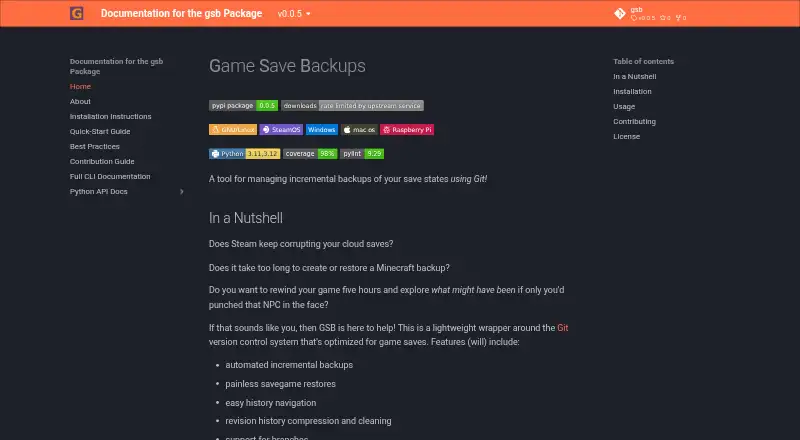
What GSB is
GSB is a free, open-source tool for managing game-save backups with Git. It supports automated incremental checkpoints, restoring a selected save, history navigation, compression and cleaning, and branches. Backups can be untagged for routine checkpoints or tagged as notable restore points. Rewinding restores the selected state as a new commit, preserving later changes in the history. GSB is a lightweight Git wrapper, so Git and other Git-based tools can also work with a repository it manages. The recommended interface is the command line. GSB requires Python 3.11 or newer and can be installed with pipx, pip, or in a conda or other virtual environment. It is listed for Linux, macOS, and Windows; the documentation also displays SteamOS and Raspberry Pi badges. The guide says GSB cannot manage individual files separately when they are in the same folder. Deleting a backup removes its restore point from history, but Git garbage collection is needed to reclaim the stored objects' disk space. The executable, source, and documentation are published under GPL v3 unless otherwise stated.
Good
- Automates incremental backups of game saves.
- Supports tagged restore points and history navigation.
- Restoring a state preserves later changes in history.
- Git tools can work with GSB-managed repositories.
Watch out
- Requires Python 3.11 or newer.
- Cannot manage files individually when they share a folder.
- Git garbage collection is needed to reclaim deleted backup data.
Who it suits
GSB suits players who want to back up and restore game saves, including Steam and Minecraft saves. It is a fit for users comfortable with a command-line interface and Git-based workflows.
Verdict
GSB provides a Git-based approach to incremental game-save backups, with restore points and history tools. Its folder-based file handling and command-line workflow may not suit every player.
The facts
Each one read from GSB's own pages, with the date it was checked.
What it does
- Backup deletion
- Deleting a backup rewrites history but does not immediately reclaim disk space; permanently removing the data requires Git garbage collection.checked 9 Oct 2026
- Backup features
- The project lists automated incremental backups, save restores, history navigation, history compression and cleaning, and branch support among its features.checked 9 Oct 2026
- Backup types
- GSB supports untagged backups for routine checkpoints and tagged backups for notable restore points.checked 9 Oct 2026
- Command-line interface
- The maker recommends interacting with GSB through its command-line interface.checked 9 Oct 2026
- Current limitation
- The guide says GSB does not currently support managing individual files separately when they are in the same folder.checked 9 Oct 2026
- Deleting backups
- Deleting a backup removes its restore point from history but does not immediately reclaim disk space; the guide says Git garbage collection is needed to prune the stored objects.checked 9 Oct 2026
- Git compatibility
- GSB is a lightweight wrapper around Git, and the documentation says you can also use Git or other Git based tools on a GSB managed repository.checked 9 Oct 2026
- Installation
- The maker documents installation with pipx, pip, or within a conda environment.checked 9 Oct 2026
- Install options
- The installation guide describes installing GSB with pipx or pip, including within a conda or other virtual environment.checked 9 Oct 2026
- Intended users
- The maker presents GSB for players who want to back up and restore game saves, including Steam and Minecraft saves.checked 9 Oct 2026
- Interface
- The recommended way to use GSB is through its command line interface.checked 9 Oct 2026
- License
- The executable, source code, and documentation are published under the GNU General Public License v3 unless otherwise stated.checked 9 Oct 2026
- Purpose
- GSB manages incremental backups of game save states using Git.checked 9 Oct 2026
- Requirements
- GSB requires Python 3.11 or newer and is described as otherwise able to run on any operating system and architecture.checked 9 Oct 2026
- Restore behavior
- Rewinding restores the selected save state and records it as a new commit, preserving subsequent changes in history.checked 9 Oct 2026
- Runtime requirement
- GSB requires Python 3.11 or newer.checked 9 Oct 2026
- Save selection limit
- GSB does not currently support managing individual files separately when they are in the same folder.checked 9 Oct 2026
- Security and privacy
- The maker's opened documentation describes local Git-based backup management and does not state a security certification or compliance standard.checked 9 Oct 2026
- Support
- The contribution guide directs users to open a GitHub issue to report bugs or propose features.checked 9 Oct 2026
- Support and contributions
- The project asks users to open an issue to report a bug or propose a feature or enhancement.checked 9 Oct 2026
- Supported systems
- The documentation displays platform badges for Linux, SteamOS, Windows, macOS, and Raspberry Pi.checked 9 Oct 2026
Alternatives to GSB
- 1
SaveState
Free planOpen sourceAndroidLinuxmacOSWindows7.4Free plan - 2
Ludusavi
Free planOpen sourceAPIExtensionLinuxmacOS7.3Free plan - 3

Checkpoint64
Free planLinuxmacOSWindows6.6From €5 a month - 4

Hoard
Free planLinuxmacOSSelf-hostedWindows6.6From €1.99 a month - 5
SaveKnight
Free planWindows6.4From $5 a month - 6
Playnite Save Manager
Free planExtensionWindows6.3Free plan