
Gradekeeper
Gradekeeper is a grade-management tool for teachers.
What Gradekeeper is
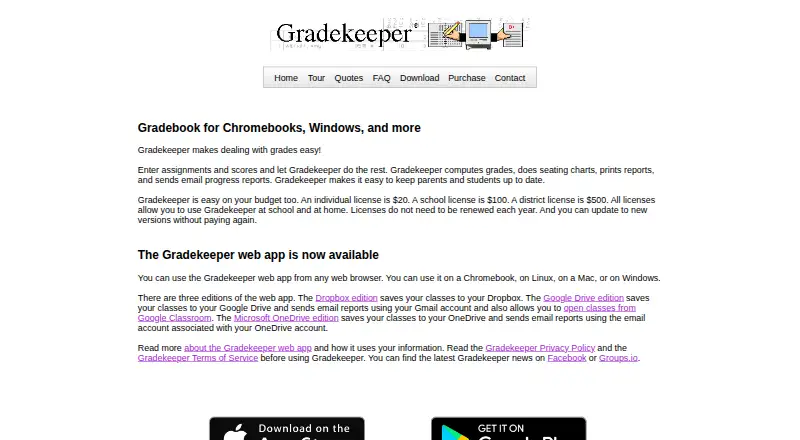
Gradekeeper is a grade-management tool for teachers. Its gradebook displays students, assignments, scores, and grades for the current term, and recalculates grades when information changes. Teachers can track absences and tardies, create seating charts, print reports, and email progress reports once email addresses and mail settings are configured. The Google edition can open Classroom classes and sync students, assignments, and scores while retaining Gradekeeper additions such as attendance and seating charts. Web editions save classes to Dropbox, Google Drive, or Microsoft OneDrive. Gradekeeper also works with Online Grades and SchoolSpeak to post grades for parents and students to access securely. It is available on web, desktop, and mobile platforms; the downloadable Windows app requires Windows 10 or 11. The listed licenses are one-time payments: $20 for one user, $100 for a school, or $500 for a district. There is no free plan, and a 30-day trial is listed.
Good
- Grades recompute automatically when data changes
- Tracks absences and tardies
- Google edition syncs Classroom data
- Web editions save classes to cloud storage
- One-time licenses include future versions
Watch out
- No free plan
- Windows app requires Windows 10 or 11
- Email reports require configured addresses and settings
Who it suits
Gradekeeper suits teachers who need to calculate term grades and manage attendance, seating, or reports. Its school and district licenses may also fit broader education settings.
Verdict
Gradekeeper brings grading, attendance, seating charts, and reporting together, with options for Classroom and cloud-storage workflows. Buyers can choose a one-time individual, school, or district license, but should note the platform requirements for the Windows download.
Plans and prices
From Gradekeeper's own pricing page, checked 4 Oct 2026.
| Plan | Price | What it gives you |
|---|---|---|
| Single license | $20, paid once | Use at home and school · for one user · No annual renewal; includes web and desktop versions and future versions at no additional cost. |
| School license | $100, paid once | Everyone at one school or university department · No annual renewal; includes web and desktop versions and future versions at no additional cost. |
| District license | $500, paid once | Everyone in one school district or university · No annual renewal; includes web and desktop versions and future versions at no additional cost. |
The facts
Each one read from Gradekeeper's own pages, with the date it was checked.
What it does
- Attendance
- The attendance grid tracks absences and tardies, and lets teachers specify non-class days and choose which weekdays to display.checked 4 Oct 2026
- Audience and history
- Gradekeeper was created by former software engineer and longtime math teacher Daniel Ethier and has helped teachers manage grades for 30 years.checked 4 Oct 2026
- Cloud editions
- The web app has Dropbox, Google Drive, and Microsoft OneDrive editions that save classes to the corresponding storage service.checked 4 Oct 2026
- Email reports
- Gradekeeper can email progress reports to students after email addresses and mail settings are configured.checked 4 Oct 2026
- Encryption
- The privacy policy states that classes are encrypted when opened or saved.checked 4 Oct 2026
- Google Classroom
- The Google edition can open Classroom classes, sync students, assignments, and scores, and preserve Gradekeeper additions such as attendance and seating charts.checked 4 Oct 2026
- Google data handling
- The maker says Google Classroom data is used to create a Gradekeeper class and is not shared, and Gradekeeper does not change Classroom classes.checked 4 Oct 2026
- Gradebook
- The gradebook grid shows students, assignments, scores, and grades for the current term, and grades recompute automatically when data changes.checked 4 Oct 2026
- Other integrations
- Gradekeeper also works with Online Grades and SchoolSpeak to post grades online for parents and students to access securely.checked 4 Oct 2026
- Privacy
- The privacy policy says web app use does not collect data, and names and student information are stored only in users' classes.checked 4 Oct 2026
- Purpose
- Gradekeeper helps teachers manage grades by computing grades from assignments and scores, creating seating charts, printing reports, and sending email progress reports.checked 4 Oct 2026
- Support
- The maker offers direct email support and asks problem reports to identify the app and describe the steps and exact error message.checked 4 Oct 2026
Where it runs
- Desktop and browser support
- The web app runs in a browser on Chromebook, Linux, Windows, or Mac, and the downloadable Windows app requires Windows 10 or 11.checked 4 Oct 2026
- Mobile apps
- Separate Gradekeeper apps are available for iPad and iPhone running iOS 10 or later and Android running Android 6.0 or later.checked 4 Oct 2026
Alternatives to Gradekeeper
- 1

ThinkWave
Free planAndroidiOSWebLinux8.2Free plan - 2
Smart Teacher
Free planAndroidiOSWeb7.9From £29.99 a year - 3
Vidyapeeth360 Digital Gradebook
Free planAndroidiOSWebAPI7.9From ₹99 a year - 4
Jupiter
AndroidiOSWebAPI7.6From $16 a year - 5
Gradebook.ng
Free planWeb7.2From 15,000 NGN a year - 6

SimpleGradebook
Free planAndroidiOSWeb7.2$3 one-time