GradeForge
GradeForge is a paid, offline-first Windows desktop app that combines a markbook, planner, feedback studio, AI marking, resource maker and classroom tools fo…
What GradeForge is
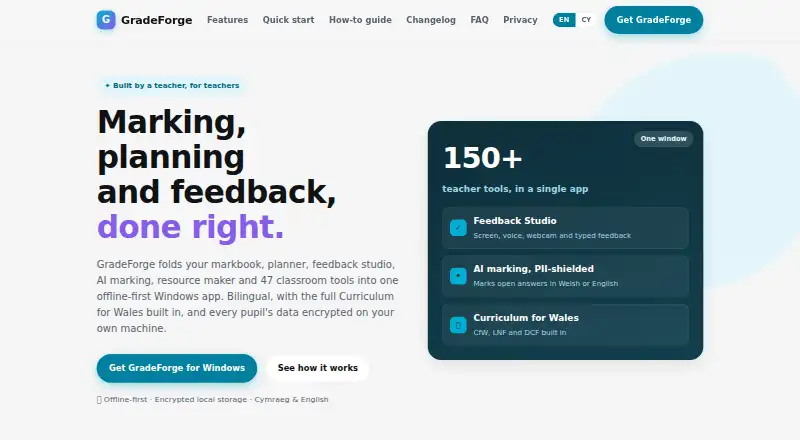
GradeForge is a paid, offline-first Windows desktop app that combines a markbook, planner, feedback studio, AI marking, resource maker and classroom tools for teachers. Its markbook supports formula columns, weighted averages, topic heatmaps, target grades, rubrics and OMR bubble sheets, with exports to Excel, CSV or an MIS. Feedback Studio handles screen, voice, webcam and typed feedback, PDF and photo annotation, and Google Classroom posting. AI marking evaluates open answers in Welsh or English against teacher mark schemes, shields pupil names before requests and requires approval for each mark. Planning includes lesson diaries, schemes, AI lesson generation and curriculum tracking. The Resource Engine creates 42 differentiated resource types, while the Classroom Toolkit provides 47 offline tools. GradeForge supports Cymraeg and English, stores pupil data locally with AES-256-GCM encryption, and requires no account to start.
Good
- Offline-first Windows app
- Exports assessment data to Excel, CSV or MIS
- AI marking supports Welsh and English
- 42 differentiated resource types
- 47 offline classroom tools
Watch out
- Windows desktop only
- No mobile app coverage
- Paid one-off cost of 30.00 GBP
- No parent or student portal
Who it suits
GradeForge suits teachers using Windows who need offline assessment, planning, feedback and classroom utilities. It is particularly relevant to Welsh- and English-medium teaching with Google Classroom integration.
Verdict
GradeForge brings many classroom and assessment functions into one Windows application, with strong offline and Welsh-language support. Its desktop-only scope and one-off teacher pricing should be weighed against your school’s device needs.
Plans and prices
From GradeForge's own pricing page, checked 8 Oct 2026.
| Plan | Price | What it gives you |
|---|---|---|
| GradeForge | £30, paid once | Updates within version 1 are free · School site licences available for whole departments or staffs · one-off per teacher |
The facts
Each one read from GradeForge's own pages, with the date it was checked.
What it does
- AI marking
- AI marking evaluates open answers in Welsh or English against a teacher's mark schemes, shields pupil names before requests and requires teacher approval of each mark.checked 8 Oct 2026
- AI privacy
- AI features are opt-in, show what is sent, shield pupil names and require approval of results; transcription and Welsh and English voices run on-device.checked 8 Oct 2026
- Assessment
- The markbook includes formula columns, weighted averages, topic heatmaps, target grades, rubrics and OMR bubble sheets, with export to Excel, CSV or an MIS.checked 8 Oct 2026
- Classroom toolkit
- The Classroom Toolkit contains 47 offline in-lesson tools, including timers, random pickers, a whiteboard, noise meter and retrieval quizzes.checked 8 Oct 2026
- Feedback
- Feedback Studio supports screen, voice, webcam and typed feedback, PDF and photo annotation, and posting to Google Classroom.checked 8 Oct 2026
- Google API data
- The privacy policy says Google API data is used for user-facing features, is not sold or used for advertising, and is not read by a person except for specified consent, legal or security reasons.checked 8 Oct 2026
- Integrations
- Google Classroom integration can import classes and rosters, read selected work, post assignments and push grades back; Google Drive is used for optional sync.checked 8 Oct 2026
- Purpose
- GradeForge combines a markbook, planner, feedback studio, AI marking, resource maker and classroom tools in an offline-first Windows app for teachers.checked 8 Oct 2026
- Resource creation
- The Resource Engine generates 42 kinds of differentiated resources and exports to PDF, PowerPoint, Word or a self-grading Google Form.checked 8 Oct 2026
- Security
- The site says pupil data is stored locally with AES-256-GCM encryption, there is no GradeForge server, and a DPIA and STRIDE security review are complete.checked 8 Oct 2026
- Support
- The site lists [email protected] as a contact for questions and feedback.checked 8 Oct 2026
- Welsh support
- The app supports Cymraeg and English and includes the Curriculum for Wales, Welsh literacy tools and an offline Welsh voice.checked 8 Oct 2026
Where it runs
- Device requirement
- The FAQ states that GradeForge is available for Windows desktop today and requires no account to start.checked 8 Oct 2026
Money
- Planning
- Planning includes lesson diaries, schemes, AI lesson generation and native Curriculum for Wales, LNF and DCF coverage tracking, with imports for England, Scotland, US and IB frameworks.checked 8 Oct 2026
Alternatives to GradeForge
- 1

ThinkWave
Free planAndroidiOSWebLinux8.2Free plan - 2
Smart Teacher
Free planAndroidiOSWeb7.9From £29.99 a year - 3
Vidyapeeth360 Digital Gradebook
Free planAndroidiOSWebAPI7.9From ₹99 a year - 4
Jupiter
AndroidiOSWebAPI7.6From $16 a year - 5
Gradebook.ng
Free planWeb7.2From 15,000 NGN a year - 6

SimpleGradebook
Free planAndroidiOSWeb7.2$3 one-time