
Google Colab
Google Colab lets users write and execute Python in a browser without configuration, with access to GPUs and notebook sharing.
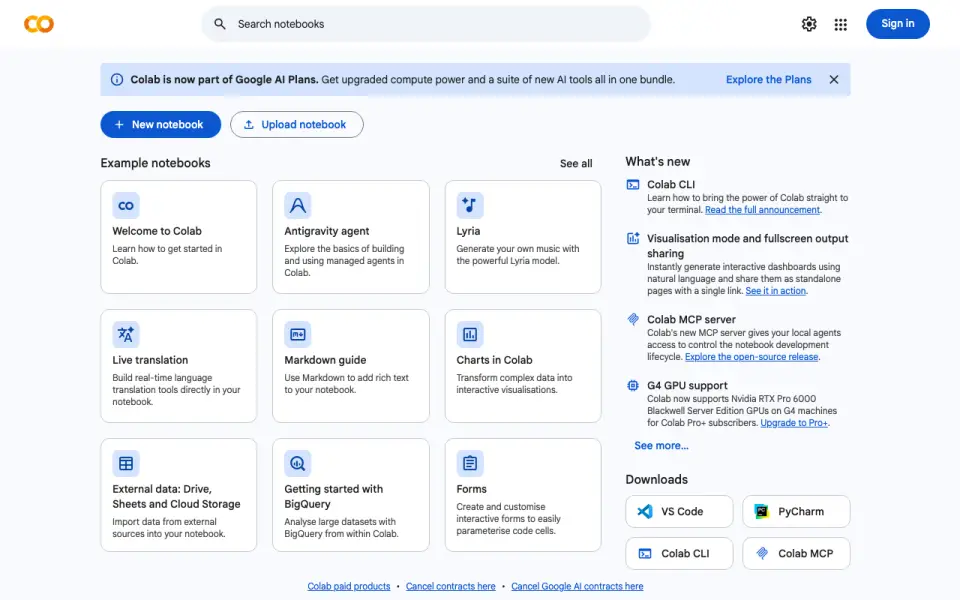
What Google Colab is
Google Colab lets users write and execute Python in a browser without configuration, with access to GPUs and notebook sharing. Its hosted Jupyter notebooks combine executable code with text, images, HTML, and LaTeX. Users can import data from Google Drive, spreadsheets, GitHub, and other sources; listed resources also include Cloud Storage, Sheets, and BigQuery. Colab AI can create or transform code, explain Python libraries, suggest fixes, and carry out multi-step data analysis workflows. It does not access Drive files or user secrets by default, but can generate code to access them if requested. For generative AI features, Google says it collects prompts, related code, outputs, usage details, and feedback; human reviewers may process this information, which may be kept for up to 18 months. Free use includes compute, GPUs, and TPUs, though availability and limits vary. Free notebooks can run for at most 12 hours depending on conditions; Pro+ supports continuous execution up to 24 hours when enough compute units are available. Colab is also offered as a Visual Studio Code extension.
Good
- Runs Python notebooks in a browser without configuration
- Free compute includes GPUs and TPUs
- Imports data from Drive, spreadsheets, and GitHub
- Available as a Visual Studio Code extension
Watch out
- Free runtime can last at most 12 hours
- Free hardware access and usage limits vary
- Other Jupyter kernels have no announced timeline
- Colab API is beta and allowlist-gated
Who it suits
Colab suits students, data scientists, AI researchers, educators, and researchers who want to work with Python notebooks in a browser. It may also suit users who want notebook access through Visual Studio Code.
Verdict
Colab provides browser-based Python notebooks, data imports, and optional AI coding help. Free runtime and hardware access vary, and generative AI features involve data collection and possible human review.
Plans and prices
From Google Colab's own pricing page, checked 15 Oct 2026.
| Plan | Price | What it gives you |
|---|---|---|
| Colab | Free | free hosted Jupyter notebooks · GPU/TPU access not guaranteed · free runtimes up to 12 hours |
| Colab free | Free | Free compute including GPUs and TPUs; usage limits and hardware availability vary |
| Colab Pro+ | — | Pro benefits · continuous execution up to 24 hours when compute units suffice · background execution · subscription |
| Colab Pro / Pro+ / Pay As You Go | Priced on request | Paid subscriptions or pay-as-you-go; pricing is on the sign-up page, which requires sign-in to view |
| Pay As You Go | — | more compute availability based on compute-unit balance · paid users revert to free-tier restrictions when balance is exhausted · usage-based compute-unit purchases |
| Colab Pro | — | more compute availability · premium GPUs subject to availability · high-memory machines subject to balance · subscription |
| Colab Enterprise | Priced on request | managed enterprise notebook environment · Google Cloud security and compliance capabilities · dedicated cloud resources · Google Cloud pay-as-you-go |
The facts
Each one read from Google Colab's own pages, with the date it was checked.
What it does
- AI coding assistant
- AI-First Colab provides conversational code generation, explanations, error-fixing suggestions, natural-language code transformation and autocompletion.checked 15 Oct 2026
- AI coding help
- Colab AI can generate and transform code, explain Python libraries, suggest fixes, and run multi-step data analysis workflows.checked 30 Sep 2026
- AI data access
- Colab AI does not access Google Drive files or user secrets by default, but it can generate code to access them at the user's explicit request.checked 30 Sep 2026
- AI data analysis
- Colab AI can analyze uploaded CSV, TSV, JSON and Excel files and create visualizations from them.checked 15 Oct 2026
- AI data handling
- For generative AI features Google collects prompts, related code, outputs, usage information and feedback; human reviewers may process this data for up to 18 months.checked 15 Oct 2026
- AI eligibility
- Colab AI requires an account age of at least 18 and availability in a supported locale.checked 15 Oct 2026
- API
- The Colab API can programmatically manage runtimes and is in beta with access by allowlist.checked 30 Sep 2026
- API client support
- Google recommends its client libraries and publishes REST discovery and OpenAPI documents for the Colab API.checked 15 Oct 2026
- Chrome extension
- Google's Open in Colab extension opens GitHub-hosted Jupyter notebooks in Colab and listed 100,000 users when opened.checked 15 Oct 2026
- Colab origin and scale
- Google says Colab began as a small Google Research project and had more than 10 million monthly active users in December 2023.checked 15 Oct 2026
- Data Science Agent
- The Data Science Agent can plan and execute multi-step analyses, self-correct errors and present findings after the user approves execution.checked 15 Oct 2026
- Documentation depth
- Official documentation includes FAQs, example notebooks, release notes, API reference, Workspace administration help and Colab Enterprise documentation.checked 15 Oct 2026
- Drive integration limit
- Mounting Google Drive can fail when a folder contains roughly more than 10,000 items, and Drive bandwidth or operation quotas can cause input/output errors.checked 15 Oct 2026
- Enterprise launch
- Google Cloud describes Colab Enterprise as a Vertex AI-powered notebook environment with enterprise security, governance, flexible machine types and MLOps tooling.checked 15 Oct 2026
- GPU and TPU compute
- The service offers access to NVIDIA GPUs and TPUs, including on the free tier, but hardware availability changes over time.checked 15 Oct 2026
- Integrations
- Users can import data from Google Drive, spreadsheets, GitHub, and other sources, and the site lists Google Cloud Storage, Sheets, and BigQuery resources.checked 30 Sep 2026
- Intended users
- Google describes Colab as useful for students, data scientists, AI researchers, educators, and researchers.checked 30 Sep 2026
- Language support
- Colab focuses on Python and its ecosystem; it says support for other Jupyter kernels such as R or Scala has no announced timeline.checked 30 Sep 2026
- Limit: compute availability
- G2 reviewers report that available GPUs can be insufficient for training larger models and that sessions can log out when inactive.checked 15 Oct 2026
- Limit: connection incident
- A March 2026 GitHub issue describes notebooks remaining indefinitely in Connecting, Allocating or Initializing despite troubleshooting across browsers and networks.checked 15 Oct 2026
- Limit: fluctuating quotas
- Google does not publish fixed usage limits because idle timeouts, VM lifetimes, GPU types and other quotas fluctuate dynamically.checked 15 Oct 2026
The company
- Company founding
- Google's corporate history says Google Inc. was officially formed in August 1998 and later moved its headquarters to Mountain View.checked 15 Oct 2026
- Company headquarters and size
- LinkedIn lists Google as a public software-development company headquartered in Mountain View, California, with 10,001-plus employees.checked 15 Oct 2026
Money
- Free plan
- Yeschecked 20 Sep 2026
The full review of Google Colab
Google Colab is a browser-based workspace for writing and running Python notebooks, best suited to students, educators, researchers, and data scientists who want cloud compute without configuring a local environment. Its shareable notebooks and optional GPUs make it a useful starting point, but variable runtime access and a Python-first focus narrow its appeal.
Overview
Colab notebooks combine executable code with rich text, images, HTML, and LaTeX in a hosted Jupyter format. That makes it practical to pair an experiment with its explanation and share the result as one document. Browser-based access also avoids local setup, though users who need dependable, fixed compute capacity should look elsewhere.
Key features
Colab can import data from Google Drive, spreadsheets, GitHub, and other sources, and it lists Google Cloud Storage, Sheets, and BigQuery resources. This is a natural fit for Python work already connected to Google services. Colab remains focused on Python and its ecosystem; support for other Jupyter kernels such as R or Scala has no announced timeline.
Colab AI can generate and transform code, explain Python libraries, suggest fixes, and run multi-step data-analysis workflows. It does not access Drive files or user secrets by default, though it can generate code to access them at a user's explicit request. For generative AI features, Google collects prompts, related code, generated output, feature-usage information, and feedback. Human reviewers may process this data, which may be retained for up to 18 months, so users handling sensitive material should weigh those terms before opting in.
A Visual Studio Code extension can open notebooks and select Colab runtimes, while the beta API can programmatically manage runtimes but requires allowlist access. Colab works in most major browsers and is most thoroughly tested with current Chrome, Firefox, and Safari. Bug reports and questions can be sent through Help > Send feedback in a notebook.
Pricing
The free Colab plan costs nothing and includes compute with GPUs and TPUs, but usage limits and hardware availability vary. Free usage limits, idle timeouts, maximum VM lifetime, and GPU types are not fixed; a notebook can run for at most 12 hours depending on availability and usage patterns. It is a sensible way to learn or run intermittent work, not a reliable promise of a particular accelerator or session length.
Colab's paid tiers are billed on annual/fixed-term plans. Colab Pro costs $8.33 a month and includes 100 compute units, premium GPU access, and access to the highest-memory machine. It suits regular users who need better hardware access than the free tier, but still have to manage a finite compute-unit allowance. Colab Pro+ costs $41.66 a month and raises the allowance to 500 compute units, adds the same premium GPU and highest-memory access, and supports background execution. Its continuous execution can reach 24 hours if sufficient compute units remain, making it the more fitting option for longer-running work.
Paid subscriptions and pay-as-you-go options are also available, with pricing shown during sign-up. There is no free trial. Colab's plan names and allowances make the trade-off clear: free access costs nothing but offers no guaranteed compute-unit access, while paid tiers add units and hardware privileges rather than fixed GPU availability.
Platforms
Colab is available on the web, through an API, and as a Visual Studio Code extension. Its runtime runs on a backend, while users work through a browser or the VS Code extension. Current Chrome, Firefox, and Safari receive the most thorough testing; other major browsers are supported.
Who it's for
Colab is a strong fit for learners, educators, researchers, data scientists, and AI researchers who want to write, execute, explain, or share Python work without managing a local installation. It is less suited to people who need stable, guaranteed GPU access, fixed session limits, or a non-Python Jupyter kernel.
Pros and cons
- Pros: Browser-based Python notebooks combine code and rich explanatory content, making experiments easy to present and share.
- Pros: Imports and listed resources cover Google services, spreadsheets, and GitHub, useful for workflows already using those sources.
- Pros: Free compute includes GPUs and TPUs, and paid plans add compute units, premium GPU access, and high-memory machines.
- Cons: Free runtime limits and GPU availability change, and there is no guaranteed compute-unit access on the free plan.
- Cons: Pro and Pro+ have finite compute-unit allowances, so longer or heavier jobs require attention to remaining capacity.
- Cons: Generative AI data may be reviewed by people and retained for up to 18 months; Colab is also Python-focused, without an announced timeline for R or Scala kernels.
Alternatives
For locally installed, open-source notebooks, choose JupyterLab: it is free and can be installed with pip, rather than relying on Colab's cloud runtime access. Deepnote is another freemium notebook option, with a forever-free plan capped at three editors and five projects. Datalore offers a free cloud tier with 120 CPU S machine hours, 10 GB of storage, and two notebooks running in parallel, a defined allowance for users who prefer explicit limits.
Kaggle Notebooks is worth considering for a free notebook environment with limited P100 GPU and TPU v3-8 availability, CPU or GPU sessions up to 12 hours, and 20 GB autosaved disk. Hex has a free Community plan with small compute and a Hex agent trial. Observable has a free plan with few tokens per day and 1 GB per month of file attachments. marimo is a free web option. Saturn Cloud is a paid web platform with a pay-as-you-go Hosted plan listed at $0.09 a month for 16 GB memory, 4 vCPUs, and 0 vGPUs.
Browse more options in Notebook Software, Data Science Platforms, and Code Playground Software.
Verdict
Choose Google Colab if you want a shareable, browser-based Python notebook and can accept changing compute availability; its free access and optional paid hardware make it approachable for learning and variable workloads. Look elsewhere if your work depends on predictable runtime capacity, non-Python kernels, or generative AI data terms that do not fit your privacy requirements.
Alternatives to Google Colab
- 1

Replit
Free planAndroidiOSWebLinux9.2From $18 a month - 2

StackBlitz
Free planAndroidiOSWebAPI8.9Free plan - 3

Playcode
Free planAndroidiOSWebAPI8.9From $25 a month - 4
Paperspace Gradient
Free planOpen sourceWebAPIExtensionLinux8.7From $8 a month - 5
GitHub Codespaces
Free planAndroidiOSWebAPI8.6Free plan - 6

JDoodle
Free planAndroidiOSWebAPI8.6From $4 a month