
Google Antigravity IDE
Google Antigravity IDE is a development environment where agents can plan and carry out software tasks across an editor, terminal, and browser.
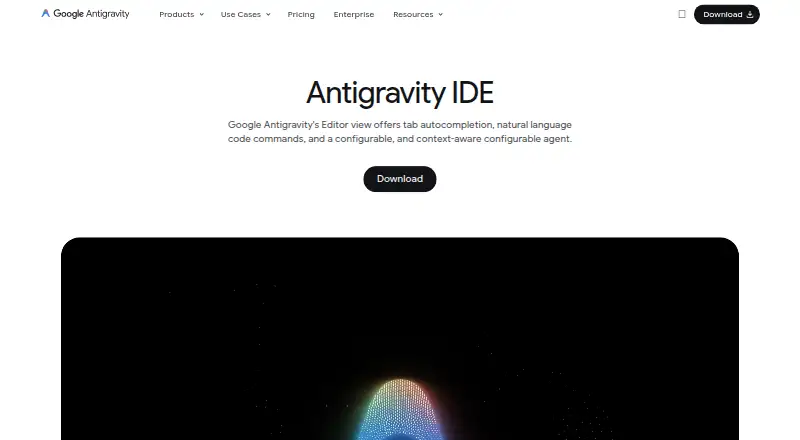
What Google Antigravity IDE is
Google Antigravity IDE is a development environment where agents can plan and carry out software tasks across an editor, terminal, and browser. Its Agent and Tab features include real-time code completion and helper suggestions. Local agents can work asynchronously in parallel across workspaces and codebases, producing deliverables such as Markdown plans, code diff views, architecture diagrams, images, and browser recordings. A browser agent can read dashboards, take source control actions, and test user interfaces. Projects can use Git worktrees, scoped settings and permissions, and multiple folders for cross-codebase work. Agents are limited to project folders; by default, they request permission for terminal commands outside the sandbox on macOS and Linux, and for any terminal command on Windows. The standalone IDE is available for macOS 12 or later, Windows 10 64-bit, and Linux meeting specified library minimums. Official extensions are listed for Visual Studio Code, Visual Studio 2026, JetBrains IDEs, Zed, and Xcode. Individuals have a free plan at no cost, with baseline Gemini access, unlimited Tab completions, unlimited Command requests, and basic weekly rate limits. Limits and model availability depend on plan and workload. Enterprise customers are not supported, and BYOK and custom organizational contracts are not currently available.
Good
- Asynchronous local agents can work in parallel
- Agents can produce plans, diffs, and diagrams
- Browser agent can perform UI testing
- Git worktrees and scoped permissions support project isolation
- Individuals get unlimited Tab completions
Watch out
- Rate limits vary with plan and agent workload
- Enterprise customers are not supported
- BYOK and custom organizational contracts are unavailable
- Standalone IDE requires supported operating systems
Who it suits
Antigravity IDE is for developers who want agents to coordinate coding tasks across editor, terminal, and browser. Its individual free plan may suit those who can work within basic weekly rate limits; it is not supported for enterprise customers.
Verdict
Antigravity IDE combines coding assistance with agents that can work across the editor, terminal, and browser. Individuals can start on a free plan, but usage limits vary and enterprise users need another offering.
Plans and prices
From Google Antigravity IDE's own pricing page, checked 14 Oct 2026.
| Plan | Price | What it gives you |
|---|---|---|
| Business pay-as-you-go | Priced on request | $0 seat fee · eligible Gemini Enterprise customers · Google Cloud terms · spend caps · consumption based |
| For Individuals | Free | variety of agent models · unlimited Tab completions · unlimited Command requests · basic weekly rate limits |
| Business Standard/Plus | $30 a month | eligible Gemini Enterprise customers · Google Cloud terms · centralized administrative controls · spend caps · per seat |
| Business plan | Priced on request | API access with consumption-based pricing · Eligible Gemini Enterprise Standard/Plus plans starting at $30 USD per seat per month · Pay-as-you-go with $0 seat fee and consumption based pricing · via Google Cloud |
| Google AI Pro | — | more rate limits · flexible AI credit pool |
| Google AI Ultra | — | even more rate limits · flexible AI credit pool |
The facts
Each one read from Google Antigravity IDE's own pages, with the date it was checked.
What it does
- Artifacts
- Agents produce structured artifacts such as Markdown plans, code diffs, architecture diagrams, images and browser recordings.checked 14 Oct 2026
- Artifacts praise
- Independent reviewers repeatedly praise Trust Artifacts, implementation plans, screenshots and recordings because they make agent work easier to inspect.checked 14 Oct 2026
- Autonomous agents
- Agents can work asynchronously and in parallel across multiple workspaces and codebases.checked 14 Oct 2026
- Cloud API
- The SDK documentation points developers to a managed Gemini API REST or gRPC Antigravity Agent interface.checked 14 Oct 2026
- Editor
- The product provides a full-featured AI editor with Tab completion, Command requests and agent assistance.checked 14 Oct 2026
- Editor features
- The IDE includes AI features such as Agent and Tab, including real-time code completion and helper suggestions.checked 5 Oct 2026
- Enterprise availability
- Antigravity IDE is not supported for enterprise customers; the documentation directs enterprise users to Antigravity 2.0 or Antigravity CLI.checked 5 Oct 2026
- Enterprise privacy
- The IDE extensions documentation states that enterprise code, prompts and agent transcripts are not used to train Google foundation models.checked 14 Oct 2026
- Enterprise support limit
- Official documentation says Antigravity IDE itself is not supported for enterprise configurations; the Antigravity app or CLI should be used instead.checked 14 Oct 2026
- Google Play availability
- Google Antigravity is listed on Google Play, with 5K+ downloads and an initial release shown as updated September 25, 2026; no star rating is displayed on the page.checked 14 Oct 2026
- IDE extensions
- Official extensions are documented for Visual Studio Code, Visual Studio, JetBrains IDEs, Zed and Xcode.checked 14 Oct 2026
- IDE integrations
- Official Antigravity extensions are listed for Visual Studio Code, Visual Studio 2026, JetBrains IDEs, Zed, and Xcode.checked 5 Oct 2026
- Limit: closed source
- An independent review states that Antigravity is closed source, with no ability to audit or fork the agent harness.checked 14 Oct 2026
- Limit: credit clarity
- Independent reviews criticize an opaque or fast-draining credit system and repeated changes to free-tier limits.checked 14 Oct 2026
- Limit: destructive incident
- Windows Central reported a user claim that Antigravity accidentally erased an entire D: drive while handling a requested cleanup task.checked 14 Oct 2026
- Limit: five-agent cap
- The Manager workflow is reported to cap parallel execution at five agents.checked 14 Oct 2026
- Limit: instability
- Independent reviews report agents stalling, rough edges and lower stability than mature IDE competitors.checked 14 Oct 2026
- Limit: rate limits
- Independent reviewers report hitting Gemini rate limits when running several demanding agents at once.checked 14 Oct 2026
Where it runs
- Browser agent
- A browser-use agent can read and actuate web pages for dashboard work, source-control actions and UI testing.checked 14 Oct 2026
- Browser praise
- Independent reviewers repeatedly praise the built-in Chrome or Chromium browser for letting agents navigate, interact with pages and visually verify front-end changes.checked 14 Oct 2026
The company
- Company founded
- Google says Google Inc. was officially created in August 1998.checked 14 Oct 2026
- Company headquarters
- Google states that its headquarters are in Mountain View, California.checked 14 Oct 2026
- Company legal name
- The Google Play listing identifies the developer as Google LLC.checked 14 Oct 2026
- Company size
- The Google Antigravity LinkedIn showcase lists company size as 10,001+ employees.checked 14 Oct 2026
The full review of Google Antigravity IDE
Google Antigravity IDE is an agentic development environment for developers who want software work coordinated across coding, command-line operations, and browser tasks. It is best suited to individuals and small teams comfortable supervising AI agents and reviewing their output. The main trade-off is variable capacity: agent quotas and model access depend on the Google AI plan and workload.
Overview
Antigravity combines an AI-enabled editor with asynchronous local agents that can plan and execute tasks across workspaces and codebases. This makes it more capable than a suggestion-only editor for multistep work, such as changing code, running commands, checking a dashboard, and validating a user interface. Capacity is not a fixed entitlement, however, so heavy agent use can be less predictable than ordinary editing.
Key features
Its Agent and Tab tools provide helper suggestions and real-time code completion. Unlimited Tab completions on every plan provide a reliable baseline for routine typing even when agent quotas are constrained.
Agents can operate in parallel across projects. Git worktrees, scoped settings and permissions, and multiple folders support isolated work on several codebases without mixing project context. Their output can be delivered as Markdown plans, code-diff views, architecture diagrams, images, and browser recordings. Those artifacts give reviewers something concrete to inspect before accepting changes.
The browser agent can read dashboards, perform source-control actions, and test interfaces. That cross-surface reach is valuable for release and verification workflows, but it also makes permission controls important. On macOS and Linux, agents request approval before terminal commands outside the sandbox; on Windows, they request approval before any terminal command. Agents remain limited to project folders by default.
Database tools, an extensions marketplace, and official integrations for Visual Studio Code, Visual Studio 2026, JetBrains IDEs, Zed, and Xcode broaden where the workflow can fit. The standalone IDE runs on macOS 12 or later, 64-bit Windows 10, and Linux systems meeting its stated glibc and glibcxx minimums.
Pricing
The individual plan costs free. It includes a variety of agent models, unlimited Tab completions, unlimited Command requests, and basic weekly rate limits. It is the sensible starting point for solo developers evaluating agentic workflows, though the weekly limits and model availability can restrict sustained or demanding use.
Google AI Pro has custom pricing and adds more rate limits plus a flexible AI credit pool. Google AI Ultra also uses custom pricing, with even more rate limits, a flexible credit pool, and higher access to the latest Gemini models. Ultra is aimed at users whose workloads regularly exceed the individual allowance and who value broader model access.
The Business plan uses custom pricing billed through Google Cloud. It offers API access with consumption-based pricing, eligible Gemini Enterprise Standard or Plus plans starting at 30 USD per seat per month, and a pay-as-you-go option with a 0 USD seat fee plus consumption charges. That structure suits organizations budgeting cloud usage, but Antigravity IDE itself is not supported for enterprise customers; enterprise users are directed to Antigravity 2.0 or Antigravity CLI. BYOK and bring-your-own endpoints for extra rate limits or custom organizational contracts are not supported. All plans receive baseline Gemini access and unlimited Tab completions, while quotas vary with workload and may change.
Platforms
The standalone application supports macOS, Windows, and Linux, while the broader offering is listed for Android and API use as well. The published desktop requirements make compatibility worth checking before deployment, particularly on Linux.
Who it's for
Choose Antigravity if you want agents to handle connected editor, terminal, browser, and verification tasks, and you are willing to review plans, diffs, diagrams, and recordings. It is particularly appealing to solo developers and small teams coordinating parallel work across repositories. It is a weaker fit when you need predictable high-volume quotas, BYOK, or an enterprise-supported product.
Pros and cons
- Pros: Parallel local agents can work across multiple workspaces and codebases.
- Pros: Browser automation and structured artifacts extend assistance beyond code completion.
- Pros: Unlimited Tab completions and Command requests are included in the free individual plan.
- Pros: Project-scoped permissions and approval prompts provide meaningful command safeguards.
- Cons: Agent quotas and model availability depend on plan and workload, so capacity can fluctuate.
- Cons: Enterprise customers must use Antigravity 2.0 or Antigravity CLI instead.
- Cons: BYOK and custom organizational endpoints are unavailable.
Alternatives
Web Development IDEs is the broader category to browse when browser-focused development matters more than autonomous agents. For a more focused AI editing comparison, see AI Code Editors; for generation-first tools, use AI Code Generators.
Replit is a freemium, cross-platform option with a free Starter plan offering daily usage, one live project, and one background task at a time. GitHub Codespaces is preferable when cloud development environments and usage-billed compute are the priority, with listed 2-core and 4-core plans. Mendix targets visual application development, while Alpha Anywhere offers a free community edition for web and mobile apps connected to data sources.
Visual Studio Code, Theia IDE, and HBuilderX are free alternatives when a conventional editor is preferable. RubyMine is the more targeted choice for Ruby development.
Verdict
Google Antigravity IDE is a strong choice for individual developers who want parallel agents to execute and document multistep work across code, terminals, and browsers. Its free plan and unlimited Tab completions make experimentation easy. Look elsewhere if you need enterprise support, BYOK, or quotas that remain predictable under changing workloads.
Alternatives to Google Antigravity IDE
- 1

Replit
Free planAndroidiOSWebLinux8.4From $18 a month - 2

GeneXus
Free planAndroidiOSWebAPI8.2From $99 a year - 3

PyCharm
Free planOpen sourceAPILinuxmacOSSelf-hosted8.2From $100 a year - 4

StackBlitz
Free planAndroidiOSWebAPI8.2Free plan - 5
GitHub Codespaces
Free planAndroidiOSWebAPI7.9Free plan - 6

IntelliJ IDEA
Free planAPIExtensionLinuxmacOS7.8Free plan