Alpha Anywhere
Alpha Anywhere is a rapid application development platform for building and deploying business apps across mobile, desktop, and web.
What Alpha Anywhere is
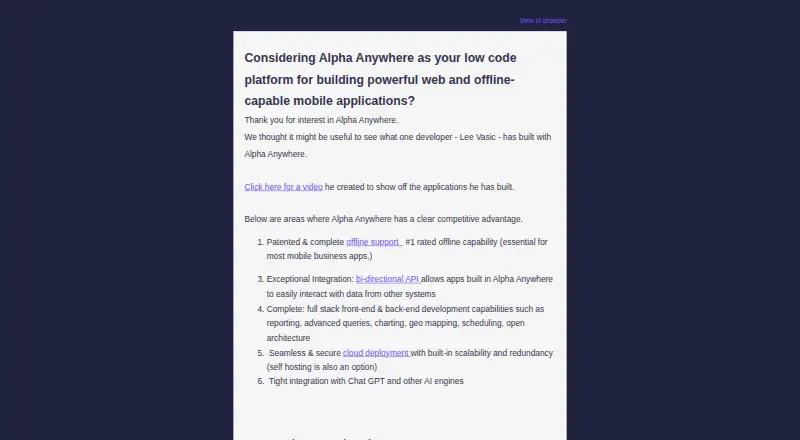
Alpha Anywhere is a rapid application development platform for building and deploying business apps across mobile, desktop, and web. It supports apps that retain downloaded data, accept edits offline, and synchronize changes when connectivity returns, with tools to manage conflicting edits to the same record. Developers can work with SQL and NoSQL databases and web services, combine data sources, connect to Salesforce, and create REST APIs for workflows and databases. A report writer produces PDF, HTML, and Excel output; interface controls include maps, charts, signatures, image annotation, audio, and video. Apps can be self-hosted, placed with a third-party host, or deployed on Alpha Cloud. Security features include user, group, page, and field-level access controls, plus SSL and HMAC support. The free Community Edition offers web and mobile development, connections to any data source, and unlimited apps. Developer and Server installations require Windows 11 or Windows Server 2022 or newer, with at least 2 GB RAM and 50 GB disk space.
Good
- Apps can store and synchronize edits made offline.
- Supports SQL, NoSQL, and web service data sources.
- Can create REST APIs for workflows and databases.
- Reports can be generated as PDF, HTML, or Excel.
- Free Community Edition includes unlimited apps.
Watch out
- Developer and Server require Windows 11 or newer.
- Developer and Server require at least 2 GB RAM.
- Single support incidents cost $249 or $495.
Who it suits
Alpha Anywhere suits developers building business apps that need to work across mobile, desktop, or web, including when users are offline. It may also suit teams integrating several databases or services and choosing among self-hosting, third-party hosting, and Alpha Cloud.
Verdict
Alpha Anywhere combines app development, data connections, offline editing, and several deployment choices. The free Community Edition provides a way to start, while paid plans and the stated Windows requirements are important considerations.
Plans and prices
From Alpha Anywhere's own pricing page, checked 29 Sep 2026.
| Plan | Price | What it gives you |
|---|---|---|
| Community Edition | Free | Free developer edition · web and mobile development · connect to any data source · unlimited apps |
| Professional | $99 a month | 100 compute units/month · 5 concurrent deployments · 5 GB in / 5 GB out data transfer · $99/month |
| Department | $399 a month | 500 compute units/month · 10 concurrent deployments · 25 GB in / 25 GB out data transfer · $399/month |
| Business | $750 a month | 1000 compute units/month · 20 concurrent deployments · 50 GB in / 50 GB out data transfer · $750/month or $7500/year |
| Developer | $999 a year | Installed on 2 machines · IDE for building web and mobile apps · create APIs · $999/year |
| Application Server | $5,000 a year | Unlimited users · hosts web apps, mobile apps, and APIs · security framework and HTTPS/TLS · $5000/year |
| Application Server for IIS | $10,000 a year | Unlimited simultaneous users · Active Directory authentication · includes 1 Alpha Anywhere Developer license · $10000/year |
| Enterprise deployments | Priced on request | Dedicated tenancy · on-premise deployment · Contact for custom options |
The facts
Each one read from Alpha Anywhere's own pages, with the date it was checked.
What it does
- APIs
- Alpha Anywhere can create REST APIs that third-party applications or other Alpha Anywhere apps can use to interact with app workflows, processes, and SQL databases.checked 29 Sep 2026
- Conflict handling
- The platform provides a system to intelligently manage conflicts when multiple users change a record.checked 29 Sep 2026
- Database examples
- Documented SQL database support includes Microsoft Access, SQL Server, MySQL, Oracle, and DB2; documented NoSQL backends include MongoDB, CouchDB, and Firestore.checked 29 Sep 2026
- Data sources
- Alpha Anywhere supports CRUD operations with SQL databases, NoSQL databases, and web services, and can integrate multiple sources in one app.checked 29 Sep 2026
- Hosting
- Applications can be self-hosted, hosted by third-party providers, or deployed on Alpha Cloud.checked 29 Sep 2026
- Offline work
- Apps can store downloaded data for offline use, accept edits while disconnected, and synchronize data when connectivity returns.checked 29 Sep 2026
- Paid from
- 99checked 20 Sep 2026
- Purpose
- Alpha Anywhere is a rapid application development platform for building and deploying business applications for mobile, desktop, and web.checked 29 Sep 2026
- Reports and interface
- The platform includes a report writer that can generate PDF, HTML, and Excel output, plus interface controls for maps, charts, signatures, image annotation, audio, and video.checked 29 Sep 2026
- Salesforce integration
- Alpha Anywhere can connect to Salesforce tables through a connection string or make calls to the Salesforce REST API.checked 29 Sep 2026
- Security
- Its security framework supports users, groups, page access, and field-level access controls, and the product documents SSL and HMAC support.checked 29 Sep 2026
- Support
- The maker lists a $249 support incident for a single issue requiring reasonable effort up to 1–2 hours, and a $495 premium incident up to 2.5 hours.checked 29 Sep 2026
- System requirements
- The pricing page lists Windows 11 or Windows Server 2022 or newer for the Developer and Server, with 2 GB RAM minimum and 50 GB disk space.checked 29 Sep 2026
Money
- Free plan
- Yeschecked 20 Sep 2026
The full review of Alpha Anywhere
Overview
Alpha Anywhere is a rapid application development platform for business apps that connect workflows to data across mobile, desktop, and web. It is best suited to teams building data-rich apps that need offline mobile work or flexible hosting. Its breadth is a strength, but buyers should weigh deployment quotas and Windows system requirements against their needs.
Key features
Data connections and APIs
Alpha Anywhere supports create, read, update, and delete operations across SQL databases, NoSQL databases, and web services, and a single app can combine multiple sources. Documented databases include Access, SQL Server, MySQL, Oracle, and DB2 for SQL, plus MongoDB, CouchDB, and Firestore for NoSQL. Salesforce connections can use a connection string or the Salesforce REST API. The platform can also create REST APIs for other apps to interact with workflows, processes, and SQL databases. This makes it a practical fit for teams extending existing business systems; it is more platform than a project needs if those integrations are not central.
Offline work and conflict handling
Apps can retain downloaded data, accept edits without a connection, and synchronize changes when connectivity returns. Conflict handling addresses cases where multiple users change the same record. This combination suits mobile and field workflows with unreliable networks, though offline synchronization is less relevant to apps that remain connected.
Reports, controls, and security
The report writer produces PDF, HTML, and Excel output. Interface controls include maps, charts, signatures, image annotation, audio, and video, giving developers options for data capture and presentation in business apps. Security controls cover users, groups, page access, and field-level access; SSL and HMAC are also supported. These capabilities bring reporting, richer interfaces, and access management into the app-building platform, but the range is most useful when an application actually needs them.
Hosting and deployment
Applications can be self-hosted, hosted by a third party, or deployed on Alpha Cloud. That flexibility accommodates different deployment models, but it makes plan selection consequential: cloud plans have monthly compute, deployment, and transfer quotas, while server licenses carry separate annual costs.
Pricing
Alpha Anywhere is freemium. The Community Edition costs nothing and provides a free developer edition, web and mobile development, connections to any data source, and unlimited apps. It is a useful starting point, but it does not include the published monthly cloud quotas of the paid cloud plans.
Professional costs $99 a month, billed $99/month, and includes 100 compute units/month, 5 concurrent deployments, and 5 GB in / 5 GB out data transfer. It is the lowest-priced paid cloud tier, but its deployment and transfer allowances may constrain teams with heavier usage. Department costs $399 a month, billed $399/month, and raises those limits to 500 compute units/month, 10 concurrent deployments, and 25 GB in / 25 GB out. It suits a department that needs more capacity than Professional provides.
Business costs $750 a month, billed $750/month or $7500/year, and includes 1000 compute units/month, 20 concurrent deployments, and 50 GB in / 50 GB out. Its larger quotas target higher-volume deployments; the annual billing option is a substantial commitment.
The Developer plan costs $999 a year, billed $999/year. It installs on 2 machines and includes an IDE for building web and mobile apps and creating APIs. The Application Server plan costs $5,000 a year, billed $5000/year, and hosts web apps, mobile apps, and APIs for unlimited users with a security framework and HTTPS/TLS. Application Server for IIS costs $10,000 a year, billed $10000/year, and adds Active Directory authentication, unlimited simultaneous users, and 1 Alpha Anywhere Developer license. These annual server options are distinct from the monthly cloud tiers and make sense when their hosting model or included capabilities match the deployment.
Enterprise deployments use custom pricing and offer dedicated tenancy and on-premise deployment. The Developer and Server require Windows 11 or Windows Server 2022 or newer, with 2 GB RAM minimum and 50 GB disk space. Support incidents cost $249 for a single issue requiring reasonable effort up to 1–2 hours, or $495 for a premium incident up to 2.5 hours; buyers should account for these charges when budgeting for support.
Platforms
Alpha Anywhere supports Android, iOS, macOS, Windows, web, API, and self-hosted deployments. The listed Windows requirements apply to the Developer and Server products, so teams planning those installations need compatible Windows systems even though the broader platform supports mobile and web development.
Who it's for
Alpha Anywhere fits teams building business applications that combine multiple data sources, expose workflows through APIs, or need mobile edits to work offline. Its hosting choices also suit organizations that need cloud, third-party, or self-hosted deployment. It is a weaker fit for a small app that needs neither business-data integration nor configurable deployment, or for buyers whose environment cannot meet the Windows requirements of the Developer and Server.
Pros and cons
- Pros: Offline editing and synchronization support mobile work where connectivity is unreliable.
- Pros: SQL, NoSQL, web-service, and Salesforce connections let one app work across varied business data sources.
- Pros: Self-hosted, third-party, and Alpha Cloud deployment options provide a choice of hosting approach.
- Cons: Paid cloud tiers impose compute, deployment, and transfer limits, so teams must match quotas to expected usage.
- Cons: Developer and Server require recent Windows versions, which can rule out incompatible environments.
- Cons: Annual server plans and paid support incidents add costs beyond the free edition and monthly cloud tiers.
Alternatives
For a broader web development IDE comparison, consider that category when your primary need is an IDE rather than Alpha Anywhere's business-app platform. Browse low-code development platforms if you want to compare tools in that category, or no-code app builders if no-code app creation is the priority.
Replit is a freemium alternative with a free Starter plan offering free daily usage, one live project, and one background task at a time. GitHub Codespaces is another freemium option, with usage-billed 2-core and 4-core compute plans. Visual Studio Code is a free alternative. Google Antigravity IDE has a free individual plan with agent models, unlimited Tab completions and Command requests, and basic weekly rate limits. Theia IDE is free and open-source, with an online demo limited to 30 minutes per session. HBuilderX is free, though its standard edition excludes the App development plugin. RubyMine offers a free non-commercial plan for learning, self-education, qualifying open-source contributions, content creation, and hobby development. WaveMaker is a paid alternative with a free pilot.
Verdict
Choose Alpha Anywhere if your team needs business apps that connect multiple data sources, work offline on mobile, and can be deployed through a hosting model you control. Its strongest case is the combination of data integration, offline synchronization, and flexible deployment. Look elsewhere if your project needs a simpler app-building tool or if the plan quotas, annual server costs, or Windows requirements do not fit.
Getting started
- Open the Alpha Anywhere website
- Start with the free Community Edition or select a paid plan
- Install the Developer or Server components on Windows 11 or Windows Server 2022 or newer
- Connect SQL, NoSQL, web-service, or Salesforce data sources
- Build web, mobile, or desktop applications and optional REST APIs
- Choose self-hosting, third-party hosting, or Alpha Cloud deployment
Questions
Is there a free plan?
Yes. The Community Edition costs nothing and includes web and mobile development, any data source connection, and unlimited apps.
What do paid plans cost?
Other plans include Department at $399 a month and Business at $750 a month.
Which platforms are supported?
Platforms include Android, iOS, macOS, Windows, web, self-hosted environments, and API access.
Can it work offline?
Apps can store downloaded data, accept edits while disconnected, and synchronize after connectivity returns.
Does it integrate with Salesforce?
Yes. Alpha Anywhere can connect to Salesforce tables or call the Salesforce REST API.
What hosting choices are available?
Applications can be self-hosted, hosted by a third party, or deployed on Alpha Cloud.
Alternatives to Alpha Anywhere
- 1

Replit
Free planAndroidiOSWebLinux8.4From $18 a month - 2

GeneXus
Free planAndroidiOSWebAPI8.2From $99 a year - 3

PyCharm
Free planOpen sourceAPILinuxmacOSSelf-hosted8.2From $100 a year - 4

StackBlitz
Free planAndroidiOSWebAPI8.2Free plan - 5

Google Antigravity IDE
Free planAndroidAPIExtensionLinux8.0From $30 a month - 6
GitHub Codespaces
Free planAndroidiOSWebAPI7.9Free plan