
Ghostwriter
Ghostwriter is a free Markdown text editor designed for distraction-free writing.
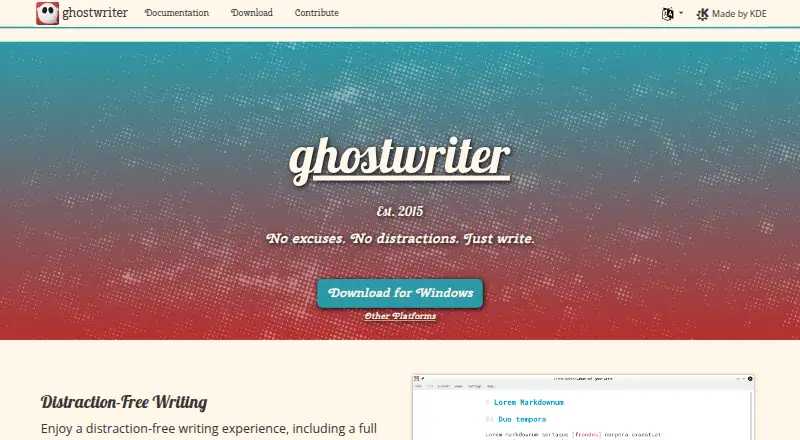
What Ghostwriter is
Ghostwriter is a free Markdown text editor designed for distraction-free writing. It runs on Linux and Windows, with unofficial, community-provided macOS support that requires compiling the source because no installer is available. Its live preview renders Markdown as HTML, which users can copy or export, and it supports GitHub-flavored Markdown. Focus Mode highlights a chosen area around the cursor, such as a line, sentence, paragraph, or three lines. Full-screen mode and Hemingway Mode offer alternate writing setups; Hemingway Mode disables backspace and delete. The editor includes light and dark themes, with the option to create custom themes. Writers also get live word counts, document and session statistics, a document outline, autosave, and file backups. Export options include HTML, Pandoc, MultiMarkdown, and commonmark. Linux installation instructions cover Ubuntu, Fedora, and Arch Linux, while the Windows download page lists a portable 64-bit version for Windows 10. Ghostwriter is distributed under the GNU General Public License version 3.0.
Good
- Live preview renders Markdown as HTML.
- Focus Mode has several cursor-area options.
- Includes autosave and file backup options.
- Offers light, dark, and custom themes.
- Free and licensed under GPL v3.0.
Watch out
- macOS support is unofficial and community-provided.
- macOS users must compile the source.
- No macOS installer is available.
Who it suits
Ghostwriter suits writers who want a Markdown editor with local files, preview, and writing-focus options. It is available to Linux and Windows users, while macOS users need to compile it themselves.
Verdict
Ghostwriter provides focused Markdown writing with preview, export, and document statistics at no listed cost. Its macOS installation path is less direct than its Linux and Windows options.
Plans and prices
From Ghostwriter's own pricing page, checked 5 Oct 2026.
| Plan | Price | What it gives you |
|---|---|---|
| ghostwriter | Free | Free and open source · GPL v3.0 |
The facts
Each one read from Ghostwriter's own pages, with the date it was checked.
What it does
- Autosave
- It offers autosave and file backup options.checked 5 Oct 2026
- Export
- The project site lists Pandoc, MultiMarkdown, and commonmark for export to multiple formats.checked 5 Oct 2026
- Export formats
- HTML,Pandoc,MultiMarkdown,commonmarkchecked 20 Sep 2026
- Focus mode
- Focus Mode highlights text around the cursor and can be configured for a line, sentence, paragraph, or three lines.checked 5 Oct 2026
- Help and bug reports
- The KDE Applications page links to a KDE forum for help and a bug list for reporting issues.checked 5 Oct 2026
- License
- The project site says ghostwriter is distributed under the GNU General Public License v3.0.checked 5 Oct 2026
- Live preview
- It previews Markdown documents as HTML and lets users copy the HTML or export to another format.checked 5 Oct 2026
- Local file support
- Yeschecked 20 Sep 2026
- Markdown flavor
- github_flavoredchecked 20 Sep 2026
- Markdown processors
- It includes cmark-gfm and can integrate with Pandoc, MultiMarkdown, Discount, and cmark when installed.checked 5 Oct 2026
- Purpose
- ghostwriter is a distraction-free text editor for Markdown.checked 5 Oct 2026
- Statistics and navigation
- It provides live word count, document and session statistics, and a document outline for navigation.checked 5 Oct 2026
- Themes
- It includes light and dark themes and lets users create their own themes.checked 5 Oct 2026
- Writing modes
- It includes full-screen mode and Hemingway Mode, which disables backspace and delete while writing.checked 5 Oct 2026
The company
- Founded
- 2015checked 28 Sep 2026
Money
- Free plan
- Yeschecked 20 Sep 2026
Where it runs
- Linux support
- The download page lists Linux repositories and installation instructions for Ubuntu, Fedora, and Arch Linux.checked 5 Oct 2026
- macOS support
- macOS support is unofficial and community-provided; users must compile the source because no installer is available.checked 5 Oct 2026
- Supported platforms
- Windows,Linux,macOSchecked 20 Sep 2026
- Windows support
- The download page lists Windows 10 with a portable 64-bit version.checked 5 Oct 2026
The full review of Ghostwriter
Ghostwriter is a free, open-source desktop editor built around distraction-free Markdown writing. It suits people who keep documents locally and need preview, export, and writing controls rather than collaboration features. Its strongest case is focused drafting across Linux and Windows, while macOS setup demands substantially more technical effort.
Overview
Ghostwriter stays deliberately narrow: it edits local Markdown files instead of acting as a general document suite. GitHub-flavored Markdown is supported, and the editor renders documents as HTML in a live preview. You can copy that HTML or export through supported processors, making the workflow useful for articles, notes, and other text that must move into different publishing formats.
The project has been developed since 2015 and is distributed under the GNU General Public License v3.0. The zero-cost, open-source model removes subscription obligations, but platform installation convenience varies considerably.
Key features
Focused writing modes
Focus Mode emphasizes text near the cursor and can target a line, sentence, paragraph, or three lines. That gives you more control than a single distraction setting: a line-level emphasis can support precise editing, while paragraph or three-line views preserve more context. Full-screen mode removes additional interface distractions.
Hemingway Mode disables backspace and delete during writing. It can enforce a no-edit first draft, but it is unsuitable if you routinely correct wording while composing. Light and dark themes are included, and custom themes let users tune the visual environment beyond the defaults.
Preview, processors, and export
The live HTML preview makes rendered results visible while you write, and copied HTML is convenient when content needs to move into another editor. Ghostwriter includes cmark-gfm and can integrate with Pandoc, MultiMarkdown, Discount, and cmark when those tools are installed. The project lists HTML, Pandoc, MultiMarkdown, and commonmark export paths, so it is better suited to format-sensitive workflows than an editor limited to plain Markdown output.
Statistics and file safety
Live word count, document statistics, and session statistics provide useful feedback for assignments, articles, or timed writing. A document outline offers navigation in longer files. Autosave and file-backup options reduce the risk of losing local work, although the application remains centered on files you manage yourself rather than a synchronized online workspace.
Pricing
Ghostwriter costs nothing. The free plan is free and open source under GPL v3.0, with no trial period or paid tier described. That makes it an uncomplicated choice for individual writers who want the full desktop application without recurring fees. It does not provide a separate hosted plan or collaboration allowance, so teams seeking shared workspaces should look elsewhere.
Platforms
Linux users get repository options and installation guidance for Ubuntu, Fedora, and Arch Linux. Windows 10 has a portable 64-bit download, which avoids a conventional installer and can suit users who want a self-contained application.
macOS support is unofficial and community-provided. There is no installer; users must compile the source. That requirement is the clearest practical barrier and makes Ghostwriter a poor recommendation for Mac users seeking a ready-to-run download.
Who it's for
Choose Ghostwriter for focused Markdown drafting, local-file ownership, configurable concentration tools, and multiple export routes. It is especially well matched to Linux users and Windows users who value open-source software and do not need online collaboration. Writers who revise heavily while composing may prefer to leave Hemingway Mode off, while Mac users should be comfortable compiling software before committing.
Pros and cons
Pros
- Focused controls: configurable cursor focus, full-screen mode, and optional Hemingway Mode support different drafting habits.
- Broad conversion path: HTML preview plus Pandoc, MultiMarkdown, commonmark, and other processor integrations help reuse Markdown in varied formats.
- Useful long-document tools: outline navigation, live counts, statistics, autosave, and backups support sustained writing.
- No-cost open source: the GPL v3.0 application has no subscription charge.
Cons
- Mac installation burden: unofficial support and source compilation are significant obstacles for nontechnical users.
- Desktop-first scope: local files and writing tools do not provide a web collaboration workspace.
- Hemingway trade-off: disabling deletion can obstruct normal revision during composition.
Alternatives
Markdown editors is the broader category to compare when you want to survey similar tools.
StackEdit is the better pick for a free, open-source web editor instead of a local desktop application.
HackMD fits teams that need a web workspace and a free plan supporting up to three teammates, rather than Ghostwriter's individual local workflow.
MarkText is a comparable free, open-source Linux, macOS, and Windows editor with no account or subscription.
HedgeDoc is preferable when self-hosting or browser access matters.
Dillinger suits users wanting a web editor with no signup, paywall, or usage limits.
Zettlr is another free, open-source cross-platform desktop option.
Markra is an option when free core features and configurable-provider AI features are priorities.
Muesli is worth considering for a free, AGPL-3.0 service spanning web, desktop, API, and self-hosted use.
Verdict
Ghostwriter is a strong choice for individuals who want a no-cost, open-source Markdown workspace with serious focus controls, statistics, preview, and export flexibility. Linux and Windows users get the clearest fit. Look elsewhere if you need browser collaboration or a straightforward macOS installer; compiling the source is a substantial compromise.