GeoGebra
GeoGebra is a dynamic mathematics platform combining geometry, algebra, spreadsheets, graphing, statistics, and calculus.
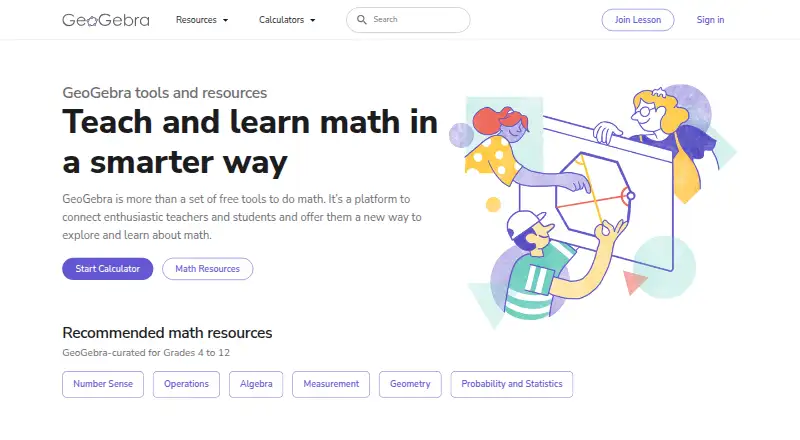
What GeoGebra is
GeoGebra is a dynamic mathematics platform combining geometry, algebra, spreadsheets, graphing, statistics, and calculus. Its apps support calculations, function graphs, equations, geometric constructions, 3D mathematics, and data and statistics. GeoGebra is designed primarily for mathematics teachers and students from school through university. Apps are available on the web, Windows, macOS, Linux, iOS, and Android. After an app is installed, its main mathematics tools work offline and users can save work locally. An account is optional for app use, but online saving, cross-device access, and online sharing require one. The online platform offers more than 1 million free classroom resources created by its multilingual community. Teachers can use GeoGebra Classroom to monitor student progress in real time and provide feedback during interactive lessons. Classroom also supports integration with various learning management systems. Guided lessons and adaptive learning are available. Exam Mode restricts access to the internet, saved files, and other apps, and creates an exam log for teachers. GeoGebra was founded in 2002 and is headquartered in Linz, Austria. Its source code is licensed under EUPL 1.2. The plan is free for non-commercial use; commercial use of installers and web services requires a separate license. GeoGebra says its personal data practices comply with GDPR and COPPA, and that it uses safeguards including SSL encryption while noting it cannot guarantee transmitted information’s security.
Good
- Combines geometry, algebra, graphing, statistics, and calculus tools.
- Apps cover web, desktop, and mobile platforms.
- Main mathematics tools work offline after installation.
- Offers over 1 million free classroom resources.
- Classroom supports real-time progress monitoring and feedback.
Watch out
- Commercial use requires a separate license.
- Online saving, cross-device access, and sharing require an account.
- Online resources and account features require internet access.
Who it suits
GeoGebra suits mathematics teachers and students from school through university who need tools for topics ranging from geometry to calculus. Teachers can use Classroom to follow student progress and give feedback, while learners can use the installed apps’ main mathematics tools offline.
Verdict
Choose GeoGebra for a broad set of mathematics tools, offline app use, and classroom resources. It is free for non-commercial use and offers teacher features for interactive lessons. Look elsewhere if you need commercial use without obtaining a separate license.
Plans and prices
From GeoGebra's own pricing page, checked 11 Oct 2026.
| Plan | Price | What it gives you |
|---|---|---|
| GeoGebra non-commercial use | Free | Free for non-commercial use; commercial use requires a separate license |
The facts
Each one read from GeoGebra's own pages, with the date it was checked.
What it does
- Account
- An account is not required for app use, but is needed for online saving, cross-device access, and online sharing features.checked 11 Oct 2026
- Adaptive learning
- Yeschecked 23 Sep 2026
- Audience
- GeoGebra is primarily designed for mathematics teachers and students from school through university.checked 11 Oct 2026
- Classroom
- GeoGebra Classroom lets teachers monitor student progress in real time and provide feedback during interactive lessons.checked 11 Oct 2026
- Commercial licensing
- Commercial use requires a separate license, with publishers and online schools among the examples GeoGebra gives of potentially commercial use.checked 11 Oct 2026
- Exam mode
- Exam Mode restricts access to the internet, saved files, and other apps, and provides an exam log for teachers.checked 11 Oct 2026
- Guided lessons
- Yeschecked 23 Sep 2026
- Integrations
- GeoGebra states that Classroom supports integration with various learning management systems.checked 11 Oct 2026
- Learning resources
- The online platform offers more than 1 million free classroom resources created by its multilingual community.checked 11 Oct 2026
- Offline access
- Yeschecked 23 Sep 2026
- Offline use
- After installing an app, users can use its main mathematics tools offline and save work locally; online resources and account features require internet access.checked 11 Oct 2026
- Open source
- GeoGebra says its source code is licensed under EUPL 1.2, while installers and web services are limited to non-commercial use absent a commercial license.checked 11 Oct 2026
- Privacy
- GeoGebra's privacy policy says its personal data practices comply with GDPR and that it complies with COPPA.checked 11 Oct 2026
- Product
- GeoGebra is a dynamic mathematics platform combining geometry, algebra, spreadsheets, graphing, statistics, and calculus.checked 11 Oct 2026
- Security
- GeoGebra says it uses safeguards including SSL encryption, while stating it cannot guarantee the security of transmitted information.checked 11 Oct 2026
- Support
- The license terms do not promise support or future development for non-commercial use; support services are available under a Collaboration Agreement.checked 11 Oct 2026
- Tools
- Its apps support calculations, function graphs, equations, geometric constructions, 3D mathematics, and data and statistics.checked 11 Oct 2026
The company
- Founded
- 2002checked 28 Sep 2026
- Headquarters
- Linz, Austriachecked 28 Sep 2026
Money
- Free plan
- Yeschecked 23 Sep 2026
Where it runs
- Platforms
- GeoGebra lists installers for Windows, macOS, Linux, Android, and iOS, along with browser access and PWA support.checked 11 Oct 2026
- Supported platforms
- web,Windows,macOS,Linux,iOS,Androidchecked 23 Sep 2026
The full review of GeoGebra
Overview
GeoGebra is a dynamic mathematics platform that brings geometry, algebra, spreadsheets, graphing, statistics and calculus into one workspace. It is aimed primarily at mathematics teachers and students from school through university. Its strongest case is the combination of broad tools, offline app use and classroom resources; commercial users need a separate license.
Key features
GeoGebra’s apps handle calculations, equations, function graphs, geometric constructions, 3D mathematics, and data and statistics. That range suits learners moving between topics and teachers who want interactive tools across a course, rather than a single-purpose solver. Adaptive learning and guided lessons are supported, though the platform’s breadth will matter more to users studying several areas of mathematics than to someone who only needs one kind of calculation.
The online platform offers more than one million free classroom resources created by its multilingual community. Teachers can use GeoGebra Classroom to track student progress in real time and give feedback during interactive lessons; it also supports integration with various learning management systems. Exam Mode restricts access to the internet, saved files and other apps, and provides an exam log for teachers. Together, these classroom tools make GeoGebra a stronger fit for instruction and supervised exams than its calculator functions alone would suggest.
After installation, the main mathematics tools work offline and allow local saving, which is useful where connectivity is unreliable. Online resources, online saving, cross-device access and sharing require internet access; the latter account features also require an account. That division gives casual app users a low-friction start, but teachers relying on shared materials or online workflows should plan around connectivity and account setup.
Pricing
GeoGebra is freemium, with a free plan listed as free for non-commercial use. It covers app use without an account, including offline access to the main mathematics tools and local saving. The free plan is a strong fit for students, teachers and other individual learners using GeoGebra for non-commercial study or teaching.
Commercial use requires a separate license. GeoGebra names publishers and online schools as examples of users whose activity may be commercial, so organizations distributing or selling educational services should resolve licensing before adopting the software. The source code is licensed under EUPL 1.2, but that does not remove the non-commercial limits on installers and web services. The license terms do not promise support or future development for non-commercial use; support services are available under a Collaboration Agreement.
Platforms
GeoGebra supports web, Windows, macOS, Linux, iOS and Android. That spread accommodates desktop and mobile use, while the installed apps provide the offline option. An API is also listed as a platform, though no details about its use are provided here.
Who it's for
GeoGebra is best suited to mathematics students and teachers who need more than a basic calculator: it spans school and university topics, supports guided lessons and adaptive learning, and gives educators classroom monitoring and exam tools. Teachers who want a large pool of lesson material may also value the community resource library. It is less suitable for commercial education providers unless they obtain the separate license, or for users whose work depends on online sharing when internet access is unavailable.
GeoGebra says its personal data practices comply with GDPR and that it complies with COPPA. It also describes safeguards including SSL encryption, while noting it cannot guarantee the security of transmitted information. Those statements may help educators assess its fit, but schools should consider their own requirements for student accounts and online activity.
Pros and cons
- Broad mathematics coverage: Geometry, algebra, graphing, statistics, spreadsheets, calculus and 3D tools make it useful across a varied curriculum.
- Offline app use: Installed apps retain their main tools and local saving without an internet connection.
- Substantial teaching support: More than one million community resources sit alongside real-time classroom feedback, LMS integration support and Exam Mode.
- Commercial licensing boundary: The free plan is non-commercial, so publishers and online schools may need a separate license.
- Online features depend on connectivity and an account: Resource access needs internet, while online saving, cross-device access and sharing require both an account and internet access.
- Limited non-commercial support commitment: The license terms do not promise support or future development for non-commercial use.
Alternatives
For a different emphasis, consider MobyMax, Brilliant, Mathigon, Freckle Math, Mathspace, Monster Math, MATHia and SplashLearn.
MobyMax has a free educator version with limited access compared with licensed features, so it is an option for educators who want to start with a restricted free tier. Brilliant’s free plan caps access at two lessons or practice sets per day; pick it if that daily allowance suits your use. Mathigon is free for students, teachers and parents, making it a straightforward alternative for those audiences.
Freckle Math’s free plan allows unlimited student self-paced practice but limits teacher assignments, a useful trade-off for independent practice. Mathspace offers a free Personal plan for one class of up to 30 students, while its Classes plan costs $8 a year per student and allows unlimited classes and students. Monster Math’s Premium plan costs $59.99 a year and includes unlimited app access, all features, levels and content, and an ad-free experience.
MATHia uses custom pricing, so it is an option for schools prepared to request a demo rather than select a public plan. SplashLearn offers a Family subscription at $7.49 a month, billed annually, with its Preschool to Grade 5 curriculum library and premium Live Classes. Browse Math Learning Apps or Math Solver Apps for more options by category.
Verdict
GeoGebra is a strong choice for students and mathematics teachers who want a wide set of tools, offline app access and classroom resources in a free non-commercial package. Its breadth and teaching features give it reach beyond a single-purpose solver. Look elsewhere or secure a separate license if you need commercial use, and account for internet access when online resources, saving or sharing are central to the way you work.
Getting started
- Open the GeoGebra website or choose an app for web, Windows, macOS, Linux, iOS, or Android.
- Install an app to use its main mathematics tools offline.
- Use the app without an account for local work.
- Create an account for online saving, cross-device access, and online sharing.
- Teachers can open GeoGebra Classroom for interactive lessons and progress monitoring.
Limits worth knowing
The free plan is for non-commercial use. Commercial use requires a separate license; installers and web services are limited to non-commercial use absent that license.
Questions
Is GeoGebra free?
Yes. The GeoGebra non-commercial use plan costs nothing. Commercial use requires a separate license.
Which platforms does GeoGebra support?
It supports the web, Windows, macOS, Linux, iOS, and Android.
Can I use GeoGebra offline?
After installing an app, its main mathematics tools work offline and work can be saved locally. Online resources and account features require internet access.
Do I need an account?
No account is required for app use. Online saving, cross-device access, and online sharing require one.
Is GeoGebra open source?
GeoGebra says its source code is licensed under EUPL 1.2. Installers and web services are limited to non-commercial use unless a separate commercial license is obtained.
Who makes GeoGebra?
GeoGebra is the maker name listed for the platform. It was founded in 2002 and is headquartered in Linz, Austria.
Alternatives to GeoGebra
- 1

Brilliant
Free planAndroidiOSWebmacOS8.2Free plan - 2
PhET Interactive Simulations
Free planAndroidiOSWebWindows7.0Free plan - 3

JASP
Free planLinuxmacOSWindows6.5Free plan - 4
NCSS
Windows6.5From $349 a year - 5

Pearson Live Response
Free planWeb6.5Free plan - 6
StatCrunch
AndroidiOSWeb6.5