PhET Interactive Simulations
PhET Interactive Simulations provides interactive science and mathematics simulations for students from preschool through university.
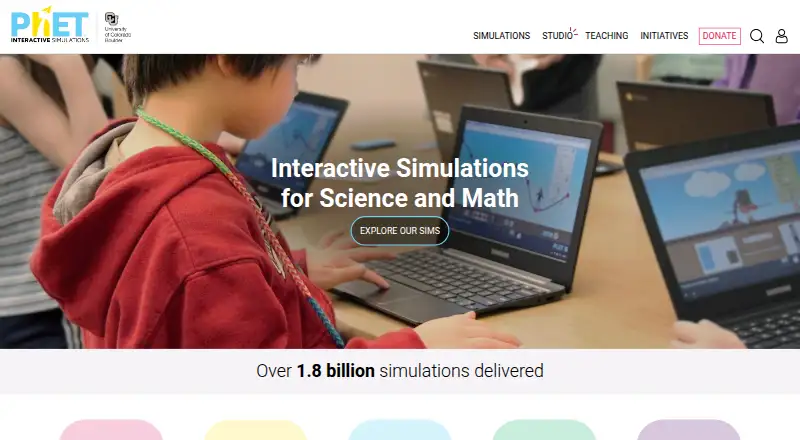
What PhET Interactive Simulations is
PhET Interactive Simulations provides interactive science and mathematics simulations for students from preschool through university. Its design principles include scientific inquiry, visual mental models, multiple representations, real-world connections, and flexible classroom use. Simulations cover K–12 science and include virtual experiments and guided lessons. PhET says its simulations are evaluated for educational effectiveness through student interviews and classroom observation. All simulations are open source. Most are written in HTML5, while some older ones use Java or Flash; they can run online or be downloaded. The Android and iOS apps include HTML5 simulations and translations for offline use, and automatically download new HTML5 simulations. A desktop app provides HTML5 and Java simulations and translations for offline use on Windows and macOS. PhET is available on the web, Windows, macOS, iOS, Android, and select Chromebooks. Android browser-based HTML5 simulations and Linux are not officially supported. The free plan is available to students and teachers; commercial use requires a license from the University of Colorado Boulder.
Good
- Offers open-source science and mathematics simulations.
- Apps include offline simulations and translations.
- No advertisements or ad tracking are used.
- Free plan is available to students and teachers.
Watch out
- Linux is not officially supported.
- Android browser-based HTML5 simulations are not officially supported.
- Commercial use requires a license.
Who it suits
PhET suits students and educators seeking interactive science or mathematics activities, from preschool through college. It is also relevant to schools looking for simulations that can be used offline on supported devices.
Verdict
PhET offers interactive simulations for science and mathematics, with online and offline options across supported platforms. Students and teachers can use the free plan; commercial use has a separate licensing requirement.
Plans and prices
From PhET Interactive Simulations's own pricing page, checked 1 Oct 2026.
| Plan | Price | What it gives you |
|---|---|---|
| Free simulations | Free | Free to all students and teachers · online or downloadable · open source |
The facts
Each one read from PhET Interactive Simulations's own pages, with the date it was checked.
What it does
- Advertising
- PhET says it uses no advertisements or ad tracking technologies on its website or in its simulations.checked 1 Oct 2026
- Audience
- PhET simulations are designed primarily for K-12 and university students and are intended for students in preschool, K-12, or college.checked 1 Oct 2026
- Commercial licensing
- Commercial use of PhET simulations requires a commercial license from the University of Colorado Boulder.checked 1 Oct 2026
- Integrations
- Educators can create PhET accounts using Clever, which is a supported federated login provider.checked 1 Oct 2026
- Interactive design
- Design principles include scientific inquiry, interactivity, visual mental models, multiple representations, real-world connections, and flexible classroom use.checked 1 Oct 2026
- Offline access
- The PhET Desktop App contains all HTML5 and Java simulations and translations for offline use on Windows and macOS.checked 1 Oct 2026
- Open source
- All simulations are open source.checked 1 Oct 2026
- Privacy
- PhET states that no personally identifiable information is collected when users run simulations on the website, in the apps, embedded elsewhere, or from downloads.checked 1 Oct 2026
- Research and testing
- Each simulation is extensively tested and evaluated for educational effectiveness using student interviews and classroom observation.checked 1 Oct 2026
- School deployment
- PhET for Schools apps can be deployed through the Google Admin Console and Apple School Manager or Apple Business Manager.checked 1 Oct 2026
- Security
- By default, user communications are served over HTTPS and PhET restricts access to personal information to essential personnel under confidentiality obligations.checked 1 Oct 2026
- Simulation technology
- Simulations are written in HTML5, with some legacy simulations in Java or Flash, and can run online or be downloaded.checked 1 Oct 2026
- What it does
- PhET provides fun, free, interactive, research-based science and mathematics simulations.checked 1 Oct 2026
The company
- Founded
- 2002checked 28 Sep 2026
- Headquarters
- Boulder, Colorado, United Stateschecked 28 Sep 2026
Where it runs
- Mobile apps
- The Android and iOS apps contain all HTML5 simulations and translations for offline use and automatically download new HTML5 simulations.checked 1 Oct 2026
- Platform limits
- Android is not officially supported for browser-based HTML5 simulations, and Linux is not officially supported.checked 1 Oct 2026
The full review of PhET Interactive Simulations
Overview
PhET is a collection of interactive science and mathematics simulations built around visual exploration. It is best suited to students and teachers who want to investigate concepts through virtual experiments, though users who need a formal course or a fully supported Android browser experience should look elsewhere.
Key features
PhET’s simulations use interaction, visual models, multiple representations and real-world connections to make scientific ideas explorable rather than purely explanatory. That approach suits classroom demonstrations and independent practice, while flexible design principles give teachers room to use simulations in different lesson contexts. Guided lessons and virtual experiments extend the collection beyond simple visualizations.
PhET says its simulations are evaluated for educational effectiveness through student interviews and classroom observation. That gives educators a basis for using them as learning materials, rather than treating them only as illustrations. All simulations are open source, which supports reuse and adaptation; commercial use, however, requires a license from the University of Colorado Boulder.
Most simulations use HTML5 and can run online or be downloaded, but some older titles rely on Java or Flash. The Windows and macOS desktop app includes HTML5 and Java simulations and translations for offline access. Android and iOS apps include HTML5 simulations and translations, and automatically download new HTML5 simulations. The mobile apps therefore provide a practical offline option, but their stated coverage does not extend to the legacy Java or Flash simulations.
PhET states that it collects no personally identifiable information when simulations are run on its website, in apps, embedded elsewhere or from downloads. It also says it uses no advertisements or ad tracking, and serves communications over HTTPS by default. Educators can create accounts using Clever, and schools can deploy apps through Google Admin Console and Apple School Manager or Apple Business Manager.
Pricing
The Free simulations plan costs nothing and is free to all students and teachers. It includes access online or by download, and the simulations are open source. For learners and educators using PhET for noncommercial teaching or study, that makes the free plan the central offering rather than a limited preview.
The overall pricing model is freemium, with paid access from $0.99. Commercial use is not covered by the free educational access: it requires a commercial license from the University of Colorado Boulder. No seat limits, usage quotas, or renewal terms are stated for the free plan.
Platforms
PhET supports web, Windows, macOS, iOS and Android, as well as select Chromebooks. Windows and macOS users can use the desktop app for offline HTML5 and Java simulations; the iOS and Android apps offer offline HTML5 access and automatic downloads of new HTML5 simulations. Android is not officially supported for browser-based HTML5 simulations, so Android users should use the app. Linux is also not officially supported, which makes PhET a less certain choice for Linux-dependent classrooms.
Who it's for
PhET is designed primarily for preschool, K–12 and university learners, with particular strength in K–12 science. Teachers can use simulations for guided lessons, visual demonstrations and virtual experiments, while students can explore concepts online or offline. It is less appropriate for commercial users without a license or for organizations seeking a supported Linux or Android-browser deployment.
Pros and cons
- Pros: Free access for students and teachers includes online and downloadable simulations, making it suitable for classroom and individual use without a subscription barrier.
- Pros: Offline apps cover Windows and macOS desktop use and HTML5 simulations on iOS and Android, useful where connectivity is unreliable.
- Pros: Open-source simulations, no ads or ad tracking, and PhET’s stated privacy protections support classroom adoption.
- Cons: Android browser-based HTML5 simulations and Linux are not officially supported, narrowing dependable platform options.
- Cons: The mobile apps’ stated offline coverage is HTML5 only, while some older simulations use Java or Flash.
- Cons: Commercial users need a separate license, so free educational access does not fit every organization.
Alternatives
For a wider range of science-learning options, browse Science Learning Software; for chemistry-focused tools, see Chemistry Simulation Software.
Beyond Labz is worth considering for chemistry learners who want an instructor tier that is always free and can teach, preview and build assignments, with a separate one-time Chemistry option. PraxiLabs may suit learners seeking a time-limited trial of three simulations with real-time guidance and English or Arabic interface options. For schools and districts that want a limited free account alongside paid packages, ExploreLearning Gizmos offers a limited collection at no cost and customized paid subscriptions.
LabXchange is another free educational resource platform, supported by grant funding. Concord Consortium STEM Learning Tools may suit users seeking free, noncommercial STEM resources. Schools looking for tiered plans based on student numbers and district-wide or multi-year options can consider Inq-ITS. Teachers wanting classroom gameplay and assignment limits should compare Legends of Learning, while MEL Science is an alternative with a subscription model.
Verdict
Choose PhET if you are a student or teacher looking for free, open-source science and mathematics simulations that can support visual exploration online or offline. Its classroom-oriented design, broad age range and offline apps make it a strong learning resource. Look elsewhere if you need officially supported Linux or Android browser access, or if you plan commercial use and do not want to secure a separate license.
Getting started
- Open the PhET website in a supported web browser
- Run an HTML5 simulation online or download one for later use
- Install the PhET Desktop App on Windows or macOS for offline simulations
- Install the PhET app on iOS or Android for offline HTML5 simulations and translations
- Create an educator account through Clever if that login route suits your school
Questions
Is PhET free?
Yes. The free plan provides simulations at no cost to students and teachers, online or downloadable. Paid access starts at $0.99.
Which platforms does PhET support?
PhET supports web browsers, Windows, macOS, iOS, Android, and select Chromebooks. Android browser-based HTML5 simulations and Linux are not officially supported.
Can simulations be used offline?
Yes. The desktop app supports offline use on Windows and macOS, while the iOS and Android apps provide offline HTML5 simulations and translations.
Are PhET simulations open source?
Yes. All simulations are open source.
Does PhET collect personal information or show ads?
PhET states that it does not collect personally identifiable information during simulation use and uses no advertisements or ad-tracking technologies.
Can businesses use PhET simulations commercially?
Commercial use requires a commercial license from the University of Colorado Boulder.
Alternatives to PhET Interactive Simulations
- 1

Brilliant
Free planAndroidiOSWebmacOS8.2Free plan - 2
GeoGebra
Free planAndroidiOSWebAPI7.3Free plan - 3

JASP
Free planLinuxmacOSWindows6.5Free plan - 4
NCSS
Windows6.5From $349 a year - 5

Pearson Live Response
Free planWeb6.5Free plan - 6
StatCrunch
AndroidiOSWeb6.5