
Mathspace
Mathspace is an adaptive mathematics learning platform for students and teachers, available on the web and iOS.
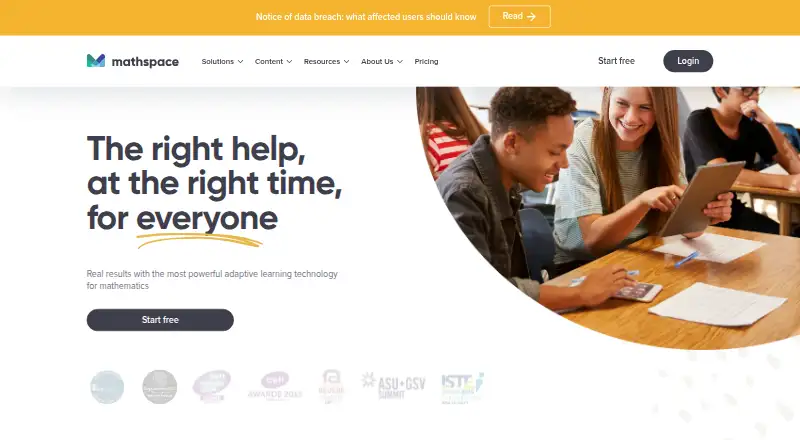
What Mathspace is
Mathspace is an adaptive mathematics learning platform for students and teachers, available on the web and iOS. Students can use interactive textbooks, video lessons, practice questions, adaptive tasks, and diagnostic skills check-ins. StepSmart gives immediate, context-sensitive support as students work through each step of a math problem. Teachers can create or assign tasks, use automatic marking, and review reports that cover class insights and individual work steps. Mathspace lists Canvas, Clever, and SchoolsPLP as integrations. With Canvas, the school administrator manages classes, and some teacher controls, including adding a parent email, are unavailable. A free account allows one class of up to 30 students. Classes costs $8 a year per student and Schools costs $15 a year per student; eligible schools can try Classes or Schools Plus for 30 days without commitment. The student iOS app is recommended for iPads, while the web app is recommended for teachers on desktop or laptop and students unable to use the iOS app. Mathspace says it follows FERPA and GDPR requirements and does not sell personal information to third parties.
Good
- StepSmart gives support at each problem-solving step.
- Includes interactive textbooks and video lessons.
- Teachers can assign tasks and use automatic marking.
- Free account supports one class of 30 students.
Watch out
- Offline access is not available.
- Canvas class management is handled by school administrators.
- Some teacher controls are unavailable with Canvas.
Who it suits
Mathspace suits students who want guided practice and teachers who need task assignment, automatic marking, and student reports. Its iOS app is recommended for students using iPads, with web access recommended for teachers on computers.
Verdict
Mathspace combines adaptive student practice with tools for assigning work and reviewing progress. Check the free account’s class limit and Canvas-specific restrictions against your needs.
Plans and prices
From Mathspace's own pricing page, checked 11 Oct 2026.
| Plan | Price | What it gives you |
|---|---|---|
| Personal | Free | 1 class · 30 students |
| Classes | $8 a year | Unlimited classes · Unlimited students · per student per year |
| Schools | $15 a year | Unlimited classes · Unlimited students · per student per year |
| Schools Plus | Priced on request | Unlimited classes · Unlimited students |
The facts
Each one read from Mathspace's own pages, with the date it was checked.
What it does
- Adaptive learning
- Yeschecked 23 Sep 2026
- Canvas limitation
- With Canvas integration, class management is handled by the school administrator, and some teacher controls, including adding a parent email, are unavailable.checked 11 Oct 2026
- Gamified practice
- Yeschecked 23 Sep 2026
- Guided lessons
- Yeschecked 23 Sep 2026
- Integrations
- Mathspace lists Canvas, Clever, and SchoolsPLP among its LMS integrations.checked 11 Oct 2026
- Learning content
- The platform includes interactive textbooks, video lessons, practice questions, adaptive tasks, and diagnostic skills check-ins.checked 11 Oct 2026
- Offline access
- The iOS app requires an internet connection and cannot be used offline.checked 11 Oct 2026
- Parent reporting
- Yeschecked 23 Sep 2026
- Privacy
- Mathspace says it abides by FERPA and GDPR requirements and does not sell personal information to third parties.checked 11 Oct 2026
- Purpose
- Mathspace is an adaptive mathematics learning platform for students and teachers.checked 11 Oct 2026
- Security
- Mathspace says it encrypts data at rest and in transit and conducts external penetration testing annually.checked 11 Oct 2026
- Stepwise feedback
- StepSmart gives students immediate, context-sensitive support at each step as they work through math problems.checked 11 Oct 2026
- Support
- The help center offers support articles and directs users to Mathspace support by chat or email.checked 11 Oct 2026
- Teacher tools
- Teachers can create or assign tasks, use automatic marking, and review student reports ranging from class insights to individual work steps.checked 11 Oct 2026
Where it runs
- Device support
- The student iOS app is recommended for iPads, while the web app is recommended for teachers on desktop or laptop and students who cannot use the iOS app.checked 11 Oct 2026
- Supported platforms
- web,iOSchecked 23 Sep 2026
The company
- Founded
- 2010checked 28 Sep 2026
Money
- Free account limit
- A free account can create one class with up to 30 students.checked 11 Oct 2026
- Free plan
- Yeschecked 23 Sep 2026
- Trial
- Mathspace says eligible schools can try Mathspace Classes or Schools Plus for 30 days without commitment.checked 11 Oct 2026
The full review of Mathspace
Mathspace is an adaptive mathematics platform for students, teachers and schools. It is best suited to guided practice backed by classroom assignment and reporting tools. The free tier is useful for a small class, while broader use requires an annual per-student subscription.
Overview
Mathspace brings interactive textbooks, video lessons, practice questions, adaptive tasks and diagnostic skills check-ins into one learning environment. Its StepSmart system gives context-sensitive assistance as students enter each step of a solution, so learners can address a misconception while they are working rather than seeing only whether the final answer is right.
Teachers can create or assign work, apply automatic marking and inspect reports from class-level patterns down to individual work steps. That combination makes Mathspace more suitable for structured instruction than a practice-only app. Students also get guided lessons and gamified practice, giving teachers several ways to vary independent work.
Key features
- Stepwise support: StepSmart offers immediate help at each stage of a problem. It is a strong fit for students who need coaching during problem solving, although the supplied features do not establish alignment with any particular curriculum.
- Adaptive learning: Adaptive tasks and diagnostic check-ins can focus practice around demonstrated skills instead of giving every learner the same sequence. This is more useful for differentiated classes than a fixed worksheet library.
- Learning resources: Interactive textbooks, videos and practice questions support lesson delivery as well as revision. Guided lessons and gamified exercises add variety, but the platform still depends on teacher choice to make those modes part of a coherent course.
- Teacher workflow: Assignment creation, automatic marking and reports covering both class insights and individual steps give educators visibility into process, not just scores.
- Integrations: Mathspace lists Canvas, Clever and SchoolsPLP integrations. Canvas users should note that school administrators manage classes and that some teacher controls, including adding a parent email, are unavailable.
- Privacy and security: Mathspace says it follows FERPA and GDPR requirements, does not sell personal information to third parties, encrypts data at rest and in transit, and conducts external penetration testing annually. Support is provided through help articles plus chat or email.
Pricing
Mathspace uses a freemium model. The Personal plan is free and permits one class with up to 30 students. That cap makes it a practical starting point for an individual teacher or a small pilot, but not for multiple classes or larger cohorts.
Classes costs $8 per student per year and includes unlimited classes and unlimited students. It removes the free account's structural limits while keeping billing tied to student seats, making it the straightforward choice for broader classroom use.
Schools costs $15 per student per year, also with unlimited classes and students. The higher per-student price is aimed at school-wide use rather than a single teacher's roster. Schools Plus includes unlimited classes and students with custom pricing, so organisations must obtain a quote before budgeting.
Eligible schools can try Classes or Schools Plus for 30 days without commitment. Mathspace does not provide offline access, which matters for students who regularly work without a connection.
Platforms
Mathspace supports web and iOS. The student iOS app is recommended for iPads; the web app is recommended for teachers using a desktop or laptop and for students who cannot use the iOS app. There is no offline mode, so assignments and practice require connectivity.
Who it's for
Mathspace fits teachers who want step-level insight, automatic marking and adaptive practice in the same system. It also suits students who benefit from guided, immediate intervention while solving problems. The free plan can serve one class of up to 30, while schools needing several classes, larger enrolments or administrator-led deployment should consider the paid tiers. It is less suitable when offline study is essential or when Canvas teachers need the unavailable class and parent controls.
Pros and cons
Pros
- StepSmart provides support during each solution step, not only after submission.
- Adaptive tasks and diagnostic check-ins support differentiated practice.
- Automatic marking and reports expose both class trends and individual working.
- A free class of up to 30 students enables a meaningful pilot.
- Annual paid plans remove class and student-count limits.
Cons
- The free account is restricted to one class and 30 students.
- There is no offline access.
- Canvas integration shifts class management to the school administrator and removes some teacher controls.
- Schools Plus has custom pricing, making its cost harder to compare upfront.
- Students and teachers may need different devices or browser workflows, with iPad use favouring the iOS app and desktop teaching favouring the web app.
Alternatives
Choose GeoGebra instead if you want a freemium mathematics tool spanning Android, iOS, desktop and web, with source code licensed under EUPL 1.2 and non-commercial limits on installers and web services.
MobyMax is a better fit when you want a free educator version or a $7.99 a month Family plan, accepting that the free version has limited access compared with licensed features.
Pick Brilliant for consumer-oriented lessons and practice across Android, iOS and web; its free plan allows two lessons or practice sets per day.
Mathigon is the simpler choice when students, teachers and parents need a free mathematics platform.
Consider Freckle Math for unlimited student self-paced practice on its free tier, while accepting a limited number of teacher assignments.
Monster Math suits learners wanting an ad-free, game-focused app with a $59.99 a year Premium plan.
Choose MATHia when you prefer a paid school product with pricing handled through a demo request.
SplashLearn is an alternative for a broader early-years curriculum and premium live classes through its $7.49 a month family subscription, billed annually.
For more options, browse Math Learning Apps.
Verdict
Mathspace is a strong choice for teachers and schools that want adaptive mathematics practice, step-by-step student guidance and detailed progress reporting in one platform. Start with Personal for a class of up to 30, then move to Classes or Schools as enrolment expands. Look elsewhere if offline work, unrestricted Canvas teacher controls or fully transparent school-level pricing is essential.
Alternatives to Mathspace
- 1

Brilliant
Free planAndroidiOSWebmacOS9.0Free plan - 2

MobyMax
Free planAndroidiOSWebmacOS8.9From $6.95 a year - 3

Boddle
Free planAndroidiOSWeb8.6Free plan - 4
Monster Math
Free planAndroidiOSWeb8.3From $59.99 a year - 5
MATHia
AndroidiOSWebmacOS8.2 - 6
DreamBox Math
iOSWebmacOSWindows8.2