Genspark AI Slides
Genspark AI Slides researches, organizes, designs, and generates presentation decks from prompts or uploaded documents.
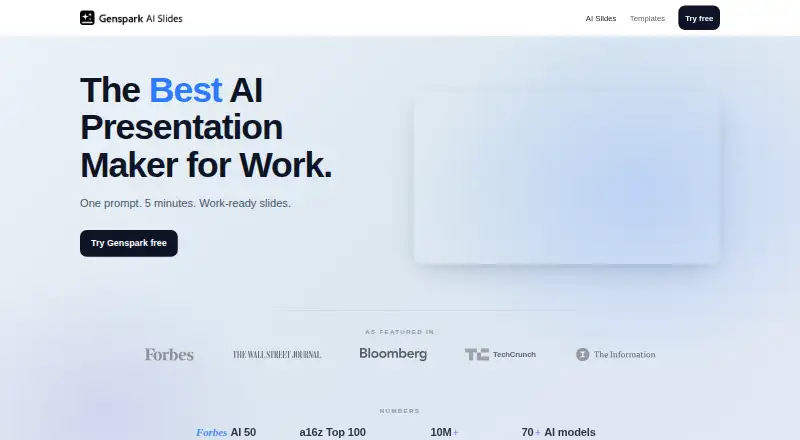
What Genspark AI Slides is
Genspark AI Slides researches, organizes, designs, and generates presentation decks from prompts or uploaded documents. It can analyze PDF, Word, Excel, and PowerPoint files as source material. Decks take shape on a canvas beside chat, where users can select elements, queue edits, verify facts, add speaker notes, and present with a speaker console. The service offers Professional and Creative styles, a Guide Mode for consultation before generation, and Standard and Ultra quality modes. Standard uses 0.5× credits with the Genspark Gen-1 model; Ultra uses 1.0× credits. AI Slides includes more than 100 built-in expert Skills and can run code for calculations, data analysis, and charts. It supports brand controls and real-time collaboration, and exports to PDF, PPTX, or Google Slides. The help page says PPTX and PDF export require a paid plan. Genspark also offers Microsoft Office add-ins for PowerPoint, Excel, and Word, with AI in an in-app task pane. The product is positioned for consultants, founders, marketers, and analysts, with examples such as pitch decks, business reviews, and strategy work. Its Free plan provides 100 credits per day and 1 GB of AI Drive storage.
Good
- Generates decks from prompts and uploaded PDF, Word, Excel, or PowerPoint files.
- Offers more than 100 built-in expert Skills and code execution.
- Includes real-time collaboration and brand controls.
- Exports to PDF, PPTX, and Google Slides.
- Provides Professional and Creative styles, plus Standard and Ultra modes.
Watch out
- PPTX and PDF export require a paid plan.
- The Free plan provides 100 credits per day and 1 GB of storage.
- Prompt content may be shared with third-party AI providers.
Who it suits
AI Slides suits consultants, founders, marketers, and analysts who need decks built from prompts or existing documents. It can also fit teams that want real-time collaboration, brand controls, or Office add-ins for PowerPoint, Excel, and Word.
Verdict
Choose Genspark AI Slides if you want to build decks from prompts or source documents, with editing, collaboration, and multiple export options. The Free plan provides daily credits and AI Drive storage, while paid plans are required for PPTX and PDF export. Consider its data handling: the privacy policy says prompt content may be shared with third-party AI providers.
Plans and prices
From Genspark AI Slides's own pricing page, checked 11 Oct 2026.
| Plan | Price | What it gives you |
|---|---|---|
| Free | Free | 100 credits/day up to a lifetime limit · 1 GB AI Drive storage · limited access to AI models and agents |
| Plus | $24.99 a month | From 10,000 monthly credits · 50 GB AI Drive storage · Free Quota · commercial use of AI-generated content · Monthly; annual option is $19.99 / month, billed annually at $239.99 / year |
| Team | $35 a month | Centralized admin and billing · usage analytics · connector management · support options · Per seat; annual price not listed |
| Pro | $249.99 a month | From 125,000 monthly credits · 1 TB AI Drive storage · higher AI Chat limit · Free Quota · Monthly; annual option is $199.99 / month, billed annually at $2,399.99 / year |
| Enterprise | Priced on request | Contract-level governance · SCIM provisioning · support · Custom |
The facts
Each one read from Genspark AI Slides's own pages, with the date it was checked.
What it does
- Brand controls
- Yeschecked 24 Sep 2026
- Collaboration level
- realtimechecked 24 Sep 2026
- Credit use
- Standard mode uses 0.5× credits with the Genspark Gen-1 model, while Ultra uses 1.0× credits.checked 11 Oct 2026
- Document-to-deck generation
- Yeschecked 24 Sep 2026
- Editing workspace
- The deck builds on a canvas beside chat, where users can select elements, queue edits, verify facts, add speaker notes, and present with a speaker console.checked 11 Oct 2026
- Export
- AI Slides exports to PDF, PPTX, or Google Slides, and its help page says PPTX/PDF export requires a paid plan.checked 11 Oct 2026
- Integrations
- Genspark documents 37 standard connector options, including Google Suite and Microsoft 365 bundles, with availability dependent on account and organization settings.checked 11 Oct 2026
- Intended users
- The product page positions AI Slides for consultants, founders, marketers, and analysts, and presents examples including pitch decks, business reviews, and strategy work.checked 11 Oct 2026
- Modes
- It offers Professional and Creative styles, Guide Mode for consultation before generation, and Standard and Ultra quality modes.checked 11 Oct 2026
- Office integration
- Genspark provides Microsoft Office add-ins for PowerPoint, Excel, and Word, with AI available in an in-app task pane.checked 11 Oct 2026
- PDF export
- Yeschecked 24 Sep 2026
- PPTX export
- Yeschecked 24 Sep 2026
- Privacy and AI processing
- Genspark’s privacy policy says prompt content may be shared with third-party AI providers to generate responses, and that user data is stored on Microsoft Azure.checked 11 Oct 2026
- Prompt-to-deck generation
- Yeschecked 24 Sep 2026
- Research and file import
- AI Slides can analyze uploaded PDF, Word, Excel, and PowerPoint files and use them to build slides.checked 11 Oct 2026
- Security
- Genspark for Business states SOC 2 Type II and ISO 27001, says customer content is not used to train foundation models, and describes tenant isolation and encryption at rest and in transit.checked 11 Oct 2026
- Skills and code
- AI Slides offers more than 100 built-in expert Skills and can run code for calculations, data analysis, and charts.checked 11 Oct 2026
- Support
- For export problems, the AI Slides help page directs users to email [email protected] and share the project with support.checked 11 Oct 2026
- What it does
- AI Slides researches, structures, designs, and generates presentation decks from a prompt or uploaded documents.checked 11 Oct 2026
Money
- Free plan
- Yeschecked 24 Sep 2026
The full review of Genspark AI Slides
Overview
Genspark AI Slides creates presentations from written prompts or uploaded files, then gives users a canvas and chat workspace to refine them. It suits people who need to turn research or existing office documents into a deck and want collaborators involved in revisions. The main trade-off is that exporting to PPTX or PDF takes a paid plan, while prompts may be processed by third-party AI providers.
Key features
Users can start with a prompt or upload PDF, Word, Excel, and PowerPoint files for the system to analyze and incorporate. That makes AI Slides useful for both a blank-page brief and a presentation built from existing material. Professional and Creative styles, Guide Mode before generation, and Standard and Ultra quality modes offer control over the process. Standard uses half the credits of Ultra with the Genspark Gen-1 model, which can help stretch a limited allowance when its output is sufficient.
The editing workspace places the deck on a canvas beside chat. Users can select slide elements, queue changes, verify facts, add speaker notes, and present with a speaker console. More than 100 built-in expert Skills and code execution for calculations, data analysis, and charts give it reach beyond basic slide drafting. Real-time collaboration helps teams revise together, though the value of those features depends on whether collaborators have suitable account access.
Exports include Google Slides, PPTX, and PDF. Google Slides is an option across the workflow, but PPTX and PDF export require a paid plan, a meaningful constraint for free users who need standard shareable files. Microsoft Office add-ins put Genspark AI in task panes for PowerPoint, Excel, and Word. Genspark also documents 37 connector options, including Google Suite and Microsoft 365 bundles; availability depends on account and organization settings.
For business buyers, Genspark for Business states SOC 2 Type II and ISO 27001, along with tenant isolation, encryption at rest and in transit, and a commitment not to use customer content to train foundation models. The privacy policy also says prompts may be shared with third-party AI providers and user data is stored on Microsoft Azure. Organizations weighing sensitive material should consider that processing arrangement alongside the business security controls.
Pricing
The Free plan costs nothing and includes 100 credits per day and 1 GB of AI Drive storage. It is a practical way to try prompt- or document-based deck creation, but the daily credit allowance and storage cap constrain sustained use, and PPTX and PDF exports require payment.
Plus has custom pricing and includes 10,000 credits per month with 50 GB of AI Drive storage. It fits an individual who needs a larger monthly allowance and more room for files. Pro also has custom pricing, with 125,000 credits per month and 1 TB of storage, making it the stronger fit for heavier individual use. The supplied plan terms do not state seat counts or renewal details for either tier.
Team uses custom pricing for typically 2–150 users and provides 10,000 credits and 60 GB of AI Drive storage per seat each month. That per-seat allocation suits groups that need shared work capacity, though teams should account for the limits attached to each seat. Enterprise is custom-priced, offers unlimited seats on annual contracts, and allocates 20,000 credits per seat per month. Its annual contract makes it more appropriate for larger organizations ready for a committed term.
Platforms
AI Slides is available on web, Android, iOS, macOS, Windows, and as an extension. Microsoft Office add-ins extend its AI features into PowerPoint, Excel, and Word.
Who it's for
Consultants, founders, marketers, and analysts are natural fits, particularly when they need to turn a brief or office documents into a structured deck and then refine it with collaborators. Teams that rely on PPTX or PDF delivery should budget for a paid plan. People handling sensitive prompts should also decide whether third-party AI processing fits their privacy requirements.
Pros and cons
- Pros: Generates decks from prompts and four common office file types, so users can start with either an idea or source material.
- Pros: Editing, fact verification, speaker notes, presentation controls, and real-time collaboration support work beyond initial generation.
- Pros: Standard mode consumes half the credits of Ultra, giving users a lower-cost setting for suitable tasks.
- Cons: Free users cannot export to PPTX or PDF, limiting delivery options without a paid plan.
- Cons: The Free plan's 100 daily credits and 1 GB storage may be tight for frequent or file-heavy work.
- Cons: Prompt content may be shared with third-party AI providers, which may rule it out for some sensitive workflows.
Alternatives
For a broader comparison, see AI Presentation Makers.
Pitch is a freemium option with a Free plan for five members, two external guests, and 10 GB of shared storage; consider it when those collaboration and storage terms suit your team. OpenCharts offers a free tier with 500K AI credits, one project of each type, and all export formats; it may suit users whose priority is that broad free allowance. Presenton has a free self-hosted/open-source option, so consider it when self-hosting matters. Gamma lets free users create up to 10 slides per prompt and export PDF, PPTX, PNG, or Google Slides, making it an option for users who need those exports on a free tier. MiriCanvas offers a free plan with more than 50,000 templates and over 350,000 photos and graphics, which may appeal to users choosing from a large template and asset library. arg.ai includes API access and unlimited workspaces, custom apps, and integrations on its free tier, making it an option for users who value those capabilities. ChatSlide has a free plan with 100 credits and PDF export, so it may work for users whose free-tier needs center on those terms. SlideEgg is another freemium presentation option.
Verdict
Choose Genspark AI Slides if you regularly need to turn prompts or office documents into editable decks and value integrated revisions, analysis, and collaboration. Its strongest case is the breadth of the workflow from source files through presentation. Look elsewhere if you need PPTX or PDF exports without paying, need more predictable published plan pricing, or cannot send prompts through third-party AI providers.
Getting started
- Visit https://www.genspark.ai/ai-slides-landing.
- Start with the Free plan, which includes 100 credits per day and 1 GB of AI Drive storage.
- Enter a prompt or upload a PDF, Word, Excel, or PowerPoint file.
- Choose a style and generation mode.
- Edit the deck on the canvas beside chat, then export to PDF or PPTX on a paid plan, or Google Slides.
Limits worth knowing
The Free plan includes 100 credits per day and 1 GB of AI Drive storage. PPTX and PDF export require a paid plan. Standard uses 0.5× credits, while Ultra uses 1.0× credits.
Questions
Is Genspark AI Slides free?
Yes. Its Free plan costs nothing and includes 100 credits per day and 1 GB of AI Drive storage.
Can it create a deck from documents?
Yes. It can analyze uploaded PDF, Word, Excel, and PowerPoint files and use them to build slides.
Which export formats are available?
AI Slides exports to PDF, PPTX, or Google Slides. PPTX and PDF export require a paid plan.
Does Genspark AI Slides support collaboration and brand controls?
Yes. It offers real-time collaboration and brand controls.
How does Genspark handle prompts and user data?
Its privacy policy says prompt content may be shared with third-party AI providers to generate responses and that user data is stored on Microsoft Azure. Genspark for Business states SOC 2 Type II and ISO 27001, tenant isolation, encryption at rest and in transit, and that customer content is not used to train foundation models.