GazeRecorder
GazeRecorder uses a webcam to track eye movements and create video recordings for remote UX research on desktop and mobile.
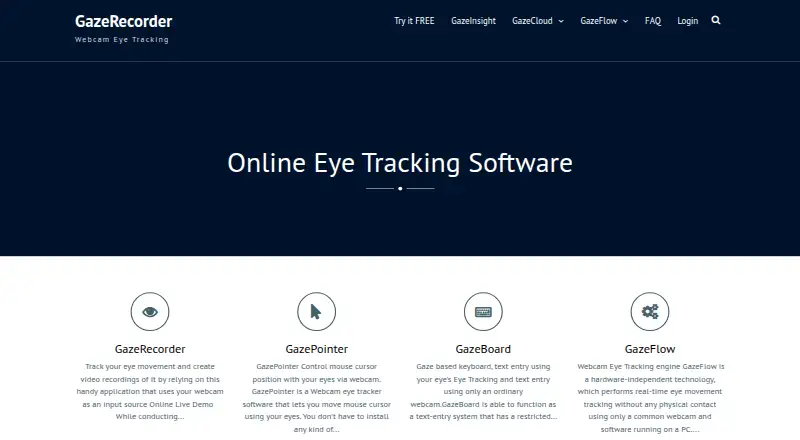
What GazeRecorder is
GazeRecorder uses a webcam to track eye movements and create video recordings for remote UX research on desktop and mobile. Its online service can assess live websites, images, screenshots, mockups, pictures, videos, and apps, and the maker says it shows where participants look and for how long in real time. GazeFlow can generate heatmaps over pages, applications, images, or videos and combine results from multiple subjects. Desktop features include real-time tracking, one-click experiment creation, and dynamic heatmaps; that version requires a webcam, but not specialized hardware. Smartphone eye tracking uses the selfie camera. Visualizations include heatmaps, gaze paths, fixation metrics, and areas of interest, with video recordings and session data available for export. Platforms include web, Windows, iOS, Android, and API. A free plan is available; the unregistered desktop version is restricted to non-commercial use. The FAQ gives approximate GazeCloud API accuracy of 1.0 degree and precision of 0.2 degree of visual angle.
Good
- Tests websites, images, videos, and apps
- Shows gaze location and duration in real time
- Heatmaps can combine multiple subjects' data
- Free plan available
Watch out
- Unregistered desktop use is non-commercial only
- Desktop version requires a webcam
- GazeCloud API figures are approximate
Who it suits
GazeRecorder suits UX researchers who want to run remote studies using webcam-based eye tracking on desktop or mobile. The non-commercial desktop version may suit users whose work does not require commercial use.
Verdict
GazeRecorder offers remote webcam-based research with several visualizations and export options. Check the desktop non-commercial restriction and the stated hardware requirements against your intended setup.
Plans and prices
From GazeRecorder's own pricing page, checked 29 Sep 2026.
| Plan | Price | What it gives you |
|---|---|---|
| GazeRecorder (non-commercial use) | Free | Non-commercial use only |
The facts
Each one read from GazeRecorder's own pages, with the date it was checked.
What it does
- Accuracy statement
- The FAQ states GazeCloud API accuracy is approximately 1.0 degree and precision approximately 0.2 degree of visual angle.checked 29 Sep 2026
- Commercial limit
- The unregistered desktop version is limited to non-commercial use.checked 29 Sep 2026
- Desktop features
- The desktop feature list includes real-time webcam tracking, one-click experiment creation and dynamic heatmap generation.checked 29 Sep 2026
- Hardware requirement
- The desktop GazeRecorder page lists a webcam as a system requirement and says specialized hardware is not required.checked 29 Sep 2026
- Heatmaps
- GazeFlow can generate heatmaps over web pages, applications, static images or videos and merge data from multiple subjects.checked 29 Sep 2026
- Integrations
- The site links to GazeCloud API and GazeRecorder API and describes adding real-time eye tracking to a website using GazeCloudAPI.js.checked 29 Sep 2026
- Live metrics
- The maker says GazeRecorder can show where users look and for how long in real time.checked 29 Sep 2026
- Mobile
- The maker describes smartphone eye tracking using the selfie camera without extra hardware.checked 29 Sep 2026
- Participant data
- The maker says it can provide respondent-level eye and click-tracking data along with aggregated sample data.checked 29 Sep 2026
- Purpose
- GazeRecorder uses a webcam to track eye movement and create video recordings.checked 29 Sep 2026
- Remote research
- The maker describes its online solution as supporting remote UX research on desktop and mobile.checked 29 Sep 2026
- Survey compatibility
- The FAQ says the software works with survey platforms that can send participants to an external URL and receive them back.checked 29 Sep 2026
- Test materials
- The online service can test live websites, images, screenshots, mockups, pictures, videos and apps.checked 29 Sep 2026
Where it runs
- Browser support
- The FAQ lists Chrome 53+, Edge 12+, Firefox 42+, Opera 40+ and Safari 11+ for PC participants.checked 29 Sep 2026
The full review of GazeRecorder
GazeRecorder is webcam-based eye-tracking software for remote UX studies on desktop and mobile. It suits researchers who want gaze visualizations without specialized tracking hardware, but the desktop version is restricted to non-commercial use.
Its mix of live metrics, participant-level data and aggregated heatmaps makes it useful for exploratory research across varied visual materials. The stated API accuracy is a consideration for studies that depend on precise gaze placement.
Overview
GazeRecorder uses a webcam to record video and track eye movement in remote studies. Researchers can use live websites, images, screenshots, mockups, pictures, videos and apps as test materials. The service can show where participants look and for how long in real time, and provide respondent-level eye and click data alongside aggregated sample data.
GazeFlow can combine data from multiple subjects into heatmaps over web pages, applications, static images and videos. Gaze paths, fixation metrics and areas of interest add ways to examine attention beyond a single heatmap. This breadth is useful for exploratory UX work, while the GazeCloud API's stated accuracy of approximately 1.0 degree and precision of approximately 0.2 degree of visual angle may not suit studies that require tightly localized measurements.
Key features
- Remote testing: The online service supports desktop and mobile research across websites, apps and other visual materials, making it a flexible option for studies that do not require participants to attend a lab.
- Live metrics and recordings: Researchers can see gaze location and duration in real time and export video recordings and session recording data. That combination supports reviewing individual sessions as well as summarizing attention.
- Multiple visualizations: Heatmaps, gaze paths, fixation metrics and areas of interest offer several views of participant attention. GazeFlow can merge subject data, which helps reveal broader patterns rather than relying on one participant's session.
- Webcam-based setup: Desktop tracking requires a webcam, and the maker says specialized hardware is not required. Smartphone eye tracking uses the selfie camera without extra hardware, lowering equipment demands for remote participants.
- Survey and API connections: The software works with survey platforms that can send participants to an external URL and receive them back. GazeCloud API and GazeRecorder API are also linked, and GazeCloudAPI.js can add real-time eye tracking to a website.
Pricing
GazeRecorder's free plan costs nothing and is for non-commercial use only. It is a fit for non-commercial research that can use webcam tracking and the available visualizations and exports; the commercial restriction rules it out for commercial desktop projects.
No paid GazeRecorder plan is provided. The free option's clearest limit is its non-commercial term, so teams planning commercial work should consider an alternative rather than assume the desktop version can cover that use.
Platforms
GazeRecorder supports web, Windows PCs, iOS, Android and API. The desktop page requires a webcam, while smartphone tracking uses the selfie camera. For PC participants, supported browsers are Chrome 53+, Edge 12+, Firefox 42+, Opera 40+ and Safari 11+.
Who it's for
GazeRecorder is best suited to researchers and UX teams running remote, non-commercial studies across websites, apps, images or video who want gaze data without dedicated tracking hardware. The combination of live views and aggregated visualizations serves exploratory comparisons well. It is a weaker fit for commercial desktop work, or for research whose conclusions depend on greater gaze precision than the stated API figures suggest.
Pros and cons
Pros
- Broad test-material support: Studies can cover live sites, apps, mockups, images and video rather than being limited to one content type.
- No specialized tracking hardware: A webcam is the desktop requirement, and smartphones use their selfie cameras, which reduces participant equipment needs.
- Individual and aggregate analysis: Respondent-level eye and click data, session recordings and multi-subject heatmaps support both session review and broader pattern analysis.
Cons
- Desktop use is non-commercial only: That restriction excludes commercial desktop studies on the free version.
- Stated precision may constrain some studies: The GazeCloud API figures are approximate, so work needing tightly localized gaze measurements may need another approach.
- PC browser compatibility has minimum versions: Participants using older versions than those supported may not fit the stated browser requirements.
Alternatives
Compare eye-tracking software if you want to consider options across the category.
- GazePlotter is a free, open-source alternative under GNU GPL v3, with Android, iOS, Linux, macOS, web and Windows support; choose it if open-source licensing or its broader platform range matters more.
- Labvanced has a free plan with 300 MB storage, 10 recordings and one active recruiting link, plus a free trial; choose it if those stated caps fit your needs and you want a freemium option.
- Hawkeye offers a free plan limited to one project and five sessions, as well as a Starter Plan at $39.99 a month billed monthly; choose it if that project-and-session allowance or paid monthly option suits your study.
- OpenGazer is a free, open-source gaze tracker for Linux that requires a webcam and Linux build dependencies; choose it if you want a Linux-based open-source tool and can handle those requirements.
- PyGaze is a free, open-source eye-tracking toolbox distributed as a Python package and source downloads for Linux, macOS and Windows; choose it if a Python toolbox is a better fit than a remote webcam research service.
- OGAMA is free open-source Windows freeware; consider it if you want a Windows freeware option.
- ViewPoint EyeTracker costs $5,998, paid once for software with a 90 Hz monocular remote camera and adjustable-intensity illuminator; choose it if that specified camera setup fits your needs and budget.
- RealEye is a paid option with a Basic annual plan at $325 a month, billed $3,900 annually, including unlimited studies, 20 own participants per month and studies up to 3 minutes; choose it if those terms suit your study needs.
Verdict
Choose GazeRecorder for non-commercial remote UX research when webcam-based tracking, varied test materials and multi-subject visualizations matter more than specialized hardware. Its strongest case is the breadth of its remote workflow and analysis views at no cost. Look elsewhere for commercial desktop use or studies that require tighter gaze precision.
Getting started
- Open GazeRecorder on the web or select its Windows, iOS, Android, or API option
- Provide a webcam for desktop tracking or use a smartphone selfie camera
- Create an experiment with the one-click setup
- Choose a website, image, screenshot, mockup, video, or app to test
- Run the remote study and view real-time gaze information
- Review heatmaps, gaze paths, fixation metrics, or areas of interest
- Export video recordings or session recording data
Limits worth knowing
The listed free plan is for non-commercial use, and the unregistered desktop version is limited to non-commercial work. Desktop use requires a webcam; smartphone tracking uses the selfie camera.
Questions
Is GazeRecorder free?
Yes. A free plan is listed, with non-commercial use specified for the unregistered desktop version.
What equipment is required?
Desktop tracking requires a webcam, and specialized hardware is not required. Smartphone tracking uses the phone's selfie camera.
What can I test?
The online service supports live websites, images, screenshots, mockups, pictures, videos, and apps.
Which platforms are supported?
Supported options include web, Windows PCs, iOS, Android, and API.
What outputs are available?
GazeRecorder lists heatmaps, gaze paths, fixation metrics, and areas of interest, plus video recordings and session recording data for export.
Can it work with survey platforms?
The FAQ says it works with survey platforms that send participants to an external URL and receive them back.