
GameMaker
GameMaker is game-development software with visual scripting, multiplayer tools, and mobile and console export options.
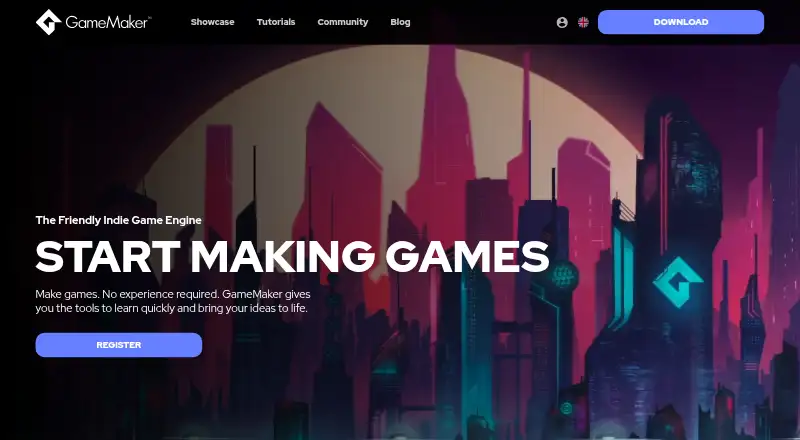
What GameMaker is
GameMaker is game-development software with visual scripting, multiplayer tools, and mobile and console export options. Its scripting languages are GML Code and GML Visual. Listed targets include GX.games, Windows, macOS, Ubuntu, HTML5, Android, iOS, tvOS, Xbox, PlayStation, and Nintendo Switch. The software has a free plan for non-commercial use, but that plan does not include console exports. The Professional plan is listed at $99.99 a month, with a commercial license and desktop, web, and mobile exports; its billing note says one-time purchase. The Enterprise plan is listed at $79.99 a month, billed monthly, and includes a commercial license, console exports, and source code access. GameMaker is based in Dundee, Scotland. Its pricing model is freemium, and source code is listed as available. The free option may be enough for non-commercial projects without console exports, while paid plan details distinguish desktop, web, and mobile use from console exports and source access.
Good
- Visual scripting is available.
- GML Code and GML Visual are supported.
- Mobile and console export options are listed.
- Targets include desktop, web, mobile, and consoles.
Watch out
- Free plan is for non-commercial use only.
- Free plan does not include console exports.
- Professional billing note says one-time purchase.
Who it suits
GameMaker may suit people developing games with GML Code or GML Visual who want visual scripting or multiplayer tools. The free plan is limited to non-commercial use and excludes console exports; commercial licensing is listed with paid plans.
Verdict
GameMaker offers a free non-commercial option and paid plans with differing export and licensing terms. Check the listed plan details carefully, particularly the Professional price and its one-time-purchase billing note.
Plans and prices
From GameMaker's own pricing page, checked 24 Sep 2026.
| Plan | Price | What it gives you |
|---|---|---|
| Free | Free | Non-commercial use only · No console exports |
| Professional | $99.99 a month | Commercial licence · Desktop, web and mobile exports · One-time purchase |
| Enterprise | $79.99 a month | Commercial licence · Console exports · Source code access · Monthly |
The facts
Each one read from GameMaker's own pages, with the date it was checked.
What it does
- Console export
- Yeschecked 24 Sep 2026
- Mobile export
- Yeschecked 24 Sep 2026
- Multiplayer tools
- Yeschecked 24 Sep 2026
- Scripting languages
- GML Code,GML Visualchecked 24 Sep 2026
- Source code model
- source_availablechecked 24 Sep 2026
- Visual scripting
- Yeschecked 24 Sep 2026
Money
- Free plan
- Yeschecked 24 Sep 2026
The company
- Headquarters
- Dundee, Scotland, United Kingdomchecked 28 Sep 2026
Where it runs
- Target platforms
- GX.games,Windows,macOS,Ubuntu,HTML5,Android,iOS,tvOS,Xbox,PlayStation,Nintendo Switchchecked 24 Sep 2026
The full review of GameMaker
GameMaker is a game-development environment combining its own code and visual scripting with multiplayer tools and broad export targets. It suits solo creators, small teams and commercial developers who want desktop, web or mobile releases, with a path to consoles at the highest tier. The main decision is whether your project can stay non-commercial or needs the commercial licensing and export rights of a paid plan.
Overview
GameMaker is made by a company headquartered in Dundee, Scotland, and uses GML Code and GML Visual as its scripting options. That combination lets a developer choose written scripts or a visual workflow rather than committing to only one style. It is a practical fit for people moving from visual prototyping toward code, or for teams with different technical preferences.
The platform is source-available and supports multiplayer tools, mobile export and console export. Its broad target list is valuable for a game intended to travel beyond one storefront, but the licence tier determines which destinations a commercial project can actually use.
Key features
GML Code gives programmers a direct scripting route, while GML Visual provides a node-free visual alternative within the same product family. The facts support choice of workflow, but do not establish that every feature is identical between the two approaches.
GameMaker targets GX.games, Windows, macOS, Ubuntu, HTML5, Android, iOS, tvOS, Xbox, PlayStation and Nintendo Switch. That is a notably wide spread across desktop, browser, mobile and console hardware. In practice, it is most useful when a project has a realistic multi-platform release plan; developers making only one small platform-specific game may not benefit enough from the extra export scope.
Multiplayer tools are included, although their precise feature set is not defined. Mobile export is available, and source code access is part of Enterprise, making that plan more relevant to teams that need deeper control rather than merely a way to ship.
Pricing
The Free plan costs nothing. It is restricted to non-commercial use and excludes console exports, so it works for learning, experimentation and non-commercial projects, not a paid release or a console launch.
Professional costs $99.99 a month, billed as a one-time purchase, and includes a commercial licence plus desktop, web and mobile exports. It is the logical tier for a developer selling on those platforms. The unusual combination of a monthly price label and one-time-purchase billing deserves close attention before committing, and it does not include console exports.
Enterprise costs $79.99 a month, billed monthly. It adds a commercial licence, console exports and source code access. Choose it when Xbox, PlayStation, Nintendo Switch or source access is central to the project. The published pricing note describes paid plans as starting from $79.99 a month, while the individual plan terms above should be treated as the operative distinctions.
Platforms
GameMaker supports Android, iOS, Linux, macOS and Windows. Its stated targets also cover GX.games, Ubuntu, HTML5, tvOS, Xbox, PlayStation and Nintendo Switch. Professional covers desktop, web and mobile exports; console export is reserved for Enterprise, so platform ambition should be settled before selecting a plan.
Who it's for
GameMaker is suited to creators who want both visual and code-based scripting, need multiplayer tools, or expect to publish across several device classes. Free is appropriate for non-commercial learning. Professional fits commercial desktop, web and mobile development. Enterprise is for commercial teams requiring console releases or source code access.
Pros and cons
Pros
- Flexible scripting: GML Code and GML Visual accommodate different development styles.
- Wide reach: Targets include desktop, browser, mobile and major console families.
- Clear commercial path: Professional covers commercial desktop, web and mobile exports, while Enterprise adds consoles.
- Source availability: Enterprise provides source code access for teams that need it.
Cons
- Free is commercially constrained: Non-commercial-only licensing rules out selling a finished game.
- Console work is expensive in plan terms: Free and Professional do not include console exports.
- Plan billing needs scrutiny: Professional is shown at $99.99 a month but billed as a one-time purchase.
Alternatives
Construct 3 is worth choosing instead for an individual or hobbyist who wants all features under a Personal License and a cancel-any-time arrangement, with a free trial.
Cocos Store is a free-resource option for developers working across macOS, web and Windows.
Unity Version Control suits teams seeking unlimited cloud seats on a free tier, with usage beyond included limits charged pay-as-you-go.
GameArt2D is an alternative source of free assets for Android, iOS and web projects.
Godot Asset Library is preferable when all assets must be free and paid assets are not part of the library.
itch app is a free, open-source desktop app for Linux, macOS and Windows.
Kenney Assets offers free CC0 asset packs, with an All-in-1 pack priced at 19.95 USD as a one-time purchase.
CraftPix is a web-based asset source with a free Basic option covering unlimited downloads and personal or commercial use.
For broader discovery, browse Game Engine Software, Game Development Software, Game Visual Scripting Software, Mobile Development IDEs and Game Asset Marketplaces.
Verdict
Choose GameMaker if you want one tool that combines visual and code scripting with commercial desktop, web and mobile exports and a credible route to consoles. Its biggest strengths are workflow flexibility and unusually broad target coverage. Look elsewhere if you need a straightforward free commercial licence, or if the Professional billing presentation and Enterprise pricing do not fit your budget or release plan.
Alternatives to GameMaker
- 1

Felgo
Free planAndroidiOSWebAPI8.7Free plan - 2

Construct 3
Free planAndroidiOSWebLinux8.6Free plan - 3

Ren'Py
Free planOpen sourceAndroidiOSWebAPI8.6Free plan - 4
Bevy
Free planAndroidiOSWebLinux8.6From $5 a month - 5

Unity
Free planAndroidiOSWebAPI8.5Free plan - 6

Godot Engine
Free planAndroidiOSWebAPI8.3Free plan