GameHub
GameHub is a gaming platform for Android, iOS and macOS that combines PC emulation, cloud gaming and game streaming.
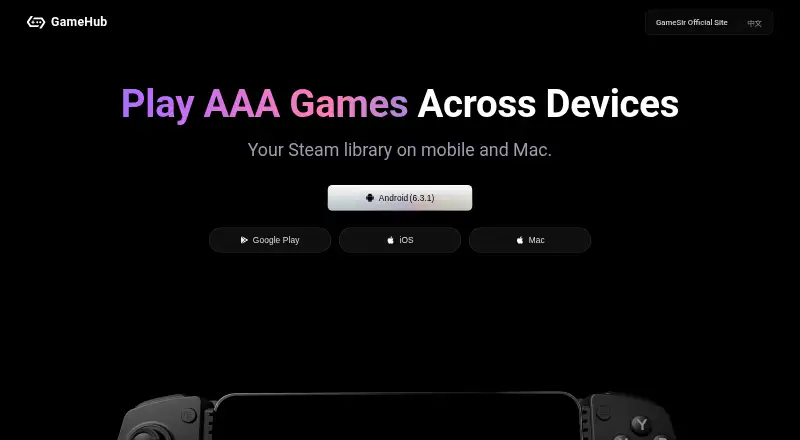
What GameHub is
GameHub is a gaming platform for Android, iOS and macOS that combines PC emulation, cloud gaming and game streaming. It connects to Steam and Epic, synchronizes users’ Steam libraries and allows imports of PC games and retro-game base files. Cloud titles can be played without downloading them to the device, while curated charts and leaderboards help with game discovery. The service supports both game controllers and touch controls. Its PC emulator functions can run offline, but cloud gaming and streaming require a stable internet connection. The Android listing describes portrait browsing, landscape play, retro-library imports, instant cloud gaming and controller diagnostics. GameHub is free. Google Play states that the app shares no data with third parties, encrypts data in transit and lets users request deletion. Its privacy policy says it follows China’s Personal Information Protection Law, Cybersecurity Law and Data Security Law. The official site lists QQ support and an email address for assistance.
Good
- Connects to Steam and Epic.
- Imports PC games and retro-game base files.
- Cloud titles do not need to be downloaded.
- Supports controllers and touch controls.
- PC emulator functions can run offline.
Watch out
- Cloud gaming requires a stable internet connection.
- Streaming requires a stable internet connection.
- The Android app lists portrait browsing and landscape play.
Who it suits
It suits players looking to combine PC emulation, cloud gaming and streaming on Android, iOS or macOS. Those using cloud play or streaming need a stable internet connection.
Verdict
GameHub brings library connections, imports and cloud play into one gaming platform. Its offline capability applies to PC emulator functions, not cloud gaming or streaming.
Plans and prices
From GameHub's own pricing page, checked 1 Oct 2026.
| Plan | Price | What it gives you |
|---|---|---|
| GameHub | Free | Free platform access · cloud gaming and streaming require a stable network |
The facts
Each one read from GameHub's own pages, with the date it was checked.
What it does
- Account integrations
- The privacy policy lists WeChat, QQ, Apple, Steam and Epic as third-party accounts that users may authorize or bind.checked 1 Oct 2026
- Cloud gaming
- Cloud titles can be played without downloading them to the device.checked 1 Oct 2026
- Connectivity limit
- PC emulator functions can run offline, while cloud gaming and streaming require a stable internet connection.checked 1 Oct 2026
- Controls
- The service supports both game controllers and touch controls.checked 1 Oct 2026
- Data protection
- Google Play states that the app shares no data with third parties, encrypts data in transit and allows users to request deletion.checked 1 Oct 2026
- Epic integration
- The platform also connects to the Epic platform.checked 1 Oct 2026
- Game discovery
- GameHub provides curated charts and leaderboards for discovering popular games.checked 1 Oct 2026
- Game importing
- Users can import PC games and retro-game base files into the platform.checked 1 Oct 2026
- Mobile features
- The Android listing describes portrait browsing, landscape play, retro-library imports, instant cloud gaming and controller diagnostics.checked 1 Oct 2026
- Privacy compliance
- GameHub’s privacy policy says it follows China’s Personal Information Protection Law, Cybersecurity Law and Data Security Law.checked 1 Oct 2026
- Purpose
- GameHub is a multifunction gaming platform supporting PC emulation, cloud gaming and game streaming.checked 1 Oct 2026
- Service scope
- The user agreement identifies PC-game emulation, peripheral-controller connection testing and parameter adjustment as core application functions.checked 1 Oct 2026
- Support
- The official site provides QQ support at 800082537 and the email address [email protected].checked 1 Oct 2026
Where it runs
- Android availability
- The Android app listing shows 5M+ downloads and was updated on September 23, 2026.checked 1 Oct 2026
The company
- Founded
- 2010checked 28 Sep 2026
- Headquarters
- Guangzhou, Chinachecked 28 Sep 2026
- Steam integration
- The platform connects to Steam and synchronizes users’ Steam game libraries.checked 1 Oct 2026
Money
- Free plan
- Yeschecked 22 Sep 2026
The full review of GameHub
GameHub suits players who want PC emulation, cloud gaming and streaming alongside Steam and Epic connections, rather than a single-purpose gaming tool. Its broad mix of play modes is useful, but cloud gaming and streaming depend on a stable internet connection.
Overview
GameHub brings PC emulation, cloud gaming and game streaming together in a free platform for Android, iOS and macOS. Players can synchronize a Steam library, connect to Epic, or import PC games and retro-game base files. Curated charts and leaderboards add a way to find popular games, while controller and touch support cover different play styles.
The breadth is its main advantage: GameHub can serve as a meeting point for connected libraries, imported games and cloud titles. Its offline use is narrower than that range suggests. Only PC emulator functions can run offline; cloud gaming and streaming require a stable connection.
Key features
Libraries, imports and discovery
Steam synchronization is useful for players who want their existing library represented in the platform, and the Epic connection adds another account integration. Importing PC games and retro-game base files extends GameHub beyond those services. Charts and leaderboards can help with discovery, though they are focused on popular games rather than replacing a player’s own library.
Cloud play and controls
Cloud titles can be played without downloading them to the device, which suits players who want to avoid local game downloads. That convenience comes with a clear trade-off: a stable internet connection is needed for both cloud gaming and streaming. Controller and touch controls give players a choice of input.
Mobile experience and account privacy
The Android listing describes portrait browsing and landscape play, retro-library imports, instant cloud gaming and controller diagnostics. Google Play states that the app shares no data with third parties, encrypts data in transit and lets users request deletion. GameHub’s privacy policy says it follows China’s Personal Information Protection Law, Cybersecurity Law and Data Security Law. It also lists WeChat, QQ, Apple, Steam and Epic as accounts users may authorize or bind.
The Android app has more than 5 million downloads and was updated on September 23, 2026. Support is available through QQ at 800082537 and by email at [email protected].
Pricing
GameHub is free: its GameHub plan costs nothing and provides free platform access. That makes it a practical option for trying a multi-mode gaming platform without a subscription cost. The central limitation is not a plan quota but connectivity: cloud gaming and streaming still require a stable network, while offline use is confined to PC emulator functions.
Platforms
GameHub is available on Android, iOS and macOS. The Android listing specifically describes portrait browsing, landscape play and controller diagnostics.
Who it's for
GameHub is best suited to players who want Steam and Epic connections, PC and retro-game imports, and cloud play in one platform across supported devices. It is less suitable for anyone expecting cloud gaming or streaming to work offline, or who needs confirmed DirectX or anti-cheat support before choosing a platform.
Pros and cons
- Pros: Steam synchronization, an Epic connection and game imports bring several game sources into one platform.
- Pros: Cloud titles do not need to be downloaded to the device, and players can use touch controls or a controller.
- Pros: Free access removes a subscription price as a barrier to using the platform.
- Cons: Cloud gaming and streaming require a stable internet connection, so those modes are not an offline option.
- Cons: Offline capability applies only to PC emulator functions, not the full platform.
Alternatives
For a dedicated compatibility layer, compare Game Compatibility Layers; for a cloud-first option, see Cloud gaming services.
cnc-ddraw is a free option for Android, Linux, macOS and Windows when the game uses a DirectDraw (Software) renderer. Bannerlator is a free Android alternative, but offers no support commitment and warns that compatibility varies by GPU, Android version and game. Choose DXVK for Linux or Windows when Vulkan is required and the needed Vulkan driver is available. PlayOnLinux is a free Linux and macOS alternative for Windows games, with the caveat that not all games are supported and performance may occasionally decrease. vkd3d-proton is a free open-source project for Linux and Windows with no paid plans. Winlator is an Android application for running Windows (x86_64) applications. Porting Kit installs Windows games and apps in macOS using Wineskin. Box64 is another free option for Android and Linux.
Verdict
Choose GameHub if you want one free platform for connected Steam and Epic libraries, imported games, PC emulation and cloud play. Its strongest case is the breadth of those functions; look elsewhere if offline cloud play or confirmed DirectX and anti-cheat compatibility is essential.
Getting started
- Open the GameHub website
- Install GameHub on Android, iOS, or macOS
- Authorize or bind a WeChat, QQ, Apple, Steam, or Epic account if desired
- Import PC games or retro-game base files
- Connect a game controller or use touch controls
Limits worth knowing
The free GameHub plan costs 0.00 USD. PC emulator functions can run offline, but cloud gaming and streaming require a stable network.
Questions
How much does GameHub cost?
GameHub is free, with a plan listed as free.
Which platforms support GameHub?
GameHub is available on Android, iOS, and macOS.
Can GameHub work offline?
PC emulator functions can run offline. Cloud gaming and streaming require a stable internet connection.
Does GameHub connect to Steam and Epic?
Yes. It synchronizes Steam game libraries and connects with the Epic platform.
What accounts can users bind?
The privacy policy lists WeChat, QQ, Apple, Steam, and Epic accounts for authorization or binding.
Does GameHub support controllers?
Yes. GameHub supports game controllers and touch controls, and its core functions include controller connection testing and parameter adjustment.
Alternatives to GameHub
- 1
FAudio
Free planOpen sourceiOSAPILinuxmacOS7.5Free plan - 2
cnc-ddraw
Free planOpen sourceAndroidLinuxmacOSSelf-hosted7.4Free plan - 3

CrossOver
Free planLinuxmacOS7.4From $74 a year - 4
PlayOnLinux
Free planOpen sourceLinuxmacOS7.2Free plan - 5
Bannerlator
Free planAndroid6.4Free plan - 6
umu-launcher
Free planLinux6.2Free plan