PlayOnLinux
PlayOnLinux lets users install and run many games and applications made for Microsoft Windows on GNU/Linux and macOS.
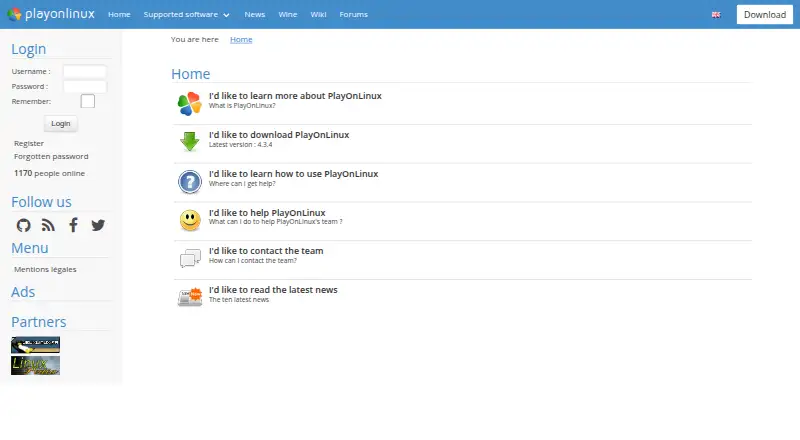
What PlayOnLinux is
PlayOnLinux lets users install and run many games and applications made for Microsoft Windows on GNU/Linux and macOS. It is based on Wine and is intended to make Wine easier to use. Users do not need a Windows license, and the project describes the software as free; its listed plan costs nothing. PlayOnLinux uses Bash and Python, and its listed capabilities include prefix management, a compatibility database, and DXVK graphics acceleration. Not every Windows game or application is supported, though a manual installation module is available. The project also reports that performance can sometimes decline, resulting in less-fluid images or less-detailed graphics. The website lists version 4.3.4 as the latest release. Installation options include a generic tar.gz package and distribution instructions for Arch Linux, Debian, Fedora, Frugalware, and Ubuntu. Documentation and forums offer help, and users can contact the team by email. The project wiki includes tutorials, installation-script guides, command and API documentation, and advanced topics.
Good
- Free software with a listed cost of no cost.
- Does not require a Windows license.
- Supports GNU/Linux and macOS.
- Manual installation is available for unsupported games.
- Documentation, forums, and email support are listed.
Watch out
- Not all games and applications are supported.
- Performance can sometimes decrease.
- Website lists version 4.3.4 as latest.
Who it suits
It suits Linux and macOS users seeking to install Windows games or applications without owning a Windows license. Users should check the stated compatibility and performance limits before relying on it for a particular program.
Verdict
PlayOnLinux offers a free Wine-based route to running many Windows programs on Linux and macOS. Its compatibility and performance limits mean it may not suit every game or application.
Plans and prices
From PlayOnLinux's own pricing page, checked 14 Oct 2026.
| Plan | Price | What it gives you |
|---|---|---|
| Free | Free | Windows games and applications via Wine · manual installation module · Linux and macOS packages |
| PlayOnLinux | Free | Not all games are supported · occasional performance decrease |
The facts
Each one read from PlayOnLinux's own pages, with the date it was checked.
What it does
- 32-bit requirement
- The installation guide says 32-bit Windows programs require 32-bit Wine, and Ubuntu users may need the wine32 and wine32-preloader packages.checked 14 Oct 2026
- Changelog
- Version 4.3.4 fixed Wine-version processing, began refactoring, made many windows resizable, removed XQuartz installation on macOS and bundled a newer Wine version.checked 14 Oct 2026
- Compatibility limit
- Not all games are supported, although the manual installation module can be used.checked 2 Oct 2026
- Components
- The configuration window can install Wine components and libraries, including Winetricks items.checked 14 Oct 2026
- Current official version
- The official homepage identifies version 4.3.4 as the latest release.checked 14 Oct 2026
- Current release
- The website lists version 4.3.4 as the latest version.checked 2 Oct 2026
- Developer resources
- The project wiki includes tutorials, installation-script guides, command and API documentation, and advanced topics.checked 2 Oct 2026
- Development install
- The development version is obtained by cloning the POL-POM-4 Git repository, and it runs from the repository rather than installing system-wide.checked 14 Oct 2026
- Documentation depth
- The project wiki covers installation, troubleshooting, scripting, Wine management, filesystems, advanced topics and PlayOnLinux 5 development.checked 14 Oct 2026
- Download formats
- The download page provides a generic tar.gz package, Debian packages, Arch instructions, Fedora instructions and Ubuntu repository instructions.checked 14 Oct 2026
- Extensibility
- The repository contains Bash, Python, plugin, script and function directories, while the wiki documents scripting components and functions.checked 14 Oct 2026
- Implementation languages
- The official site says PlayOnLinux uses Bash and Python.checked 14 Oct 2026
- Independent comparison rating
- SourceForge’s comparison page shows PlayOnLinux at 0.0 out of 5 with no submitted reviews.checked 14 Oct 2026
- Independent listing
- AlternativeTo categorizes PlayOnLinux/PlayOnMac as a free, open-source compatibility-layer tool for Linux and Mac.checked 14 Oct 2026
- Installation packages
- The download page provides a generic tar.gz package and distribution instructions for Arch Linux, Debian, Fedora, Frugalware, and Ubuntu.checked 2 Oct 2026
- Installation scripts
- Community-written scripts can configure applications with program-specific settings, and users can submit their own scripts.checked 14 Oct 2026
- Integrations
- The download page says PlayOnLinux mainly relies on WineHQ and thanks the ScummVM and DOSBox projects.checked 2 Oct 2026
- Licence
- Launchpad lists the project under the GNU GPL version 3 licence.checked 14 Oct 2026
- License
- PlayOnLinux is free software.checked 2 Oct 2026
- Limit: Pardus reviewers
- Pardus complaints include failure to launch, unavailable components, inability to install external programs and slow operation.checked 14 Oct 2026
Money
- Cost
- The project describes PlayOnLinux as a cost-free solution.checked 2 Oct 2026
- Free software
- The project describes PlayOnLinux as free software.checked 14 Oct 2026
Where it runs
- Limit: Linux Mint reviewers
- Linux Mint reviewers report that PlayOnLinux is outdated, may require python3-pyasyncore, may open with no window and can produce buggy Office or Photoshop installations.checked 14 Oct 2026
The company
- Maker ownership
- The legal notice identifies Quentin Paris as site owner, publisher, webmaster and data-protection officer.checked 14 Oct 2026
The full review of PlayOnLinux
PlayOnLinux is a free tool for installing Windows games and applications on Linux and macOS, best suited to users comfortable checking compatibility and working around occasional setup limits. Its Wine-based approach removes some configuration complexity, but it cannot make every program run well.
Overview
PlayOnLinux offers a cost-free way to use many Windows programs without owning a Windows license. It builds on Wine and provides a compatibility database and prefix management, giving users ways to check support and keep configurations organized. That extra guidance is useful, but does not erase Wine’s compatibility and performance constraints.
The project uses Bash and Python, and its website identifies version 4.3.4 as the latest release. Users can try manual installation for programs outside its supported selection, though that route is not a guarantee of success.
Key features
Wine-based installation
By handling some of Wine’s complexity, PlayOnLinux can be a more approachable starting point than configuring Wine unaided. Its compatibility database helps users assess a title before setup, while prefix management offers a way to separate configurations. DXVK graphics acceleration is supported, but the project still acknowledges occasional drops in performance, including less-fluid images and less-detailed graphics. Users seeking consistent results for a particular game should check compatibility rather than assume acceleration will overcome its limits.
Installation and support
Packages include a generic tar.gz download, with distribution-specific instructions for Arch Linux, Debian, Fedora, Frugalware, and Ubuntu. Documentation and forums provide support, and the team can be contacted by email. The project wiki covers tutorials, installation-script guides, command and API documentation, and advanced topics; that depth is useful for users willing to troubleshoot, but may be more than someone seeking a turnkey solution wants to handle.
PlayOnLinux relies mainly on WineHQ and also acknowledges the ScummVM and DOSBox projects. Its legal notice says it does not sell personal data and describes EU hosting under GDPR requirements, with firewalls, pseudonymization, encryption, and passwords used to protect personal information.
Pricing
PlayOnLinux — free. The free software has no paid plan or free-trial term to weigh. It is a straightforward fit for users who want to try Windows applications without a software subscription; the trade-off is that not all games are supported and performance can occasionally decline.
Platforms
PlayOnLinux and PlayOnMac 4 support GNU/Linux and macOS. The download page provides Linux distribution guidance as well as a generic archive. Choose it only if your device runs one of those operating systems; Windows is not among its supported platforms.
Who it's for
PlayOnLinux makes most sense for Linux or Mac users who want a free route to selected Windows games and applications, and who are willing to check compatibility or consult documentation when installation is not straightforward. It is a weaker fit for anyone whose essential program must work reliably or perform smoothly, since support and graphics quality can vary.
Pros and cons
- Free software with no Windows license requirement: users can try many Windows programs without paying for PlayOnLinux or owning Windows.
- Compatibility database and prefix management: these give users practical tools to check support and organize configurations.
- Linux and macOS support: it serves users on both platforms rather than only one desktop system.
- Compatibility is incomplete: some games are unsupported, and manual installation may still not succeed.
- Performance can suffer: occasional less-fluid images and less-detailed graphics make it a poor default for users who need consistent game quality.
Alternatives
Windows Compatibility Layers and Game Compatibility Layers are useful starting points for comparing options across those categories.
- Boxedwine is another free option, released under GPL v2, with Linux, macOS, web, and Windows support.
- Q4Wine is free, open software for Linux and macOS; consider it if you want another free option on those platforms.
- Crosswire is a free, GPL-3.0 option for macOS.
- PlayOnMac is free software for macOS and requires a supported Windows program.
- Porting Kit is a free macOS option that installs Windows games and apps using Wineskin.
- Bottles is a free alternative for Linux and macOS.
- CrossOver is a paid Linux and macOS alternative with a free 14-day trial; CodeWeavers says it releases 95% of the Wine code it develops for CrossOver back to Wine.
- Hangover is a free option for Linux.
Verdict
Choose PlayOnLinux if you want a no-cost way to try supported Windows software on Linux or macOS and value compatibility guidance and configuration management. Its main reason to look elsewhere is the possibility that a needed game will not work or will run with reduced visual fluidity or detail.
Getting started
- Visit the PlayOnLinux website.
- Choose the generic tar.gz package or follow the instructions for Arch Linux, Debian, Fedora, Frugalware, or Ubuntu.
- Install PlayOnLinux on GNU/Linux or macOS.
- Use the compatibility database to check a game or application.
- Try the manual installation module if a title is not supported.
Limits worth knowing
PlayOnLinux is free, but not all games are supported. The project also reports occasional performance decreases, including less-fluid images or less-detailed graphics.
Questions
How much does PlayOnLinux cost?
It is free software. Its listed PlayOnLinux plan costs nothing.
Do I need a Windows license?
No. Users do not need to own a Windows license to use PlayOnLinux.
Which operating systems does it support?
The project lists GNU/Linux and macOS as supported operating systems.
Will every Windows game or application work?
Not all games are supported, though users can try the manual installation module.
Where can I get installation help?
The download page has a generic tar.gz package and distribution instructions for Arch Linux, Debian, Fedora, Frugalware, and Ubuntu. Documentation, forums, and email support are also available.
What is PlayOnLinux based on?
It is based on Wine and uses Bash and Python.