Fort Reports
Fort Reports is an iOS tablet app for creating and sending home inspection reports.
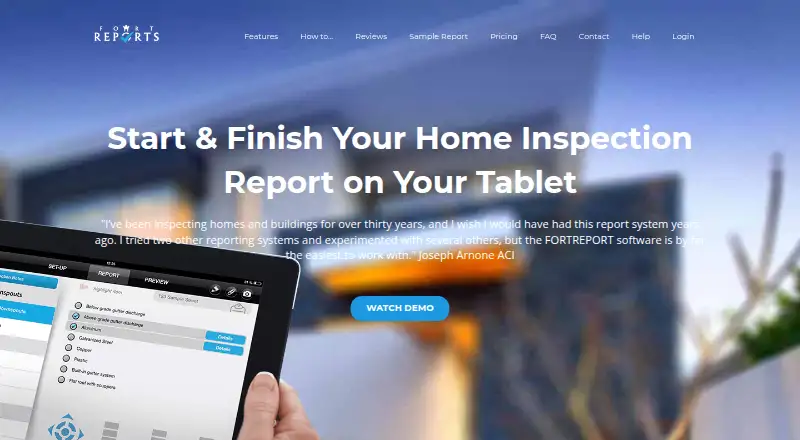
What Fort Reports is
Fort Reports is an iOS tablet app for creating and sending home inspection reports. Inspectors can work outside Wi‑Fi coverage and upload reports when the device reconnects. Reports may include tablet photos, images from the photo library, iCloud, Dropbox, or a FLIR ONE thermal camera. Users can draw on photos and collect client signatures on the tablet. Reports can be sent by email, as PDFs, or both. Preinstalled comments can be edited and saved for later inspections, while company information, logos, and legal terms can be added to reports. The maker says Fort Reports is compatible with ISN, with controls to retrieve ISN information and send it back. General note fields have character limits, with Overview or Section notes suggested for longer explanations. Starter costs $4.99, paid once per report and includes one credit, one complete report, basic support, and five free signup credits. Standard costs $29.99, paid once for 10 reports. Professional costs $29.99 a month for unlimited reports for one month.
Good
- Works outside Wi‑Fi coverage
- Photo drawing and client signatures
- Multiple image source options
- Email and PDF report delivery
- ISN compatibility listed
Watch out
- Available on iOS only
- General note fields have character limits
- Professional plan is monthly
- Starter is billed per report
Who it suits
Fort Reports suits occasional, standard, and professional home inspectors using iOS tablets. It is useful when reports need photos, signatures, offline work, and PDF or email delivery.
Verdict
Fort Reports focuses on tablet-based inspection reporting with offline capability, annotations, signatures, and configurable report content. Inspectors should compare the per-report and monthly plans with their reporting volume.
Plans and prices
From Fort Reports's own pricing page, checked 9 Oct 2026.
| Plan | Price | What it gives you |
|---|---|---|
| Starter | $4.99, paid once | One complete report · Basic support · 5 free signup credits · per report; one credit |
| Professional | $29.99 a month | Unlimited reports for 1 month · Advanced support · 5 free signup credits · $29.99 (USD) / month |
| Standard | $29.99, paid once | Advanced support · 5 free signup credits · 10 credits for 10 reports |
The facts
Each one read from Fort Reports's own pages, with the date it was checked.
What it does
- Audience
- The product is presented as home inspection report software for occasional, standard, and professional inspectors.checked 9 Oct 2026
- Branding and terms
- Users can add their company information, logo, and legal terms to reports.checked 9 Oct 2026
- Customization
- Users can edit preinstalled comments and save those changes for future inspections.checked 9 Oct 2026
- Image sources
- The maker says inspectors can use tablet camera images, the photo library, iCloud, Dropbox, or a FLIR ONE thermal camera.checked 9 Oct 2026
- Integration
- The maker says Fort Reports is compatible with ISN and offers buttons to retrieve ISN information and send it back.checked 9 Oct 2026
- Limits
- The maker says general note fields have character limits and recommends Overview or Section notes for longer explanations.checked 9 Oct 2026
- Offline use
- The app can be used outside Wi-Fi coverage, with reports uploaded when the device reconnects.checked 9 Oct 2026
- Product
- Fort Reports is a tablet app for creating and sending home inspection reports.checked 9 Oct 2026
- Report delivery
- Reports can be sent by email, as PDFs, or both.checked 9 Oct 2026
- Security
- The maker says Apple or Google secures accounts and handles credit purchases through its iTunes account; Fort Reports secures users’ email addresses.checked 9 Oct 2026
- Signatures
- Clients can sign inspection reports on the tablet using a finger.checked 9 Oct 2026
- Support
- Starter includes basic support and Standard and Professional include advanced support; the site lists [email protected] and 1 800 837 0255 for contact.checked 9 Oct 2026
The company
- Headquarters
- Toronto, Ontario, Canadachecked 28 Sep 2026
Where it runs
- Photos
- Inspectors can attach tablet photos to reports and draw on photos with a finger.checked 9 Oct 2026
Alternatives to Fort Reports
- 1

Home Inspector Pro
AndroidiOSWebLinux7.6From $74 a month - 2
Horizon Inspection Software
AndroidiOSWebmacOS7.4From $799 a year - 3

Eneris
Free planAndroidiOSWeb7.3From $40 a month - 4
3D Inspection Systems
Free planAndroidiOSWindows7.2From $1,199 a year - 5
InspectDesk
Free planiOS7.2$79.99 one-time - 6
Report Form Pro
AndroidiOSmacOSWindows7.1$149 one-time