Folio
Folio is a no-code tool for making and managing interactive product demos and walkthroughs.
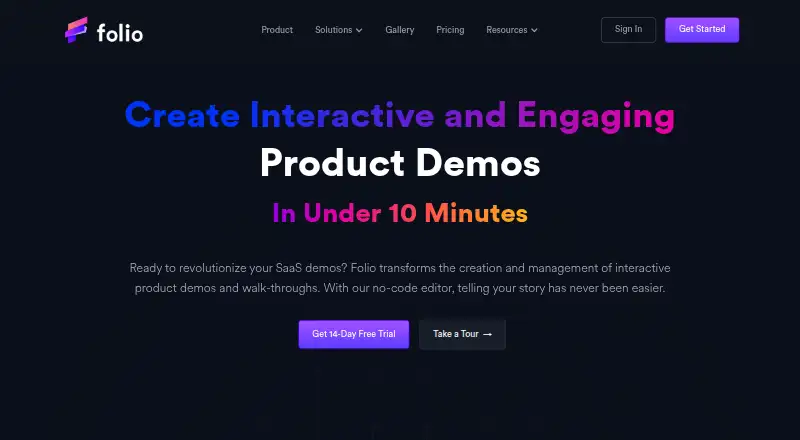
What Folio is
Folio is a no-code tool for making and managing interactive product demos and walkthroughs. It lets teams capture application screens and customize demo content in an editor, create annotated guides, and review viewer behavior and statistics for tours, demos, and individual screens. Demos can be shared through direct links or embedded, with collaboration and personalization features. Folio is aimed at growth, sales, and product teams and is available on the web, through an API, and as browser extensions. The free plan includes one user, up to two basic demos and templates, unlimited demo steps, screens, and views, and a watermark. Integrations include Gmail, Intercom, Google Drive, Segment, Google Calendar, Zapier, HubSpot, OpenAI, Marketo, Slack, and Salesforce. The Free plan lists a Gmail add-on and Chrome/Edge extension; Enterprise includes Open APIs and SAML SSO. Folio says personal data may be processed in the United States and that absolute security cannot be guaranteed.
Good
- No-code editor customizes captured application screens.
- Demos can be embedded or shared by direct link.
- Viewer behavior and demo statistics are available.
- Free plan includes unlimited demo steps, screens, and views.
Watch out
- Free plan is limited to two basic demos and templates.
- Free demos carry a watermark.
- Annual Lite billing costs $25 per user per month.
- Absolute data security is not guaranteed.
Who it suits
Folio suits growth, sales, and product teams creating interactive demos or walkthroughs. Its free plan may fit a single user who can work within the two-demo and watermark limits.
Verdict
Folio combines demo creation, sharing, personalization, and viewer analytics for teams. The free plan has a watermark and only two basic demos; paid plans start at $25 per user per month with annual billing.
Plans and prices
From Folio's own pricing page, checked 15 Oct 2026.
| Plan | Price | What it gives you |
|---|---|---|
| Free | Free | 1 user · Up to 2 Basic Demos · Up to 2 Basic Templates · Unlimited demo steps/screens and views · Watermark · Basic analytics · Gmail add-on · Chrome/Edge extension · per month/user |
| Lite (annual billing) | $25 a month | 1 user · Up to 15 Basic Demos · HTML Capture · Basic Support · $25 per month/user · Annually (save 15%) |
| Lite | $29 a month | 1 user · Up to 15 Basic Demos · HTML Capture · Image/video uploads · Custom themes · Pan/zoom · Blur mask · Demo-view notifications · Watermark-free · Basic support · 14-day free trial · per month/user |
| Pro (annual billing) | $42 a month | 1 user · Unlimited Demos and Templates · Advanced Integrations · Secure Demo Access · $42 per month/user · Annually (save 15%) |
| Pro | $49 a month | 1 user · Unlimited demos and templates · HTML capture · Personal video recording · Custom CTA overlay · Find/replace text · Edit HTML elements · Custom branding · Advanced integrations · Secure demo access · Custom forms · 14-day free trial · per month/user |
| Team (annual billing) | $59 a month | Multiple users · Workspace Management · Team Permissions · Demo/Template Collaboration · $59 per month/user · Annually (save 15%) · Minimum of 2 users |
| Team | $69 a month | Multiple users · Workspace management · Team permissions · Demo/template collaboration · Tag management · Custom subdomain · Priority support · Dedicated account manager · Onboarding/implementation plan · 14-day free trial · per month/user; minimum 2 users |
| Enterprise | Priced on request | Everything in Team · Multiple teams · Open APIs · SAML SSO integrations · Dedicated support · Custom data-retention policies · contact sales |
The facts
Each one read from Folio's own pages, with the date it was checked.
What it does
- Analytics
- Analytics report viewer behavior and can collect leads through forms.checked 15 Oct 2026
- Audience
- Folio describes itself as built for growth, sales, and product teams.checked 3 Oct 2026
- Cancellation
- The pricing FAQ says customers may cancel at any time and their current plan lasts until the billing cycle ends.checked 3 Oct 2026
- Capture and edit
- Its features include capturing application screens and customizing demo content with a no-code editor.checked 3 Oct 2026
- Changelog activity
- The changelog records releases from February through July 2023, including pan/zoom, blur, autoplay, tagging, video editing, Gmail sharing and analytics updates.checked 15 Oct 2026
- Data location
- Folio's privacy policy says personal data may be transferred to and processed in the United States.checked 3 Oct 2026
- Email workflow
- Folio advertises a Gmail add-on for placing demos directly in email outreach.checked 15 Oct 2026
- Enterprise access
- The Enterprise plan lists Open APIs and SAML SSO integrations.checked 3 Oct 2026
- Enterprise API
- The Enterprise tier lists Open APIs as an included capability.checked 15 Oct 2026
- Extension data handling
- Chrome's listing says the extension may handle personally identifiable, authentication, location, web-history, activity and website-content data.checked 15 Oct 2026
- Extension requirements
- The Chrome extension listing shows version 0.1.13, 1.55 MiB size, English language and a December 4, 2024 update.checked 15 Oct 2026
- GDPR rights
- The privacy policy describes EU access, correction, deletion, restriction, portability and objection rights.checked 15 Oct 2026
- Guides and analytics
- Folio supports annotated guides and reports viewer behavior and statistics for tours, demos, and individual screens.checked 3 Oct 2026
- Guides and annotations
- Users can add annotated guide steps that lead prospects through selected features.checked 15 Oct 2026
- Integrations
- The site lists Gmail, Intercom, Google Drive, Google Calendar, Zapier, HubSpot, OpenAI, Marketo, Slack, Salesforce and Segment integrations.checked 15 Oct 2026
- Limit: mobile experience
- GetApp reviewers report wanting better mobile usability and a dedicated mobile app.checked 15 Oct 2026
- Limit: syncing and automation
- GetApp summaries mention glitches in email syncing and transaction creation, plus unwanted automatically suggested folders.checked 15 Oct 2026
- Limit: templates and reminders
- Reviewers report that timeline templates can be difficult to use, reminders may be hard to customize and duplicate notifications can occur.checked 15 Oct 2026
- No-code editing
- The HTML editor lets users change logos, numbers, text and other interface elements without coding.checked 15 Oct 2026
- Notable news: launch
- The changelog says Folio launched on Product Hunt on June 1, 2023 and reached third place.checked 15 Oct 2026
Where it runs
- Browser tools
- The Free plan lists a Gmail add-on and a Chrome/Edge extension.checked 3 Oct 2026
The company
- Company launch and funding
- Dealroom lists a December 2022 launch date and a $1.1 million seed round.checked 15 Oct 2026
- Company size and headquarters
- LinkedIn lists Folio as privately held, headquartered in Mountain View, California, with 2–10 employees.checked 15 Oct 2026
- License and ownership
- The terms state that Folio and its licensors exclusively own the service, features and original content, indicating proprietary software.checked 15 Oct 2026
The full review of Folio
Folio is a no-code workspace for turning captured software screens into interactive demos and guided walkthroughs. It fits growth, sales, and product teams that need both a polished explanation and evidence of how viewers engage. The strongest case is a team that will use analytics, personalization, and integrations; a tiny library can stay on the free tier, but serious use quickly moves into paid plans.
Overview
Folio captures application screens and lets non-developers assemble them in a visual editor. Annotated guides can lead a prospect through a workflow, while viewer behavior and statistics are reported for complete tours, individual demos, and screens. Sharing works through direct links or embeds, so the same asset can serve a sales conversation, a product page, or internal enablement.
Lead capture, personalization, and custom branding make the output more than a static recording. The integration list covers Gmail, Intercom, Google Drive, Segment, Google Calendar, Zapier, HubSpot, OpenAI, Marketo, Slack, and Salesforce. Collaboration is part of the product, but practical shared-workspace controls arrive with Team rather than the lower solo tiers.
Key features
Creation and presentation
Screen capture plus no-code editing is a sensible route for teams that need interactive product education without commissioning a coded experience. Unlimited demo steps, screens, and views on Free mean the two-demo ceiling is the real constraint, not the size of each basic walkthrough. Lite allows 15 Basic Demos and adds HTML Capture; Pro removes demo and template limits.
Guidance, insight, and distribution
Annotations clarify individual actions, while analytics show whether viewers progress through a tour or linger on a screen. That combination is more useful to sales and product teams than a share-only recorder, because it connects explanation with follow-up decisions. Embedding and direct links support flexible distribution, and personalization, branding, and lead capture help teams adapt a demo to its audience.
Browser access and integrations
The Free plan includes a Gmail add-on and Chrome/Edge extension, giving users browser-based capture entry points. Folio is offered through the web, an extension, and an API. Enterprise adds Open APIs and SAML SSO, which matters for organizations that need identity controls or want to connect Folio to internal systems.
Pricing
The Free plan costs $0 per month per user for one user. It includes up to two Basic Demos, two Basic Templates, unlimited demo steps, screens, and views, but adds a watermark. It is a credible way to evaluate the editor or maintain a very small demo set; the cap and watermark limit it as a customer-facing long-term option.
Lite is $25 per user per month with annual billing (save 15%) or $29 per user per month monthly. One user gets up to 15 Basic Demos, HTML Capture, and Basic Support. Choose it when the library is growing but unlimited content and advanced integrations are unnecessary.
Pro is $42 per user per month with annual billing (save 15%) or $49 per user per month monthly. It provides unlimited demos and templates, Advanced Integrations, and Secure Demo Access. This is the better fit for a solo operator or small business that needs a substantial, controlled library.
Team costs $59 per user per month with annual billing (save 15%) or $69 per user per month monthly, with a minimum of two users. It adds multiple users, Workspace Management, Team Permissions, and Demo/Template Collaboration. Those controls justify the higher spend for a group; a single user pays for a second seat without gaining a solo benefit.
Enterprise uses custom pricing and adds Multiple Teams, Open APIs, SAML SSO Integrations, Dedicated Support, and Custom Data Retention Policies. Folio offers a 14-day trial, and customers may cancel at any time while retaining the current plan through the end of the billing cycle.
Platforms
Folio runs on the web and provides an extension and API. The Gmail add-on and Chrome/Edge extension on Free are particularly relevant to browser-based capture workflows.
Who it's for
Folio is well suited to growth and sales teams that need branded, personalized demos with lead capture and engagement reporting, and to product teams documenting workflows with annotated guidance. It is less compelling for someone who only needs a short video or a single public walkthrough: the interactive tooling and paid thresholds are then harder to justify. Teams needing permissions, shared workspaces, or enterprise identity should start their evaluation at Team or Enterprise.
Pros and cons
- Pros: Interactive demos combine screen capture, annotations, links or embeds, analytics, personalization, branding, and lead capture in one workflow.
- Pros: The integration roster is broad, and Enterprise offers Open APIs and SAML SSO for larger deployments.
- Pros: Free includes unlimited steps, screens, and views, making a small proof of concept practical.
- Cons: Free is limited to two Basic Demos and two Basic Templates and carries a watermark.
- Cons: Team requires at least two users, so a solo buyer cannot purchase its collaboration controls without paying for multiple seats.
- Cons: Lite remains capped at 15 Basic Demos, and advanced integrations and secure access wait for Pro.
- Cons: Personal data may be processed in the United States; Folio describes commercially acceptable safeguards but does not guarantee absolute security.
Alternatives
Browse Interactive Product Demo Software when you want a wider category comparison. Floik is a better fit if desktop apps and a Starter allowance of five published Flos or ten created Flos matter, with Pro at $39 per month. Choose Guideflow for its $35-per-month yearly Solo plan with unlimited guideflows, advanced analytics, AI content, exports, translation, and sensitive-element blurring. Supademo suits users wanting a free-forever allowance of five guided demos and 50 4K video recordings. Flonnect Presentation Recorder is oriented toward recording, transcription, editing, bug reports, and limited HTML captures. Arcade offers a free plan with one published demo, one published video, and 200 AI credits monthly. GhostTour is a simpler option with one free demo and a $19-per-month Pro tier. Storylane starts with one free published demo and unlimited views, plus an AI content assistant and voiceovers. Arclet provides five free published demos with basic analytics and a $29 monthly Starter plan.
Verdict
Choose Folio if your growth, sales, or product workflow depends on interactive demonstrations plus viewer intelligence, personalization, and integrations. Its main advantage is the breadth from capture to analytics; look elsewhere if you need only lightweight recording, a larger free allowance, or collaboration without a two-seat Team minimum.
Alternatives to Folio
- 1

Guideflow
Free planWebAPIExtensionmacOS7.9From $40 a month - 2

Supademo
Free planWebAPIExtensionmacOS7.9From $38 a month - 3

Floik
Free planWebExtensionmacOSWindows7.8Free plan - 4

Flonnect Presentation Recorder
Free planWebExtensionmacOSWindows7.8From $12 a month - 5

Navattic
Free planWebAPIExtension7.6From $500 a month - 6
DemoFast
Free planWebExtension7.5From $15 a month