FitManager Control
FitManager Control checks gym membership cards against the gym’s records in real time and opens the entrance door when access is validated.
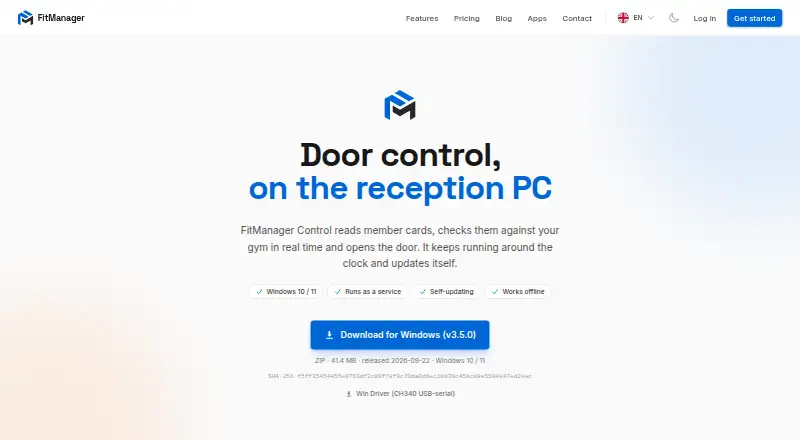
What FitManager Control is
FitManager Control checks gym membership cards against the gym’s records in real time and opens the entrance door when access is validated. It is a Windows app for a reception PC, with offline entry control using a local cache if the internet drops. The app can run as a Windows service, restart after a crash, and prevent the PC from sleeping. For reception workflows, it connects the dashboard POS to Synergy or David fiscal printers for receipts. In kiosk setups, the kiosk app communicates with Control, which connects the kiosk card terminal and printer to the reception PC. The specified setup includes one Windows PC per site, a Wiegand RFID reader with a Wiegand-to-USB converter, and a USB relay board per door. Installation requires an API address and bearer token from the gym dashboard. The maker says setup takes about ten minutes and updates are automatic after installation. The Control app is listed as free for Windows 10 and 11; new platform accounts get a 14-day free trial without a credit card. Platform subscription prices are available on request in the customer’s currency.
Good
- Uses a local cache when the internet drops.
- Can restart after a crash as a service.
- Connects POS to Synergy or David fiscal printers.
- Supports membership validation and QR or barcode entry.
Watch out
- Requires a reception PC and specified door hardware.
- Requires an API address and bearer token.
- Platform subscription prices are available on request.
Who it suits
It suits gyms that want card-based entry validation, including those needing multi-location access or QR and barcode entry. It is for sites with a Windows reception PC and the specified RFID and relay hardware.
Verdict
FitManager Control combines gym entry validation with receipt printing and kiosk hardware connections. Its listed Windows setup has specific reception PC, reader, relay, and API requirements.
Plans and prices
From FitManager Control's own pricing page, checked 8 Oct 2026.
| Plan | Price | What it gives you |
|---|---|---|
| FitManager Control | Free | Windows 10 / 11 · requires a reception PC, Wiegand RFID reader with USB converter, and USB relay board |
| Starter | $39 a month | 1 gym location · up to 200 members · member management · QR access control · email support · $39 /mo per location |
| Pro | $89 a month | up to 3 gym locations · unlimited members · POS and payments · SMS notifications · reports and analytics · priority support · $89 /mo per location |
| Enterprise | $149 a month | unlimited locations · unlimited members · custom domain · dedicated onboarding · $149 /mo per location |
| Starter | $390 a year | 1 gym location · up to 200 members · member management · QR access control · email support · $390 billed yearly, per location |
| Pro | $890 a year | up to 3 gym locations · unlimited members · POS and payments · SMS notifications · reports and analytics · priority support · $890 billed yearly, per location |
| Enterprise | $1,490 a year | unlimited locations · unlimited members · custom domain · dedicated onboarding · $1,490 billed yearly, per location |
The facts
Each one read from FitManager Control's own pages, with the date it was checked.
What it does
- Access features
- The wider platform supports RFID cards, QR codes, live entry feeds, facility access rules, attendance history and lockers.checked 15 Oct 2026
- Access security feature
- The feature list includes a dashboard IP allowlist to restrict dashboard access to known addresses.checked 8 Oct 2026
- AI extensibility
- An MCP connector is offered for connecting AI tools to gym data.checked 15 Oct 2026
- API connection
- Installation requires the API address and bearer token from the gym dashboard.checked 8 Oct 2026
- Audit logging
- The platform records who changed members, memberships or settings and when.checked 15 Oct 2026
- Background service
- The Windows app can run as a service, restart after a crash and prevent the PC from sleeping.checked 8 Oct 2026
- Backups and export
- FitManager states that it makes daily backups and lets owners export a complete facility dataset.checked 15 Oct 2026
- Capterra support listing
- The Capterra profile lists live online training, documentation, 24/7 live representative support and chat.checked 15 Oct 2026
- Capterra use case
- Capterra categorizes Fitmanager as club-management software for membership administration, scheduling, registration and online payments.checked 15 Oct 2026
- Controller authentication
- Connecting Control requires the gym API address and a bearer token from the dashboard.checked 15 Oct 2026
- Documentation scope
- The help center has a Developers section covering API keys, webhooks, the website API and the AI connector.checked 15 Oct 2026
- Email integration
- Gyms can connect their own Brevo account for outgoing email.checked 15 Oct 2026
- Entrance hardware
- Entrance control supports card readers and door relays with real-time membership checks.checked 15 Oct 2026
- G2 product description
- G2 describes Fitmanager as online software for gyms, fitness clubs and personal trainers covering memberships, class scheduling and payments.checked 15 Oct 2026
- Hardware requirements
- The maker specifies one Windows PC per site, a Wiegand RFID reader with Wiegand-to-USB converter, and a USB relay board per door.checked 8 Oct 2026
- Installation
- The vendor says initial setup takes about ten minutes and is configured inside the app.checked 15 Oct 2026
Where it runs
- Apple compatibility
- The Apple listing requires iOS 15 or later and identifies Fitmanager LLC as the seller.checked 15 Oct 2026
- Google Play app status
- The Google Play listing shows 10K+ downloads and says the app was updated 13 August 2024.checked 15 Oct 2026
- Kiosk connection
- The self-service kiosk communicates with FitManager Control rather than directly with hardware.checked 15 Oct 2026
- Kiosk hardware
- The kiosk app communicates with Control, which connects the kiosk card terminal and printer to the reception PC.checked 8 Oct 2026
- Limit: Android connectivity
- A Google Play reviewer reported repeated connection problems and a blank screen even after reinstalling.checked 15 Oct 2026
The company
- Company identity
- The official site identifies the maker simply as FitManager and provides [email protected] as its contact address.checked 15 Oct 2026
- G2 listed headquarters
- The G2 seller profile lists Amsterdam, Netherlands as headquarters.checked 15 Oct 2026
- Headquarters
- North Macedoniachecked 28 Sep 2026
The full review of FitManager Control
FitManager Control is a Windows-based gym access app for validating memberships at the entrance and connecting reception and kiosk equipment. It suits gyms that want card or QR entry tied to their membership system. Its value is strongest when a gym is prepared to use the specified PC, reader and relay hardware.
Overview
Control checks a member’s status against the gym in real time before opening the door. It supports membership validation, QR or barcode entry, and access across multiple locations, making it a focused option for gym entry rather than a broad access-control platform.
When internet access drops, entrance control can use a local cache; the app is also described as working offline. That can help keep entry operating during a connection outage, though the system still relies on the required reception PC and compatible door hardware.
Key features
The Windows app can run as a service, restart after a crash and prevent its PC from sleeping. These protections help keep reception-based door control available without requiring someone to relaunch the app after every interruption. Setup is said to take about ten minutes, with automatic updates after installation.
Control connects the dashboard POS to Synergy or David fiscal printers for receipts. It also links the kiosk app’s card terminal and printer to the reception PC. Those integrations are useful for gyms combining member entry with reception sales or kiosk transactions, but they depend on the supported printer and terminal setup.
Installation requires the gym dashboard’s API address and bearer token. Hardware requirements are one Windows PC per site, a Wiegand RFID reader with a Wiegand-to-USB converter, and a USB relay board for each door. The dashboard also includes an IP allowlist to restrict access to known addresses.
The wider FitManager platform can enable online payments through Stripe, Halkbank, NLB or Casys, and can send email through the gym’s own Brevo account. These are platform integrations rather than reasons to choose Control alone; payment options are enabled per gym in Settings.
Pricing
Every new account gets a 14-day free trial with no credit card required. There is no free plan. The platform has Starter, Pro and Enterprise plans with custom pricing in the customer’s currency:
| Plan | Capacity | Support | Best suited to |
|---|---|---|---|
| Starter | 1 gym, 1 location, up to 200 members | Email support | A single-site gym within the member cap |
| Pro | 1 gym, up to 3 locations, unlimited members | Priority support | A gym expanding across several locations or beyond Starter’s member limit |
| Enterprise | Unlimited locations and members | SLA and phone support | A larger operation needing broad capacity and higher-touch support |
Control is also shown as a 0.00 USD plan for Windows 10 or 11, but that price does not remove its hardware requirements. The capacity and support tiers matter more than the nominal Control price when comparing the full platform.
Platforms
Control runs on Windows, with Windows 10 or 11 specified for its free plan. It is not a fit for a gym looking to run door control solely from a phone or web browser. Each site needs a reception PC, and each controlled door needs its own USB relay board.
Who it's for
Control is best for gyms that want membership-linked entry, can install Wiegand readers and USB relays, and value a local-cache fallback if the internet fails. Its multi-location access can suit operators with more than one site, while Starter’s 200-member cap makes Pro the more relevant tier for larger memberships.
It is a weaker fit for operators who need a hardware-agnostic or mobile-first access system, or who want published subscription costs before engaging with sales. The specified Windows and reader setup also makes hardware planning part of the purchase decision.
Pros and cons
- Pros: Real-time membership checks, QR or barcode entry, and multi-location access cover common gym entry needs.
- Pros: Local caching and Windows service recovery help maintain operation through internet or app interruptions.
- Pros: POS receipt printing and kiosk hardware connections support a combined reception and entry setup.
- Cons: Every site needs a Windows reception PC, and each door requires a USB relay board alongside a compatible Wiegand reader and converter.
- Cons: Starter is capped at 200 members and one location; pricing for all three platform tiers is custom.
Alternatives
Choose Seam instead if a free plan, mobile or web access, or API and webhook support is more important than FitManager Control’s specified Windows reception-PC and door-hardware setup. Its Unit Access plan costs $5 a month and includes five actions per device per day, priority email support and full API access.
Nexkey, re:membr Access Control, Sentry Interactive, Gantner Fitness Check-In and Access Control and StillHous Access Control are paid alternatives with Android, iOS and web platforms; Sentry, Gantner and StillHous also list API support.
Beckon Access is worth considering if a free plan or a broader club-management add-on matters: its add-on is €99 a month, billed monthly, and includes memberships, contracts, user accounting, SEPA direct debit and online payments. Swiftlane may suit readers seeking a free-plan option with mobile and web platforms; its Motion Detection Video Clips plan costs $30 a month per intercom device and includes up to 300 clips per day, 15 seconds per clip and 30-day cloud retention.
Verdict
Choose FitManager Control if your gym needs membership-checked entry with kiosk and receipt-printer connections, and you are comfortable installing its Windows PC, Wiegand reader, converter and relay hardware. The offline cache and service recovery strengthen its case for reception-based access control. Look elsewhere if you need flexible device support or clear subscription prices before contacting the provider.
Getting started
- Open the FitManager Control website.
- Arrange a Windows PC, Wiegand RFID reader with USB converter, and USB relay board for each door.
- Get the API address and bearer token from the gym dashboard.
- Install Control and complete setup, which the maker says takes about ten minutes.
- Connect kiosk hardware or a Synergy or David fiscal printer if used.
- Choose a platform plan; new accounts receive a 14-day free trial without a credit card.
Limits worth knowing
The free Control app requires Windows 10 or 11, a reception PC, Wiegand RFID reader with USB converter, and USB relay board. Starter covers one gym and one location with up to 200 members; Pro covers one gym and up to three locations with unlimited members. Enterprise allows unlimited locations and members.
Questions
How much does FitManager Control cost?
The Control app is listed as free. Starter, Pro, and Enterprise platform prices are available on request in the customer's currency.
Is there a free trial?
Yes. Every new platform account gets a 14-day trial without a credit card.
Which platforms does it support?
Control is for Windows, with the app plan specifying Windows 10 and 11.
What hardware does a site need?
The stated requirements are one Windows PC per site, a Wiegand RFID reader with a Wiegand-to-USB converter, and a USB relay board per door.
Does it work offline?
Entrance control can use a local cache when the internet drops, and the app is listed as working offline.
What payment and email integrations are available?
Online payments can use Stripe, Halkbank, NLB, or Casys, enabled per gym in Settings. The platform can send email from the gym's own Brevo account.