Nexkey
Nexkey replaces physical keys with cloud-managed access control for commercial doors.
What Nexkey is
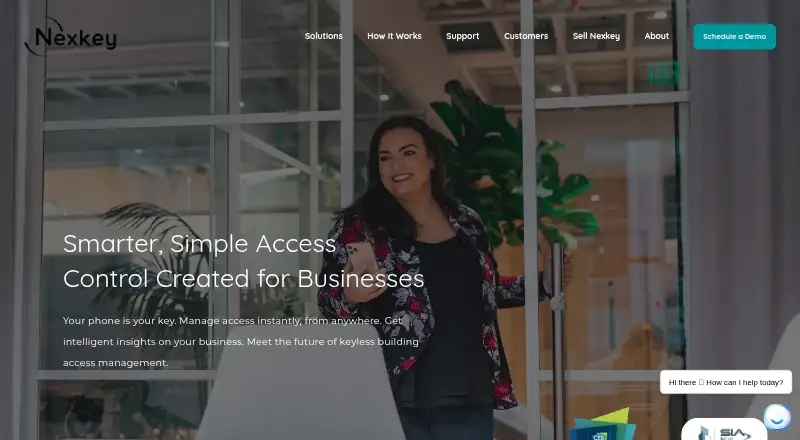
Nexkey replaces physical keys with cloud-managed access control for commercial doors. People can use a phone or Apple Watch as a key, and the app can recognize a nearby door. Administrators can grant or revoke digital keys, set schedules, and unlock doors remotely. For one-time visitors or people without a smartphone, Nexkey can send a unique keycode by text. Groups let administrators assign doors, people, and schedules together, then apply those rules to additional team members. Nexkey Portal provides access management, activity insights, messaging, and real-time entry records, with support for unlimited users and doors. It can also onboard multiple people through a CSV upload. The company describes Zapier connections with examples including Slack, Calendly, Google Calendar, Google Sheets, and LiquidSpace. Hardware options include Core, Solo, and Controller for commercial doors and compatible electrified hardware. The app download page lists Android 9 and up and iOS 16.1 or later. Pricing is available on request; service fees are paid to an installer under the customer’s contract.
Good
- Phone and Apple Watch can serve as digital keys.
- Admins can schedule access and unlock doors remotely.
- Text keycodes support one-time access.
- Portal supports unlimited users and doors.
- CSV upload can onboard multiple people.
Watch out
- Pricing is available on request.
- Android app requires version 9 or later.
- iOS app requires version 16.1 or later.
- Service fees are paid to an installer under contract.
Who it suits
Nexkey is aimed at small and growing businesses and organizations that need managed access for commercial doors. Listed examples include gyms, places of worship, salons, real estate offices, coworking spaces, retail businesses, and golf clubs.
Verdict
Nexkey combines mobile credentials, scheduled access, temporary keycodes, and a web portal for commercial doors. Businesses should confirm pricing and installer terms, and check that their phones meet the listed operating-system requirements.
The facts
Each one read from Nexkey's own pages, with the date it was checked.
What it does
- Access management
- Admins can grant or revoke digital access instantly, remotely unlock doors, and schedule access for individual users.checked 9 Oct 2026
- API
- Nexkey's Zapier integration guides include instructions for receiving an API key and formatting trigger data.checked 9 Oct 2026
- Bulk onboarding
- The Portal can grant access to multiple people by uploading a CSV file.checked 8 Oct 2026
- Commercial terms
- The terms say service fees are paid to an installer under the customer's contract, and payments are based on purchased services rather than actual usage.checked 9 Oct 2026
- Data collected
- The privacy policy says unlocking events record the registered user's name, the lock location, and the time of the unlock.checked 9 Oct 2026
- Groups
- Groups let administrators assign doors, people, and schedules once, then apply those rules to added team members.checked 8 Oct 2026
- Hardware
- Nexkey lists three products—Core, Solo, and Controller—and says they add access control to doors using one product per door.checked 9 Oct 2026
- Installation
- Nexkey says its products install on a door and describes Core installation as taking minutes.checked 8 Oct 2026
- Integrations
- Nexkey describes connecting apps through Zapier and lists Slack, Calendly, Google Calendar, Google Sheets, and LiquidSpace examples.checked 9 Oct 2026
- Intended customers
- Nexkey says it serves small and growing businesses, including gyms, places of worship, salons, real estate offices, coworking spaces, retail, and golf clubs.checked 9 Oct 2026
- Mobile entry
- The app uses a phone or Apple Watch as a key and can recognize the nearby door.checked 8 Oct 2026
- Mobile keys
- Users can unlock doors with the Nexkey app on a phone or Apple Watch.checked 9 Oct 2026
- Mobile requirements
- The download page lists Android 9 and up and iOS 16.1 or later.checked 8 Oct 2026
- Portal
- Nexkey Portal provides activity insights, messaging, real-time entry records, and access management for unlimited users and doors.checked 8 Oct 2026
- Product
- Nexkey is a business access control system that replaces physical keys with cloud-managed entry for commercial doors.checked 9 Oct 2026
- Security and privacy
- The privacy policy says Nexkey uses reasonable precautions to protect collected information, while also stating that no data security measures can guarantee security.checked 9 Oct 2026
- Support
- Nexkey's support page offers how-to guides, technical specifications, a security brief, troubleshooting articles, FAQs, and directs customers to contact their service provider for further assistance.checked 9 Oct 2026
- Supported mobile systems
- The app download page lists Android 9 and up and iOS 16.1 or later.checked 9 Oct 2026
- Temporary access
- The app can send a one-time unique keycode by text for users who do not have a smartphone or do not need ongoing access.checked 9 Oct 2026
- Web portal
- Nexkey Portal provides cloud-based access management, activity insights, messaging, and support for managing unlimited users and doors.checked 9 Oct 2026
- Who it serves
- Nexkey says it serves small and growing businesses, including gyms, places of worship, salons, real estate offices, coworking spaces, retail, and golf clubs.checked 8 Oct 2026
The company
- Founded
- 2013checked 28 Sep 2026
- Headquarters
- Nexkey lists its address as 4202 Beltway Dr, Addison, TX 75001.checked 8 Oct 2026
- Team access
- Groups let admins assign doors, users, and schedules once, then add new team members to those rules.checked 9 Oct 2026
The full review of Nexkey
Overview
Nexkey is a cloud-managed access control system that replaces physical keys at commercial doors with mobile credentials, scheduled permissions, and temporary texted keycodes. It suits small and growing businesses that need to manage staff and visitor access across their premises. Its strongest case is flexible door access managed from a phone or web portal; custom pricing and installer-based service terms make it harder to assess before contacting a provider.
Key features
The mobile app turns a phone or Apple Watch into a key and can recognize a nearby door. Administrators can issue or revoke credentials, set schedules, and unlock doors remotely. That combination can simplify day-to-day access changes for businesses whose staff hours vary, while the phone requirement makes the one-time texted keycode a useful option for visitors or people without smartphones.
Groups let administrators define doors, people, and schedules once, then apply those rules to additional team members. For a growing team, this can reduce repeated setup; it also makes access rules easier to apply consistently. The Portal adds activity insights, messaging, real-time entry records, and access management for unlimited users and doors. CSV onboarding lets administrators grant access to multiple people in one upload.
Nexkey offers Core, Solo, and Controller hardware for commercial doors and compatible electrified hardware. Its description of Core installation as taking minutes suggests a quick setup, though actual service fees and installation terms are governed by the customer’s installer contract. Zapier connections, with examples such as Slack, Calendly, Google Calendar, Google Sheets, and LiquidSpace, give businesses a route to link access workflows with those services.
Unlock records include the registered user’s name, lock location, and time. Nexkey says it takes reasonable precautions to protect collected information, while acknowledging that no data security measures can guarantee security. Businesses should account for those recorded details when deciding how to manage access and entry data.
Pricing
Nexkey is paid, with custom pricing. Service fees are paid to an installer under the customer’s contract, and payments are based on purchased services rather than actual usage. That contract-based structure means buyers should confirm the fee, included services, and installation terms directly with the installer before committing.
Platforms
Nexkey supports Android, iOS, and web access through its mobile app and Portal. The app requires Android 9 or later, or iOS 16.1 or later. Businesses with older phones should check compatibility before relying on mobile credentials; the texted keycode offers a temporary route for people who lack a smartphone.
Who it's for
Nexkey is aimed at small and growing businesses, including gyms, places of worship, salons, real estate offices, coworking spaces, retail businesses, and golf clubs. Its scheduled permissions and reusable groups are most useful where staff roles or hours need to translate into door access. A web Portal with bulk onboarding and management for unlimited users and doors also suits operators expecting their teams or access needs to expand.
Support beyond Nexkey’s documents is directed through the customer’s service provider. Buyers who want help should clarify the provider’s support arrangements as part of the contract.
Pros and cons
Pros
- Several ways to grant entry: Phone and Apple Watch credentials, scheduled access, remote unlocking, and one-time texted keycodes cover staff and occasional visitors.
- Reusable team rules: Groups apply door, user, and schedule assignments to new team members, reducing repeated administration as a business grows.
- Bulk and broad portal management: CSV onboarding and management for unlimited users and doors can help businesses handling frequent changes or larger access lists.
- Zapier connections: Examples including Slack, Google Calendar, and LiquidSpace provide options for connecting access workflows with other business services.
Cons
- Custom pricing and installer contract: Buyers must obtain a quote and confirm service and installation terms with an installer, making costs less straightforward to compare.
- Recent mobile operating systems required: Android 9 and iOS 16.1 are the minimum versions, which may rule out older devices.
- Support runs through the provider: Getting help beyond the documents depends on the Nexkey service provider, so support arrangements are part of the purchase decision.
- Entry activity is identifiable: Unlock records include a user’s name, location, and time, which may not suit businesses seeking less detailed access records.
Alternatives
For gym operators comparing access systems, see Gym Access Control Software; property operators can compare options in Property Access Control Software.
Seam is worth considering for buyers who want a freemium option, a free trial, and API access; its Unit Access plan is $5 a month and includes 5 actions per device per day, priority email support, webhooks, and supported-brand access.
FitManager Control may fit a Windows-based gym that can use the required reception PC, Wiegand RFID reader with USB converter, and USB relay board; it also offers a free trial.
re:membr Access Control is another paid option for Android, iOS, and web.
Sentry Interactive is another paid option spanning Android, iOS, web, and API platforms.
Beckon Access may suit buyers who want a free plan or a club-management add-on, priced at €99 a month billed monthly.
Gantner Fitness Check-In and Access Control is another paid option for Android, iOS, web, and API platforms.
StillHous Access Control is another paid option for Android, iOS, web, and API platforms.
Swiftlane is worth comparing for buyers who want a free plan and free trial; its Motion Detection Video Clips plan costs $30 a month per intercom device and includes up to 300 clips per day, 15-second clips, and 30-day cloud retention.
Verdict
Nexkey is a strong fit for small and growing commercial businesses that want mobile credentials, scheduled access, temporary visitor codes, and centralized management across many users and doors. Its flexible access tools and reusable team rules are the main reasons to choose it. Look elsewhere if you need transparent pricing before speaking with an installer, support directly from the product company, or compatibility with older phones.
Getting started
- Visit the Nexkey website.
- Choose a Core, Solo, or Controller product for commercial doors and compatible electrified hardware.
- Install the selected product on a door; Nexkey describes Core installation as taking minutes.
- Install the app on Android 9 or later, or iOS 16.1 or later.
- Use the phone or Apple Watch as a key, or manage access through the web Portal.
- Contact Nexkey for pricing and service terms through an installer.
Limits worth knowing
Pricing is on request, and service fees are paid to an installer under the customer's contract. Mobile app support requires Android 9 or later or iOS 16.1 or later.
Questions
How much does Nexkey cost?
Nexkey lists pricing as available on request. Its terms say service fees are paid to an installer under the customer's contract.
What platforms does Nexkey support?
Nexkey lists Android, iOS, and web. The app download page specifies Android 9 and up and iOS 16.1 or later.
Can visitors use Nexkey without a smartphone?
Yes. An administrator can send a one-time unique keycode by text to someone who lacks a smartphone or needs access only once.
Can administrators schedule or revoke access?
Yes. Administrators can grant and revoke digital keys, schedule access, and unlock doors remotely.
What integrations does Nexkey offer?
Nexkey describes connecting through Zapier, with examples including Slack, Calendly, Google Calendar, Google Sheets, and LiquidSpace.
Who makes Nexkey?
Nexkey was founded in 2013 and is headquartered at 4202 Beltway Dr, Addison, TX 75001, United States.
Alternatives to Nexkey
- 1
Swiftlane
Free planAndroidiOSWebAPI8.0From $30 a month - 2

ButterflyMX
AndroidiOSWebAPI7.2$3,995 one-time - 3
Raven CloudAccess
Free planAndroidiOSWebAPI7.2From $7.99 a month - 4

Verkada Access Control
AndroidiOSWebAPI7.0$899 one-time - 5
AXIS Camera Station Secure Entry
AndroidiOSWebAPI6.8 - 6
KisiFit
AndroidiOSWebAPI6.8From $99 a month