Filmomat SmartConvert
Filmomat SmartConvert is a standalone tool for converting color and monochrome film negatives and slides into positive images.
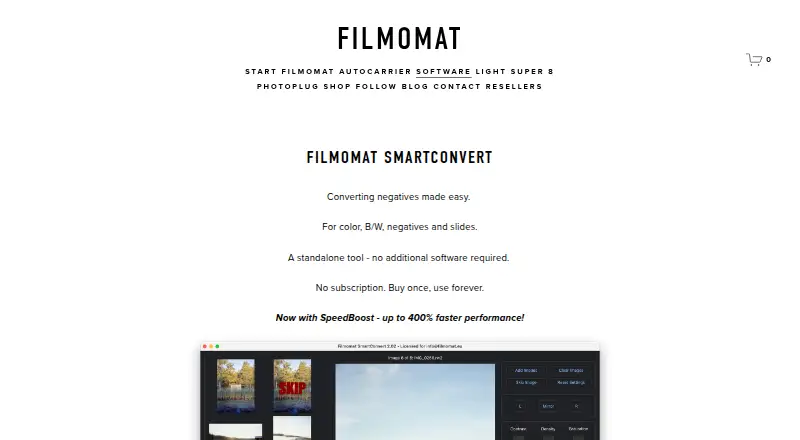
What Filmomat SmartConvert is
Filmomat SmartConvert is a standalone tool for converting color and monochrome film negatives and slides into positive images. It is designed for DSLR-scanned film and runs on macOS and Windows without additional software. AutoCrop detects the film frame, applies cropping and tilt correction, and allows manual crop changes. A calibration image of the light source can correct vignetting. Color controls include automatic white balance, CMY adjustments, and gray-area selection. A hot folder can import saved camera images, including files placed there by tethering software. SmartConvert accepts common RAW formats and TIFF, but JPG input is not supported. Exports are TIFF or JPG; TIFF output is full 16-bit and JPG files include an AdobeRGB profile. Processing usually takes 1–3 seconds per image, and SpeedBoost is advertised as up to 400% faster. The demo watermark appears on previews and exports.
Good
- Standalone workflow requires no additional software
- AutoCrop detects frames and corrects tilt
- Supports RAW and TIFF input
- Exports full 16-bit TIFF files
- Hot folder supports tethering workflows
Watch out
- JPG input is not supported
- Demo previews and exports carry watermarks
- Full license costs €199, paid once
- Major feature expansions may be paid plugins
Who it suits
It suits photographers and film digitizers working with DSLR-scanned negatives or slides on Windows or macOS. It is useful when automatic framing, color adjustment, and tethered importing are needed.
Verdict
SmartConvert focuses on a dedicated negative-to-positive workflow with crop, color, correction, and tethering tools. Check its input restrictions and single-user license terms before choosing it.
Plans and prices
From Filmomat SmartConvert's own pricing page, checked 7 Oct 2026.
| Plan | Price | What it gives you |
|---|---|---|
| SmartConvert Full License V3.40 | €199, paid once | Windows 8 or macOS 11+ · up to 4 personal devices · license sharing prohibited · €199,00 EUR, single-user license |
The facts
Each one read from Filmomat SmartConvert's own pages, with the date it was checked.
What it does
- AutoCrop
- AutoCrop detects the film frame and applies a crop and tilt, with manual crop adjustment also available.checked 7 Oct 2026
- Demo limitation
- The demo displays a watermark on both the preview and exported image.checked 7 Oct 2026
- Export
- The software exports TIFF or JPG, with TIFFs at full 16-bit and JPGs with an embedded AdobeRGB profile.checked 7 Oct 2026
- Flat-field correction
- A calibration image of the light source can be used to correct vignetting in scanned images.checked 7 Oct 2026
- Image formats
- It supports common RAW file types and TIFF input, but the quick-start guide says JPG input is not supported.checked 7 Oct 2026
- Intended workflow
- The maker presents SmartConvert for converting DSLR-scanned negatives and describes its workflow as inspired by industrial film scanners such as the Fuji Frontier.checked 7 Oct 2026
- Performance
- The product page says processing usually takes 1–3 seconds per image and advertises SpeedBoost as up to 400% faster.checked 7 Oct 2026
- Privacy
- Filmomat's privacy policy describes personal-data processing for its website, shop, requests, and contracts; it does not specify SmartConvert's image-processing data practices.checked 7 Oct 2026
- Purpose
- SmartConvert converts color and monochrome negatives and slides into positive images.checked 7 Oct 2026
- Standalone
- The product page describes SmartConvert as a standalone tool that requires no additional software.checked 7 Oct 2026
- Support
- The maker lists [email protected] as its contact email.checked 7 Oct 2026
- Tethering workflow
- A hot folder automatically imports saved images and can be used with tethering software that captures camera frames to that folder.checked 7 Oct 2026
- Updates
- Essential updates and bug fixes are included at no charge, while major feature expansions may be offered as paid plugins.checked 7 Oct 2026
- White balance
- Users can apply automatic white balance, adjust color with CMY controls, or click a gray area in the image.checked 7 Oct 2026
The company
- Headquarters
- Munich, Germanychecked 28 Sep 2026
Alternatives to Filmomat SmartConvert
- 1

Google Photos
Free planAndroidiOSWebAPI8.3Free plan - 2
FilmBox by Photomyne
Free planAndroidiOSWebmacOS8.0From $39.99 a year - 3

FilmLab
Free planAndroidiOSLinuxmacOS8.0From $59.99 a year - 4
Brother iPrint&Scan
Free planAndroidiOSmacOSWindows7.4Free plan - 5

NAPS2
Free planOpen sourceAPILinuxmacOSWindows7.4Free plan - 6

Nostalgia
Free planAndroidiOSWebmacOS7.4From $79.99 a year