FileOptimizer
FileOptimizer is a free Windows program that recompresses already-compressed files to reduce their size while preserving format and behavior.
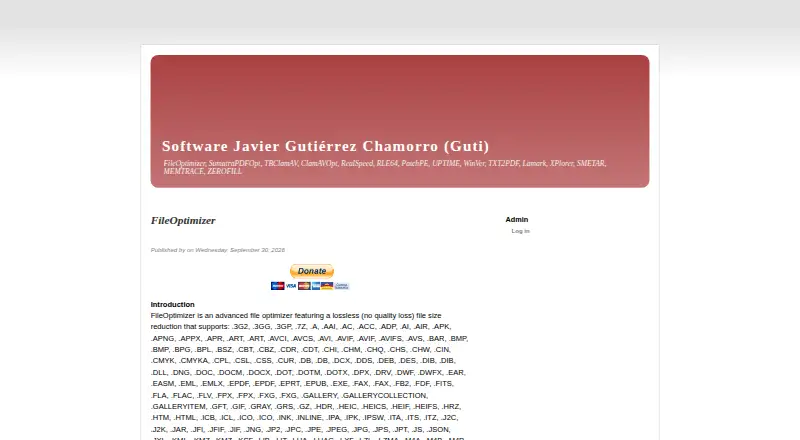
What FileOptimizer is
FileOptimizer is a free Windows program that recompresses already-compressed files to reduce their size while preserving format and behavior. Files can be added through its interface or command line, and optimization replaces them with optimized versions. The maker says it supports more than 600 file extensions and identifies file types by analyzing content rather than relying on extensions. Listed image formats include APNG, AVIF, BMP, BPG, DDS, DNG, GIF, HEIC, HEIF, ICO, J2C, J2K, JP2, JPEG, JPG, JXL, MNG, MPO, PCX, PNG, PSD, SVG, TGA, TIF, TIFF, and WEBP. By default, the program removes extra metadata and keeps original files in the recycle bin. It includes more than 90 third-party tools as plugins and supports command-line automation. Although lossless optimization is the default, options for lossy optimization are documented for PNG, JPEG, and GIF. The maker lists Windows XP through Windows 11 and Server 2022 among requirements. FileOptimizer is free for personal and commercial use under the GNU Affero General Public License.
Good
- Free for personal and commercial use.
- Supports more than 600 file extensions.
- Includes batch processing and command-line automation.
- Original files are kept in the recycle bin by default.
Watch out
- Available platform is Windows.
- Optimization overwrites files with optimized versions.
- Lossy options can reduce quality for selected formats.
Who it suits
FileOptimizer suits Windows users who want to process files in batches or automate optimization from the command line. It may also suit users who need broad file-type coverage and can accept files being overwritten during optimization.
Verdict
FileOptimizer offers broad format support and batch workflows at no charge. Note its overwrite behavior and distinguish the default lossless mode from the available lossy options.
Plans and prices
From FileOptimizer's own pricing page, checked 11 Oct 2026.
| Plan | Price | What it gives you |
|---|---|---|
| FileOptimizer | Free | Free for personal and commercial use · full version without limitations |
The facts
Each one read from FileOptimizer's own pages, with the date it was checked.
What it does
- Automation
- The maker describes command-line automation and says files or directories can be passed to the program for processing.checked 11 Oct 2026
- Batch processing
- Yeschecked 20 Sep 2026
- Compression modes
- losslesschecked 20 Sep 2026
- Deployment
- The maker lists deployment restrictions for the current user and all users, and documents silent installation and an all-users installer option.checked 11 Oct 2026
- Downloads
- The maker offers Windows x86 and x64 executables in installer and portable-capable 7z SFX distributions, plus a source archive.checked 11 Oct 2026
- File support
- The maker says it supports more than 600 file extensions and detects file types by analyzing file contents, regardless of their extensions.checked 11 Oct 2026
- Integrated tools
- The program includes more than 90 third-party tools as plugins.checked 11 Oct 2026
- License
- The program is provided free of charge under the GNU Affero General Public License, and the maker says personal and commercial use is free without feature limitations.checked 11 Oct 2026
- Lossy options
- Although the product is described as lossless by default, the maker documents options that enable lossy optimization for PNG, JPEG, and GIF.checked 11 Oct 2026
- Metadata and originals
- By default, it removes additional metadata and unneeded information, while keeping original files in the recycle bin.checked 11 Oct 2026
- Metadata controls
- Yeschecked 20 Sep 2026
- Other operating systems
- The maker reports that the Windows program works in some Linux and macOS environments through Wine, or in a Windows virtual machine.checked 11 Oct 2026
- PDF limitation
- The maker notes that PDF optimization can downsample images and reduce quality, with a profile setting to control this.checked 11 Oct 2026
- Purpose
- FileOptimizer recompresses already compressed files to reduce their size while preserving their format and behavior.checked 11 Oct 2026
- Security guidance
- The maker warns that repackaged downloads from torrent and warez sites may contain malware and recommends downloading from the official page.checked 11 Oct 2026
- Support
- The maker points users to SourceForge discussions for suggestions and bug reports and does not guarantee support or answers for users outside the community.checked 11 Oct 2026
- Supported formats
- APNG,AVIF,BMP,BPG,DDS,DNG,GIF,HEIC,HEIF,ICO,J2C,J2K,JP2,JPEG,JPG,JXL,MNG,MPO,PCX,PNG,PSD,SVG,TGA,TIF,TIFF,WEBPchecked 20 Sep 2026
- Workflow
- Users can add files in the interface or by command line, and optimization overwrites the files with optimized versions.checked 11 Oct 2026
Money
- Free plan
- Yeschecked 20 Sep 2026
Where it runs
- Windows requirements
- The listed requirements include Windows XP through Windows 11 and Server 2022, 128 MB of free memory, and 300 MB of disk space.checked 11 Oct 2026
The full review of FileOptimizer
FileOptimizer is a Windows utility for reducing the size of files that have already been compressed, while retaining their existing formats. It is a strong fit for photographers, publishers, developers, and anyone maintaining large local asset folders who needs batch work or scripting. The principal appeal is unusually broad, free local processing; the caution is that optimization replaces the working files.
Overview
The application examines file contents to identify types, rather than relying solely on filename extensions, and its maker reports support for more than 600 extensions. That makes it useful when a mixed folder contains unfamiliar or incorrectly named assets. Over 90 third-party tools operate as plugins, providing wide format coverage in one desktop package instead of a collection of single-purpose utilities.
You can add files through the interface or pass files and directories to the command line. The optimized result overwrites the source path, while the original is placed in the recycle bin by default. This gives a recovery route, but users handling irreplaceable material should still maintain their own backup process.
Key features
Lossless work with optional trade-offs
Lossless optimization is the normal mode, so it is appropriate for production assets where visual or functional fidelity must remain intact. PNG, JPEG, and GIF also have documented lossy options for readers willing to exchange some quality for smaller files. PDF processing deserves particular care: image downsampling can reduce quality, with a profile setting available to control that behavior.
Batch and command-line workflows
Batch processing is the practical advantage for image libraries, website assets, and archive cleanups. Directory input and command-line automation can fit publishing or build routines, while metadata controls remove additional metadata and other unnecessary information by default. That default can reduce privacy-sensitive or workflow-important metadata, so review the resulting files when such information matters.
Deployment and formats
Windows downloads include x86 and x64 executables in installer and portable-capable 7z SFX packages, plus a source archive. Deployment notes cover current-user and all-users installation, silent installation, and an all-users installer option. Requirements are modest: Windows XP through Windows 11 and Server 2022, 128 MB of free memory, and 300 MB of disk space. Wine may allow operation in some Linux and macOS environments, and a Windows virtual machine is another route, but those are workarounds rather than native platform support.
Pricing
| Plan | Price | What it includes |
|---|---|---|
| FileOptimizer | free | Free for personal and commercial use; full version without limitations |
There is no trial period because the complete program is free under the GNU Affero General Public License, with no feature restrictions for personal or commercial use. That makes it suitable for individuals and small commercial teams alike, provided Windows is acceptable.
Platforms
FileOptimizer is designed for Windows, from XP through Windows 11 and Server 2022. The publisher also describes operation through Wine on some Linux and macOS setups or inside a Windows virtual machine. Those options may help mixed-platform households, but users wanting a native Linux or macOS application should look elsewhere.
Who it's for
Choose it for large local collections, publishing pipelines, or scripted jobs where broad format recognition and batch processing matter more than a hosted interface. It is also well suited to organizations that need commercial use without per-seat or quota charges. It is a weaker choice for teams that require guaranteed vendor support, native non-Windows operation, or a workflow that never alters source paths.
Pros and cons
Pros
- Exceptional format reach: more than 600 extensions and content-based detection handle heterogeneous folders.
- Batch and command-line support: folders can be processed in bulk or integrated into automation.
- Complete free license: personal and commercial use are allowed without feature limits.
- Metadata control and recycle-bin originals: defaults remove excess information while preserving a basic recovery path.
Cons
- Windows-first availability: Linux and macOS use Wine or a virtual machine rather than native builds.
- In-place replacement: optimization overwrites files, so recycle-bin recovery is not a substitute for backups.
- Quality risk outside defaults: lossy image modes and PDF downsampling require deliberate profile choices.
- Community-led support: suggestions and bug reports go to SourceForge discussions, with no guaranteed response outside that community.
Alternatives
TinyPNG is better when an API-based service and a small free allowance—20 compressions per session, 5 MB per image, and three conversions per session—match your workflow.
Optimole suits web projects that need hosted delivery, with its free plan covering 2,000 monthly visits and unlimited images and sites.
JPEGmini is the alternative for users wanting Windows, macOS, Linux, or web access and a seven-day Pro-feature trial before its limited free mode of 50 images per day on one device.
pngcrush is a free, open-source option for focused PNG work across Linux, macOS, and Windows.
Fastly Image Optimizer targets API and web delivery at scale, with 100,000 image requests per month on its free tier before usage-based pricing.
Curtail is a Linux-native open-source utility focused on PNG, JPEG, WebP, and SVG compression.
Caesium Image Compressor is another free option spanning Linux, macOS, web, and Windows.
Thumbor is preferable when you need an open-source, self-hosted photo thumbnail service rather than desktop recompression.
For broader comparisons, see Image Compression Software and File Compression Software.
Verdict
FileOptimizer is an excellent choice for Windows users who need no-cost, unrestricted batch optimization across many formats, especially with command-line automation. Look elsewhere if native macOS or Linux support, guaranteed assistance, or non-destructive source handling is central to your workflow.
Alternatives to FileOptimizer
- 1
Keka
Free planOpen sourceAndroidiOSWebAPI8.6$3.99 one-time - 2

PowerArchiver
Free planmacOSWindows6.8$22.95 one-time - 3
B1 Archiver
Free planAndroidWebLinuxmacOS6.7Free plan - 4
WinRAR
AndroidLinuxmacOSWindows6.7$6 one-time - 5

Bandizip
Free planmacOSWindows6.6$20 one-time - 6
Zstandard
Free planAPILinuxmacOSSelf-hosted6.6Free plan