JPEGmini
JPEGmini is image and video compression software designed to reduce file size while retaining visual quality.
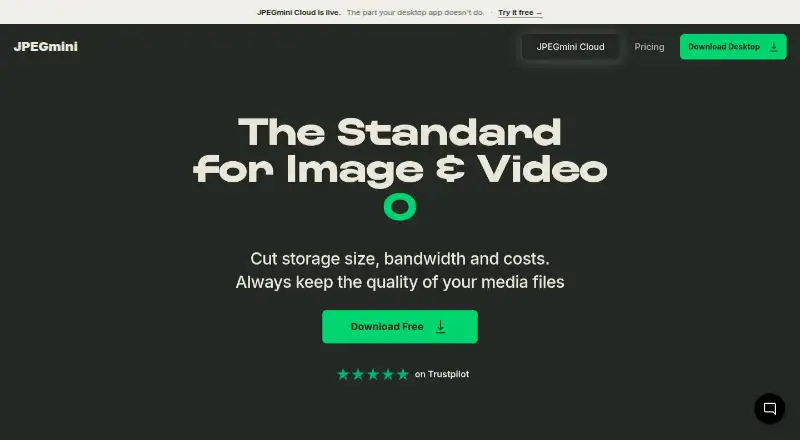
What JPEGmini is
JPEGmini is image and video compression software designed to reduce file size while retaining visual quality. Its maker says standard JPEG photo sizes can be reduced by up to 80%, depending on resolution. Desktop Pro optimizes JPEG and HEIC images, while paid plans add H.264 and H.265 video compression. Desktop plans support batch processing and resizing; Automations adds watch folders, background processing, and batch presets. Pro + Plugins lists extensions for Lightroom, Photoshop, and Capture One. The Complete Bundle includes plugins, automations, and priority email support. A Photo Server runs on company servers, is licensed annually, and offers optional resizing and metadata stripping. JPEGmini Cloud organizes uploaded wedding photos and footage into galleries by people, with storage limits varying by plan. Desktop files are processed locally, according to the privacy policy. The free desktop option allows 50 images per day on one device after a seven-day Pro trial; video is available during the trial only. The listed Pro plan is $59 a month.
Good
- Batch processing is included in desktop plans.
- Image resizing is available.
- Pro + Plugins lists three editing-app plugins.
- Desktop software processes files locally.
- Free access includes 50 images per day.
Watch out
- Free access is limited to one device.
- Video is available only during the free trial.
- Pro is listed at $59 a month.
- Photo Server is licensed annually.
Who it suits
JPEGmini suits photographers and other users who need to compress images in batches, resize them, or optimize JPEG and HEIC files. Teams handling wedding media may also consider its Cloud galleries or locally run Photo Server.
Verdict
JPEGmini covers desktop image compression, paid video compression, workflow automation, and separate server and cloud options. Check the device and image limits on free access, and compare the listed paid plan details with the workflow you need.
Plans and prices
From JPEGmini's own pricing page, checked 14 Oct 2026.
| Plan | Price | What it gives you |
|---|---|---|
| Free | Free | 50 images/day · video during trial only · JPEG/HEIC optimization · batch processing · 512MP panoramas · 1 device · 7-day full-feature trial, then free tier |
| Cloud Free | Free | 1 wedding · 5 GB · photos and video · one free go · link branding · $0 forever |
| Free (Desktop) | Free | 50 images per day after trial · video during trial only · 1 device · $0; free after a 7-day Pro trial |
| Pro | $59, paid once | Unlimited images/videos · H.264/H.265 video · resize/export · 3 devices · one-time purchase; one year of updates |
| Pro + Plugins | $89, paid once | Everything in Pro · Lightroom, Photoshop and Capture One plugins · one-time purchase; one year of updates |
| Pro + Automations | $99, paid once | Everything in Pro · watch folders · background processing · batch presets · one-time purchase; one year of updates |
| Complete Bundle | $129, paid once | Pro · all plugins · all automations · priority email support · sale price shown from $149; one year of updates |
| Cloud Pro | $199 a year | 55 weddings · 100 GB · photos and video · unbranded galleries · annual billing |
| Cloud Studio | $495 a year | 275 weddings · 500 GB · photos and video · unbranded galleries · annual billing |
The facts
Each one read from JPEGmini's own pages, with the date it was checked.
What it does
- Automation limits
- Each automation can produce up to four image sizes and four video sizes, and the guide supports up to four automations.checked 14 Oct 2026
- Automation retention
- Original files can be retained forever, one week, one day or not at all; choosing no retention deletes them permanently after processing.checked 14 Oct 2026
- Automations
- Automations provide watch folders, background processing and reusable batch presets.checked 14 Oct 2026
- Batch processing
- The desktop Pro plan includes batch processing for image and video jobs.checked 14 Oct 2026
- Batch work
- Desktop plans include batch processing, and paid Automations plans add watch folders, background processing, and batch presets.checked 5 Oct 2026
- Cloud galleries
- Cloud recipients can view and download galleries without creating an account or installing an app.checked 14 Oct 2026
- Cloud limits
- Cloud Free holds one wedding and 5 GB; Pro holds 55 weddings and 100 GB; Studio holds 275 weddings and 500 GB.checked 5 Oct 2026
- Cloud privacy claim
- JPEGmini Cloud says uploaded media is not sold, shared with model providers or used to train AI systems.checked 14 Oct 2026
- Cloud security
- The Cloud FAQ says files are stored in AWS US East and encrypted in transit and at rest, and uploaded media is not used to train AI models.checked 5 Oct 2026
- Cloud security statement
- The terms say cloud videos are encrypted during upload, storage and download, while disclaiming guaranteed security or uninterrupted availability.checked 14 Oct 2026
- Cloud service
- JPEGmini Cloud is presented for wedding photographers and filmmakers and sorts uploaded photos and footage by people into galleries.checked 5 Oct 2026
- Compression
- The maker says JPEGmini can reduce standard JPEG photo file sizes by up to 80%, depending on resolution.checked 5 Oct 2026
- Compression capability
- The maker claims reductions of up to 80% for photos, 75% for panoramas and 50% for videos.checked 14 Oct 2026
- Creative integrations
- The Plugins plan integrates directly with Adobe Lightroom, Adobe Photoshop and Capture One.checked 14 Oct 2026
- Documentation and support
- The help center contains sections for installation, licensing, downloads, working with Pro, plugins, troubleshooting and quality.checked 14 Oct 2026
- Formats
- Desktop Pro supports JPEG-to-JPEG and HEIC-to-JPEG optimization, plus H.264/H.265 video compression on paid plans.checked 5 Oct 2026
- HEIC conversion
- The desktop app converts HEIC images to JPEG.checked 14 Oct 2026
The company
- Company
- JPEGmini describes itself as crafted by Beamr, whose privacy policy lists Beamr Imaging Ltd. at 10 Hamenofim Street, Herzeliya Pituach, Israel.checked 5 Oct 2026
- Company founding
- Beamr states it was incorporated in Israel in 2009.checked 14 Oct 2026
- Company headquarters
- Crunchbase lists Beamr as headquartered in Tel Aviv, Israel.checked 14 Oct 2026
- Company legal name
- Beamr Imaging Ltd. is the legal company name associated with JPEGmini.checked 14 Oct 2026
- Company size
- Crunchbase lists Beamr's headcount range as 11–50 employees.checked 14 Oct 2026
- Headquarters
- Herzeliya Pituach, Israelchecked 28 Sep 2026
Money
- Free plan
- Yeschecked 22 Sep 2026
The full review of JPEGmini
Overview
JPEGmini is a compression suite for photographers and production teams who need to shrink image files in batches or fit compression into a larger workflow. It is strongest when desktop processing, editing plugins, or automation matter; the free desktop tier is better treated as a small daily allowance than a full-time tool.
JPEGmini recompresses images and video to reduce file size while preserving visual quality. The maker says standard JPEG photo files can shrink by up to 80%, depending on resolution, so the actual saving will vary by image. Desktop Pro handles JPEG-to-JPEG and HEIC-to-JPEG optimization, with resizing and metadata controls as additional practical tools for preparing files.
Key features
Batch processing is included in desktop plans, making the software suited to large photo sets rather than occasional single-file work. Paid plans add H.264 and H.265 video compression. Pro + Plugins integrates with Adobe Lightroom, Adobe Photoshop, and Capture One, and can optimize without exporting; that is the clearest fit for editors who want compression inside their existing editing workflow.
Pro + Automations adds watch folders, background processing, batch presets, and overnight gallery processing. These features are more useful for recurring production queues than for someone compressing files manually now and then. The Complete Bundle combines plugins and automations with priority email support.
JPEGmini Photo Server runs locally on company servers under an annual license and supports optional resizing and metadata stripping. JPEGmini Cloud is aimed at wedding photographers and filmmakers, sorting uploaded photos and footage by people into galleries. Cloud files are stored in AWS US East and encrypted in transit and at rest; uploaded media is not used to train AI models. Desktop software processes files locally, and users retain ownership of uploaded content.
Pricing
The desktop free access begins with a 7-day Pro trial, then continues with limitations: 50 images per day on one device, with video compression available only during the trial. That is enough to assess a modest image workflow, but the daily cap and loss of video compression make it restrictive for ongoing professional use.
Pro costs $59 a month for three devices and includes one year of free updates. It is the straightforward paid choice for image compression and paid video compression without plugins or automation. Pro + Plugins costs $89 a month and adds Lightroom, Photoshop, and Capture One plugins, including optimization without exporting. Pro + Automations costs $99 a month and adds watch folders, background processing, batch presets, and overnight gallery processing. The Complete Bundle costs $129 a month, combining all plugins and automations with priority email support and complete workflow automation. Each paid desktop plan includes one year of free updates; high-volume customers can contact JPEGmini.
JPEGmini Cloud has separate capacity-based tiers: Free holds one wedding and 5 GB, Pro holds 55 weddings and 100 GB, and Studio holds 275 weddings and 500 GB. These limits make the free tier a narrow trial of a wedding-delivery workflow; larger ongoing libraries call for a paid tier. The server product is licensed annually, and its price depends on custom pricing.
Platforms
JPEGmini supports Linux, macOS, web, and Windows. Its desktop compression tools cover JPEG and HEIC inputs, while the Cloud service handles uploaded photos and footage. The Photo Server offers a locally run option for companies that prefer server-side deployment.
Who it's for
JPEGmini is a good match for photographers with large batches, editing teams that want compression inside Lightroom, Photoshop, or Capture One, and studios that need unattended folder-based processing. Wedding photographers and filmmakers may find the Cloud galleries useful when its wedding and storage caps match their volume. It is less compelling for occasional users who need more than 50 free images a day, or for buyers seeking a low-cost paid tier.
Pros and cons
- Pros: Batch processing, resizing, and metadata controls make the desktop tool useful for handling and preparing whole image sets.
- Pros: Separate plugin and automation plans let professional workflows add only the integrations or recurring-job features they need.
- Pros: Local desktop processing and the locally run Photo Server give privacy-conscious users options beyond cloud processing.
- Cons: Free desktop use is capped at 50 images per day on one device, and video compression ends with the 7-day trial.
- Cons: Paid desktop plans start at $59 a month, with plugins and automation costing more; that is a substantial commitment for light use.
- Cons: Cloud Free is limited to one wedding and 5 GB, so it will not accommodate a growing delivery library.
Alternatives
Image Compression Software is the broader category directory for comparing tools across this field.
TinyPNG is a better fit for API-based compression in small sessions: its free plan allows 20 compressions per session, each image up to 5 MB, and three conversions per session.
Optimole suits web-focused image delivery, with a free tier for 2,000 monthly visits and unlimited images and sites.
Fastly Image Optimizer is an API, Linux, and web option with a free allowance of 100,000 image requests per month, making it worth considering for request-based workflows.
Kraken.io offers an API-oriented free plan with a 100 MB testing quota, a better starting point for a bounded test than JPEGmini's daily desktop cap.
Imagify is another API-based freemium option; its Starter plan allows 20 MB per month, approximately 200 images, with a 2 MB per-image limit and unlimited websites.
ShortPixel Adaptive Images is web-focused and provides 500 MB of CDN traffic per month on its free plan.
TinyJPG has a free web plan with 20 compressions per session, a 5 MB per-image limit, and three conversions per session.
XConvert Image Compressor is a web and API alternative with a Basic plan at $4.99 a month; it sets a 1 GB file limit, 200 video conversions per day, and eight hours of processing per day.
Verdict
JPEGmini is best for photographers and teams that need batch compression tied to editing software or automated production. Its plugin and automation options are the main reasons to choose it, while the steep monthly entry price and restrictive free desktop cap are the strongest reasons to look elsewhere if compression is only an occasional need.
Getting started
- Open the JPEGmini website
- Choose the Free plan or a paid plan
- Use the seven-day Pro trial when starting with Free
- Select a supported environment: Linux, macOS, Windows, or web
- Process JPEG or HEIC files, with batch processing available on desktop plans
- Choose plugins, Automations, Photo Server, or Cloud according to your plan
Limits worth knowing
After the seven-day Pro trial, the free desktop plan allows 50 images per day on one device and video processing is trial-only. JPEGmini Cloud Free stores one wedding and 5 GB.
Questions
Is JPEGmini free?
Yes. A Free plan costs nothing and includes a seven-day Pro trial, after which limitations apply.
What do paid plans cost?
Pro is $59 a month, Pro + Plugins is $89 a month, Pro + Automations is $99 a month, and Complete Bundle is $129 a month.
Which formats are supported?
Desktop Pro supports JPEG-to-JPEG and HEIC-to-JPEG optimization. Paid plans also support H.264 and H.265 video compression.
Does JPEGmini offer plugins?
Pro + Plugins lists plugins for Adobe Lightroom, Adobe Photoshop, and Capture One.
Where are cloud files stored?
The Cloud FAQ says files are stored in AWS US East and encrypted in transit and at rest.
Does JPEGmini use uploaded media to train AI?
The Cloud FAQ says uploaded media is not used to train AI models.
Alternatives to JPEGmini
- 1
imgproxy
Free planOpen sourceAndroidiOSWebAPI9.3Free plan - 2
Hive
Free planOpen sourceAndroidiOSWebAPI8.6From $5 a month - 3

Kraken.io
Free planWebAPIExtensionLinux8.4From $50 a year - 4
Optimizilla
Free planWeb7.9From $9 a month - 5
Compressify
Free planAndroidiOSWebExtension7.9From $4.99 a month - 6

Compresto
iOSWebAPIExtension7.9$49 one-time