
EventFlow
EventFlow combines event registration, ticketing, attendee management, check-in, badge printing and event intelligence.
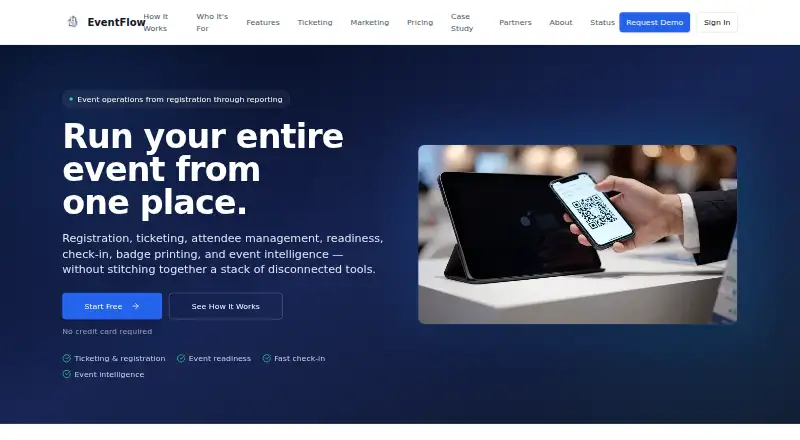
What EventFlow is
EventFlow combines event registration, ticketing, attendee management, check-in, badge printing and event intelligence. Check-in supports QR codes, name search, kiosks, walk-ins and group workflows, with on-demand badge printing. Offline mode stores event-specific attendee data locally and syncs check-ins when connectivity returns. Analytics include attendance flow reports, readiness scores, forecasts and AI-generated post-event debriefs. The platform also lists workflows for memberships, dues, committees, certification and continuing education, and operational tasks. The free Sandbox plan allows unlimited events with up to 25 attendees each, while badge printing is locked. Paid choices include per-event Starter, Standard and Pro plans, plus monthly Unlimited Ops and annual Operator License plans; Enterprise pricing is custom. Plan limits and features vary, including attendee caps on the per-event options and integrations or API access on higher plans. The security whitepaper describes role-based permissions, event-level data separation and server-side permission checks. Facial recognition is optional, off by default and requires attendee consent if enabled.
Good
- Supports QR, name-search, kiosk and group check-in.
- Offline mode synchronizes check-ins after connectivity returns.
- Provides forecasts, attendance flow reports and event readiness scores.
- Free Sandbox supports unlimited events of up to 25 attendees.
- Optional facial recognition is off by default.
Watch out
- Sandbox badge printing is locked.
- Paid event plans cap attendee counts.
- Formal certifications may be pursued as the platform scales.
Who it suits
The Sandbox is for exploring the platform, while Starter is described for small meetups and workshops. Standard targets conferences and public events, and Pro is aimed at large or multi-day events.
Verdict
EventFlow covers registration through on-site check-in, with analytics and offline support. Compare plan limits and the Sandbox badge-printing restriction with the needs of each event.
Plans and prices
From EventFlow's own pricing page, checked 9 Oct 2026.
| Plan | Price | What it gives you |
|---|---|---|
| Sandbox | Free | Unlimited events · up to 25 attendees each · real QR and name-search check-in · badge printing locked · Free forever |
| Starter | $169, paid once | Up to 250 attendees · unlimited check-in stations · mobile check-in · CSV/Excel imports · real-time dashboard · CSV exports · email support · $169/ event |
| Standard | $279, paid once | Up to 750 attendees · standard-template badge printing · kiosk mode · offline check-in · real-time analytics · multi-device check-in · $279/ event |
| Pro | $449, paid once | Up to 2,000 attendees · multi-day event management · staff management · advanced analytics and reporting · session tracking and CE credits · $449/ event |
| Unlimited Ops | $549 a month | Unlimited events and attendees · all Pro event features · badge printing and kiosk mode · CRM and webhook integrations · API access · $549/ month |
| Operator License | $3,999 a year | Unlimited events and attendees · all Pro event features · integrations · admin analytics and user management · API access · dedicated account manager · $3,999/ year |
| Enterprise | Priced on request | SSO/SAML · white-labeling and custom branding · Salesforce and HubSpot CRM sync · custom workflows · dedicated support and SLAs · advanced API access · custom security policies · Custom |
The facts
Each one read from EventFlow's own pages, with the date it was checked.
What it does
- Access controls
- The whitepaper describes role-based access control, event-level data isolation, and server-side permission validation.checked 9 Oct 2026
- Additional workflows
- The platform also lists membership, dues, committees, certification and CE programs, and operational tasks among its capabilities.checked 9 Oct 2026
- Analytics
- EventFlow provides real-time analytics, attendance flow reporting, event readiness scoring, attendance forecasts, and AI post-event debriefs.checked 9 Oct 2026
- Audience
- The pricing page describes Sandbox as for exploration, Starter for small meetups and workshops, Standard for conferences and public events, and Pro for large or multi-day events.checked 9 Oct 2026
- Biometrics
- Facial recognition is described as optional, disabled by default, and subject to attendee consent if enabled.checked 9 Oct 2026
- Check-in
- The product supports QR and name-search check-in, kiosks, walk-ins, group workflows, and on-demand badge printing.checked 9 Oct 2026
- Compliance
- The whitepaper says formal certifications such as SOC 2 may be pursued as the platform scales.checked 9 Oct 2026
- Data protection
- The whitepaper says communications use TLS 1.2+ and backend event data is encrypted at rest using hosting-environment mechanisms.checked 9 Oct 2026
- Integrations
- The security whitepaper names Salesforce and HubSpot CRM integrations and describes company-scoped webhooks signed with HMAC-SHA256.checked 9 Oct 2026
- Offline
- The security whitepaper says offline mode caches event-specific attendee data and synchronizes check-ins when connectivity returns.checked 9 Oct 2026
- Payment data
- The security whitepaper states EventFlow does not process financial payment information unless integrated through third-party providers.checked 9 Oct 2026
- Product
- EventFlow combines event registration, ticketing, attendee management, check-in, badge printing, and event intelligence in one platform.checked 9 Oct 2026
- Support
- The pricing page lists email support on Starter, priority email support on Standard, priority support on Pro and Unlimited Ops, and a dedicated account manager on Operator License.checked 9 Oct 2026
The full review of EventFlow
Overview
EventFlow brings registration, ticketing and attendee operations into a platform that extends from sign-up to check-in and post-event reporting. It suits organizers whose events need structured onsite workflows, particularly conferences and programs that span multiple days.
Its strongest case is the combination of check-in tools, offline support and analytics; the main trade-off is that attendee capacity and useful operational features are divided across paid tiers, while Sandbox locks badge printing.
Key features
Check-in supports QR codes, name search, kiosks, walk-ins and group workflows. On-demand badge printing makes the platform more useful at a staffed event than a registration-only tool, but it is unavailable on Sandbox. Standard is the first plan with kiosk mode, offline check-in and multi-device check-in. Offline mode caches event-specific attendee data and syncs check-ins when connectivity returns, which matters at venues where a dropped connection could otherwise disrupt arrival.
Reporting covers real-time analytics, attendance flow, event-readiness scoring, attendance forecasts and AI post-event debriefs. Standard includes real-time analytics; Pro adds advanced analytics and reporting, along with multi-day event management, staff management, session tracking and CE credits. That makes Pro a more compelling upgrade for programs that need to track participation across sessions, not simply accommodate a larger crowd.
Beyond events, EventFlow supports membership, dues, committees, certification, continuing education and operational tasks. Salesforce and HubSpot CRM integrations, company-scoped webhooks signed with HMAC-SHA256, and API access on higher tiers can help connect event operations to other systems. EventFlow does not process financial payment information unless connected through a third-party provider.
The security whitepaper describes TLS 1.2+ communications, encryption at rest through hosting-environment mechanisms, role-based access controls, event-level data isolation and server-side permission checks. Facial recognition is optional, disabled by default and subject to attendee consent if enabled. Formal certifications such as SOC 2 may be pursued as the platform scales; teams that require an existing certification should account for that before choosing it.
Pricing
Sandbox is free forever at no cost, with unlimited events and up to 25 attendees per event. It includes real QR and name-search check-in, but badge printing is locked. It is suited to exploring the workflow or running small events that do not need printed badges; the 25-person cap and printing restriction make it a poor fit for larger onsite programs.
Starter costs $169, paid once ($169/ event) and supports up to 250 attendees. It adds unlimited check-in stations, mobile check-in, CSV/Excel imports, a real-time dashboard, CSV exports and email support. That is a practical step up for a small meetup or workshop needing more room and basic event reporting, though it lacks the kiosk and offline features found on Standard.
Standard costs $279, paid once ($279/ event), with capacity for up to 750 attendees. Standard-template badge printing, kiosk mode, offline check-in, real-time analytics and multi-device check-in make it the clearest choice for conferences and public events where arrival operations matter. Its cap may not stretch to larger programs.
Pro costs $449, paid once ($449/ event) and raises capacity to 2,000 attendees. It adds multi-day event management, staff management, advanced analytics and reporting, session tracking and CE credits. Choose it for a large or multi-day event that needs those workflows; a single-day event below Standard's cap may not benefit enough to justify the increase.
Unlimited Ops costs $549 a month and includes unlimited events and attendees, all Pro event features, badge printing and kiosk mode, CRM and webhook integrations, and API access. It is aimed at ongoing operations with multiple events, rather than an organizer buying access for one event at a time. Operator License costs $3,999 a year and also includes unlimited events and attendees, all Pro features, integrations, admin analytics and user management, API access, and a dedicated account manager. Its annual term and account-management provision suit teams seeking a continuing operating license.
Enterprise has custom pricing and adds SSO/SAML, white-labeling and custom branding, Salesforce and HubSpot CRM sync, custom workflows, dedicated support and SLAs, advanced API access and custom security policies. Starter offers email support; Standard upgrades to priority email, while Pro and Unlimited Ops include priority support. Compare the per-event plans with the monthly and annual options against how often you run events, not just attendee count.
Platforms
EventFlow supports Android, iOS, web and API access. That range suits teams combining mobile check-in with browser-based event management or system integrations.
Who it's for
EventFlow is best for organizers who need more than registration and ticketing: conferences with onsite check-in, multi-day programs tracking sessions and continuing-education credits, or teams managing recurring events and related membership programs. Small meetups can start on Sandbox or Starter, but anyone who needs printed badges, offline operation or a larger attendee allowance should compare the paid tiers before committing.
Pros and cons
- Pros: QR and name-search check-in, kiosk and group workflows, and on-demand badge printing cover varied onsite arrival needs.
- Pros: Standard's offline mode caches attendee data and synchronizes check-ins later, helping maintain check-in when venue connectivity is unreliable.
- Pros: Pro's session tracking and CE credits, plus workflows for membership and certification, support programs beyond one-off ticketed events.
- Cons: Sandbox caps events at 25 attendees and locks badge printing, limiting its use for real onsite operations.
- Cons: Offline check-in and kiosk mode begin at Standard, so Starter may be insufficient for venues that depend on either.
- Cons: The per-event tiers can be less suitable for teams running events continuously than the monthly or annual unlimited plans.
Alternatives
For a focused comparison of badge-printing tools, see Event Badge Printing Software. Choose EventCreate if its free plan's 50-attendee allowance and one-user limit fit better than EventFlow Sandbox's 25-attendee cap. Eventleaf is another freemium option for organizers comparing event-management plans. BrioLabel Event Check-In is an alternative for readers considering a label-focused check-in tool. Ticketbud is worth comparing when its free-events and paid-events model better matches ticketing needs. CredsNow is an alternative for readers comparing badge-design and check-in options. Eventbrite is another freemium event-publishing option, with free tickets carrying no ticketing fees. EventTitans Abstract Management is an alternative to consider for abstract-management workflows. EventX is another freemium event option with a free plan.
Verdict
Choose EventFlow if your event operation depends on onsite check-in, badge printing, offline resilience or reporting that extends into sessions and CE credits. Standard is the strongest fit for many conferences; Pro makes sense when multi-day management and session-level tracking matter. Look elsewhere if you need badge printing on a free plan, a smaller set of event tools, or a security certification already in place.
Getting started
- Open the EventFlow website
- Choose Sandbox, Starter, Standard, Pro, Unlimited Ops, Operator License, or Enterprise
- Create an event and import attendee data by CSV or Excel where supported
- Configure QR, name-search, kiosk, walk-in, or group check-in
- Use onsite badge printing on a plan that includes it
- Connect Salesforce, HubSpot, webhooks, or API access when included
Limits worth knowing
Sandbox is free forever for unlimited events with up to 25 attendees per event, and badge printing is locked. Starter supports up to 250 attendees, Standard up to 750, and Pro up to 2,000; Unlimited Ops and Operator License provide unlimited events and attendees.
Questions
Is there a free EventFlow plan?
Yes. Sandbox is free forever for unlimited events, with up to 25 attendees per event.
What does Sandbox restrict?
Badge printing is locked on Sandbox, and each event can have up to 25 attendees.
How much do the paid event plans cost?
Starter costs $169 per event, Standard $279 per event, and Pro $449 per event.
Does EventFlow work offline?
Yes. Offline mode caches event-specific attendee data and synchronizes check-ins when connectivity returns.
Which CRM integrations are listed?
The security whitepaper names Salesforce and HubSpot CRM integrations.
Is facial recognition required?
No. It is optional, disabled by default, and requires attendee consent if enabled.
Alternatives to EventFlow
- 1

Eventbrite
Free planAndroidiOSWebAPI8.2From $15 a month - 2

EventCreate
Free planAndroidiOSWeb8.2From $5 a month - 3
Eventleaf
Free planAndroidiOSWebAPI8.2From $1 a year - 4

EventTitans Abstract Management
Free planAndroidiOSWebAPI8.2From $99 a month - 5

RegFox
Free planAndroidiOSWebAPI8.2From $499 a month - 6

Zoho Backstage
Free planAndroidiOSWebAPI8.2From ₹7,900 a month