BrioLabel Event Check-In
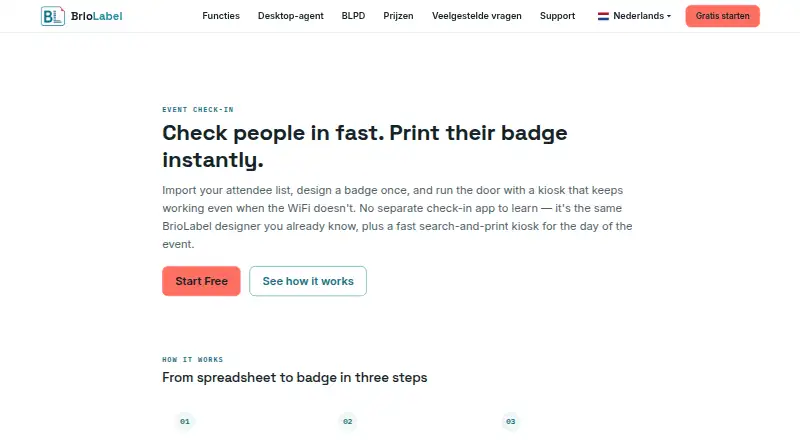
BrioLabel Event Check-In helps event organizers import attendee lists, locate guests at a kiosk, record arrivals, and print badges.
What BrioLabel Event Check-In is
BrioLabel Event Check-In helps event organizers import attendee lists, locate guests at a kiosk, record arrivals, and print badges. Lists can be uploaded as CSV files from Excel, Google Sheets, or registration platforms. Before import is completed, the tool maps columns and flags fields that would otherwise print blank. At the kiosk, staff can search attendees, check them in and print badges in one action, reprint badges, or undo an error. Walk-ins can be added directly, both online and offline. After the kiosk has loaded, searching, check-in, printing, and walk-in registration continue without a connection; queued actions sync when connectivity returns. Badge creation uses the drag-and-drop designer also used for BrioLabel shipping and product labels. Attendee data and badge design can be changed independently, even during an event. The free Hobby plan allows 200 labels per month.
Good
- Accepts attendee lists as CSV uploads.
- Flags fields that would print blank before import.
- Kiosk actions continue offline after loading.
- Walk-ins can be added online or offline.
- Badge designs can change during an event.
Watch out
- The free plan is limited to 200 labels per month.
- Paid plans differ by monthly label allowance.
- No direct registration-platform integrations are named.
Who it suits
It suits event teams that need kiosk-based check-in and badge printing, including events that may have unreliable connectivity. It may also fit organizations already using CSV attendee lists and label workflows.
Verdict
BrioLabel combines attendee lookup, check-in, and badge printing, with offline kiosk operation after initial loading. Check the monthly label allowance against expected event use.
Plans and prices
From BrioLabel Event Check-In's own pricing page, checked 30 Sep 2026.
| Plan | Price | What it gives you |
|---|---|---|
| Hobby | Free | 200 labels / month · Free |
| Studio | $9 a month | 500 labels / month · $9/mo |
| Merchant | $19 a month | 2,000 labels / month · $19/mo |
| Distributor | $49 a month | 8,000 labels / month · $49/mo |
| Warehouse | Priced on request | Unlimited labels · Contact us |
The facts
Each one read from BrioLabel Event Check-In's own pages, with the date it was checked.
What it does
- Attendee import
- Attendee lists can be uploaded as CSV exported from Excel, Google Sheets, or a registration platform.checked 30 Sep 2026
- Badge changes
- The badge design and attendee list are independent and either can be changed after importing attendees, including during an event.checked 30 Sep 2026
- Badge design
- Event badges use the same drag-and-drop designer as BrioLabel shipping and product labels.checked 30 Sep 2026
- Desktop printing
- BrioLabel says its free Desktop Agent connects the browser to local printers and translates BLPD into ZPL, TSPL, or Brother Raster.checked 30 Sep 2026
- Import validation
- BrioLabel maps attendee columns and flags fields that would print blank before import is completed.checked 30 Sep 2026
- Integrations
- The Event Check-In page describes CSV uploads, including CSV exports from Excel and Google Sheets; it does not name direct registration platform integrations.checked 30 Sep 2026
- Offline operation
- After the kiosk loads, search, check-in, printing, and walk-in registration continue working without a connection; queued actions sync when it returns.checked 30 Sep 2026
- Pricing limits
- The pricing page says all paid plans include the complete feature set and differ by their monthly label allowance.checked 30 Sep 2026
- Purpose
- BrioLabel Event Check-In imports attendee lists, searches attendees at an event kiosk, records check-in, and prints badges.checked 30 Sep 2026
- Security
- BrioLabel says check-in actions are queued locally while offline and synced automatically after connectivity returns.checked 30 Sep 2026
- Support
- BrioLabel lists email and WhatsApp as contact options for questions, feedback, feature requests, and partnership inquiries.checked 30 Sep 2026
- Walk-ins
- Walk-in participants can be added directly from the kiosk, online or offline.checked 30 Sep 2026
- Who it serves
- BrioLabel describes its platform for label use cases including event badges, name tags, shipping, product, inventory, QR, and barcode labels.checked 30 Sep 2026
Where it runs
- Kiosk features
- The kiosk supports attendee search, one-action check-in and badge printing, badge reprints, and undoing a mistaken action.checked 30 Sep 2026
The full review of BrioLabel Event Check-In
BrioLabel Event Check-In is an event kiosk for attendee lookup, check-in, and badge printing. It suits organizers who want those jobs in one workflow and need the kiosk to keep running through a network outage. Its entry-level paid plan is inexpensive, but the monthly label allowance—not attendee or event volume—is the key constraint.
Overview
Import attendee lists as CSV files exported from Excel, Google Sheets, or a registration platform. BrioLabel maps the columns and flags fields that would print blank before import completes, helping organizers catch badge-data problems in advance. The described workflow is file-based; teams that need direct registration-platform syncing should look elsewhere.
At the kiosk, staff can search for an attendee, check them in and print a badge in one action, reprint a badge, or undo a mistaken check-in. Walk-ins can be added online or offline. That covers common arrival-desk needs without turning the product into a full event-management suite.
Key features
Badges and attendee data
The drag-and-drop badge designer is shared with BrioLabel’s shipping and product labels. Attendee records and badge layouts remain independent, so organizers can change either after import, even during an event. That flexibility is useful when names or layouts need correction late, while teams needing sophisticated registration workflows may find the kiosk-oriented scope narrow.
Offline kiosk and printing
Once the kiosk has loaded, attendee search, check-in, badge printing, and walk-in registration continue without a connection. Actions queue locally and sync automatically after connectivity returns, reducing the risk that a venue outage will halt arrivals. BrioLabel’s free Desktop Agent connects the browser to local printers and translates BLPD into ZPL, TSPL, or Brother Raster. The Agent handles the browser-to-printer connection; it does not remove the need to account for the label quota.
Email and WhatsApp are contact options for questions, feedback, feature requests, and partnership inquiries.
Pricing
BrioLabel uses a freemium model, and paid plans include the complete feature set; the difference is monthly label allowance. That makes plan choice depend on expected badge printing volume rather than a feature gate.
| Plan | Price | Monthly labels | Best fit |
|---|---|---|---|
| Hobby | free | 200 | Small events or occasional use |
| Studio | $9 a month | 500 | Low-volume regular use |
| Merchant | $19 a month | 2,000 | More frequent or larger badge runs |
| Distributor | $49 a month | 8,000 | High-volume printing |
| Warehouse | Custom pricing | Unlimited | Organizations needing unrestricted label volume |
Hobby offers a way to use the workflow at no charge, but 200 labels per month can be restrictive if events are frequent or attendance is high. Studio starts at $9/mo and raises the cap to 500; Merchant and Distributor increase it to 2,000 and 8,000 respectively. Warehouse has unlimited labels and custom pricing. Since all paid plans include the full feature set, moving up is about volume, not unlocking kiosk capabilities.
Platforms
BrioLabel supports macOS, Windows, and web. The check-in workflow is described as a browser kiosk, with the free Desktop Agent bridging the browser to local printers. That combination suits venues using desktop-connected printers, rather than organizers seeking a mobile-only kiosk workflow.
Who it's for
Choose BrioLabel when attendee check-in and onsite badge printing need to work together, particularly for venues where connectivity can be unreliable or walk-ins are expected. It also makes sense for organizations already using BrioLabel across event badges, name tags, shipping, product, inventory, QR, or barcode labels. It is a weaker fit for teams that require direct registration-platform integrations or whose print volume regularly exceeds the included monthly allowance.
Pros and cons
- Pros: Offline search, check-in, printing, and walk-in registration keep the arrival desk moving through a connection loss.
- Pros: Column mapping and blank-field warnings help catch attendee-data problems before badges are printed.
- Pros: Layouts and attendee data can be changed independently, including during an event.
- Cons: Attendee import is described through CSV uploads, so teams needing direct registration-platform syncing should not rely on it for that workflow.
- Cons: Even the paid plans are governed by monthly label allowances, which may constrain event-heavy or high-attendance use.
Alternatives
Event Badge Printing Software is a useful category starting point for comparing badge-focused tools. Consider CredsNow if its free account’s unlimited badge designs, events, data loading, and check-in screens better match a high-volume setup. Badgy is another web-based freemium option; choose it if its free plan’s unlimited check-in devices, real-time sync, and offline capability are the priority.
Eventleaf offers a free Starter plan with 100 attendees per year, unlimited events, and users, so it may suit organizers prioritizing event and user capacity. EventTitans Abstract Management has a free plan capped at 100 attendees, 3 sessions, and 3 speakers, making it a possible fit when abstract and session management matter. Ticketbud offers free events with access to all features and may suit organizers comparing event-ticketing options.
Conference Badge is a paid alternative with a per-badge PDF option for readers who want ready-to-print badges compatible with Avery kits. Zoho Backstage may suit organizers comparing broader event-management software. EventCreate may suit organizers comparing event-creation software.
Verdict
BrioLabel Event Check-In is a strong fit for organizers who need dependable attendee lookup, onsite badge printing, and offline kiosk operation in one workflow. Its CSV checks and editable badge layouts are practical strengths, and the paid tiers preserve the full feature set. Choose another tool if you need direct registration syncing or if your monthly print volume makes the label caps a poor fit.
Getting started
- Visit https://briolabel.com/nl/event-check-in/.
- Choose Hobby or a paid plan based on its monthly label allowance.
- Upload an attendee CSV exported from Excel, Google Sheets, or a registration platform.
- Map attendee columns and review fields flagged as blank before finishing the import.
- Use the kiosk to search attendees, check them in, and print badges.
- Add walk-ins at the kiosk as needed, including while offline after it has loaded.
Limits worth knowing
Hobby allows 200 labels per month. Studio, the least expensive listed paid plan, costs $9 a month and allows 500 labels per month.
Questions
Is BrioLabel Event Check-In free?
Yes. The Hobby plan costs nothing and includes 200 labels per month.
What does the least expensive paid plan cost?
Studio costs $9 a month and includes 500 labels per month.
Which platforms are supported?
The listed platforms are macOS, web, and Windows.
Can check-in continue without internet?
After the kiosk loads, attendee search, check-in, printing, and walk-in registration continue offline. Queued actions sync when connectivity returns.
How do I import attendees?
Upload a CSV exported from Excel, Google Sheets, or a registration platform. The system maps columns and flags fields that would otherwise print blank.
Are there direct registration platform integrations?
The Event Check-In page describes CSV uploads, including exports from Excel and Google Sheets, but does not name direct registration platform integrations.
Alternatives to BrioLabel Event Check-In
- 1

Eventbrite
Free planAndroidiOSWebAPI8.2From $15 a month - 2

EventCreate
Free planAndroidiOSWeb8.2From $5 a month - 3
Eventleaf
Free planAndroidiOSWebAPI8.2From $1 a year - 4

EventTitans Abstract Management
Free planAndroidiOSWebAPI8.2From $99 a month - 5

RegFox
Free planAndroidiOSWebAPI8.2From $499 a month - 6

Zoho Backstage
Free planAndroidiOSWebAPI8.2From ₹7,900 a month