
Espanso
Espanso is a free text expansion tool for Windows, macOS and Linux.
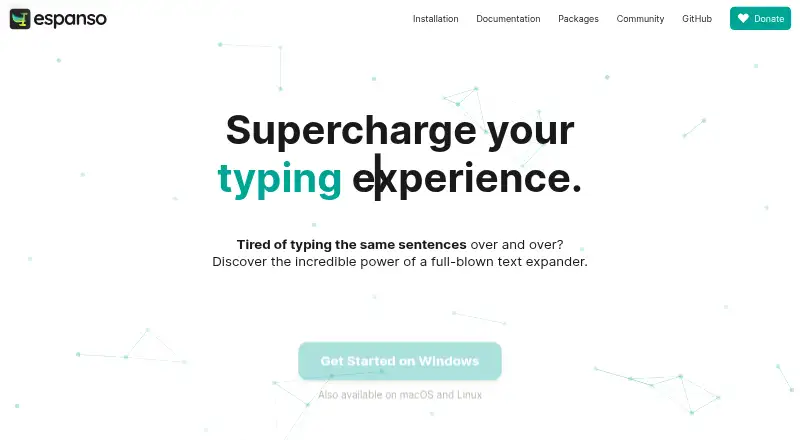
What Espanso is
Espanso is a free text expansion tool for Windows, macOS and Linux. It detects configured keywords as they are typed and replaces them with saved text, including reusable templates for customer support replies, sales pitches and medical reports. A search bar opened with Alt+Space lets users find and insert snippets. Snippets can also insert dates or emoji shortcuts, run shell commands or custom scripts, and use forms to pass values to scripts. Users can install or create reusable packages through Espanso Hub, which has a package manager and store. Espanso says it works with most applications and supports app-specific configurations. Setup is managed through YAML files; the homepage describes a graphical interface as planned for the future. Configuration can be synchronized through cloud storage or GitHub, though the unmanaged-directory method is marked experimental. The software is open-source under the GPL-3 license. Espanso includes few built-in matches, and some trigger types are not currently supported. The site directs bug reports and feature ideas to GitHub issues.
Good
- Free and open-source under GPL-3.
- Search and insert snippets with Alt+Space.
- Supports reusable templates and date snippets.
- Scripts can use values passed through forms.
- App-specific configurations are available.
Watch out
- Configuration uses YAML files.
- The graphical interface is planned, not available.
- Few built-in matches are included.
- Some trigger types are not currently supported.
Who it suits
Espanso suits users who want to automate repeated typing across Windows, macOS or Linux. It may also fit people comfortable editing YAML configuration files and working with scripts.
Verdict
Espanso offers configurable text replacement, scripts and reusable packages across three desktop platforms. Its file-based setup and limited built-in matches are worth considering before choosing it.
Plans and prices
From Espanso's own pricing page, checked 2 Oct 2026.
| Plan | Price | What it gives you |
|---|---|---|
| Espanso | Free | Open-source software · GPL-3 license |
The facts
Each one read from Espanso's own pages, with the date it was checked.
Where it runs
- App support
- Espanso says it works with most applications and supports app-specific configurations.checked 2 Oct 2026
- Supported platforms
- Windows, macOS, Linuxchecked 20 Sep 2026
What it does
- Configuration
- Configuration uses files in YAML format, and the homepage says a GUI is planned for the future.checked 2 Oct 2026
- Dates and emojis
- Espanso supports date snippets, including past and future dates, and emoji shortcuts.checked 2 Oct 2026
- Limits
- Espanso ships with very few built-in matches, and some match triggers are listed as not currently supported but on the roadmap.checked 2 Oct 2026
- Packages
- Users can install or create reusable packages through the Espanso Hub, which has a built-in package manager and store.checked 2 Oct 2026
- Scripts and forms
- Snippets can use shell commands or custom scripts, and forms can pass values to scripts.checked 2 Oct 2026
- Search
- The search bar opens with Alt+Space so users can search for and insert snippets.checked 2 Oct 2026
- Security
- The Security documentation page directs readers to the project file for security information.checked 2 Oct 2026
- Support
- The site directs users with bugs or feature ideas to open an issue on GitHub.checked 2 Oct 2026
- Synchronization
- Users can sync configuration through cloud storage such as Dropbox or Google Drive, or through GitHub; the unmanaged-directory method is described as experimental.checked 2 Oct 2026
- Templates
- It supports reusable templates for customer support replies, sales pitches, and medical reports.checked 2 Oct 2026
- What it does
- Espanso detects typed keywords and replaces them with configured text while you type.checked 2 Oct 2026
Money
- Free plan
- Yeschecked 20 Sep 2026
The full review of Espanso
Espanso is a free, open-source text expander for Windows, macOS and Linux. It suits people who want reusable snippets, scripted insertion and portable configuration across desktop systems. Its strongest appeal is control; the cost is a file-based setup and a notably small starting library.
Overview
Espanso watches the text you type for configured keywords, then replaces them with saved content. That makes recurring customer replies, sales pitches and medical reports practical to reuse instead of retyping. App-specific configurations let you adjust behavior for particular programs, and Espanso says it works with most applications.
A search bar opened with Alt+Space provides a second route to snippets. It is useful when you remember the text you need but not its trigger, especially as your collection grows. The limitation is that Espanso ships with very few built-in matches, so the initial experience depends on creating or installing your own.
Key features
Reusable templates handle structured, repeated writing. Date snippets can insert dates in the past or future, while emoji shortcuts cover commonly used symbols. These are focused productivity tools rather than a complete content library: they become valuable after you define matches that reflect your work.
Snippets can invoke shell commands or custom scripts, and forms can pass values into those scripts. That combination supports variable-driven output and more involved automations, making Espanso particularly suitable for technically confident users with repeatable workflows. It is less appropriate if you only want a simple preset catalogue.
The Espanso Hub provides a built-in package manager and store for installing or creating reusable packages. Packages can reduce the work of building a collection from scratch, although the sparse built-in set still means some setup is unavoidable. Some match triggers are not currently supported and remain on the roadmap, which can rule out particular workflows.
Configuration is stored in YAML files. This keeps settings explicit and portable for users comfortable editing text, but there is no graphical configuration interface today; the homepage says a GUI is planned for the future. Configuration can be synchronized through Dropbox, Google Drive or GitHub. The unmanaged-directory approach is described as experimental, so it is not the safest choice for a workflow that requires a mature synchronization method.
Security information is directed to the project's file, and bug reports or feature ideas go through GitHub issues. That support path suits an open-source project, but it is a community issue workflow rather than a conventional customer-support channel.
Pricing
Espanso costs free under its free plan. The plan is open-source software released under the GPL-3 license, with no paid tier, seat charge or usage quota stated. It is therefore a straightforward choice for individuals, teams and developers who can accept self-managed configuration. The trade-off is that you do not get a separate paid service tier that might bundle a graphical setup or a larger ready-made library.
Platforms
Espanso supports Windows, macOS and Linux. That cross-platform coverage is useful when your work spans desktop operating systems and you want the same expansion approach across them. Synchronization through cloud storage or GitHub can help keep configurations aligned, though the experimental unmanaged-directory method deserves caution.
Who it's for
Choose Espanso if you repeatedly write similar text, need snippets that can call scripts, or want one open-source tool across Windows, macOS and Linux. It is a particularly good fit for developers, support staff and technical teams willing to maintain YAML files and build a tailored match set.
Look elsewhere if you expect a polished GUI, extensive built-in snippets or universal support for every trigger type from the start. Espanso's flexibility rewards setup effort; users seeking immediate, mostly preset expansion will face unnecessary configuration work.
Pros and cons
Pros
- Free and open source: the GPL-3 plan costs nothing and avoids paid-seat decisions.
- Cross-platform: Windows, macOS and Linux support makes it practical for mixed-device workflows.
- Scriptable snippets: shell commands, custom scripts and form values enable output beyond static text.
- Package ecosystem: the Espanso Hub combines a package store with tools to install or create reusable packages.
- Flexible retrieval: keyword replacement and the Alt+Space search bar cover both fast and discoverable insertion.
Cons
- Few built-in matches: most users must create or install their own snippets before Espanso feels useful.
- YAML configuration: file editing favors technically comfortable users and lacks the convenience of a current GUI.
- Incomplete trigger coverage: some match triggers are not supported yet, limiting certain designs.
- Synchronization caveat: the unmanaged-directory method is experimental, so portable setups need care.
- Issue-based support: bugs and feature ideas are routed through GitHub rather than a dedicated support desk.
Alternatives
TextExpander is the better choice when you want a freemium service with extension, mobile, web and desktop platform coverage, though its Free plan allows five active snippets.
Briskine fits users who prefer web and mobile access; its free tier permits 30 templates for one person, while Premium costs $7 a month for expanded use.
PhraseExpress is worth considering for users seeking iOS, macOS and Windows support with a free trial and lifetime-license options.
typedesk suits personal users who want a graphical, cross-platform freemium tool; its free plan is limited to 50 uses per week for one user.
Rocket Typist is a focused Apple-device alternative, with a free plan capped at 10 snippets.
Snippety is for Apple users who prefer a one-time Mac purchase or an all-Apple-device subscription.
Text Blaze is a browser and desktop option whose free plan limits snippets and sharing.
AutoKey is the closest Linux-only alternative for users who want another free GPL v3 desktop utility.
For broader category browsing, see Text Expanders Software and Text Expansion Software.
Verdict
Espanso is a strong recommendation for technical users who want a free, open-source expander with scriptable snippets and the same approach on Windows, macOS and Linux. Choose it for control and automation; look elsewhere if a graphical setup, a substantial built-in library or fully supported trigger coverage matters more than configurability.
Alternatives to Espanso
- 1

PhraseExpress
Free planAndroidiOSAPImacOS8.2$99.95 one-time - 2
InsertKit
Free planAndroidWebAPIExtension8.0From $2.99 a month - 3

Sniips
Free planAndroidiOSWebAPI8.0From $4 a month - 4

TextExpander
Free planiOSWebExtensionLinux7.9From $5 a month - 5

Briskine
Free planAndroidiOSWeb7.7Free plan - 6
Snippety
Free planiOSmacOS7.7From $2.99 a month