
PhraseExpress
PhraseExpress manages reusable text templates and expands short abbreviations into longer phrases in other programs.
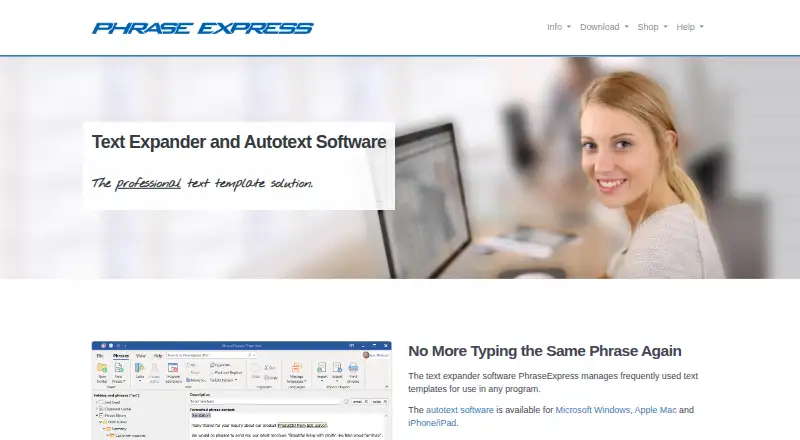
What PhraseExpress is
PhraseExpress manages reusable text templates and expands short abbreviations into longer phrases in other programs. Its Windows version can organize snippets in nested folders and trigger them through hotkeys, abbreviations, application windows, clipboard contents, or schedules. Windows tools also include a macro recorder integration, document generator, input forms, clipboard manager, and system-wide spelling correction. PhraseExpress connects with database and cloud services, including Microsoft SQL Server, Azure SQL, Amazon SQL, Dropbox, Google Drive, and OneDrive. It can use third-party online or self-hosted AI tools to translate, shorten, expand, rewrite, or create phrases. The maker says it is installed on premise, does not send text input or saved phrases, and supports end-to-end AES encryption of phrase files. Windows licenses are one-time purchases with 12 months of updates and upgrades; after 30 days, an unlicensed Windows installation becomes freeware for personal use. The iOS app is free with no feature limitation. Windows licenses cover one person on up to three computers using the same user name.
Good
- Expands abbreviations into reusable phrases.
- Windows version offers varied phrase triggers.
- Includes clipboard and document automation tools.
- Free iOS app has no feature limitation.
- Supports end-to-end AES encryption of phrase files.
Watch out
- The 30-day Windows trial then becomes personal-use freeware.
- A standalone license covers one person.
- SQL Server use requires a separate license per user connection.
- Freeware support is reserved for paying users.
Who it suits
PhraseExpress suits people who reuse text across programs, including professionals such as doctors, lawyers, teachers, consultants, and customer care specialists. Teams needing shared snippets or organizations using databases and cloud services may also find its listed options relevant.
Verdict
PhraseExpress combines text expansion with broader Windows automation and multiple organization and integration options. Check the licensing terms, especially for SQL Server use or support needs, before choosing it.
Plans and prices
From PhraseExpress's own pricing page, checked 15 Oct 2026.
| Plan | Price | What it gives you |
|---|---|---|
| iOS app | Free | iPhone/iPad app; no feature or time limit; desktop-created advanced macros only · free of charge |
| PhraseExpress for iOS | Free | Free app · no feature limitation |
| Standard | $99.95, paid once | commercial use · phrase sharing · no SQL Server, Word formatting, desktop menus, forms, advanced macros, AI or database features · one-time payment; includes 1 year of maintenance/updates |
| Professional | $149.95, paid once | commercial use · phrase sharing · SQL Server · Word formatting · desktop menus · input forms · clipboard collections · no Enterprise-only recorder, document generator, AI or database features · one-time payment; includes 1 year of maintenance/updates |
| Enterprise | $249.95, paid once | all listed Windows features, including Macro Recorder, dynamic forms, document generator, multilingual phrases, AI, database queries, dynamic imports, Outlook Add-In and Azure Entra support · one-time payment; includes 1 year of maintenance/updates |
| PhraseExpress Enterprise Edition | $249.95, paid once | Enterprise edition features · lifetime license · One-time payment; includes 1 year maintenance |
| PhraseExpress Standard Edition | — | Standard edition features · lifetime license · One-time payment; includes 1 year maintenance |
| PhraseExpress Professional Edition | — | Professional edition features · lifetime license · One-time payment; includes 1 year maintenance |
The facts
Each one read from PhraseExpress's own pages, with the date it was checked.
What it does
- AI
- PhraseExpress integrates third-party online and self-hosted AI tools to translate, shorten, expand, rewrite, or create phrases.checked 2 Oct 2026
- AI integrations
- The software can connect to OpenAI and DeepL services, while GPT4All and Ollama can run locally.checked 15 Oct 2026
- Automation
- An integrated Macro Recorder records and replays repetitive actions.checked 15 Oct 2026
- Clipboard
- A clipboard cache/manager is included for reusing previous clipboard contents.checked 15 Oct 2026
- Cloud integrations
- The vendor lists Dropbox, OneDrive, Google Drive, OwnCloud and Synology CloudStation as synchronization options.checked 15 Oct 2026
- Database integration
- PhraseExpress can generate phrase folders from Microsoft Access, SQL Server or MySQL query results and optionally refresh them dynamically.checked 15 Oct 2026
- Document generation
- The feature set includes a Document Generator for producing documents from phrase content and inputs.checked 15 Oct 2026
- Download release
- The official download page lists Windows version 18.0.84 released October 9, 2026, plus a portable build and SQL Client Manager.checked 15 Oct 2026
- Integrations
- PhraseExpress supports Microsoft SQL Server, Azure SQL, Amazon SQL, Citrix/TerminalServer, Microsoft Azure Entra, and cloud sync services including Dropbox, Google Drive, and OneDrive.checked 2 Oct 2026
- Intended users
- The maker describes use by companies and professionals including medical doctors, lawyers, teachers, consultants, and customer care specialists.checked 2 Oct 2026
- License limit
- A standalone license covers one person on up to three computers using the same user name; SQL Server use requires a separate license per user connection.checked 2 Oct 2026
- License model
- PhraseExpress is proprietary software; its agreement keeps ownership and intellectual-property rights with Bartels Media.checked 15 Oct 2026
- License terms
- Windows licenses are lifetime one-time purchases that include 12 months of updates and upgrades, with no subscription or recurring fee.checked 2 Oct 2026
- Limit: bugs and support
- G2 complaints include cursor errors, crashes, broken phrases, poor documentation and inadequate support.checked 15 Oct 2026
- Limit: clipboard reliability
- A Capterra reviewer reports occasional failures where the clipboard expands an older item instead of the intended phrase.checked 15 Oct 2026
- Limit: pricing clarity
- A Trustpilot reviewer says edition requirements and macro licensing were unclear and that support did not answer repeated pre-sales questions.checked 15 Oct 2026
Where it runs
- Android status
- The Android app was permanently removed from Google Play and development was stopped; Windows, Mac and iOS versions remain available.checked 15 Oct 2026
- Limit: iOS synchronization
- App Store reviewers report phrase-file discovery failures, inconsistent expansion and that the free iOS app receives no technical support obligation.checked 15 Oct 2026
- Linux availability
- The vendor states that no Linux version is currently offered.checked 15 Oct 2026
- macOS permissions
- The Mac version requires Accessibility, Screen Recording and Full Disk Access permissions for keyboard detection, cursor positioning and file saving.checked 15 Oct 2026
The company
- Company headquarters
- The license agreement gives Fleischstrasse 17, 54290 Trier, Germany as the company address.checked 15 Oct 2026
- Company history
- The vendor describes the business as established for more than 22 years and registered in Germany.checked 15 Oct 2026
- Company legal name
- The license agreement identifies the maker as Bartels Media GmbH.checked 15 Oct 2026
Money
- Free plan
- Yeschecked 20 Sep 2026
The full review of PhraseExpress
PhraseExpress turns abbreviations into reusable text in other programs, with a particularly broad feature set on Windows. It is best suited to professionals and teams with repeatable text workflows; people who need only a few personal shortcuts may find its automation and licensing options more than they need.
Overview
At its core, PhraseExpress stores frequently used text templates and expands abbreviations into longer phrases. Team snippet sharing, multiple integration options, and Windows automation make it more than a basic text expander. Its strongest case is for users who want those capabilities together, rather than a minimal tool for occasional snippets.
The feature set is platform-dependent: the detailed folder organization and automation tools are Windows features. PhraseExpress also has iOS and macOS versions, but the Windows edition is where its broader workflow capabilities are described.
Key features
Context-aware text expansion
Windows users can organize snippets in multi-level folders and trigger them with hotkeys, abbreviations, application windows, clipboard contents, or scheduled times. That flexibility can suit workflows where phrases depend on the task or context; it may be unnecessary overhead for someone who only wants a handful of shortcuts.
Automation, integrations, and AI
The Windows feature set includes macro recorder integration, a document generator, input forms, a clipboard manager, and system-wide spelling correction. These tools make PhraseExpress relevant when text entry connects to repeatable document or input tasks, not just saved replies. Integrations include Microsoft SQL Server, Azure SQL, Amazon SQL, Citrix/TerminalServer, Microsoft Azure Entra, and cloud sync through Dropbox, Google Drive, and OneDrive.
PhraseExpress can connect to third-party online and self-hosted AI tools for translating, shortening, expanding, rewriting, or creating phrases. That breadth offers several ways to work with text, though the AI tools are integrations rather than a reason to assume the same workflow across every platform.
Privacy and support
The maker says PhraseExpress is installed on premise, does not send text input or saved phrases, and supports end-to-end AES encryption for phrase files. It also says customers can contact the people who build the products rather than outsourced support. Freeware support is reserved for paying users, so users who expect assistance should account for that distinction.
Pricing
PhraseExpress uses a freemium model, with a free plan and trial. Windows licenses are lifetime, one-time purchases with 12 months of updates and upgrades and no recurring fee. The Windows installer includes all product features; after 30 days, an unlicensed installation becomes freeware for personal use. This gives individuals a way to continue using it without buying a license, but freeware support is not included.
| Plan | Price | What it includes | Best suited to |
|---|---|---|---|
| Standard | Custom pricing | Lifetime license with 12 months of updates and upgrades | Users who need the standard edition without the higher-tier capabilities |
| Professional | Custom pricing | Professional use, phrase sharing, and SQL Server support; lifetime license with one year of maintenance | Professional users and teams that need shared phrases or SQL Server |
| Enterprise | Custom pricing | Macro Recorder support, dynamic forms, AI support, and database queries | Users who need the advanced automation and database feature set |
| PhraseExpress for iOS | free | Free app with no feature limitation | iPhone and iPad users seeking the free app |
| PhraseExpress Enterprise Edition | $249.95, paid once | Enterprise edition features, lifetime license, and one year of maintenance | Buyers choosing the Enterprise Edition one-time purchase |
| PhraseExpress Professional Edition | Custom pricing | Professional edition features, lifetime license, and one year of maintenance | Buyers choosing the Professional Edition |
| PhraseExpress Standard Edition | Custom pricing | Standard edition features, lifetime license, and one year of maintenance | Buyers choosing the Standard Edition |
A standalone license covers one person on up to three computers using the same user name. SQL Server use requires a separate license for each user connection, which can materially affect the cost of a shared deployment. The Enterprise Edition has a stated one-time price; the other editions are custom pricing, so buyers should weigh the feature tier against their licensing needs before choosing.
Platforms
PhraseExpress supports Windows, macOS, and iPhone/iPad. Mobile support is available, and the iOS app is free with no feature limitation. The extensive folder triggers, macro recorder integration, document generator, input forms, clipboard manager, and spelling correction are specifically part of the Windows feature set.
Who it's for
PhraseExpress is a strong fit for professionals and organizations that reuse substantial amounts of text and want more than abbreviation expansion. The maker describes use by medical doctors, lawyers, teachers, consultants, and customer care specialists; shared phrases, database connections, and automation can be particularly relevant where repeatable wording is part of daily work.
It is less compelling for someone who only needs a small personal snippet collection, or for a team that requires free support: the post-trial freeware is for personal use, and support is reserved for paying customers. Teams considering SQL Server should include the per-user-connection license requirement in their decision.
Pros and cons
- Pros: Windows offers multiple snippet triggers and nested folders, giving users options for organizing and surfacing phrases by context.
- Pros: The Windows automation suite includes document generation, input forms, clipboard management, macro recorder integration, and spelling correction.
- Pros: Lifetime Windows licenses avoid recurring fees, and the unlicensed installation becomes freeware for personal use after 30 days.
- Pros: The maker says saved phrases and text input are not sent, and phrase files can use end-to-end AES encryption.
- Cons: The richer automation capabilities are Windows-specific, so users should not assume feature parity across platforms.
- Cons: Most editions use custom pricing, making costs harder to compare before purchase.
- Cons: SQL Server requires a separate license per user connection, and freeware users do not receive support.
Alternatives
For a narrower or differently priced fit, consider the TextExpander, typedesk, InsertKit, Text Blaze, Lightning Assist, Briskine, Magical, and Rocket Typist.
TextExpander is an option for people who want broad platform support, including web, Linux, and browser extension alongside desktop and iOS. typedesk may suit personal users who want a defined free allowance of 50 uses per week for one user, or a Premium plan at $5 a month.
InsertKit's free plan includes 10 snippets and clipboard history, with no team access; it may fit an individual wanting those specific free-plan limits and platform options. Text Blaze's free plan has limited snippets and sharing, so it is a possible alternative for readers comfortable with those caps. Lightning Assist offers up to 20 snippets and one team on its free tier, with AI features using credits, and supports Linux as well as Windows and macOS.
Briskine's free plan allows one person and 30 templates, while its Premium plan is $7 a month for unlimited templates. Magical is worth considering when team collaboration and shared templates are the priority, with an individual Core plan also available. Rocket Typist is a macOS and iOS alternative with a free tier limited to 10 snippets.
Browse more options in Text Expansion Software and Text Expanders Software.
Verdict
Choose PhraseExpress if your work depends on reusable text and you want Windows automation, varied snippet triggers, and options for sharing or database integration in one tool. Its lifetime Windows licensing and personal freeware fallback are useful advantages, but SQL Server licensing and custom pricing for most editions warrant care. If your needs stop at a small set of shortcuts, a simpler text expander is the better fit.
Getting started
- Open the PhraseExpress website
- Choose Windows, macOS, or iOS
- Install the appropriate application
- Use the included 30-day Windows trial or the free iOS app
- Continue Windows as personal freeware after the trial or purchase a lifetime license
Limits worth knowing
The unlicensed Windows installation becomes freeware for personal use after 30 days, and freeware support is reserved for paying users. A standalone license covers one person on up to three computers; SQL Server connections require separate licensing per user.
Questions
Is PhraseExpress free?
A free plan is available. The iOS app costs 0.00 USD and has no feature limitation, while an unlicensed Windows installation becomes freeware for personal use after 30 days.
Which platforms does it support?
Supported platforms are Windows, macOS, and iPhone or iPad.
How are Windows licenses billed?
Windows licenses are lifetime, one-time purchases with 12 months of updates and upgrades and no recurring fee.
Does it support team sharing?
Yes. Team snippet sharing is supported, and the Professional plan includes phrase sharing.
Can it connect to databases and cloud storage?
It supports Microsoft SQL Server, Azure SQL, Amazon SQL, Citrix/TerminalServer, Microsoft Azure Entra, Dropbox, Google Drive, and OneDrive.
Does PhraseExpress offer AI features?
It integrates third-party online and self-hosted AI tools for translating, shortening, expanding, rewriting, or creating phrases.