
Eagle Animation
Eagle Animation is free, open-source software for creating stop-motion animation frame by frame.
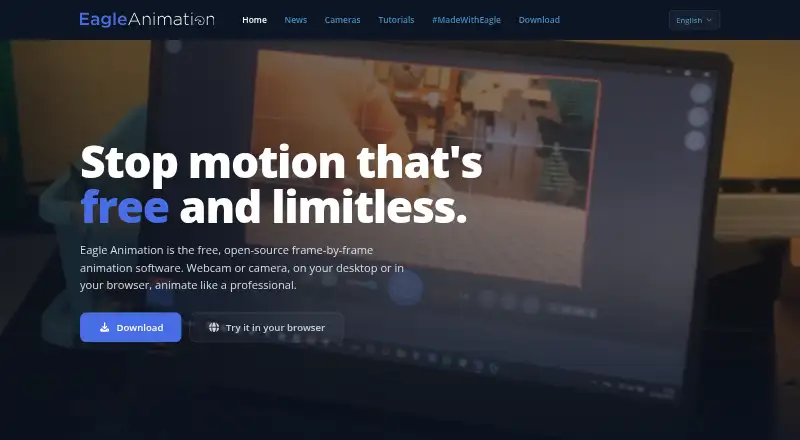
What Eagle Animation is
Eagle Animation is free, open-source software for creating stop-motion animation frame by frame. It runs in a browser or as a desktop app on Windows, macOS, and Linux. The timeline supports previewing, duplicating, and rearranging frames with drag-and-drop. Users can capture images directly from webcams and supported DSLR cameras, with a live preview. Animation tools include adjustable onion skin, grids and margins, difference mode, and masking without a green screen. Image controls include frame averaging, manual exposure and white balance, high-resolution camera live view, and lossless full-resolution capture. Finished animations can be exported as video files, or frames can be saved for use in video-editing software. The project lists more than 20 supported languages and more than 520 cameras. Its source code is published under GPLv3. The browser edition requires no sign-up or ads. On macOS and Linux, DSLR support in browsers uses WebUSB on Chromium-based browsers.
Good
- Free and open-source under GPLv3.
- Browser version requires no sign-up or ads.
- Supports live capture from webcams and supported DSLR cameras.
- Exports animations as video or individual frames.
Watch out
- Desktop downloads require 64-bit systems.
- Browser DSLR support on macOS and Linux uses Chromium-based browsers.
- Telemetry reports application events and runtime errors by default.
Who it suits
Eagle Animation suits people making stop-motion projects who want frame capture and timeline controls across desktop or browser platforms. It may also fit users who want to export frames for separate video-editing software.
Verdict
Eagle Animation offers frame-by-frame capture and editing tools on desktop and in a browser. Check the stated platform requirements and browser camera limitation before choosing it.
Plans and prices
From Eagle Animation's own pricing page, checked 30 Sep 2026.
| Plan | Price | What it gives you |
|---|---|---|
| Free | Free | stop-motion animation software · desktop and browser access · GPLv3 open source |
The facts
Each one read from Eagle Animation's own pages, with the date it was checked.
What it does
- Animation tools
- Tools include adjustable onion skin, grid and margins, difference mode, and masking without a green screen.checked 30 Sep 2026
- Camera capture
- It provides live preview and direct photo capture from webcams and supported DSLR cameras.checked 30 Sep 2026
- Camera limitation
- On macOS and Linux, listed DSLR camera support in browsers uses WebUSB on Chromium-based browsers.checked 30 Sep 2026
- Coverage
- The site lists more than 20 supported languages and more than 520 supported cameras.checked 30 Sep 2026
- Desktop requirements
- Downloads are provided for Windows 10/11 64-bit, macOS 11 or later on Intel and Apple Silicon, and 64-bit Linux distributions.checked 30 Sep 2026
- Export
- Users can export animations as video files or export frames for use in video-editing software.checked 30 Sep 2026
- Image quality
- The software offers frame averaging, high-resolution camera live view, manual exposure and white-balance control, and lossless full-resolution capture.checked 30 Sep 2026
- License
- The source code is published under GPLv3.checked 30 Sep 2026
- Remote camera
- Toucan Camera Server lets users use an Android phone camera with Eagle Animation Desktop.checked 30 Sep 2026
- Support
- The project directs users to its Discord community for help and sharing tips.checked 30 Sep 2026
- Telemetry
- Application events and runtime errors are reported through PostHog, and telemetry can be disabled in app settings.checked 30 Sep 2026
- Timeline
- Its timeline lets users preview, duplicate, and reorganize frames with drag-and-drop.checked 30 Sep 2026
- Web access
- The web version runs the same software in a browser and requires no sign-up or ads.checked 30 Sep 2026
- What it does
- Eagle Animation is free, open-source, frame-by-frame stop-motion animation software.checked 30 Sep 2026
- Workshop integration
- Release notes describe a partner API integration for workshops and workshop upload by code or email.checked 30 Sep 2026
The full review of Eagle Animation
Eagle Animation is free, open-source stop-motion software for desktop and browser use. Its strongest appeal is the combination of image controls and GPLv3 access; camera compatibility is the main point to check before committing.
Overview
Capture images, arrange frames, and make adjustments within the same stop-motion workflow. The timeline lets you preview, duplicate, and reorder frames by dragging, then export a finished video or individual frames for further work in a video editor. That flexibility suits projects that need a dedicated capture tool but may use separate software for later editing.
The browser version runs the same software without sign-up or ads, while desktop downloads cover Windows, macOS, and Linux. The trade-off is that camera support depends on the setup: on macOS and Linux, DSLR use in a browser relies on WebUSB in a Chromium-based browser. Telemetry for application events and runtime errors goes through PostHog, though it can be turned off in app settings.
Key features
Capture and image control
Live preview and direct photo capture work with webcams and supported DSLR cameras. Manual exposure and white-balance controls, high-resolution camera live view, lossless full-resolution capture, and frame averaging give users useful control over image quality and consistency. These tools make Eagle Animation a stronger fit for camera-led projects than a workflow limited to assembling existing images.
Adjustable onion skin, difference mode, grids, and margins help align successive frames, while masking without a green screen supports scene composition without requiring that setup. More than 520 cameras and over 20 languages are supported, although the breadth of camera coverage does not remove the need to check a particular camera and platform combination.
Frame editing and export
Previewing, duplicating, and dragging frames into a new order keeps basic revisions close to capture. Exporting either a video or separate frames gives users a choice between finishing the animation here and continuing in a video editor.
Remote camera and workshops
Toucan Camera Server can connect an Android phone camera to Eagle Animation Desktop, giving users another capture option. Release notes also describe a partner API for workshops, including workshop uploads by code or email; that integration is most relevant to organized workshop use rather than a typical solo project.
Pricing
Eagle Animation is free: the Free plan costs nothing and includes stop-motion animation software, desktop and browser access, and the GPLv3 open-source license. There is no paid tier to unlock in the stated plan, so it is a straightforward choice for users who want these tools without a subscription decision.
The project’s source code is published under GPLv3. That is a meaningful advantage for users who value open-source software, but the plan description does not establish any additional service or support entitlement; the project directs users to its Discord community for help and tips.
Platforms
Use Eagle Animation on the web or on Windows, macOS, and Linux. Desktop downloads require 64-bit Windows 10 or 11, macOS 11 or later on Intel or Apple Silicon, or a 64-bit Linux distribution. On macOS and Linux, browser-based DSLR support uses WebUSB in Chromium-based browsers, a practical constraint for users who want camera capture in the browser rather than on desktop.
Who it's for
Eagle Animation fits independent animators, hobbyists, and workshop users who want direct camera capture, frame-level adjustments, and export options without paying for the software. It is particularly compelling when manual exposure, white balance, and full-resolution capture matter to the workflow. Users should choose another option if their camera is not supported or their browser and operating-system combination cannot meet the capture requirement.
Pros and cons
- Pros: Free desktop and browser access with GPLv3 source code avoids subscription costs and vendor lock-in at the software level.
- Pros: Direct camera capture plus exposure, white-balance, live-view, and lossless capture controls supports careful image consistency.
- Pros: Timeline editing and video or frame export accommodate both a self-contained workflow and editing elsewhere.
- Cons: Browser DSLR capture on macOS and Linux requires Chromium-based browsers using WebUSB, which narrows browser choice for those setups.
- Cons: Telemetry reports application events and runtime errors through PostHog by default; privacy-conscious users need to disable it in settings.
Alternatives
For a broader category comparison, see Stop Motion Software.
- Cloud Stop Motion is a freemium option with a free starter plan and support across Android, iOS, Linux, macOS, web, and Windows; consider it if cross-device platform coverage is the priority.
- MOTK Shoot is free across desktop, mobile, and web, with browser capture, a Windows local edition, and an optional companion for vendor camera control and RAW capture; choose it if that camera workflow better fits your needs.
- Stop Motion Studio offers a free version on Android, iOS, macOS, and Windows, with a separate Pro option for iPhone and iPad; consider it if you want a mobile-supported alternative.
- Koma Koma is a free option for iOS, macOS, and Windows, with a limited Lite version for iPad; it may suit users looking for that platform combination.
- Stopmotion Explosion Animator is a freemium iOS option whose video export can be unlocked for $1.99; choose it if iOS is your focus and that purchase model suits you.
- Lapse It has a free plan with lower capture resolution and some unavailable features, while its Pro plan supports 1080p Full HD; consider it if that resolution distinction matches your priorities.
- OKIOCAM Stop-Motion is a free option for Windows, Mac OS, and Chrome Extension use with OKIOCAM; choose it if you use that camera.
- qStopMotion is a free, open-source application for Linux, macOS, and Windows; it is another option for users seeking open-source desktop software.
Verdict
Choose Eagle Animation if you want a free, open-source stop-motion workflow with direct camera capture, substantial image controls, and both video and frame export. Its browser access is convenient, but camera compatibility—especially browser DSLR use on macOS and Linux—is the reason to look elsewhere if your setup does not fit.
Alternatives to Eagle Animation
- 1

Stop Motion Studio
Free planAndroidiOSmacOSWindows8.0$5.99 one-time - 2
Cloud Stop Motion
Free planAndroidiOSWebLinux7.9From $4 a year - 3

Dragonframe
AndroidiOSAPILinux7.7$195 one-time - 4
AnyMotion
Free planiOSmacOS7.5Free plan - 5
Koma Koma
Free planiOSmacOSWindows6.9Free plan - 6
I Can Animate
AndroidiOSmacOSWindows6.7£29.95 one-time