Stopmotion Explosion Animator
Stopmotion Explosion Animator is stop motion software for creating films by capturing images one frame at a time.
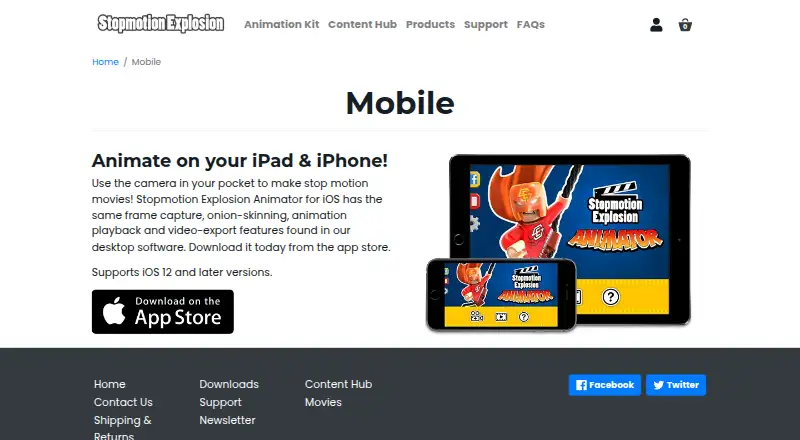
What Stopmotion Explosion Animator is
Stopmotion Explosion Animator is stop motion software for creating films by capturing images one frame at a time. Its iOS app captures and previews frames, compares current and earlier images with onion-skinning, and plays animations back. You can save and reopen animations, adjust frame rate, compose shots with an image-grid overlay, and manually adjust and lock camera focus. Video export is available as an in-app purchase listed at $1.99. The maker says the iOS app supports iOS 12 and later and offers the same core capture, onion-skinning, playback, and export features as the desktop software. On Windows, it adds HD webcam support, frame import, a basic timeline, adjustable onion-skinning, live-video and last-frame switching, and a resizable video window. Windows exports frames as BMP, PNG, or JPG and video as AVI or MP4, with codec and bitrate settings. The product has a free plan and is listed for iOS, macOS, and Windows.
Good
- Captures and previews frames while animating.
- Onion-skinning compares current and previous frames.
- Animations can be saved and reloaded.
- Windows exports BMP, PNG, JPG, AVI, and MP4.
- Offers a free plan.
Watch out
- Video Export Unlock is a $1.99 in-app purchase.
- Windows export settings and features differ from the listed iOS details.
Who it suits
It suits people making frame-by-frame animations with toys, figures, LEGO, or clay, from beginners to experienced animators. iOS users should note the listed $1.99 Video Export Unlock in-app purchase.
Verdict
Stopmotion Explosion Animator combines frame capture and editing tools with playback and video export. Its free plan and support for iOS, macOS, and Windows make it worth considering, though iOS video export has a listed in-app purchase.
Plans and prices
From Stopmotion Explosion Animator's own pricing page, checked 8 Oct 2026.
| Plan | Price | What it gives you |
|---|---|---|
| Stopmotion Explosion Animator for iOS | Free | Video Export Unlock $1.99 in-app purchase |
The facts
Each one read from Stopmotion Explosion Animator's own pages, with the date it was checked.
What it does
- Animation editing
- Users can save and reload animations and adjust their movie’s frame rate.checked 8 Oct 2026
- Audience
- The maker describes its animation kit as suitable for all ages and experience levels and mentions animating LEGO, action figures, toys, and clay.checked 8 Oct 2026
- Camera controls
- Users can manually adjust and lock camera focus.checked 8 Oct 2026
- Camera support
- The maker says the Windows Animator can unlock HD potential for its animation kit and stop motion cameras, with higher resolutions selectable from the Camera Resolution menu.checked 8 Oct 2026
- Composition aid
- An image-grid overlay helps with image composition.checked 8 Oct 2026
- Desktop feature parity
- The maker says the iOS app has the same frame capture, onion-skinning, animation playback and video-export features as its desktop software.checked 8 Oct 2026
- Distribution
- The maker's 2014 announcement says the Windows application and instruction guide are available from its Downloads page.checked 8 Oct 2026
- Export formats
- The Windows software can save frames as BMP, PNG, or JPG and export AVI or MP4 video files.checked 8 Oct 2026
- Export purchase
- The App Store lists “Video Export Unlock” as an in-app purchase for $1.99.checked 8 Oct 2026
- Export settings
- The Windows software lists multiple codec options and adjustable export bitrate.checked 8 Oct 2026
- Frame capture
- The app captures and previews a movie while the user animates.checked 8 Oct 2026
- Mobile distribution
- The mobile page directs users to download the iOS app from the App Store.checked 8 Oct 2026
- Onion skinning
- Onion-skinning compares the current frame with previous captures.checked 8 Oct 2026
- Privacy disclosure
- Apple says the developer has not provided details about the app’s privacy practices and handling of data.checked 8 Oct 2026
- Purpose
- Stopmotion Explosion Animator is stop motion animation software for making movies one frame at a time.checked 8 Oct 2026
- Store compatibility
- The App Store lists compatibility with iPhone, iPad and iPod touch, and says iOS 11 or later is required for iPhone and iPod touch.checked 8 Oct 2026
- Support
- The maker's support site has product support categories and lets users submit a request.checked 8 Oct 2026
- Supported system
- The maker’s mobile page says the app supports iOS 12 and later.checked 8 Oct 2026
- Video export
- The app exports movie files that can be uploaded to YouTube or edited with other apps.checked 8 Oct 2026
The company
- Headquarters
- The maker lists a mailing address of PO Box 967, North Dighton, MA 02764.checked 8 Oct 2026
Where it runs
- iOS compatibility
- The mobile app supports iOS 12 and later and is described for iPad and iPhone.checked 8 Oct 2026
- iOS features
- The iOS app offers frame capture, onion-skinning, animation playback, and video export.checked 8 Oct 2026
- Windows features
- The Windows software lists HD webcam support, frame import, a basic timeline, adjustable onion-skinning, live-video and last-frame switching, and a resizable video window.checked 8 Oct 2026
Alternatives to Stopmotion Explosion Animator
- 1

Stop Motion Studio
Free planAndroidiOSmacOSWindows8.0$5.99 one-time - 2
Cloud Stop Motion
Free planAndroidiOSWebLinux7.9From $4 a year - 3

Dragonframe
AndroidiOSAPILinux7.7$195 one-time - 4
AnyMotion
Free planiOSmacOS7.5Free plan - 5
Koma Koma
Free planiOSmacOSWindows6.9Free plan - 6
I Can Animate
AndroidiOSmacOSWindows6.7£29.95 one-time