I Can Animate
I Can Animate is stop-frame animation software for creating films with a webcam and physical models.
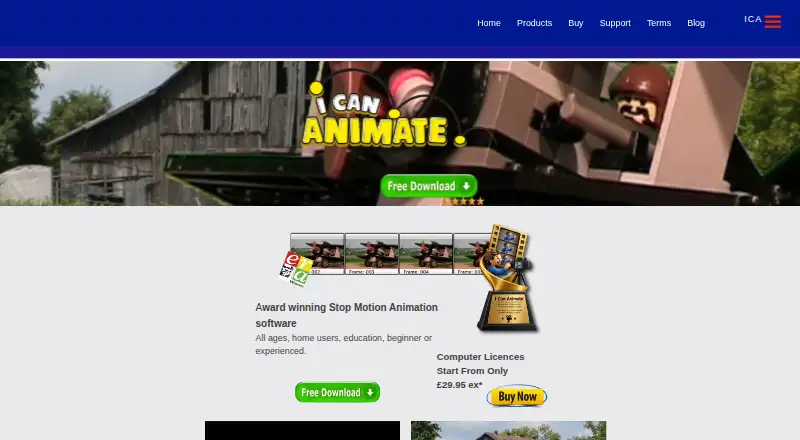
What I Can Animate is
I Can Animate is stop-frame animation software for creating films with a webcam and physical models. The maker describes it for all ages, home users, education, beginners, and experienced animators. Animation tools include green screen, onion skinning, audio and image import, multiple clips, and movie backgrounds. Editing options cover titles, subtitles, credits, drawing and masking, autosave, undo and redo, and frame duplication or reversal. It can capture from an HD webcam, use time lapse, and export at resolutions including HD. Desktop downloads are available for Windows and macOS, while mobile versions are offered through Google Play and the App Store. There is no free plan, but a fully functional demo has restrictions that a licence removes. The maker lists a USB HD webcam and internet access for updates and macOS registration.
Good
- Works on Windows, macOS, iOS, and Android
- Includes onion skinning and green screen
- Supports titles, masking, and frame reversal
- Captures from HD webcams
- Offers a restricted functional demo
Watch out
- No free plan
- Demo restrictions require a licence to remove
- USB HD webcam is listed as required
- Mobile Lite limits playback to 12 fps
Who it suits
It suits home users, schools, beginners, and experienced animators across desktop and mobile platforms. A webcam is required for the listed capture workflow.
Verdict
I Can Animate provides capture, frame-editing, and export tools for stop-frame projects. Check the demo restrictions and webcam requirement before choosing a licence.
Plans and prices
From I Can Animate's own pricing page, checked 3 Oct 2026.
| Plan | Price | What it gives you |
|---|---|---|
| Computer licence | £29.95, paid once | Computer licence; price shown as “Start From Only £29.95 ex*” |
The facts
Each one read from I Can Animate's own pages, with the date it was checked.
What it does
- Animation features
- The product page lists green screen, onion skinning, audio and image import, multiple clips, and movie backgrounds.checked 3 Oct 2026
- Capture and output
- The features page says it can capture from an HD webcam, use time lapse, and export at resolutions including HD.checked 3 Oct 2026
- Editing features
- The features page lists titles, subtitles, credits, drawing and masking tools, autosave, undo and redo, and frame duplication and reversal.checked 3 Oct 2026
- Intended users
- The maker describes it for all ages, home users, education, beginners and experienced animators.checked 3 Oct 2026
- Mobile Lite limits
- The iOS page says Lite animations have a watermark and intro sequence, playback speed is limited to 12 fps, and time lapse is capped at 240.checked 3 Oct 2026
- Mobile sharing
- The iOS page lists export to the camera roll, Facebook, Dropbox and YouTube.checked 3 Oct 2026
- Privacy
- Kudlian’s privacy statement says it is GDPR compliant and that its customer database is encrypted and hosted in the EEA.checked 3 Oct 2026
- Purpose
- I Can Animate is stop-frame animation software for creating animations with a webcam and models.checked 3 Oct 2026
- Support
- The maker says technical support is provided by email on weekdays during office hours and it normally replies within 48 hours.checked 3 Oct 2026
- System requirements
- The maker lists Windows XP SP2 or later, macOS X 10.14 or earlier, a USB HD webcam, and an internet connection for updates and macOS registration.checked 3 Oct 2026
Where it runs
- Desktop platforms
- The download page offers Windows and macOS downloads.checked 3 Oct 2026
- Mobile platforms
- The download page directs users to the App Store or Google Play Store, and the maker’s mobile page describes an iOS version.checked 3 Oct 2026
The company
- Headquarters
- Studley, Warwickshire, Englandchecked 28 Sep 2026
Money
- Trial restrictions
- The free download is a fully functional demo with restrictions, and a licence is required to remove them and continue using the full version.checked 3 Oct 2026
Alternatives to I Can Animate
- 1

Stop Motion Studio
Free planAndroidiOSmacOSWindows8.0$5.99 one-time - 2
Cloud Stop Motion
Free planAndroidiOSWebLinux7.9From $4 a year - 3

Dragonframe
AndroidiOSAPILinux7.7$195 one-time - 4
AnyMotion
Free planiOSmacOS7.5Free plan - 5
Koma Koma
Free planiOSmacOSWindows6.9Free plan - 6

Life Lapse
Free planiOS6.7From $49.99 a year