Cloud Stop Motion
Cloud Stop Motion is a browser-based tool for making stop-motion animations, with frame capture, editing, audio, and sharing in one workflow.
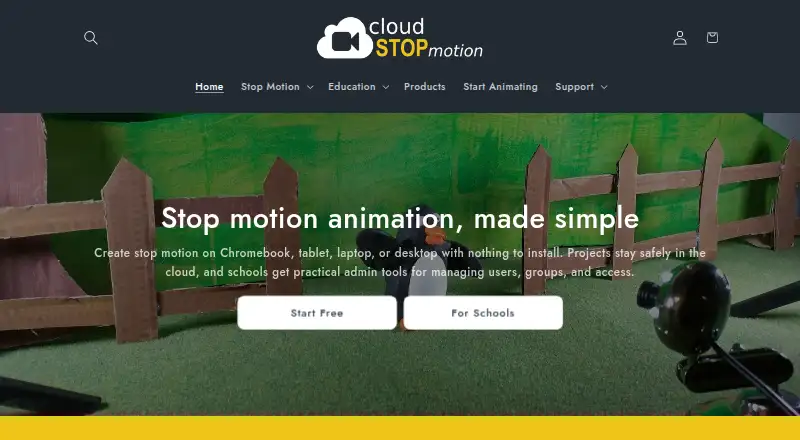
What Cloud Stop Motion is
Cloud Stop Motion is a browser-based tool for making stop-motion animations, with frame capture, editing, audio, and sharing in one workflow. It captures images from webcams and built-in device cameras, with onion skinning and timing controls to help arrange frames. Its timeline lets users reorder, trim, and duplicate clips; audio can be imported or recorded for music, sound effects, or narration. Chroma key tools replace backgrounds, and users can import images or create timelapse sequences. Finished movies can be rendered to MP4, saved in an online library, and shared. Projects are stored online, so users can continue across signed-in devices without installing software. It runs in browsers across web, Windows, Android, and Linux, with maker-described support for Chromebooks, macOS, and tablets as well. Individuals can use the free plan; Personal Premium is $4.50 per year.
Good
- Captures frames with onion skinning and timing controls.
- Timeline supports reordering, trimming, and duplication.
- Audio can be imported or recorded.
- Projects stay online for work across signed-in devices.
- Rendered movies can be exported as MP4.
Watch out
- Free individual accounts are not for educational use.
Who it suits
It suits individuals and classrooms creating animations across devices, especially those who want browser-based work with frame capture, timeline editing, and audio. Schools can use organization accounts and administration tools to manage learners and projects.
Verdict
Cloud Stop Motion combines capture, editing, audio, and cloud storage for stop-motion projects in a browser. Schools need organization accounts for student use, while individuals can start with the free plan.
Plans and prices
From Cloud Stop Motion's own pricing page, checked 14 Oct 2026.
| Plan | Price | What it gives you |
|---|---|---|
| Free Starter | Free | No card required · cloud saving · MP4 export · premium tools/storage require upgrade |
| Schools & Organizations | $4 a year | 5GB storage per user · admin tools · plans start at 5 users · annual per user |
| Personal Premium | $4.50 a year | 5GB cloud storage · green screening · timelapse · transitions · image import · audio import · annual |
The facts
Each one read from Cloud Stop Motion's own pages, with the date it was checked.
What it does
- API and SDKs
- The maker's public site and help-centre navigation describe the web app, integrations and support articles but do not publish API or SDK documentation.checked 14 Oct 2026
- Audio
- Users can import music, sound effects and narration or record audio inside the app.checked 14 Oct 2026
- Classroom administration
- Organization admins can create users individually or in bulk, organize classes and roles, manage permissions, review projects, and monitor storage and subscriptions.checked 30 Sep 2026
- Cloud workflow
- Projects, frames, edits and audio remain available after signing in on another device.checked 14 Oct 2026
- Data controls
- Account holders can request closure and erasure, while school administrators can delete pupil profiles and content.checked 14 Oct 2026
- Documentation and support
- The help centre has searchable articles covering organization accounts, storage, troubleshooting, camera permissions and project recovery, with ticket submission for logged-in users.checked 14 Oct 2026
- Editing and audio
- The timeline supports reordering, trimming, and duplicating clips, and users can import or record music, sound effects, and narration.checked 30 Sep 2026
- Export
- Finished movies can be rendered to MP4 and retained in an online library for sharing.checked 14 Oct 2026
- Export and sharing
- Finished movies can be rendered to MP4, kept in an online library, and shared with students, families, or collaborators.checked 30 Sep 2026
- Frame capture
- It captures animation one frame at a time from webcams or built-in cameras and provides onion-skinning and timing controls.checked 14 Oct 2026
- Google integration
- Schools can import Google Education rosters and use Google single sign-on.checked 14 Oct 2026
- Green screen
- Built-in chroma-key tools replace backgrounds and support layered scenes.checked 14 Oct 2026
- Green screen and media
- Built in chroma key tools replace backgrounds, and users can import images and create timelapse sequences.checked 30 Sep 2026
- Image import and timelapse
- The product imports existing images and can create time-lapse sequences.checked 14 Oct 2026
- Installation model
- The maker describes browser use with no software installation and an installable progressive web app on supported devices.checked 14 Oct 2026
- Licence
- The terms identify Cloud Stop Motion as commercially licensed software and explicitly say it is not open source, freeware or shareware.checked 14 Oct 2026
The company
- Company age
- Companies House records Zulogic Limited under company number 05388029 and show incorporation-related filings dating from 2005.checked 14 Oct 2026
- Company headquarters
- LinkedIn lists the headquarters as Ulcombe, Kent, United Kingdom.checked 14 Oct 2026
- Company history
- LinkedIn says ZuLogic has been building software since 2009 and reports more than 350,000 users of its apps and services worldwide.checked 14 Oct 2026
- Company legal identity
- The terms name Zulogic Limited, company number 05388029, trading as Cloud Stop Motion, with registered address in Aylesford, Kent and trading address in Ulcombe, Kent.checked 14 Oct 2026
- Company size
- LinkedIn lists ZuLogic Limited as a privately held IT-services company with 2–10 employees.checked 14 Oct 2026
- Headquarters
- Ulcombe, Kent, UKchecked 28 Sep 2026
Where it runs
- Device support
- The maker describes browser use on Chromebooks, Windows, macOS, tablets, and supported devices including Android and Linux.checked 30 Sep 2026
- Limit: browser storage dependency
- If browser storage is full and the internet connection is unavailable, newly created work may have no recoverable local or cloud copy.checked 14 Oct 2026
The full review of Cloud Stop Motion
Overview
Cloud Stop Motion is a stop-motion animation tool that runs in a browser, aimed at individual creators and schools that want to work across devices without installing software. Its combination of frame capture, editing, audio, and online project storage makes it a capable starting point, though classroom use requires an organization account.
Capture one image at a time from a webcam or built-in camera, then use onion skinning and timing controls to shape movement. Projects remain online after sign-in, so work can continue on another supported device. Finished movies can be rendered as MP4 files, saved in an online library, and shared with collaborators, families, or students.
Key features
- Frame-by-frame capture: Capture from webcams and built-in device cameras. Onion skinning helps align successive frames, while timing controls give creators a way to adjust playback.
- Timeline editing: Reorder, trim, and duplicate clips. These core tools suit short sequences and iterative adjustments without requiring a separate editor for basic assembly.
- Audio and media: Import or record music, sound effects, and narration; import images; and create timelapse sequences. Built-in chroma key tools can replace backgrounds, giving projects more visual options, though green screening and several other features require Personal Premium.
- Online workflow: Projects are stored online and can be opened across devices after signing in. This avoids software installation, but relies on the service's cloud workflow rather than local-only project storage.
- Classroom administration: Organization admins can create accounts individually or in bulk, organize classes and roles, manage permissions, review projects, and monitor storage and subscriptions. Schools can use Google or Microsoft sign-in, or username-and-password accounts for younger learners and shared devices.
- Support and data: The support center has a searchable knowledge base and ticket submission and status checking for logged-in users. The privacy policy says personal information is held in an encrypted Azure database protected by a password and firewall, with data stored or transferred within the US and UK.
Pricing
Cloud Stop Motion uses a freemium model. The free individual plan, Free Starter, costs nothing, requires no card, and includes secure cloud saving and MP4 export. It is a practical way for individuals to begin, but free individual accounts cannot be used for education.
Personal Premium costs $4.50 a year (billed from £3.75 / $4.50 per year). It adds 5GB of premium cloud storage and green screening, timelapse, transitions, image import, and audio import. This is the personal upgrade for creators who need those tools; the free plan gives up those premium features and storage.
Schools & Organizations costs $4 a year (billed from £3.25 / $4.00 per user per year), with 5GB premium storage per user. Plans start from 5 users and include administration for users, classes, groups, permissions, and usage. The per-user price and minimum seat count make this the relevant route for student accounts, but it is not a substitute for the free individual plan: schools must place students in an organization account.
Platforms
The service runs in a browser and supports web, Windows, macOS, Linux, and Android, with device support also described for Chromebooks and tablets. The browser-based approach is useful for mixed-device classrooms and users moving between machines; supported access does not require a software installation.
Who it's for
Cloud Stop Motion is best suited to individuals who want an accessible browser workflow for frame capture, basic timeline editing, sound, and MP4 output, and to schools that need account and class administration. Individuals can start without a card, then pay for premium storage and creative tools if needed. It is a poor fit for student use under free individual accounts: educational users must be added to a school or organization plan, which begins at five users.
Pros and cons
- Pro: Frame capture, onion skinning, timing controls, timeline editing, audio, and MP4 export cover the main stages of a stop-motion project in one browser workflow.
- Pro: Cloud projects and broad device support help people continue work across devices without installing software.
- Pro: Organization accounts include practical classroom controls, including bulk user creation, roles, permissions, project review, and usage monitoring.
- Con: Free individual accounts are barred from educational use, so a student project at school needs an organization account.
- Con: School plans start at five users, which may be more commitment than a single learner or small informal group needs.
- Con: Green screening, timelapse, transitions, image import, and audio import sit behind Personal Premium for individual creators.
Alternatives
Stop Motion Software is the broader category page for comparing stop-motion tools.
- MOTK Shoot is a free alternative with browser-based stop-motion capture, a Windows local edition, and an optional Companion for vendor camera control and RAW capture. Choose it if those capture options are a better fit than Cloud Stop Motion's online project workflow.
- Stop Motion Studio offers a free plan across Android, iOS, macOS, and Windows, with a Pro option for iPhone and iPad that has no subscription and includes all features sold separately. It may suit users who prefer that platform-specific Pro arrangement.
- Eagle Animation is a free, open-source stop-motion option with desktop and browser access.
- Lapse It offers a free plan with lower capture resolution and some unavailable features, while its Pro plan provides 1080p Full HD video resolution. Consider it when that resolution distinction is the deciding factor.
- qStopMotion is a free, open-source application for Linux, macOS, and Windows, offered without warranty.
- Tahoma2D is a free, open-source 2D and stop-motion animation creation tool.
- Aardman Animator is a free-to-download alternative for Android and iOS.
- Boats Animator is a free alternative for Windows, macOS, and Linux.
Verdict
Choose Cloud Stop Motion if you want stop-motion capture, editing, audio, and cloud saving in a browser, especially for an organization that needs classroom account controls. Its strongest case is the joined-up workflow across devices; its clearest caveat is that students cannot use free individual accounts, and the school plan starts at five users. Solo creators can begin free, while users who need premium tools or storage should weigh the annual Personal Premium plan against their needs.
Getting started
- Visit the Cloud Stop Motion website in a browser.
- Choose the Free Starter, Personal Premium, or Schools & Organizations plan.
- For school use, add students to an organization account.
- Sign in to continue working on saved projects across devices.
Limits worth knowing
Free Starter includes secure cloud saving and MP4 export, but free individual accounts are not for educational use. Schools & Organizations plans start from 5 users and include 5GB premium storage per user; Personal Premium includes 5GB premium cloud storage and lists green screening, timelapse, transitions, image import, and audio import.
Questions
Is Cloud Stop Motion free?
Yes. The Free Starter plan is free and requires no card.
Which platforms does it support?
The listed platforms are Android, iOS, Linux, macOS, web, and Windows. The maker describes browser use on Chromebooks, Windows, macOS, tablets, Android, and Linux.
Can students use free individual accounts at school?
No. Students using the service at school must be added to an organization account.
Who makes Cloud Stop Motion?
It was created by ZuLogic Ltd, a software development company based in Great Britain.
Alternatives to Cloud Stop Motion
- 1

Stop Motion Studio
Free planAndroidiOSmacOSWindows8.0$5.99 one-time - 2

Dragonframe
AndroidiOSAPILinux7.7$195 one-time - 3
AnyMotion
Free planiOSmacOS7.5Free plan - 4
Koma Koma
Free planiOSmacOSWindows6.9Free plan - 5
I Can Animate
AndroidiOSmacOSWindows6.7£29.95 one-time - 6

Life Lapse
Free planiOS6.7From $49.99 a year