Drawboard PDF
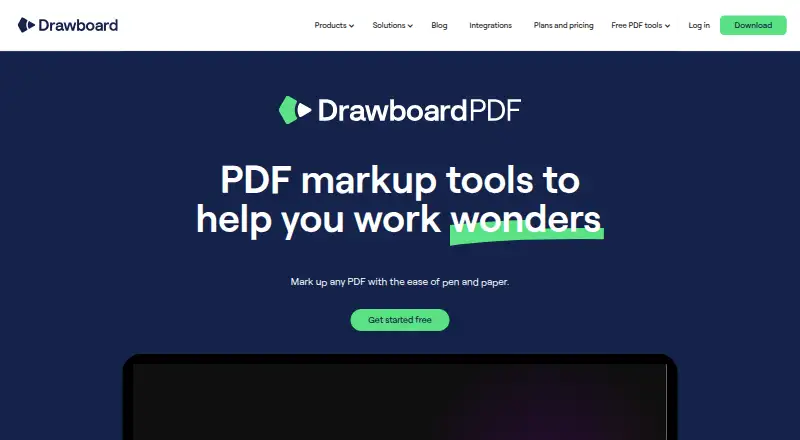
Drawboard PDF is a PDF workspace for marking up, reviewing, signing, and sharing documents across web, Windows, macOS, iOS, Android, and a Chrome extension.
What Drawboard PDF is
Drawboard PDF is a PDF workspace for marking up, reviewing, signing, and sharing documents across web, Windows, macOS, iOS, Android, and a Chrome extension. It includes text editing, annotation, OCR, and PDF conversion. Markup tools cover pens, highlighters, shapes, text review, signatures, images, and audio notes. Smart ink recognition can turn freehand lines and shapes into straight lines and geometric forms. On iOS and macOS, measurement tools include calibrated length and area measurement, polylength, a protractor, and a ruler. Users can merge or split PDFs, add hyperlinks, tag documents, and open files in separate windows. Shared documents support real-time or asynchronous collaboration, with unlimited contributors on the free tier. Drawboard AI can summarize, rephrase, define, translate, and correct selected text. The service has a free plan and a 7-day trial; its Free plan includes 10 cloud documents with a 40 MB limit per document.
Good
- Works across web, desktop, mobile, and Chrome extension
- Includes text editing, annotation, OCR, and conversion
- Supports real-time and asynchronous document collaboration
- Free tier allows unlimited contributors
- AI can summarize, translate, and correct selected text
Watch out
- Free plan allows 10 cloud documents
- Free documents are limited to 40 MB each
- Some measurement tools are limited to iOS and macOS
- Education plans require eligible users
Who it suits
Drawboard PDF suits people who need PDF editing, annotation, OCR, conversion, and collaboration across desktop, mobile, and browser platforms. It also fits users who want shared documents and AI text tools within a freemium service.
Verdict
Drawboard PDF covers document editing, markup, measurement, collaboration, and selected-text AI across many platforms. The free plan provides a clear starting point, but its document and file-size limits should be checked against your workflow.
Plans and prices
From Drawboard PDF's own pricing page, checked 20 Sep 2026.
| Plan | Price | What it gives you |
|---|---|---|
| Basic | — | 10 documents · 40 MB per document · Unlimited contributors |
| Free | Free | 10 cloud documents · 40 MB per document · unlimited contributors · real-time sync |
| Pro Plus (education) | $10, paid once | For eligible students, teachers and school staff · usually $83.92 per year · one-off; valid for 3 years |
| Pro Unlimited (education) | $20, paid once | For eligible students, teachers and school staff · usually $159.99 per year · one-off; valid for 3 years |
The facts
Each one read from Drawboard PDF's own pages, with the date it was checked.
What it does
- AI features
- Drawboard AI can summarize or rephrase text, define words, translate and fix grammar; its privacy policy says only selected text is sent to OpenAI when invoked.checked 11 Oct 2026
- Annotation tools
- Yeschecked 20 Sep 2026
- Collaboration
- Shared documents support real-time or asynchronous collaboration, and the free tier allows unlimited contributors.checked 11 Oct 2026
- Data handling
- Drawboard says it does not sell customer content, uses it for advertising, or use it to train content-producing AI; cloud content is stored on its systems to provide storage, sync and collaboration.checked 11 Oct 2026
- Document tools
- Users can merge and split PDFs, add hyperlinks, organize documents with tags, and view multiple documents in separate windows.checked 11 Oct 2026
- Ink recognition
- Smart ink recognition can turn freehand lines and shapes into straight lines and geometric shapes.checked 11 Oct 2026
- Integrations
- The product tour describes an email upload address for sending attachments to a Drawboard PDF cloud account, and browser links for opening online PDFs.checked 11 Oct 2026
- Markup
- It offers pen, highlighter, shape, text review, signature, image and audio note tools for PDF annotation.checked 11 Oct 2026
- Measurements
- Measurement tools include calibrated length and area measurement, polylength, a protractor and a ruler on iOS and macOS.checked 11 Oct 2026
- OCR
- OCR converts scanned documents and non-selectable PDFs into searchable, selectable text and can straighten the page.checked 11 Oct 2026
- PDF conversion
- Yeschecked 20 Sep 2026
- Purpose
- Drawboard PDF is for marking up, reviewing, signing and sharing PDFs across devices.checked 11 Oct 2026
- Security
- The privacy policy says customer traffic is encrypted with TLS 1.2 or higher and stored data with AES-256, and production hosting is in Microsoft Azure in the United States.checked 11 Oct 2026
- Support
- The pricing page says organizations can contact sales for volume licensing and invoicing, while the site links to a Support Center.checked 11 Oct 2026
- Text editing
- Yeschecked 20 Sep 2026
The company
- Company
- Drawboard describes itself as a PDF and collaboration company from Melbourne, Australia, helping people since 2011.checked 11 Oct 2026
Money
- Free plan
- Yeschecked 20 Sep 2026
Where it runs
- Platforms
- Drawboard PDF is available on Windows, Android, iOS, macOS and in a web browser; the download page links to a Chrome and Edge add-on.checked 11 Oct 2026
- Supported platforms
- web,Windows,macOS,iOS,Android,Chrome extensionchecked 20 Sep 2026
Alternatives to Drawboard PDF
- 1

Smallpdf
Free planAndroidiOSWebWindows8.9From $10 a month - 2

LightPDF
Free planAndroidiOSWebAPI8.8From $15.99 a year - 3
PDF2Go
Free planAndroidiOSWebAPI8.7$6.42 usage-based - 4
Foxit PDF Editor
AndroidiOSWebmacOS8.6 - 5
WPS PDF Editor
Free planAndroidiOSWebExtension8.5From $3 a year - 6

PDF Candy
Free planAndroidiOSWebLinux8.5From $4 a year