
DLMan
DLMan is a free, open-source download manager for Windows, macOS and Linux, released under the MIT License.
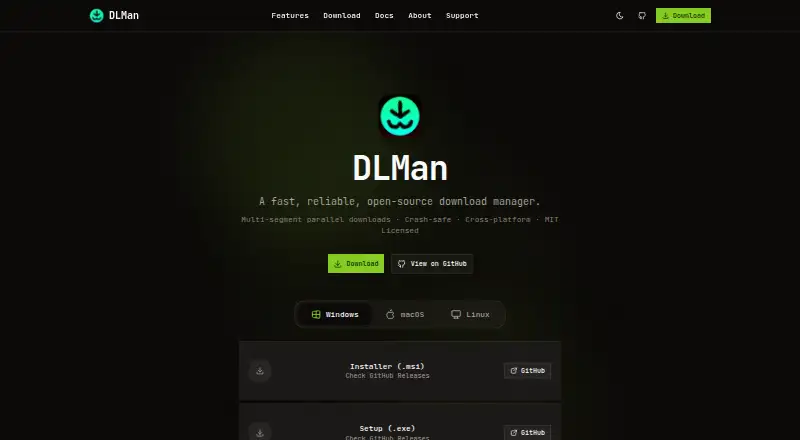
What DLMan is
DLMan is a free, open-source download manager for Windows, macOS and Linux, released under the MIT License. It splits files into as many as 32 parallel segments and uses SQLite-backed persistence to resume downloads at exact byte positions after a crash or restart. Queues can have priorities, categories, per-queue speed limits, batch imports, and schedules with start and stop times and active days. Custom commands can run when downloads finish. DLMan can save credentials by domain and use HTTP Basic Auth or cookie-based session authentication. Its browser extension supports Chrome, Firefox and Edge, while the download page also lists Brave. The extension can intercept downloads, provide right-click and batch actions, apply per-site settings, and pass session cookies. A command-line tool shares the desktop app’s core engine and supports download management. The desktop interface offers dark and light themes, segment visualization and notifications.
Good
- Splits downloads into up to 32 parallel segments
- Resumes from exact byte positions after crashes
- Queues support priorities, limits and schedules
- Free and open source under the MIT License
Watch out
- Browser extension communicates through localhost port 7899
- Desktop platform support is limited to Windows, macOS and Linux
Who it suits
DLMan suits desktop users who want download queues, scheduling, browser integration or command-line controls. It may also fit users who need authenticated downloads or restart-resume behavior.
Verdict
DLMan offers detailed queue controls alongside browser and command-line tools, with no paid tier to choose between. Consider its local extension connection and supported platforms when deciding whether it fits your setup.
Plans and prices
From DLMan's own pricing page, checked 11 Oct 2026.
| Plan | Price | What it gives you |
|---|---|---|
| Free | Free | Up to 32 parallel download segments · Free and open source; no subscriptions |
The facts
Each one read from DLMan's own pages, with the date it was checked.
What it does
- Authentication
- DLMan can save credentials per domain and apply HTTP Basic Auth and cookie-based session authentication.checked 11 Oct 2026
- CLI
- DLMan includes a command-line tool that shares the desktop app’s core library and supports download and queue management.checked 11 Oct 2026
- Command line
- DLMan includes a CLI sharing the desktop app’s core engine, with commands to add, list, pause, resume, cancel, and delete downloads.checked 11 Oct 2026
- Extension connection
- The extension communicates with the desktop app through a local HTTP/WebSocket server on localhost port 7899.checked 11 Oct 2026
- Extension features
- The extension can intercept downloads, offer right-click and batch downloads, apply per-site settings, and pass session cookies for authenticated downloads.checked 11 Oct 2026
- Interface
- The desktop interface has dark and light themes, real-time segment visualization, and desktop notifications.checked 11 Oct 2026
- License
- DLMan is MIT licensed, and its about page says it is free to use, modify, and distribute.checked 11 Oct 2026
- Local connection
- The extension communicates with the desktop app through a local HTTP/WebSocket server on localhost:7899.checked 11 Oct 2026
- Parallel downloads
- It can split files into up to 32 parallel segments.checked 11 Oct 2026
- Product
- DLMan is a free, open-source download manager built with Rust.checked 11 Oct 2026
- Queue management
- Queue features include priorities, categories, per-queue speed limits, and batch import.checked 11 Oct 2026
- Resume
- SQLite-backed persistence lets downloads resume from exact byte positions after crashes or restarts.checked 11 Oct 2026
- Scheduling
- Queues can have start and stop times and active days, and DLMan can run custom commands after downloads complete.checked 11 Oct 2026
- Site credentials
- DLMan can save credentials per domain and apply HTTP Basic Auth and cookie-based session authentication.checked 11 Oct 2026
- Support
- The site points users to documentation, GitHub issues, GitHub Sponsors, and Buy Me a Coffee for project support.checked 11 Oct 2026
- Technology
- The About page lists Rust, Tauri v2, React 18, TypeScript, SQLite, and Tailwind CSS in its technology stack.checked 11 Oct 2026
Where it runs
- Browser integration
- Its browser extension supports Chrome, Firefox, and Edge, with download interception, context-menu actions, and batch downloads.checked 11 Oct 2026
- Browser support
- The browser extension supports Chrome, Firefox, and Edge, and the download page also lists Brave.checked 11 Oct 2026
- Desktop platforms
- The download page lists Windows, macOS, and Linux installers.checked 11 Oct 2026
The company
- Maker
- The CodeIdeal site identifies Shayan as its founder and features DLMan as a project.checked 11 Oct 2026
Alternatives to DLMan
- 1

ClipGrab
Free planOpen sourceLinuxmacOSWindows7.9€10 one-time - 2

4K Video Downloader+
Free planAndroidLinuxmacOSWindows7.8Free plan - 3

AB Download Manager
Free planOpen sourceAndroidiOSAPIExtension7.8Free plan - 4

JDownloader
Free planOpen sourceAndroidiOSWebAPI7.8Free plan - 5

Gopeed
Free planOpen sourceAndroidiOSWebAPI7.7Free plan - 6

BitComet
Free planAndroidWebAPIExtension7.5Free plan