
4K Video Downloader+
4K Video Downloader+ saves video and audio from YouTube and a range of other websites, including Vimeo, TikTok, SoundCloud, Bilibili, Facebook, Twitch, and D…
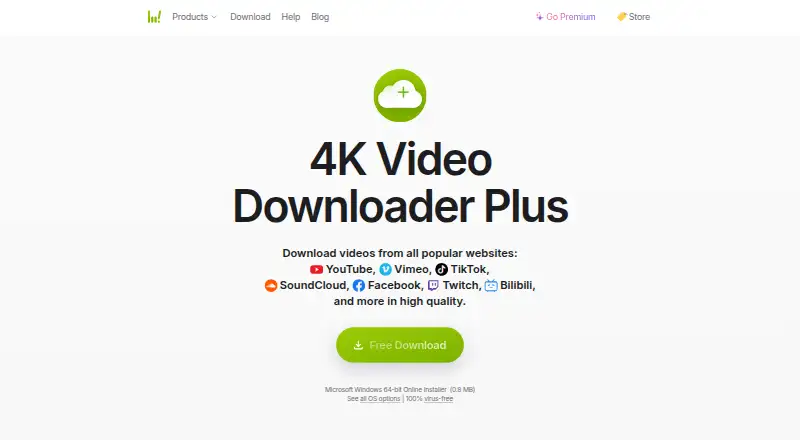
What 4K Video Downloader+ is
4K Video Downloader+ saves video and audio from YouTube and a range of other websites, including Vimeo, TikTok, SoundCloud, Bilibili, Facebook, Twitch, and Dailymotion. Its listed formats include MP4 and MKV video, plus MP3, M4A, and OGG audio, with resolutions up to 8K UHD. You can download YouTube playlists, channels, search results, Watch Later, Liked videos, and private playlists. Private media requires a premium feature, account login, and access permission. The app can save YouTube subtitles as SRT in more than 50 languages and automatically download new uploads from subscribed channels or playlists. In-app AI tools can remove or separate vocals, isolate voice, erase echo, and remove background music from downloaded videos. A free Starter plan covers basic features, and the FAQ lists a seven-day premium trial. The maker offers Windows, macOS, Ubuntu Linux, and a native Android app; the product page also links to tutorials, guides, troubleshooting, FAQ, and support.
Good
- Supports video and audio downloads from numerous sites.
- Lists resolutions through 8K UHD.
- Saves subtitles in more than 50 languages.
- Can automatically download new channel or playlist uploads.
- Free Starter plan and seven-day premium trial.
Watch out
- Private-media downloads require premium access and login.
- Starter provides basic features only.
Who it suits
It suits people who want to save videos, audio, playlists, or subtitles from supported sites, including YouTube. Users who need private-media downloads should note the premium, login, and permission requirements.
Verdict
4K Video Downloader+ combines broad download options with playlist, subtitle, and automatic-download tools. Check the private-content requirements and plan details if those features matter to you.
Plans and prices
From 4K Video Downloader+'s own pricing page, checked 19 Oct 2026.
| Plan | Price | What it gives you |
|---|---|---|
| Starter | Free | basic features · quantity limitations · permanent access; no trial period |
| Bundle | — | All 4K Download applications |
| Lite | $15 a year | personal use · 1 computer · main features · recurring annually |
| Personal | $25, paid once | personal use · up to 3 devices · main features · lifetime |
| Pro | $45, paid once | professional use · commercial-use permit · up to 3 devices · all features · lifetime |
The facts
Each one read from 4K Video Downloader+'s own pages, with the date it was checked.
What it does
- 3D and 360-degree video
- The app supports stereoscopic 3D downloads and 360-degree video downloads.checked 19 Oct 2026
- AI audio tools
- In-app AI processing can remove or extract vocals, isolate voice, erase echo, and delete background music from downloaded videos.checked 28 Sep 2026
- AI processing
- Built-in AI tools remove or extract vocals, isolate speech, reduce echo and remove background music from downloaded files.checked 19 Oct 2026
- API and SDKs
- The official product, download and help pages describe desktop and Android applications but list no public API or SDK.checked 19 Oct 2026
- Automatic downloads
- Users can subscribe to YouTube channels or playlists and automatically download new videos when uploaded.checked 28 Sep 2026
- Automatic subscriptions
- Users can subscribe to YouTube channels or playlists so newly uploaded videos download automatically.checked 19 Oct 2026
- Documentation and support
- Official support consists of tutorials, video guides, troubleshooting pages, FAQs, support contacts and a user community.checked 19 Oct 2026
- Download management
- Downloads can be sorted and filtered by type, name and date, with progress controls and JSON import/export.checked 19 Oct 2026
- Formats
- Video output includes MP4 and MKV, while audio extraction supports MP3, M4A and OGG.checked 19 Oct 2026
- Independent editorial limit
- TechRadar noted playlist limits in the free version, including a 24-video maximum in its tested workflow.checked 19 Oct 2026
- Independent editorial praise
- TechRadar named 4K Video Downloader its favorite free YouTube downloader, citing speed, flexibility, simple operation and no bundled extra software.checked 19 Oct 2026
- Latest downloads
- The download page lists version 26.3.5.0396 dated September 29, 2026 for Windows, macOS and Ubuntu packages.checked 19 Oct 2026
- Licence model
- The terms grant non-exclusive, non-transferable rights and describe proprietary materials, with reverse engineering prohibited.checked 19 Oct 2026
- Limit: audio-volume bug
- One Trustpilot reviewer reported that Plus downloads had drastically reduced audio volume compared with the original application.checked 19 Oct 2026
- Limit: installation and activation
- G2 reviewers mention slow installation and annoyance with serial-key activation.checked 19 Oct 2026
- Limit: legacy-license dispute
- Trustpilot reviewers criticize being asked to pay again after older lifetime licenses or older software were discontinued.checked 19 Oct 2026
- Limit: outages and failed downloads
- Trustpilot complaints report periods when downloads failed broadly, including after service-side changes.checked 19 Oct 2026
- Limit: site coverage
- A G2 reviewer complained that downloads are limited to certain websites and requested broader site support.checked 19 Oct 2026
- Local AI processing
- Terms state AI processing runs locally, files are not uploaded for processing and results are not used to train models.checked 19 Oct 2026
Where it runs
- Android app
- The maker also offers a native Android downloader for video, audio, playlists, and channels.checked 28 Sep 2026
The company
- Company legal name
- The website identifies the seller and copyright holder as InterPromo GMBH.checked 19 Oct 2026
- Company scale
- The company page claims more than 62 million satisfied users, eight cross-platform apps, 12 years on the market and 13 supported languages.checked 19 Oct 2026
- Headquarters
- The company page lists an office for InterPromo GMBH at Holzhofstraße 1, 76530 Baden-Baden, Germany.checked 19 Oct 2026
Money
- Free plan
- Yeschecked 20 Sep 2026
The full review of 4K Video Downloader+
Overview
4K Video Downloader+ is a freemium app for saving video and audio from YouTube and other websites. It supports individual downloads as well as YouTube playlists, channels, search results, Watch Later, Liked videos, and private playlists. Output options listed in the product FAQ include resolutions through 8K UHD, MP4 and MKV video, and MP3, M4A, and OGG audio.
The maker, 4K Video Downloader+, is headquartered in Baden-Baden, Germany. The feature set also includes subtitle downloads, automatic downloads from subscribed channels or playlists, and AI audio processing for downloaded videos. The maker offers desktop editions and a native Android app; their capabilities should not be assumed to be identical.
For more options, see our Video Downloaders directory and Download Manager Software list.
Key features
Video, audio, and collections
The app supports downloads from YouTube, Vimeo, TikTok, SoundCloud, Bilibili, Flickr, Facebook, Dailymotion, Naver TV, Tumblr, Twitch, and YouTube Gaming. YouTube collection options include playlists, channels, search results, Watch Later, Liked videos, and private playlists, which can be downloaded in one click. Downloading private media is a premium feature and requires account login and permission to access the content.
Subtitles and audio processing
For YouTube videos, users can save subtitles in SRT format and choose from more than 50 languages. In-app AI processing can remove or extract vocals, isolate voice, reduce echo, or delete background music from downloaded videos.
Automation and browser integration
Users can subscribe to YouTube channels or playlists and set the app to download new videos automatically when they are uploaded. Browser integration is listed among the product capabilities, though the available details do not specify supported browsers or setup steps.
Additional listed capabilities
The product information lists three concurrent downloads and a portable version. It also lists audio upload, export options for Windows Standard, Mac OS Standard, iPhone, iPad, YouTube, Facebook, and 4K Ultra HD, plus playback through a local video file, preview player, Facebook upload, or YouTube upload.
Pricing
4K Video Downloader+ uses a freemium model, with a free plan and a seven-day trial of premium features for new users. The Starter plan costs nothing and provides permanent access to basic features. Lite includes one device and three simultaneous downloads, and Personal includes three devices and three simultaneous downloads; prices for both plans are not listed. Pro is listed at $60 a month, billed as a Lifetime license, for three devices and up to seven simultaneous downloads. Bundle includes all 4K Download applications, but its price is not listed.
Platforms
The desktop download page offers Windows 64-bit, macOS builds for Apple Silicon and Intel, and Ubuntu 64-bit with GNOME. The maker also offers a native Android downloader for video, audio, playlists, and channels. The platform list includes Android, Linux, macOS, and Windows, while the specific desktop downloads are identified for Windows, macOS, and Ubuntu Linux.
The maker says its applications are verified and contain no viruses or malicious software. The product page links to tutorials, video guides, troubleshooting, an FAQ, and support.
Who it's for
This app may suit people who want to save media from a wide range of supported sites, collect YouTube videos in bulk, or keep up with new uploads from selected channels and playlists. Subtitle options and audio processing may also be useful to people who want to work with downloaded videos beyond simply saving them. Those considering private media downloads should note the premium requirement, account login, and access permission.
Pros and cons
Pros
- Supports video and audio from a broad list of websites.
- Offers YouTube playlist, channel, search, and other collection downloads.
- Includes subtitle saving, automatic downloads, and several AI audio tools.
- Has free basic access and a seven-day trial of premium features.
- Desktop editions and a native Android app are available.
Cons
- Prices are not listed for Lite, Personal, or Bundle.
- Private media downloading requires a premium feature, account login, and permission.
- Android and desktop tools may differ, and the available platform details do not establish feature parity.
Alternatives
Other options in the category include yt-dlp, VidBee, MeTube, OmniGet, EGM Downloader, Youwee, yt-dlp online, and iTubeGo.
Verdict
4K Video Downloader+ combines downloads from many supported sites with tools for YouTube collections, subtitles, recurring downloads, and audio processing. Its free Starter plan provides basic features, while premium capabilities can be tried for seven days. Before choosing a paid plan, check the listed device and download limits and note that several plan prices are not provided.
Getting started
- Visit the 4K Video Downloader+ product page.
- Choose the free Starter plan or try premium features free for seven days.
- Download the desktop app for Windows, macOS, or Ubuntu Linux, or choose the maker's native Android app.
- For Windows, select the 64-bit download; for macOS, select the Apple Silicon or Intel build.
- Sign in and obtain access permission when downloading private media.
Limits worth knowing
The permanent Starter plan provides basic features. The Pro plan is listed at $60 a month, billed as a Lifetime license, and allows up to seven simultaneous downloads on three devices. Private media downloads require premium access, account login, and permission.
Questions
Is there a free plan?
Yes. The Starter plan offers permanent access to basic features.
Is there a free trial?
Yes. New users can try all premium features free for seven days.
Which platforms are offered?
Desktop downloads are offered for Windows, macOS, and Ubuntu Linux. The maker also offers a native Android downloader.
Which sites are supported?
The listed sites include YouTube, Vimeo, TikTok, SoundCloud, Bilibili, Flickr, Facebook, Dailymotion, Naver TV, Tumblr, Twitch, and YouTube Gaming.
What does the Pro plan cost?
It is listed at $60 a month, billed as a Lifetime license. It supports three devices and up to seven simultaneous downloads.
Can it download private media?
Yes, but private media downloading is a premium feature and requires account login and access permission.
Alternatives to 4K Video Downloader+
- 1
Hive
Free planOpen sourceAndroidiOSWebAPI8.6From $5 a month - 2

ClipGrab
Free planOpen sourceLinuxmacOSWindows8.4€10 one-time - 3
MeTube
Free planAndroidiOSWebExtension8.1Free plan - 4
SSvid
Free planAndroidLinuxmacOSWindows8.1$10 one-time - 5
Turbo Downloader
Free planmacOSWindows8.0From $19 a year - 6
SnapAny
Free planWebmacOSWindows8.0Free plan