
AB Download Manager
AB Download Manager is a free, open-source tool for organizing downloads.
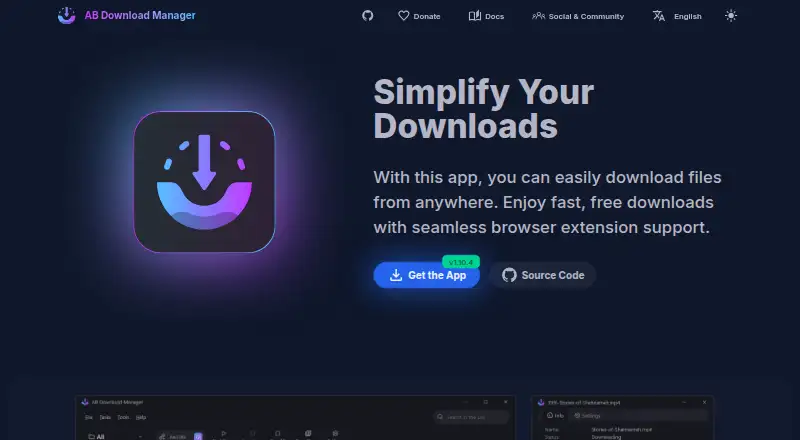
What AB Download Manager is
AB Download Manager is a free, open-source tool for organizing downloads. Its multi-threaded connections can increase download speed by up to 500%, according to the maker. Users can queue files for sequential downloading, schedule queues to start and stop automatically, and limit how much bandwidth the app uses. Browser integration supports Chrome, Firefox, Edge, Brave, Opera, and Vivaldi. For browser links to route through the manager, the desktop application must be running in the background. Listed platforms include Windows, macOS, Linux, Android, and iOS. The project uses the Apache-2.0 license, and the maker says it contains no ads and respects user privacy. The site provides tutorials, step-by-step guides, and documentation help. Release notes say API key authentication was added and the integration server was restricted to local connections. The Free plan is free. Video downloading and a portable version are listed; remote control is not.
Good
- Free and open source under Apache-2.0.
- Queues can run sequentially and on a schedule.
- Includes a bandwidth speed limiter.
- Browser integration supports six listed browsers.
- No ads, according to the maker.
Watch out
- Desktop app must run for browser links to route through it.
- Remote control is not available.
Who it suits
It suits people who want to queue, schedule, or limit the bandwidth used by downloads. Its browser integration may be useful to users of the listed browsers who keep the desktop app running in the background.
Verdict
AB Download Manager brings queues, scheduling, and bandwidth control together in a free download tool. Browser integration depends on the desktop app running in the background, so account for that requirement if you plan to use it.
Plans and prices
From AB Download Manager's own pricing page, checked 15 Oct 2026.
| Plan | Price | What it gives you |
|---|---|---|
| Free | Free | All listed features · Android, Windows, Linux and macOS · Free |
The facts
Each one read from AB Download Manager's own pages, with the date it was checked.
Where it runs
- Android compatibility issue
- An issue documents Android 16 force-closes caused by a missing FOREGROUND_SERVICE_SPECIAL_USE permission when starting downloads.checked 15 Oct 2026
- App-store availability
- The project README warns that AB Download Manager is not distributed through Google Play or other app stores unless explicitly listed by the project.checked 15 Oct 2026
- Browser integrations
- Extensions support Chrome, Firefox, Edge, Brave, Opera and Vivaldi, routing clicked download links to the desktop app.checked 15 Oct 2026
- Browser support
- The browser integration supports Chrome, Firefox, Edge, Brave, Opera, and Vivaldi.checked 1 Oct 2026
- Linux review
- LinuxLinks tested the application on Manjaro and Ubuntu 24.10 and reported that the binary package installed successfully after the AUR source package failed validation.checked 15 Oct 2026
What it does
- API
- A documented OpenAPI 3.0 service runs by default on localhost port 15151 and exposes download and queue operations.checked 15 Oct 2026
- API add endpoint
- The REST specification defines POST /add for submitting a link with optional headers and download-page URL.checked 15 Oct 2026
- API authentication
- Release notes state that API key authentication was added.checked 1 Oct 2026
- API queues endpoint
- The REST specification defines GET /queues to return queue identifiers and names.checked 15 Oct 2026
- Build and extensibility
- Developers can build the desktop application with Gradle and Java Runtime for Building, and the project accepts contributions through GitHub.checked 15 Oct 2026
- Desktop requirement
- The desktop application must be running in the background for browser links to route to it.checked 1 Oct 2026
- Documentation depth
- The documentation center contains an introduction, feature descriptions, browser-integration instructions and tutorials or step-by-step help links.checked 15 Oct 2026
- Independent performance complaint
- Digital Karthik measured roughly 250 MB RAM idle and 400 MB during use, and reported slower test speeds than IDM and Free Download Manager.checked 15 Oct 2026
- Independent security complaint
- Digital Karthik reported that one of 57 VirusTotal vendors flagged a build, while the maintainer says releases are not digitally signed.checked 15 Oct 2026
- Installation methods
- Official instructions provide GitHub releases, a Linux shell installer, Winget, Scoop and Homebrew installation.checked 15 Oct 2026
- Licence
- The source repository publishes the software under the Apache-2.0 licence.checked 15 Oct 2026
- License
- The project is published under the Apache-2.0 license.checked 1 Oct 2026
- Limit: Firefox resume workflow
- One reviewer reported that restarting a failed download through the original download link was not available.checked 15 Oct 2026
- Limit: video capture
- Chrome-extension reviewers repeatedly request dependable YouTube and other video detection, along with torrent support and custom installation locations.checked 15 Oct 2026
- Local integration security
- Release notes state that the integration server was restricted to local connections only.checked 1 Oct 2026
- Media downloading limit
- The maintainer says media and non-encrypted HLS streams may work, but YouTube and encrypted streams are intentionally unsupported.checked 15 Oct 2026
The company
- Founded year
- No founded year is stated on the reviewed official, GitHub or LinkedIn pages.checked 15 Oct 2026
- Maker identity
- The GitHub profile identifies AmirHossein Abdolmotallebi as AB Download Manager's founder and maintainer.checked 15 Oct 2026
- Maker location
- The maker's LinkedIn profile lists Behbahan, Khuzestan Province, Iran.checked 15 Oct 2026
The full review of AB Download Manager
AB Download Manager is a free, open-source download manager for people who want more control over batches and bandwidth than a basic downloader provides. It is best suited to desktop users who value queues, scheduling, and browser handoff. The trade-off is that browser handoff requires the desktop app to keep running.
Overview
Multi-threaded connections, sequential queues, automatic scheduling, and a speed limiter make AB Download Manager a practical choice for organizing transfers and keeping them from monopolizing a connection. Its claimed speed increase of up to 500% is a ceiling, not a promise: results depend on the download and connection.
The project is released under Apache-2.0. Its maker says the app has no ads and respects user privacy, while its documentation offers tutorials, guides, and answers. Release notes also describe API-key authentication and an integration server restricted to local connections.
Key features
- Multi-threaded connections: The potential speed gain can help with downloads that benefit from multiple connections, but the stated maximum will not apply to every file or network.
- Queues and scheduling: Sequential queues can be set to start and stop automatically, making planned batches easier to manage without manually starting each file.
- Bandwidth control: A speed limiter lets users reserve bandwidth for other activity. That is useful on shared or constrained connections, though it prioritizes control over maximum download speed.
- Browser integration: Chrome, Firefox, Edge, Brave, Opera, and Vivaldi are supported. Links route to the manager only while its desktop application is running in the background, so this is less convenient for users who do not want a persistent desktop process.
- Video downloads and portability: Video downloading and a portable version are included, giving users options beyond a standard installed workflow.
Pricing
Free — free. The plan includes no ads and open-source software, with browser integration, video downloading, and scheduling. It does not include remote control. With no paid tier in this offering, there is no upgrade path for that capability; users who need remote operation should consider another tool.
Platforms
AB Download Manager supports Windows, macOS, Linux, and Android. The directory also identifies iOS and browser extension availability, while the plan details name the four desktop and mobile operating systems. Browser integration is available, but desktop handoff depends on the background application being active.
Who it's for
Choose AB Download Manager if you want a no-cost way to queue and schedule downloads, limit bandwidth, and route supported browser links into a desktop manager. It is a weaker fit if you need remote control or expect browser capture to work without keeping the desktop app running.
Pros and cons
- Pros: Free and open source under Apache-2.0; queues, scheduling, and speed limiting provide useful control without a paid plan; browser support covers six named browsers; video downloading and a portable version are included.
- Cons: Browser handoff requires the desktop app to run in the background; remote control is not included; the advertised maximum speed gain is not a guaranteed result.
Alternatives
- JDownloader is another free option, with availability across desktop, mobile, web, and extension platforms and a GPL open-source description; consider it if that broader platform mix is a priority.
- 4K Video Downloader+ has a permanent free Starter plan for basic features and a free trial; consider it if you want to compare a freemium downloader with a video-focused alternative.
- Gopeed is free and open source, with no ads or tracking and a broad platform range that includes web and self-hosted options; choose it if those attributes matter more to you.
- BitComet is free for private personal, non-commercial use; consider it if those terms fit your use.
- pyLoad is a free, open-source alternative with desktop, web, API, and self-hosted platform options.
- ClipGrab is a free GPLv3 option that includes video downloading and conversion; it is worth considering when conversion is central to your needs.
- Firelink pairs a free MIT-licensed browser companion with a free browser tool, making it an alternative to compare if you want a browser-centered option.
- Free Download Manager is free, has no ads, and accepts optional donations; consider it if you want a straightforward no-cost alternative.
Verdict
AB Download Manager is a strong fit for desktop users who want free, open-source download control: queues, scheduling, bandwidth limits, and browser integration cover the core practical needs. Choose it for that combination, but look elsewhere if remote control is essential or you do not want to keep a desktop app running for browser handoff.
Getting started
- Open the AB Download Manager website.
- Install the app on a supported desktop or mobile platform.
- Install or enable the browser integration for a supported browser.
- Keep the desktop application running in the background for browser links.
- Create download queues and set optional schedules or speed limits.
Questions
Is AB Download Manager free?
Yes. The listed Free plan costs nothing, and a free plan is available.
Which platforms are supported?
Platform facts list Windows, macOS, Linux, Android, iOS, and extensions.
Which browsers integrate with it?
Integration supports Chrome, Firefox, Edge, Brave, Opera, and Vivaldi.
Is it open source?
Yes. The project is published under the Apache-2.0 license.
Does it offer remote control?
No. Remote control is listed as unavailable.
Can it download videos?
Yes. Video downloading is listed as supported.
Alternatives to AB Download Manager
- 1

ClipGrab
Free planOpen sourceLinuxmacOSWindows7.9€10 one-time - 2

4K Video Downloader+
Free planAndroidLinuxmacOSWindows7.8Free plan - 3

JDownloader
Free planOpen sourceAndroidiOSWebAPI7.8Free plan - 4

Gopeed
Free planOpen sourceAndroidiOSWebAPI7.7Free plan - 5

BitComet
Free planAndroidWebAPIExtension7.5Free plan - 6
Hydra
Free planOpen sourceWebAPILinuxSelf-hosted7.3Free plan