
Delightex Edu (formerly CoSpaces Edu)
Delightex Edu, formerly CoSpaces Edu, is a school-focused platform for students to create 3D projects, animate them with code, add AI, and explore in virtual…
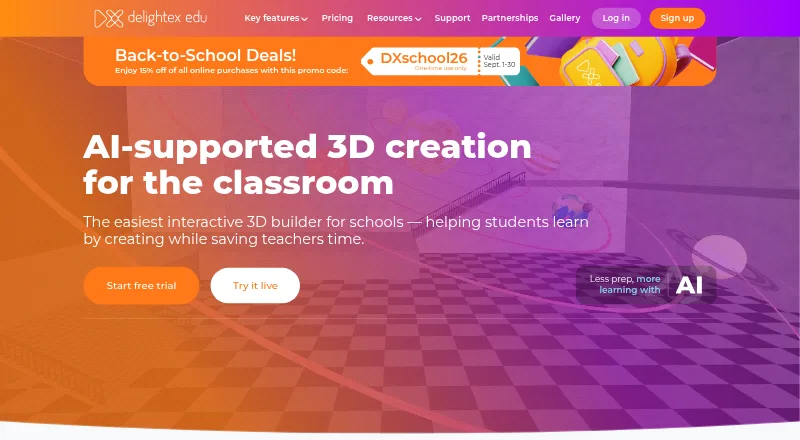
What Delightex Edu (formerly CoSpaces Edu) is
Delightex Edu, formerly CoSpaces Edu, is a school-focused platform for students to create 3D projects, animate them with code, add AI, and explore in virtual and augmented reality. Teachers can set assignments, manage classes, and follow student work in real time. The free Basic plan supports up to 29 students, one class, two projects, one assignment, ten external files, and basic CoBlocks. Pro adds a 3D object library, AI features, all CoBlocks or scripting languages, and a built-in physics engine. Teachers can try Pro and the MERGE Cube add-on free for 14 days with 25 seats. Pro licenses run for one year, and online purchases are capped at 400 seats per plan. The service is available on web, iOS, and Android; its browser version runs on desktop and laptop computers, including Chromebooks, without installation. Students can sign in with Clever, Apple, Google, Microsoft, or NAVER, and teachers can share projects to Microsoft Teams. Delightex states that Edu meets GDPR, COPPA, FERPA, and Ed Law 2D requirements.
Good
- Free Basic plan allows up to 29 students.
- Teachers can manage classes and assignments.
- Runs on web, iOS, and Android.
- Chromebook browser use requires no installation.
- Pro trial includes 25 seats for 14 days.
Watch out
- Basic limits users to two projects.
- Basic includes only one class and assignment.
- Pro licenses last one year.
- Online Pro purchases cap at 400 seats.
Who it suits
It suits teachers and students using 3D creation, coding, and virtual or augmented reality in school projects. Teachers who need class management, assignments, and real-time work monitoring may also find its classroom tools relevant.
Verdict
Delightex Edu combines student 3D creation and coding with tools for classroom management. Its free plan has defined project and class limits, while Pro expands the creation features and is licensed yearly.
Plans and prices
From Delightex Edu (formerly CoSpaces Edu)'s own pricing page, checked 15 Oct 2026.
| Plan | Price | What it gives you |
|---|---|---|
| Basic | Free | 1 teacher · up to 29 students · 2 projects · 1 class · 1 assignment · 10 external files per project · basic CoBlocks |
| Delightex Edu Basic | Free | Up to 29 students · 2 projects · 1 class · 1 assignment · 10 external files · basic CoBlocks · Free |
| MERGE Cube add-on — additional seat | $0.50 a year | Per additional seat · Yearly fee |
| MERGE Cube add-on (additional seat) | $0.50 a year | adds MERGE Cube access per additional seat · yearly fee |
| MERGE Cube add-on (first seat) | $5 a year | adds MERGE Cube access to the first seat · one-time payment per license plan |
| MERGE Cube add-on — first seat | $5 a year | Add-on for a Pro license plan · Yearly fee |
| Delightex Edu Pro — additional seat | $7 a year | Each seat can be used by one teacher or student · Yearly fee |
| Pro additional seat | $7 a year | each seat may be a teacher or student · online purchases capped at 400 total seats · yearly fee |
| Pro first seat (Admin) | $50 a year | all features · AI features · unlimited projects/classes/assignments · full 3D library · scripting languages · physics engine · one-time payment per license plan |
| Delightex Edu Pro — first seat (Admin) | $50 a year | All Pro features · one admin seat · final price depends on seats and add-ons · Yearly fee; page labels the first seat “One-time payment per license plan” |
The facts
Each one read from Delightex Edu (formerly CoSpaces Edu)'s own pages, with the date it was checked.
What it does
- 360-degree generation
- Pro seats receive 360-degree image generation, increased to 10 images per seat in the April 2026 update.checked 15 Oct 2026
- 3D creation
- The product provides a drag-and-drop toolbox with 3D objects, scenes, templates and multimedia uploads.checked 15 Oct 2026
- AI features
- Pro includes AI-powered features, AI Buddies and AI Skill.checked 15 Oct 2026
- API documentation depth
- The TypeScript developer reference lists dozens of classes, namespaces, interfaces and type aliases with generated API details.checked 15 Oct 2026
- ClassLink integration
- ClassLink SSO is supported for one-click school and student login.checked 15 Oct 2026
- Class management
- Teachers can create classes, assignments, invite students and co-teachers, and monitor student work.checked 15 Oct 2026
- Classroom use
- The product is intended for schools, and teachers can create assignments, manage classes, and monitor student work in real time.checked 28 Sep 2026
- Compliance claim
- Delightex states that Delightex Edu is COPPA, FERPA and GDPR compliant.checked 15 Oct 2026
- Content moderation
- Delightex says its support team moderates user-generated content and removes content that violates its educational standards and safety guidelines.checked 28 Sep 2026
- Creation and coding
- Pro includes the 3D objects library, AI features, all CoBlocks or scripting languages, and a built-in physics engine.checked 28 Sep 2026
- Gallery
- Pro users can publish Projects to the Delightex Gallery and remix Gallery Projects.checked 15 Oct 2026
- Google Classroom integration
- An optional Google Classroom integration lets teachers create and manage Delightex assignments through Classroom classes.checked 15 Oct 2026
- Integrations
- Students can sign in using Clever, Apple, Google, Microsoft, or NAVER, and teachers can share projects to Microsoft Teams.checked 28 Sep 2026
- Licence
- The terms describe Delightex Edu as copyrighted SaaS and grant only a limited, non-exclusive, non-transferable licence to use it; no open-source licence is offered.checked 15 Oct 2026
- Limit: instructional structure
- The Learning Standard says the blank-canvas design needs strong adult direction and lacks automated quizzes, spaced repetition and structured lessons.checked 15 Oct 2026
- Limit: mobile controls
- Independent review commentary describes mobile controls and hit areas as rougher than the desktop experience.checked 15 Oct 2026
- Limit: performance
- Reviewers report lag, glitches, login failures, download problems and underwhelming graphics.checked 15 Oct 2026
- Limit: premium paywall
- Review summaries repeatedly complain that many important features, publishing and richer assets require a paid licence.checked 15 Oct 2026
Where it runs
- Browser access
- The web application runs in an up-to-date browser on desktop or laptop, including Google Chromebooks, without a download or installation.checked 28 Sep 2026
The company
- Company founded
- LinkedIn lists Delightex GmbH as founded in 2012 in Munich by Evgeny Belyaev, a JetBrains co-founder.checked 15 Oct 2026
- Company headquarters
- LinkedIn gives the headquarters as Munich, Germany, at Christoph-Rapparini-Bogen 25.checked 15 Oct 2026
- Company size
- LinkedIn lists Delightex GmbH as a privately held software company with 11–50 employees.checked 15 Oct 2026
- Data ownership
- The terms say students and schools own Student Data, while Delightex receives limited rights needed to operate the service.checked 15 Oct 2026
- Headquarters
- Munich, Germanychecked 28 Sep 2026
The full review of Delightex Edu (formerly CoSpaces Edu)
Delightex Edu (formerly CoSpaces Edu) is a school-focused workspace where students build coded 3D creations and explore them in virtual or augmented reality. It fits teachers running structured creative lessons, especially when assignments and progress need to stay in one place. The main trade-off is clear: Basic is a small starter tier, while the fuller creation toolkit requires an annual Pro license.
Overview
Delightex Edu combines student authoring with teacher controls. Educators can set assignments, organize classes, and monitor work in real time, so it is better suited to guided curriculum projects than to a learner wanting only an independent 3D or AR sandbox. Students can animate scenes with code, add AI, and view projects in VR and markerless AR.
Identity and collaboration are practical strengths. Students can sign in through Clever, Apple, Google, Microsoft, or NAVER, and teachers can share projects to Microsoft Teams. Delightex says the education service complies with GDPR, COPPA, FERPA, and Ed Law 2D. Its stated protections include SSL during transmission, AES-256-GCM encryption at rest, PBKDF2-based salted and hashed passwords, and annual security audits. A support team moderates user-generated content against its educational and safety standards.
Key features
Creation, coding and immersive work
Pro adds the full 3D objects library, AI functions, every CoBlocks or scripting language, and a built-in physics engine. That combination supports richer simulations and more ambitious coding lessons than the Basic tier. Basic's basic CoBlocks make it useful for an introductory activity, but not a comparable option for classes that need advanced scripting or physics.
Classroom authoring and resources
Lesson authoring, assignment handling, class management, and live monitoring give teachers a workflow around the projects rather than just a collection of creative tools. Educator and student guides, video tutorials, a free online teacher course, lesson plans, a community forum, and FAQs reduce the preparation burden for schools adopting the platform.
Access and hardware
The web app runs in an up-to-date desktop or laptop browser, including Google Chromebooks, without installation. iOS and Android apps are also offered; the stated minimums are iOS 8 and Android 8. Wearable support and markerless AR broaden classroom demonstrations, while the service remains usable across web, iOS, and Android.
Pricing
Delightex Edu Basic is free, but its limits shape it as a trial or very small activity: up to 29 students, two projects, one class, one assignment, 10 external files, and basic CoBlocks. Those caps are workable for a short unit, not for a school building a continuing project library.
Pro starts with a $50 a year first-seat (Admin) license. The first seat is described as a one-time payment per license plan and includes all Pro features plus one admin seat; the final price depends on seats and add-ons. Additional Pro seats cost $7 a year, with each seat assigned to one teacher or student. Pro licenses run for one year, and online purchases are capped at 400 total seats per plan, so larger deployments need a purchasing conversation.
The MERGE Cube add-on costs $5 a year for the first seat and $0.50 a year for each additional seat. Teachers can try Pro features and the MERGE Cube add-on for 14 days with 25 seats. Choose Basic when the class can live within its strict quotas; choose Pro when the object library, AI, full coding set, physics, or larger roster justify an annual commitment.
Platforms
Delightex Edu is available on web, iOS, and Android. Browser access is particularly practical for Chromebook classrooms because no download is required. The mobile apps support iOS 8 and later and Android 8 and later.
Who it's for
This is a strong fit for schools using 3D, coding, VR, or AR as part of teacher-led lessons, and for educators who need assignments and progress oversight alongside creation. Basic suits a small introductory group or evaluation period. Pro is the sensible classroom choice when students need advanced creation and coding tools. It is less suitable for an individual seeking a stand-alone AR viewer or for a school that cannot work within annual licensing and seat limits.
Pros and cons
Pros
- Classroom workflow: Assignments, class organization, and real-time monitoring keep creative work tied to teaching.
- Deep Pro toolkit: AI, the 3D library, full CoBlocks or scripting, and physics support more varied projects.
- Broad access: Web, Chromebook-compatible browser use, iOS, Android, markerless AR, and wearable support cover mixed device fleets.
- School safeguards: Stated GDPR, COPPA, FERPA, and Ed Law 2D compliance, encryption, audits, and content moderation address institutional concerns.
Cons
- Basic is tightly capped: Two projects, one class, one assignment, 10 external files, and basic CoBlocks restrict sustained use.
- Advanced work costs annually: Pro and add-on seats are yearly licenses, with totals rising by roster size.
- Purchase ceiling: Online Pro purchases stop at 400 seats per plan, which may complicate larger rollouts.
Alternatives
Augmented Classroom is worth choosing when Windows support and a 14-day trial structure matter; its free Demo Plan is limited to one mobile-only interactive test for a single user.
JigSpace is the better starting point for teams wanting three active Jigs, three steps, 100MB of storage, and two seats on its free plan across a wider platform mix.
Merge EDU suits schools seeking a free Classroom plan that combines EDU and Creator suites with student seats and classroom management.
TrainAR is the straightforward choice for users who specifically want free, MIT-licensed software.
Quiver fits brief AR coloring activities, with 10 free sheets and no subscription required.
Assemblr EDU is preferable when a free tier with 400 3D objects, QR markers, and 30MB account storage matches the lesson.
Narrator AR is a free iOS and Android option centered on AR activity pages and its named characters.
U.S. Army STARS Anatomy is the focused alternative for free 3D skeleton exploration, quizzes, and 30-plus levels.
The directory's Augmented Reality Learning Apps list is useful when the priority is comparing AR software beyond Delightex Edu's broader creation-and-classroom model.
Verdict
Choose Delightex Edu for a school that wants students to create and code 3D, VR, or AR projects inside a managed lesson workflow. Its strongest reason to buy is the combination of classroom oversight and Pro's unusually broad creation toolkit. Look elsewhere if the Basic quotas are too restrictive, annual seat licensing does not fit, or the goal is a narrower AR activity rather than a full classroom platform.
Alternatives to Delightex Edu (formerly CoSpaces Edu)
- 1
Nanome
Free planAndroidiOSWebAPI8.2From $4.17 a month - 2
ThingLink
AndroidiOSWebAPI7.7From $108 a year - 3

CenarioVR
AndroidiOSWebWindows7.6From $5,268 a year - 4

VictoryXR
Free planAndroidiOSWebmacOS7.4From $150 a year - 5
Arkio
Free planAndroidiOSmacOSWindows7.3From $35 a month - 6
Prisms
AndroidiOSWeb7.3From $23.99 a year